Still on Drupal 7? Security support for Drupal 7 ended on 5 January 2025. Please visit our Drupal 7 End of Life resources page to review all of your options.
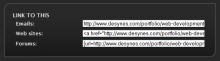
This module adds a block whose function is to provide easily accessible embed this in your own web page links (fields). When enabled, users with permission to access the Link to this block will see three self-populated form fields; each field will have within it a pre-formatted, self-highlighting text area containing HTML code with a link to the page being viewed.
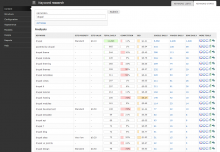
The Keyword Research module provides intelligence to help you explore, analyze and select better keyword phrases for your content directly from your website. It also enables you to quickly and easily organize your targeted keywords and tag pages using a variety of popular methods.
The module provides reports on a keyword phrase's popularity and the popularity of suggested related phrases using various data sources such as; Wordtracker, Scribe SEO, WordStream and Google Adwords. It also provides convenient links to a variety of third party tools, such as Google Trends, Google traffic estimator and GoRank’s related keyword tool for additional insight.
It wraps any keywords generated by supporting modules and all keyword in research reports with a pop-up actions menu that enables one click popularity reports and adding & removing keywords in taxonomies, More Like This, and meta keywords.
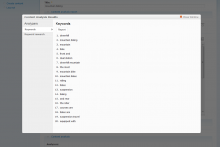
The Keyword Analysis module uses an open source algorithm that extract keywords on your Drupal server without needing to connect to a 3rd party API. Via the Content Analysis UI it can be used to extract keywords from node content, from any URL or from a text field.
The module was design to be a quick analysis to seed the Keyword Research module. It is recommended to use both in conjunction with each other.
In order to use this module you must download the free autokeyword.php class. Place the file in a subdirectory named "lib" so that you have:
This project implements tokens that can be used to populate the content of the meta tags implemented by Nodewords, or Meta tags. This project is independent from those projects, and can be used standalone.
Some versions of Nodewords contains a module that exposed meta tags tokens (nodewords_tokens.module), and an analogous module is present in the project Extra meta tags modules; this project automatically imports the settings from nodewords_tokens, but not from the module contained in the project Extra meta tags modules, which contained the module only in HEAD.
The procedure to update from nodewords_tokens.module is the following:
Disable nodewords_tokens.module, but do not uninstall it.
Install this module, and enable it.
Uninstall nodewords_tokens.module.
To avoid problems with the meta tags using tokens, the site should be put offline before to follow the reported procedure, and put back online after the procedure is completed. Remember to clean the cache, before to enable the new module.
Why has this module been moved to a standalone project?
The module has its own install script, it will create the required database entries.
Configuration:
Go under Administer section
Go under Site Building -> Modules -> Other and make sure "JSXGraph for Drupal" is enabled.
Go under Site Configuration -> Input Formats click on configure next to "JSXGraph for Drupal"
Make sure the filter is configured to your satisfaction, eg HTML filter is run after JSXGraph filter etc. (I will learn how to improve this part of installation).