Empower developers with tools that assist with developing and debugging the frontend or backend of the site.

Nodeupdates Notify

Extends node updates module to allow email notification.

Budget

Allows users to set up a budget in order to organize their finances. The module is currently under development. Here are the list of requirements:

  • Data Structure – The data will be broken down by four main taxonomy terms: income, expenses, debt, and savings. From there, sub-terms can be added by the site administrator to further categorize data items. There will also be an “other” sub-term, for each of the main terms, where the user can enter their own description.
  • User Interface – The data entry will be a multi-part question and answer session, with help pop-ups, that walks the user through each of the main categories of their personal finances. The user will enter data and select sub-terms from a drop-down menu.
  • Security – Steps will be taken to ensure the anonymity and security of the user and their data. Only the user, the system administrator, and financial adviser role will be able to view the individual user’s data and report.
  • Recommendations – The financial recommendations will be based on the user data’s deviation from normal as a percentage of net income for his/her income group. Additionally, the site administrator will be able to set thresholds where red flags would be raised. The administrator will be able to enter a detailed description that will be presented to the user for each red-flag event.

Open Form Help Links In New Window

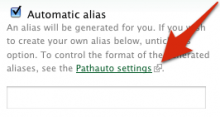
Annotated screenshot of the Open Form Help Links In New Window module in action.

About

The Open Form Help Links In New Window module makes all links in forms in the content area open in a new window or tab. It changes the behaviour of any link in the form, regardless of whether it links to an internal or external URI. It doesn't change the behaviour of other links on the page that are not in the form. It adds a small link-opens-in-new-window Only local images are allowed. icon to the links it changes the behaviour of.

This module was inspired primarily by usability issues that I (Bevan) became aware of at the usability testing at UMN, and also by elements of the External Links package. A technical tip was taken from the External New Tab module.

Feedback & Suggestion Tab

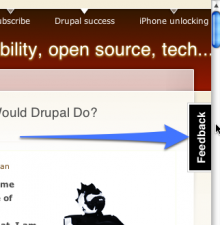
Screenshot of the Feedback & Suggestion Tab module in action on Drupal.geek.nz

Feeback & Suggestion Tab adds a tab to the viewport, next to the scrollbar, which solicits feedback and suggestions from website visitors. GetSatisfaction.com, UserVoice.com and other similar services use a tab like this, and are the source of inspiration for this module. The webpage in the modal dialog that appears after clicking the tab is configurable, but only pages in an <iframe> are supported for now. Contributions for AHAH content are encouraged.

To set the URI for the iframe, add a line like the following to your settings.php file.

$conf['feedbacktab_iframe_uri'] = 'http://example.com/';

The animation settings are also not yet configurable or over-ridable. A UI for these settings is needed. Contributions welcome.

Animation is slightly different in each of Safari, IE7 and Firefox, due to browser bugs with the position: fixed layout and jQuery UI Bounce effect library. This needs to be better debugged and patched, possibly to jQuery UI. Contributions welcome.

There is some support for placing the tab on the left or at the bottom, but this needs to be completed. Need I say that contributions are welcome? :)

Patchdoq

Adds API to patch Drupal core and contributions from code.

Using Patchdoq module

In you own module you should implement hook_patch(). For example:

Pages

Subscribe with RSS Subscribe to RSS - Developer tools