

Add functionality and customize your Drupal application with thousands of projects contributed by our amazing community.
A module is code that extends Drupal's by altering existing functionality or adding new features. You can use modules contributed by others or create your own. Learn more about creating and using Drupal modules.
PicWall
PicWall is a Drupal module that provides field formatters for creating dynamic image collages without cropping. It supports standard Image fields, Media fields, and Responsive Image styles. The...
Categories: Content display, Media
AI RAG Assistant
The RAG AI Assistant module provides an AI-powered chatbot for Drupal using Retrieval-Augmented Generation (RAG), enabling context-aware and dynamic responses based on site content or external data...
Categories: Artificial Intelligence (AI)
AI File to Text
AI File to Text automatically extracts content from uploaded document files and converts them to plain text, HTML, Markdown, or structured JSON. Built on an extensible extractor architecture, it...
Categories: Artificial Intelligence (AI), Import and export, Media
Ckeditor D8
Steps Performed Created original page and published. Added translation of the page and published. Edited original page: added a second text block and saved it in draft mode. Checked translated page...
 Color Scheme Switcher
The Color Scheme Switcher module provides a frontend API and a ready-made block to let visitors switch between Light, System (Auto), and Dark color schemes on a Drupal 11 site — without a page...
Burger
Burger is a minimal hamburger menu with fullscreen navigation. https://github.com/mblode/burger
Categories: Site structure
Canvas Focal Point Widget
Widget to set focal point and image scale within canvas editor interface. I have used the great Focal Point module in the past however that module set the focal point globally for an image. Also...
Categories: Content editing experience
 Media Library Modal Dimensions
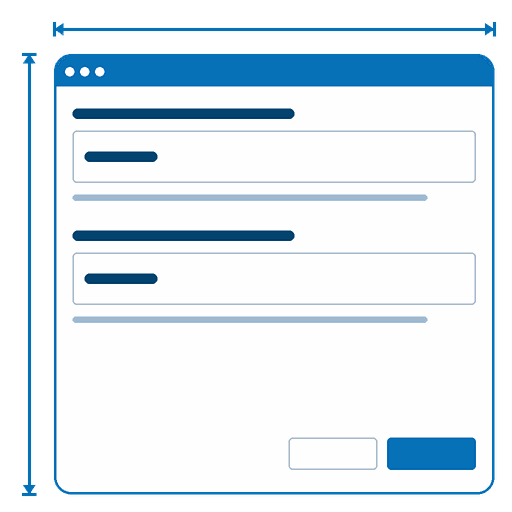
Media Library Modal Dimensions adds width and height settings to every Media Library widget so the modal dialog can be sized to the content it displays — per field, without custom JavaScript or...
Categories: Media
 Accessible Calendar
Accessible Calendar Accessible Calendar provides month and week calendar displays for Views results in Drupal, with a strong accessibility focus that improves navigation, announcements, and day...
Categories: Accessibility
Buddylist
Allows you to add other site users to your buddy list, organize these into groups, and monitor their content. It is a basic building block for anyone wishing to make a social networking site in...
Gallery
This module embeds Gallery2 (http://gallery.menalto.com) inside your Drupal installation to support photos, videos and other content. There is support for 2 types of image blocks and a navigation...
Categories: Content display, Integrations
HTML corrector
This is a HTML correcting module. The filter scans the input, builds up a list of open tags and closes them when needed. Note that it does not validate the document according to the HTML...
Categories: Content editing experience
Keywords
Русская версия English version below Возможности модуля Показывает на отдельной вкладке ("Ключевые слова") ноды список найденных ключевых слов и фраз, а также их плотность в тексте ноды На странице...
Categories: Content editing experience
Stock
This is a stock module that provides visitors live stock prices from various market exchanges. Registered users can configure a portfolio that would be displayed in a block with they own stock...
Categories: E-commerce, Integrations
Article
This module is no longer supported. The article module allows for nodes of any type to be organized and displayed in a centralized location. This allows the site administrator to organize nodes of...
Categories: Content editing experience
 API
API
The API module was designed to produce the Drupal developer documentation available at api.drupal.org. You can set up your own API documentation site by following these instructions. The API module...
Categories: Developer tools
Term Access
As this module was created recently, there is only a development version available. Please take some time to test the module so we can iron out any bugs before an official release. This module...
Image filter
This module allows you to reference image nodes from other nodes. To use this module, you first create an Image node for the image you want to to embed in another node. Then, in the node where you...
Categories: Content display, Content editing experience
Daily
The daily module is meant for things like comic strips or daily headlines. Any node can be `daily content', which means it is associated with a certain group (implemented as a taxonomy term) and...
Categories: Content editing experience
News Page
Allows creation of pages which show syndicated 'news' items from an aggregator category. News items are automatically filtered by keywords (chosen when creating the page), so that only news items...
Categories: Content editing experience, Import and export
quicktags
Quicktags adds buttons to your forms, for easy insertation of code (like basic HTML) into a textarea. It uses on-the-fly generated javascript to do the magick. It is not a wysiwyg editor, but...
Categories: Content editing experience
Related links
The relatedlinks module enables nodes to display related URLs to the user via blocks. Related links can be defined in 3 ways: Parsed links: links that are retrieved from the body of a node. Manual...
Categories: Content editing experience, Site search
Comment closer
This module lets you automatically close the comments on any or all node types. You can close comments that are a week|month|year old. Comments are closed in a cron hook daily|weekly|monthly...
interwiki
This filter provides a simplified, wiki-like syntax for linking to articles or search results on many commonly-used internet reference websites. For example, [[w:public relations]] can create a...
Categories: Content editing experience
Side Content
When creating or editing a page, this module enables content to be added to a side bar block. The content will only be seen when viewing the page (node) that it's been added to. This works on any...
Categories: Content display