Configure the layout and format of content and data presented to site visitors.

Simplest Gallery

Simplest Gallery will allow you to create a zero-config (well almost) image gallery. All you need to do is create a folder named "images" in your site's root folder.

Mobile Tools

Description

The Mobile Tools module provides Drupal developers with some tools to assist in making adjustments to your site based on the visitor's device.

  • Contextual switching of content and layout
  • Exportable configurations using Spaces and Features
  • Define your sites via domain, sub domain, path, path pairs and query string
  • Server side feature detection using Browscap
  • Automatic redirection to a site based on device group
  • Mobile bookmark popup/Add to home screen notification
  • Media Query builder
  • anything else we can think of!

Mobile Tools integrates with the following modules to enable the described functionality

  • PURL
  • CTools
  • Context
  • ThemeKey
  • Browscap
  • Spaces
  • Panels
  • Features
  • Context HTTP Headers

Mobile Tools 3.x

Updates:

Node Access

Swipht technologies developed a set of security modules with sponsorship from Portland State University. The modules provide roles and user specific security permissions for menus, menu items, nodes, and security integration into the administration and help systems. We would like to provide this suite of modules back to the community to share the usefulness of the suite and involve the community to provide additional support, testing, and moderation.
Special care was taken to ensure the usability of permission management was consistent across all sections of the system (nodes, menus, menu items). Also each security module uses a cascading security scheme to allow global security and the option to override or define exceptions to the security model for individual items.

For example, defining global node access rights by role will dynamically apply the security scheme to all content types and nodes created. However the user can override the global security scheme for an individual content type, and override the permissions for a given content type by setting permissions on an individual node.

Please Note!!

Node Reference formatters

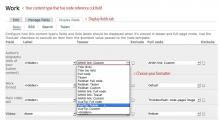
Content-Type-Formatters.jpg

Node Reference formatters provides four additional display styles (formatters) for Node Reference CCK field.

Check this demo screencast

Fieldset
Standard Drupal collapsible fieldset where legend is referenced node title and value is node content in chosen format.
AHAH link
Button with #ahah property and value of referenced node title. When user clicks on it referenced node is called dynamically via AHAH callback which is in Drupal core.
jQuery clueTip
Utilizes jQuery clueTip plugin, nice dynamic (ajax) content loading in a tooltip when user hovers mouse on the link.
Thickbox
Loads referred content into thickbox, requires this module installed.
http://drupal.org/project/thickbox

Ubercart Domain Access

This module provides a basic integration of Domain Access for Ubercart, allowing an Ubercart store to spa

webReader

Development sponsored in the past by

Pages

Subscribe with RSS Subscribe to RSS - Content display