Problem
Page: admin/appearance/settings
Action: I want to set an svg image file as the logo
Situation 1:
- Place the file logo.svg myself on the root of the web site.
- Uncheck "Use the default logo supplied by the theme".
- Fill in logo.svg in "Path to custom logo".
- Click "Save configuration".
result: OK, logo changed and displays as expected. See Figure 1 which demonstrates this behavior.
Situation 2:
- Uncheck "Use the default logo supplied by the theme".
- Browse to the logo.svg on my local computer and select it in "Upload logo image".
- Click "Save configuration".
result: file refused with error messages:
    The specified file logo.svg could not be uploaded.
        - Image type not supported. Allowed types: png jpeg gif
        - Only files with the following extensions are allowed: jpg jpeg gif png txt doc xls pdf ppt pps odt ods odp.
    The logo could not be uploaded.
What is wrong:
- The 1st error message comes from the active toolkit in the Image system, but as the logo will not be manipulated by the toolkit, it should stay out of this setting.
- The 2nd error is even stranger as the logo file now suddenly seems to be treated as a regular file upload.
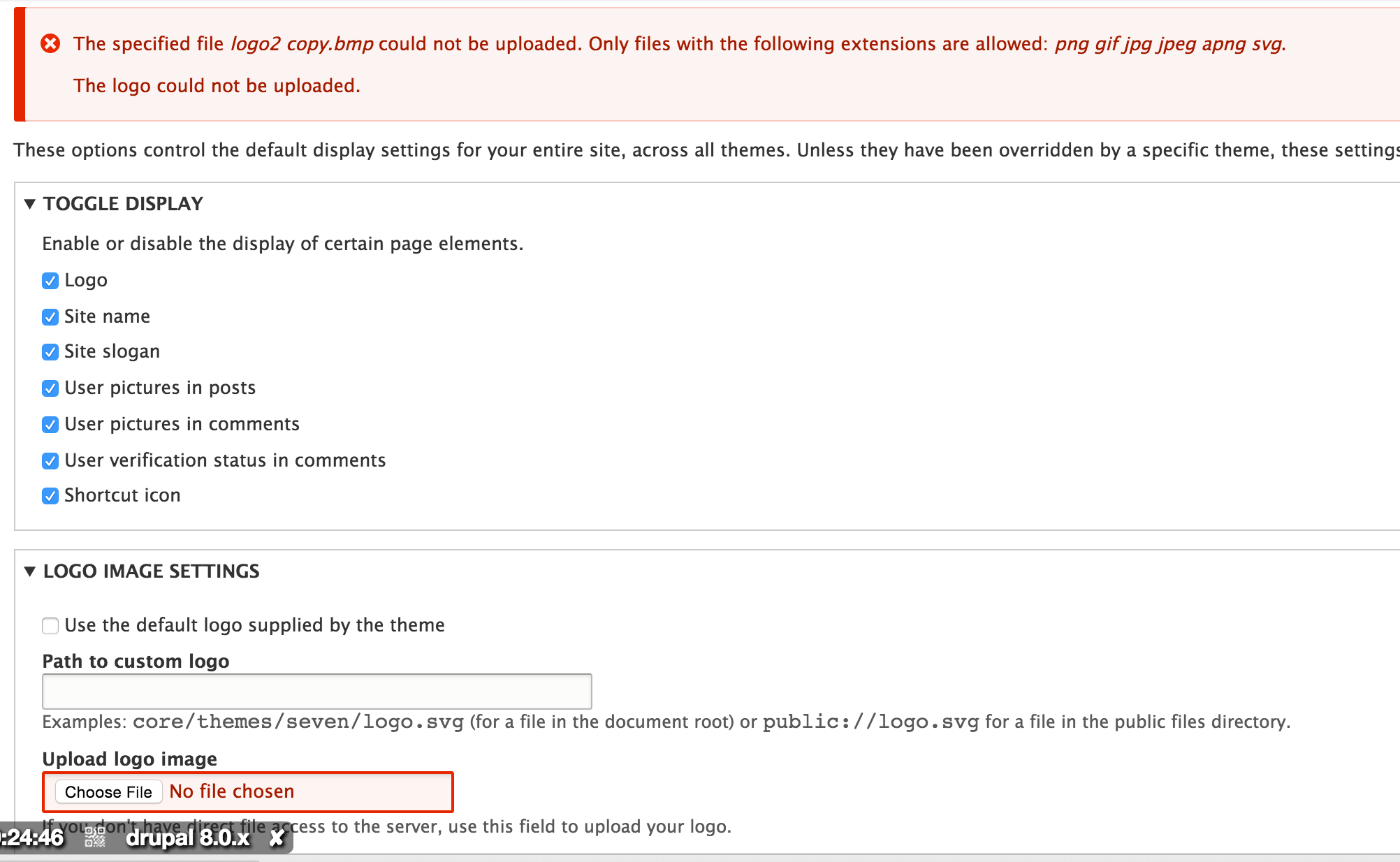
See Figure 2 for error messages when uploading an SVG.
Proposed resolution
- There should only be a check if the logo is a regular/known image format.
- Both ways of defining the logo should react the same.
See Figure 3 for expected behavior when uploading an SVG.
User interface changes
Update error messages when uploading an invalid file.
Current (when uploading a .txt file):
The specified file logo.txt could not be uploaded.

    The image file is invalid or the image type is not allowed. Allowed types: png, jpeg, jpg, jpe, gif, webp
Expected:
The specified file logo.txt could not be uploaded.

    Only files with the following extensions are allowed: png gif jpg jpeg apng svg.
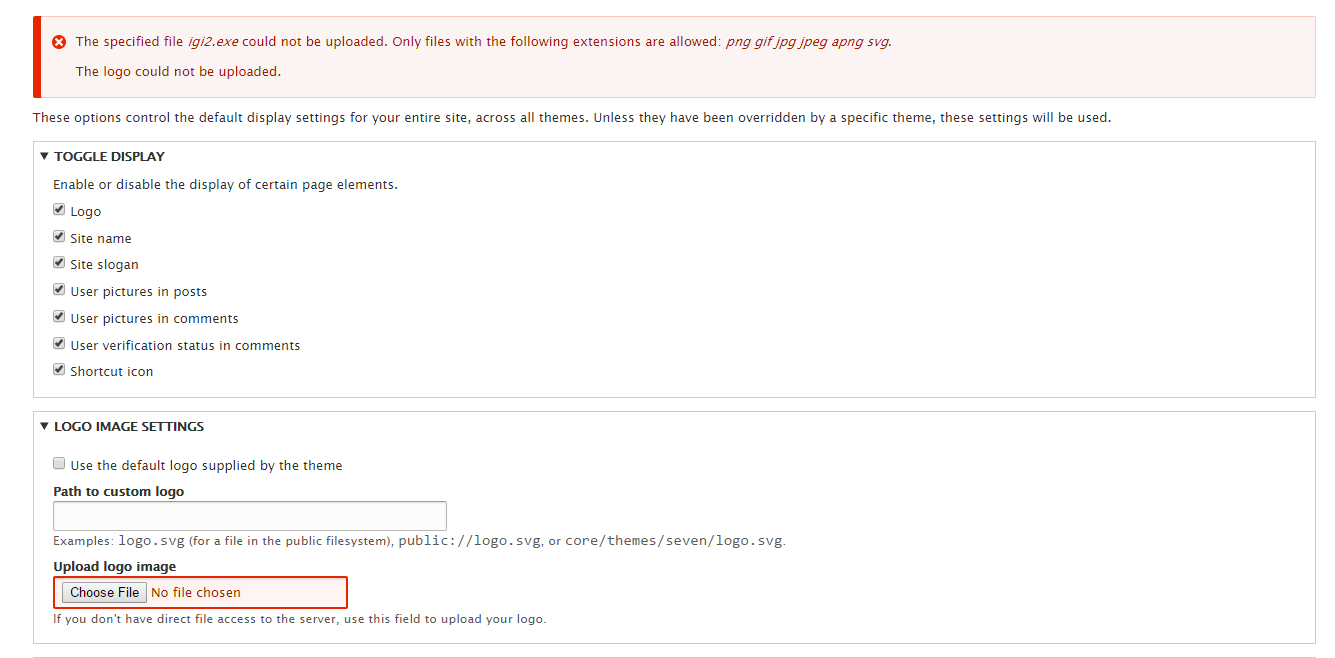
See Figure 4 for expected behavior when uploading an invalid file.
Remaining tasks
- Decide if it's acceptable to mark "administer themes" as "restrict access: true" to gain the functionality of using SVG as the logo.
- If not, decide how to sanitize SVG images - see comment 176 for details
API changes
None.
Contributor tasks needed
| Task |
Novice task? |
Contributor instructions |
Complete? |
| Create a patch |
|
Instructions |
|
| Review patch to ensure that it fixes the issue, stays within scope, is properly documented, and follows coding standards |
|
Instructions |
|
Screenshots and mockups
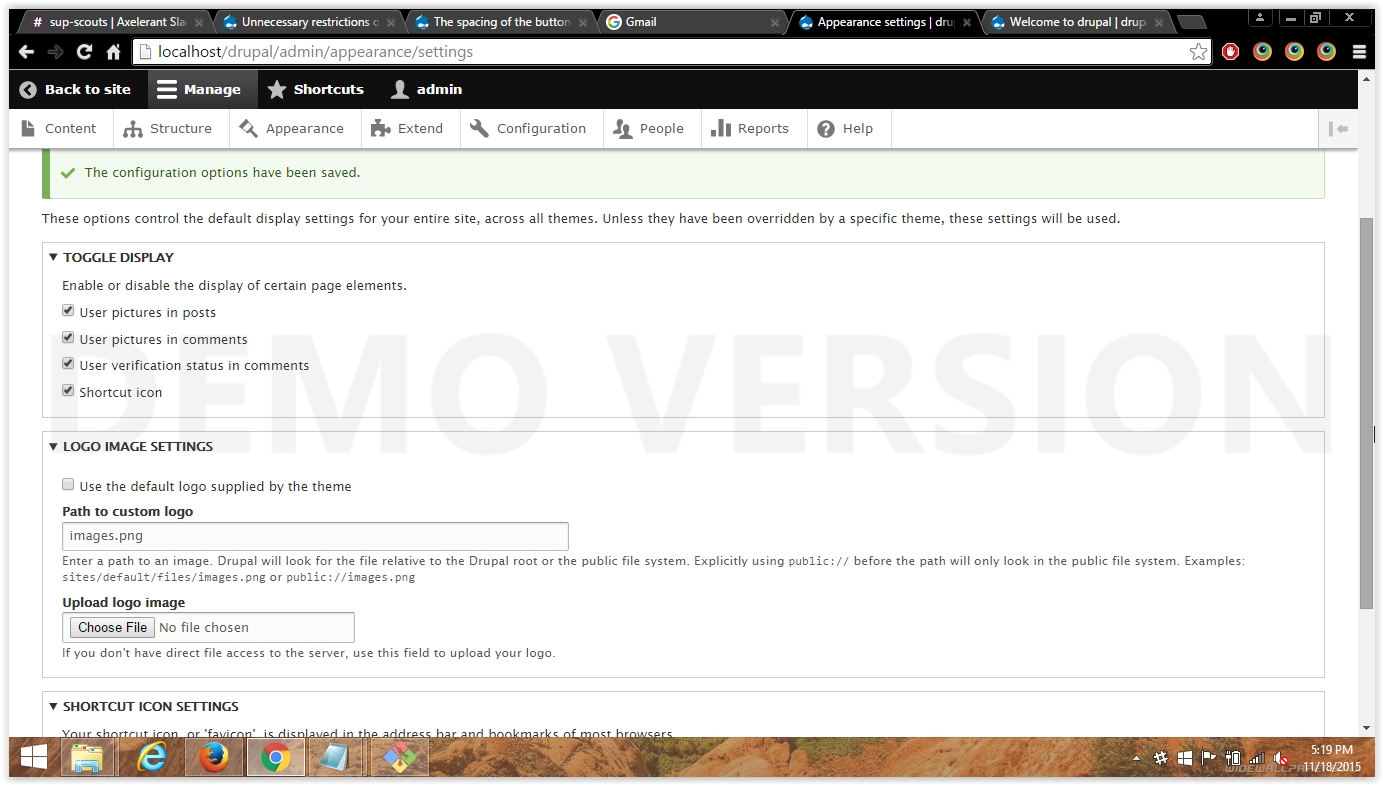
Figure 1. Defining a custom logo path after uploading a file directly to the filesystem.
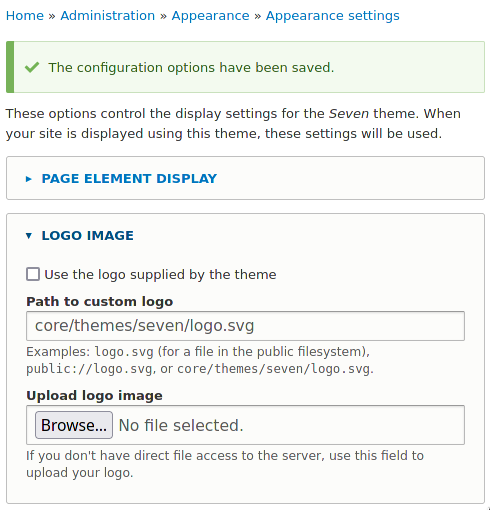
Figure 2. Current core behavior when attempting to upload an SVG.
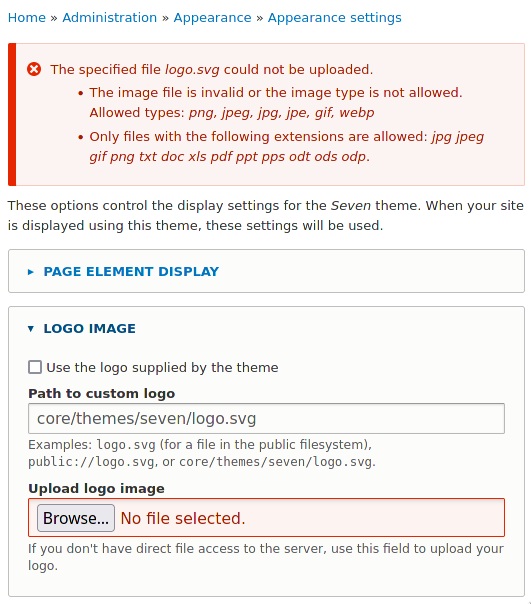
Figure 3. Expected core behavior when attempting to upload an SVG.
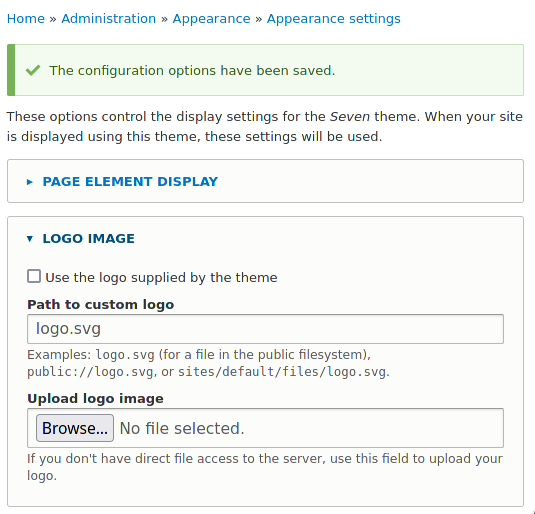
Figure 4. Expected core behavior when attempting to upload an invalid file type.


 Show commands
 changes







Comments
Comment #1
sidharthapDrupal supports GIF, JPG and PNG as Drupal 8 used GD2 image manipulation toolkit and GD2 does not supports SVG formats. May be in future Drupal will used ImageMagick.
Follow this links http://www.sitepoint.com/imagick-vs-gd/ for difference between imagick vs gd.
Here is a related issue reported https://drupal.org/node/238678.
Thanks
Sidhartha
Comment #2
fietserwinYou are right, but the point here is that a logo is not manipulated in any way by Drupal. So any restrictions due to the active toolkit, and the formats that it (does not) support, should not be applied to the logo, nor should any format restriction from somewhere in the file module be applied.
Comment #3
sidharthapThere is no restriction from file module. Even we pass the extensions to validate, it will get fail at the toolkit label while manipulating the image.
Comment #4
itapplication commentedI experience unnecessary restrictions on logo format for .svg only. I place logo.png in theme folder but {{logo}} print only logo.svg. Why?
Comment #5
ckrinaComment #6
akalata commentedRemoving unnecessary tags (per [#1023102]).
Comment #7
joelpittetTagging for sprint tomorrow and cross linking it as I ran across this while converting logo to be in a block.
Comment #8
joelpittetUpdating title.
Comment #9
joelpittetDiscussed with @webchick and bumping to major.
Comment #10
mark.labrecqueComment #11
jmarkel commentedComment #12
mark.labrecqueThanks jmarkel! I will be working on this at the DrupalCon sprint tomorrow and will take these suggestions into account
Comment #13
nvahalik commentedI will be working on this at the DrupalConLA mentored sprint.
Comment #14
mark.labrecqueI have already begun work on this nvahalik. Would you like to work together on it?
Comment #15
mark.labrecqueComment #16
nvahalik commentedThe logo file upload form validator now uses the same file validator as the favicon (minus the .ico extension).
Comment #17
mark.labrecqueI reviewed this and verified that the patch allowed an SVG file to be uploaded to global theme settings. I will wait on testbot and then RTBC.
Comment #18
mark.labrecqueComment #19
manjit.singhmanually test patch .. working fine.. Attaching screenshot
Comment #20
fietserwinThanks for picking this up.
Regarding the patch:
- According to http://en.wikipedia.org/wiki/Comparison_of_web_browsers#Image_format_sup... we'd better support bmp instead of apng...
- I miss webp, not widely supported yet, but it seems to be coming (during the lifetime of D8).
- This was the only (non-test) use of
function file_validate_is_image(), so should we deprecate or even just remove this function?Regarding how the patch compares to the proposed solution:
This patch solves the 1st point, but does not solve the other 2 points. Dropping the 2nd point is OK for me, but the 3rd point, the help text, remains obscure to me: Examples: logo.svg (for a file in the public file system), public://logo.svg, or core/themes/bartik/logo.svg.. You have to read and interpret very carefully to realize that logo.svg may also point to the root of the Drupal installation (and, absolutely not clear or even deductible, in its current implementation gets precedence over the public:// directory).
So, we should either change the scope of the patch (include point 3) or change the scope of this issue by creating a follow up issue (not my preference as changing help texts used to be a no-go during the lifetime of a major release).
Comment #21
manjit.singhAdding
bmpextension would not be a bad idea.. If its possible !! lets wait for some reviews on #20.Comment #22
nvahalik commented@fietserwin,
I've added the bmp extension since it was valid and wouldn't be anymore.
Regarding #2, both the logo and the favicon work exactly the same now, so I'm inclined to just leave it be.
#3 - updated in the patch.
Comment #24
nvahalik commentedUpdated the test.
Comment #25
lauriiiI think we have to add tests for this cause this is considered as bug.
Comment #26
lauriiiComment #27
gyuhyon commenteduploading SVG files to logo and favicon is working
but uploading BMP file to logo nor favicon is not working as below screenshots.
Comment #28
gyuhyon commentedno manual test needed
Comment #29
fietserwin- bmp was not added to the list.
- I'm not sure about the need of testing each and every format. Just testing 1 accepted format and 1 not-accepted format seems enough coverage to me.
- The help text is still wrong: when you enter logo.svg, both /logo.svg and public://logo.svg are tried (in that order) and accepted if found. Nice feature but extremely difficult to describe correctly :(
- It was not that logo and icon behaved differently, but that uploading versus manually entering a file on the server behave differently. But I propose to leave it as is,so admin/editors/themers can circumvent the "arbitrary" limitation to certain image formats. If we decide to leave as is, the issue summary should be updated by removing that point.
Comment #30
nvahalik commentedSorry about the BMP not being added to the list. That was my mistake! I'll upload another patch after we get the message straightened out because it's super tedious trying to fix the tests for every message change.
Here are some further options for the description text:
Comment #31
fietserwinOr something like:
Comment #32
oriol_e9gMaybe it's a little verbose but I'll try with this.
Comment #33
oriol_e9gThis is not major.
Comment #35
oriol_e9gComment #36
oriol_e9gComment #38
andypostYou should change a render (and CSS) to properly display SVG
http://stackoverflow.com/questions/4476526/do-i-use-img-object-or-embed-...
Comment #39
nelp commentedLooking at this issue her at DrupalCon Barcelone
Comment #40
nelp commentedRerolled patch from #34. The patch needs review.
Comment #42
andypostI'm pretty sure that uploading svg file will not display logo properly, because it's not image to render with
IMGtagsvg is not image
Comment #43
valthebald@andypost: if I upload an svg file to sites/default/files thru the file system, and enter path in the theme settings, it is working. So no, SVG files are displayed as images correctly (in all supported browsers)
Comment #44
nelp commentedGod point. But according to http://caniuse.com/#feat=svg-img the use of svg in a img tag is widely supportet.
Comment #48
duaelfrI'm mentoring @nelp, @FMB and @fabio84 on that issue at DrupalCon Barcelona.
The patch has been rerolled and manually tested but automated tests are failing so they are currently working on fixin that tests.
Comment #49
fabio84Patch #40 works for me, we have to figure out why some tests on https://www.drupal.org/pift-ci-job/39647 fails
Comment #50
fmb commentedComment #51
fabio84I tested Drupal\system\Tests\System\ThemeTest and I got 15 errors with the patch and 5 errors without the patch
Comment #52
fabio84errors with patch:
errors without patch:
Maybe the 5 errors I get also without patch are caused by Google Chrome and PageSpeed?
Comment #53
nelp commentedWe think there is some errors in the test. We have to run the tests in a new installation. The sprint here in Barcelona is closing now, but I will continue working on the issue in next week. All input are welcome.
Regarding the problems in the description belongs in its own issue?
Comment #54
fabio84I got the same 5 errors on FireFox
Comment #56
lendudeBit of a clean-up
Comment #57
lendudeBit of a clean-up
Comment #59
lendudeduh, this should be better...
Comment #60
mgiffordThat seems to work just fine. Support for http://caniuse.com/#search=apng seems pretty weak.
Didn't seem like there was consensus around that. Patch seems fairly straight forward.
Comment #61
joelpittet@Lendude does the tests test for SVG explicitly?
Comment #62
lendude@joelpittet in #59, the only thing getting tested is the description string. I was only trying to get the current patch in the green. Really haven't looked into testing file uploads.
Comment #63
joelpittetReally wish I knew what that implicit public file is all about. I'm guessing it was needed to be removed for this to work for some reason?
The only thing that looks like it would be totally needed is the validators change... that is just from reading the code (didn't test)
Comment #64
lendude@joelpittet from the issue summary:
Comment #65
joelpittetSo to paraphrase you are are saying that implicit file path was pointing at webroot and that was just not useful?
Just guessing
Comment #66
lendudeI have no idea who put that in the issue summary, but that seems to be the reason the description change is in the patch. But I can totally get behind the argument that that is an unrelated change to this issue.
Comment #67
joelpittetThis may be the only line necessary to fix this issue. Maybe we can move the other changes to a follow-up if you agree?
And we can improve this line I think so we don't regress by hardcoding the image extensions we can aquire them the way the file_validate_is_image does:
Comment #68
Trupti Bhosale commentedTested the patch in #59 manually and it is working fine.
Observations
1.Gave the custom logo path in "Path to custom logo" field and clicked on Save Configuration button, success message is displayed and the logo is displayed correctly (tried with SVG and PNG image)
2.Uploaded a image in "Upload logo image" and clicked on Save Configuration button,success message is displayed and the logo is displayed as expected (tried with image with SVG and PNG format)
Attaching snapshot for reference.
Comment #69
lobsterr commentedComment #70
lobsterr commentedI have added the changes from comment 67.
Comment #71
lendudeUsing this is a nice idea but currently only returns 'jpg', 'png' and 'gif' at the moment, so we would need to add more extensions then just 'svg'.
Making both fields use the same validators only works if we add the 'ico' extension.
I also think some text to show that there is a restriction on the type of files that you can upload would be good.
Comment #72
lauriiiwhy image factory cannot contain all these image types?
Comment #73
lendude@lauriii According to comment #1 due to the use of the GD2 image manipulation toolkit and it only supporting those types. Don't know if that information is still current (but it seems to be).
Comment #74
mondrake#72, #73:
yes, the ImageFactory just returns the extensions supported by the toolkit set as default.
Currently the GD toolkit returns 'png gif jpeg' (but see #2477381: GDToolkit::getSupportedExtensions returns incomplete list), and it's unlikely GD will support SVG which is a vector image format any soon. ImageMagick, currently in alpha for D8, can be configured to support more image formats, including SVG.
This would add a duplicate supported extension if svg is already returned by ImageFactory. You'd better merge the values instead.
In general, note that the use of Image objects kind of hints at the fact that you need to manipulate the source image (scale, resize, etc.), and the toolkit just needs to be able to process the image format. If you do not need to do this, but just upload a file and render the image from it, then you probably do not need to get to this - the list of extensions like in #59 would just do.
Comment #75
mondrakeSee also #1014816: Allow image fields to use any extensions the current image toolkit supports (instead of hard-coding jpg, png and gif only) for some background.
Comment #76
andypost@mondrake good points, there's another great issue #2284577: Make image effects smarter, image toolkit operations dumber
Comment #77
andypostAnother idea is re-use effects for logo/favicon, would be great to have this issue for 8.1
logo is in "site branding" block so could have image style selection
Comment #78
valthebaldDoesn't look Novice anymore
Comment #80
andypostComment #81
drugan commentedMore than two years are gone after the issue opening but the bug is still there. I've tested #70 patch and it works great but the question is why it is not commited so far? As I think the reasons are following:
1. The current GD library does not handle .svg images so just allowing to upload these images for a site logo does not automatically resolve the issue of displaying them.
2. Images with .svg extension may have different forms despite looking like **the same**. To see the differences just open those images taken from different resources in a text editor. For example, some of them may be affected by CSS properties (fill, width, height, ...), some can change these properties only in the image code, despite being successfully displayed on a page. Consequently, only a theme author knows what kind .svg they will accept and how they will process them.
If we agree that this issue is not the Drupal core's one then we need a solution on a theme level without touching the core.
Create theme-settings.php file in a theme root folder If you don't have one yet and copy/paste this into the file:
Of course, you need to replace MYTHEME in the code with your theme name.
Some may ask why not declare the core's new HOOK__form_system_theme_settings_validate() and then just implement it on a theme. I think that this is redundant because some months later the core may implement ImageMagick library instead of current GD and therefore allow .svg extension, so the hook will deprecate and require to be deleted.
Thanks @LOBsTerr for the $validators definition snippet.
Comment #82
fietserwinIMO, the site logo is not an image to be processed with the toolkit, so any restrictions coming forth of the active toolkit are out of place.
Comment #83
cri2mars commentedhi,
still the same format restriction in my 8.2.5
unable to upload a logo.svg from the public system...
in the global theme parameter, as in my pixture reloaded theme:
beside:
i had to choose a .png format instead
Comment #84
joelpittetTo try to push this in a direction I'm going to ask for product manager review, since it effects the UI.
https://www.drupal.org/governance/core#product-manager
I agree with @fietserwin and would like to remove the toolkit half/feature in favour of SVG.
Comment #86
yoroy commentedSo the idea is to allow uploading an SVG file for the logo and then there are no problems? I can agree with that :)
Looks like the proposed fix is to make it so that the file uploaded as the site logo can not be interfered with by the imaging toolkit. That makes sense to me. Logos are often subject to strict rules on how to display them and how they should *not* be modified. So it seems ok to me to make the logo upload not available to the toolkit.
Does that help?
Comment #87
duneblHere is the result after applying this path (#70) on 8.3-dev:
Comment #88
holyfire commentedThis is an issue that desperately looks like it's in need of leadership.
I'm definitely willing to help with testing on this one.
Comment #90
xmacinfoThere might be security issues with SVG files, but then again, the website owner should be able to use SVG files for site logos.
Bumping to 8.5.x.
Comment #92
huzookaHi here,
Please ignore this file (I haven't read the whole thread), I just need a raw patch which adds svg logo upload support.
Comment #93
eelkeblokI'm looking into getting this going again, because it is rather ridiculous Drupal does not accept SVG logo uploads in 2018. To save others maybe some detective work, the main reason #70 is not applying anymore (the last patch that tries to address all issues from the summary) is actually two issues; #2954884: Cannot save theme settings form for themes without logo or favicon features and #2482783: File upload errors not set or shown correctly. Actually, while tracking down the changes breaking the patch, it actually looks like uploading SVGs may have worked at some point, because SVG was part of the allowed file extensions. However, at some point the validation was switched to file_validate_is_image, after which I expect it broke again.
I'll try and get a patch going again.
Comment #94
eelkeblokThis is effectively a reroll of #70. I have not touched tests for now, and I've had to move around some stuff due to mainly #2482783: File upload errors not set or shown correctly. Note that for this patch to apply to 8.5.3 you will also need the patch for #2954884: Cannot save theme settings form for themes without logo or favicon features.
Comment #95
eelkeblokConsidering it looks like SVG support was actually briefly available somewhere between Drupal 8.0 and 8.5, I think it is a good idea to try and test for that.
Comment #96
eelkeblokComment #97
eelkeblokHere's a patch that adds an svg upload test. This is expected to fail as it does not contain the actual fix (which I will upload shortly). This does not include the changes to the test to cater for the change in error message, that didn't seem "fair" :)
Comment #98
eelkeblokHere's some updates to the patch, including the above test. I changed the determining of the supported file extensions back to hardcoded, because I don't think it makes a ton of sense to involve supported file formats for the image toolkit, as the logo is not passed through it.
Comment #99
eelkeblokComment #102
a_khalipau commentedPorted the patch from #98 to 8.7.x
Comment #104
nishat ahmad commentedcore/modules/system/src/Form/ThemeSettingsForm.php
public function buildForm(array $form, FormStateInterface $form_state, $theme = '')
Line 213 use this code
Comment #105
andypostNew patch
- fix broken test
- changed code lines should not use deprecated calls
- no reason to place branding block in loop cos
xpath()& test using first one onlytests are extended to test image & svg
The question - to we need to test exact reworded description?
Comment #107
andypostRevert deprecated
constructFieldXpathcos there's no alternative for a whileComment #108
eelkeblokWe are not yet, right? I think it would make sense to test for the file types mentioned in the description. The exact wording makes less sense, but would be fine too, I guess.
Comment #110
cilefen commentedComment #111
john cook commentedThe patch does not apply, so this will need a reroll.
There may by security issues by allowing this as SVGs can contain javascript so the security may need to look at this to check if it could be accepted.
Comment #112
vacho commentedPatch rerolled :-)
Comment #113
vacho commentedSolving test problems.
Comment #114
jungleAccording to here https://developer.mozilla.org/en-US/docs/Web/SVG/SVG_as_an_Image#Restric...
It seems that SVG as an Image is safe in Firefox at least.
Meanwhile, there is a rerolled patch, so I change the status to needs review.
Comment #115
matt_paz commentedRelative to security concerns, see this related issue:
https://www.drupal.org/project/drupal/issues/2868079
Comment #119
trackleft2Rerolled patch for 9.1
Comment #120
xmacinfoComment #121
anmolgoyal74 commentedRe-rolled for 9.2.x
Comment #123
anmolgoyal74 commentedFixed the failing tests.
Comment #124
anmolgoyal74 commentedComment #125
jcnventuraI don't understand what all the fuss is about in this issue regarding the description. There's a reason why the 'description error' hasn't been addressed before: the description as it is is perfectly right.. Setting the path to 'logo.png' will not refer to a file in the site root, it refers to a file in the public filesystem. I've tested this in numerous instances just now.
Please rework the patch to address exclusively the SVG change, and remove the description changes, please.
Even if for some legacy reason the site root is also an applicable location, I don't think that documenting that behavior should be done in this issue. We should probably discuss if that is a behavior that should be kept (and documented) or removed entirely. And that kind of discussion is very off-topic from allowing a logo.svg file to be uploaded.
Comment #127
eelkeblokAbsolutely agreed. I never really got into the reasoning behind that change, but it was already being discussed 5 years ago and looks like concencus was already reached in ~#66. I think this may be the worst issue lifetime vs. lines of code changed ever :)
Comment #128
eelkeblokComment #129
xmacinfoLast MR is incomplete and won't be committed without tests.
Comment #130
jcnventuraAdded back the tests that were removed between #123 and #127.
Comment #131
xmacinfoComment #132
eelkeblokHm. How strange... I distinctly recall working on those tests. Must have made a mistake.
Comment #133
eelkeblokThe tests needed some adjusting too because of the revert of the description. Redid the failed merge and merged that back into the MR... 🤞
Comment #134
jcnventuraI think I ruined the GitLab MR when I tried to understand why the tests were failing and couldn't understand why there were so many changes.
Comment #135
jcnventuraI've rebased the MR to the latest Drupal 9.2.x branch status. That should fix the problem.
Comment #137
trackleft2New patch for Drupal 9.2-beta3
Comment #139
jcnventura@trackleft2, can you try updating the MR in the gitlab issue? It's easier to understand the changes between your changes in #137 and my commit in #136.
Comment #140
jcnventura@trackleft2, can you provide an interdifff between #137 and the MR in #135, please?
Comment #141
jcnventuraSorry about the 15:55 re-roll. I rebased on 9.3.x and got all the core changes between 9.2.x and 9.3.x as part of the MR.
The 16:03 re-roll is against 9.2.x. Which doesn't make much sense, but at least the MR is a lot saner.
Comment #142
jcnventuraComment #145
joegraduateApologies for all of the commits/noise from the MRs. I couldn't figure out how to change the destination branch of the existing MR so I ended up creating a new one that is rebased on the latest 9.3.x branch (and includes the recent changes made to core/modules/system/tests/src/Functional/System/ThemeTest.php for #3220255: Convert assertions involving use of xpath on links to WebAssert).
Comment #146
joegraduateAdding composer patch version of #144 for 9.2.x.
Comment #147
trackleft2To summarize, the main issue surrounding this patch has to do with the way image validation is done(looks at the selected toolkit for the site, and finds file extensions that are compatible with it), and the fact that you can only use one image toolkit per site, which I've found to be limiting even without SVG.
To fix we could consider a more robust image toolkit options ecosystem.
Step 1 Make image toolkit a per image style setting since that is typically where the processing is done(Does not account for process on upload contrib modules, or settings), or per field setting, or a per file extension setting, and not a per site setting.
Step 2 Allow multiple toolkits
Step 3 Validate against all toolkits
Step 4 Allow processing of uploaded logo images with a toolkit, ha.
Or we could ask the Drupal core team: Theme logo images aren't even processed using an image toolkit, so why are we constraining extensions to a specific toolkit?
If this patch is applied to core before the next release, we could still go back and do all the things laid out in the 4 steps above, since really the only thing that is happening in the patch is a validator swap.
Comment #148
caesius commentedThis patch works well considering the scope of the original issue, so RTBC from me.
I should, however, point out something I discovered while testing this. This patch does not check that an uploaded "image file" is actually an image; any arbitrary file can be uploaded as long as it has the correct file extension. This arguably could be considered a regression from core, where if you attempt to upload
Text File.jpgas the site logo you will see the following error:I did some research to determine whether this should be considered a security issue and came across #2829048 and #2388749. The tl;dr for these is that the way Drupal core currently works is that if you upload a file with a specific extension it will serve it with the MIME type of that extension. There was a point during the development of Drupal 8.0 that a "mime guesser" was implemented, but it was reverted due to security concerns (see #41 on 2388749).
Additionally, I was able to reproduce this on a File media type by renaming a .jpg file to a .docx and Drupal allowed me to upload it, so this is not something that is limited to the theme logo field. Addressing this should be done with more generalized development in Drupal core in one of the two linked issues.
The suggestions outlined in #147 regarding handling of image toolkits and image files are also outside the scope of this issue and should be split off into new issues.
Comment #149
joegraduateRebased MR onto latest 9.3.x branch.
Comment #151
quietone commentedSorry folks, the Issue Summary needs a bit of work, points below, and adding tag
Comment #152
caesius commentedUploading screenshots for use in the IS.
Comment #153
caesius commentedComment #154
caesius commentedThe issue summary has been updated per @quietone's suggestions.
One thing I noticed is that some file extensions,
jpeandwebpare now no longer allowed. Should we be including those file types or is that just a list of file formats the image toolkit supports (rather than necessarily a Drupal core-supported list)? The last mention of "webp" in this issue was 7 years ago in #20:Comment #155
caesius commentedComment #156
caesius commentedComment #157
holyfire commentedSeriously I cannot understand how this issue remains... seriously there were comments on this EIGHT YEARS AGO.
Using an .svg logo OOTB might be something the core team really needs to think about. It's so entirely frustrating as a site builder when you run into stuff like this. User experience anyone?
Comment #158
cilefen commented@holyfire The issue needs review based on #151's suggestions taken by @caesius.
Comment #159
dqd@holyfire: "You cannot understand" is at least an admission or confession of you where others can chime in to explain to you how community momentum and initiatives work and how collective efforts and priorities decide about all task levels what happens in which time. While I kind of see what you want to say, and trust me, even the most hard working core contributors and project leaders here often say "holy... is this issue old" but! I sadly have to turn it back to you: Because in a community it isn't "the others". It is always "you and all others together".
If it was important enough for you and maybe others of you around you, you may should take a careful look at the own history of your efforts in this issue. No complaints. Just a friendly reminder how things work in an Open Source community.
At least you can find really easy work arounds in this issue how to upload an SVG and use it in a theme. So this issue is no deal-breaker at all. Just a 'lil hiccup in the theme settings UI.
Comment #160
jcnventuraUploading the current state of https://git.drupalcode.org/project/drupal/-/merge_requests/1153.diff in order to use it in composer-patches.
Comment #162
holyfire commented@diqidoq - thank you for the comment, love to talk through this with you, feel free to PM me when you have time.
Comment #163
jacov commented+1 can't believe this is still an issue...if we show default file as logo.svg, why we don't allow svg upload OOB.
Comment #164
cilefen commented@jacov See comments 157, 158 and 159.
Comment #165
rinku jacob 13 commentedI have successfully applied patch #160 for drupal 9.4.x version.Adding screenshots for the reference.
Comment #167
needs-review-queue-bot commentedThe Needs Review Queue Bot tested this issue. It either no longer applies to Drupal core, or fails the Drupal core commit checks. Therefore, this issue status is now "Needs work".
Apart from a re-roll or rebase, this issue may need more work to address feedback in the issue or MR comments. To progress an issue, incorporate this feedback as part of the process of updating the issue. This helps other contributors to know what is outstanding.
Consult the Drupal Contributor Guide to find step-by-step guides for working with issues.
Comment #168
gauravvvv commentedUpdated default theme path in tests, attached patch for same. please review
Comment #169
smustgrave commentedLeaving the issue summary tag for possible cleanup.
This seems close but think the tests should be expanded to test all the extensions being added.
Also a change record should be written for it.
Comment #170
damienmckennaThere's a long-standing concern about allowing SVG uploads to Drupal sites due to the security problems inherent in the format. At the same time, site owners want full control over their sites and should be able to do things that could potentially be harmful to their sites because that's their decision.
There are 3rd party libraries that can filter SVG content to protect a site, but I don't see that being used here. Therefore, this would allow someone with the "administer themes" permission to upload unfiltered SVG files to the site, which would then be viewed by all visitors.
One method of absolving core developers of having to somehow protect every site from every possible security vulnerability, while also allowing individual site owners to do what they want with their own site, has been the use of "restricted access" permissions to protect certain site functionality. For example the permission for controlling field configuration is a "restricted" permission, because you could potentially open a site up to security vulnerabilities based upon how you build fields on an entity type.
The concern with this issue is that (IIRC) this would be the first part of Drupal core that officially allowed uploading SVG files to the site. However, no security tools are being added to protect the site from an unscrupulous user who discovered they'd been given the "administer themes" permission. Furthermore, the "administer themes" permission is not a "restricted" one, therefore some level of protection is warranted.
Therefore, from a security standpoint IMHO this needs further work - either an SVG security tool be added to core and properly implemented, or the "administer themes" permission be changed to a "restricted access" one.
Comment #171
trackleft2@DemianMcKenna, There are definitely easy workarounds without a patch where you can upload SVG to a server via a file upload, and use via a content block.
This feature request is really just a nice to have, so site owners can use the thing they want where they expect it to be used.
We can't be the SVG police in the same way we can't be the text formatter police. The best thing we can do is to inform users that they should be concerned about arbitrarily uploading files from untrusted sources (This isn't SVG specific advice).
It was mentioned way back in #147 that we should consider rearchitecting how image toolkits are handled, but that did not seem to go over very well.
Comment #172
damienmckennaBut by default Drupal does police HTML content that is rendered on the page via content inserted through text fields. Therefore, we also need to either a) provide filtering for SVG files, or b) change the permission associated with theme administration to one that puts the responsibility squarely on the head of the site owner/builder - that's what the "restricted access" permission flag indicates.
Comment #173
damienmckennaThis builds on #168 and changes the "administer themes" permission to be a "restricted access" permission, which IMHO would fulfill the security requirements.
Comment #175
smustgrave commentedRemoving issue summary update which appeared to have been done.
Can a simple change record be written that announce svgs are now allowed?
@DamienMcKenna can we remove the Needs security review tag?
Comment #176
gregglesWith my "security team" hat on I agree with DamienMcKenna's prior comments that if svgs are allowed to be uploaded then we should mark that permission as "restrict access".
Is this tradeoff worth it to allow uploading of svgs in exchange for marking "administer themes" as a restricted permission?
An option to not have to add "restrict access: true" for the permission would be to filter the SVG similarly to how text formats filter text - an option for that seems to be https://www.drupal.org/project/svg_sanitizer though if we go that route we should try to also do it for core file upload fields.
Removing the "Needs security review" tag since I think Damien and I have provided that perspective, but it might need ongoing review so feel free to add back and ping if needed.
Those tradeoffs and options seem like questions for a framework or product manager.
Comment #177
alexpottThis will need updating for https://www.drupal.org/node/3363700
Comment #178
gregglesMaking title more descriptive and changing category. IMO this seems like a feature, to add support for more formats.
Comment #179
joegraduateRe-rolled #173 and made change suggested in #177.
Comment #180
smustgrave commentedWith patches please include an interdiff. Also if possible MRs are recommended now too.
But moving to NW for the change record.
Comment #181
manikandank03 commentedThe patch #179 works fine with latest Drupal 10.2.2 with PHP 8.2
Comment #182
thejimbirch commentedSo to clarify, this just needs a change record and the patch in #179 turned into a merge request to move it forward?
Comment #185
thejimbirch commentedHid some stale files and stale merge requests that were against 9.2 and 9.3.
Comment #186
gregglesI don't think that's quite it, but that would be helpful.
I updated the issue summary to remove an outdated remaining task and add some option items from comment 176.
Comment #193
twills commentedMR Added created from patch in comment 179. Draft change record created.
Comment #194
smustgrave commentedHiding the patch as the work is in the MR now.
Unfortunately think the test needs to be tweaked some as it seems to be passing without the update. See https://git.drupalcode.org/issue/drupal-2259567/-/jobs/1161166
Testing manually though when I upload a svg it doesn't appear to render.
Was on standard profile using olivero as frontend theme.
Removing tag for CR.
Edit:
Seems my svg was corrupt. Using a 2nd I am able to upload correctly.
Comment #195
smustgrave commentedAh found out the problem. The svg wasn’t saving but that wasn’t being checked if the form threw any errors. And when it went to check the logo_path it had the old image png value which was valid because the form never saved.
I added an assertion for the verification message the form saved
But also cleared the logo at the end of the loop so new value can be added and doesn't fall back to the previous image in the loop.
We now get a test only failure https://git.drupalcode.org/issue/drupal-2259567/-/jobs/1163711
Didn't make any change to the solution so think I'm fine with marking
Comment #196
catchBack to needs review for that question. I feel like allowing someone to administer themes allows them to deface your site, apart from their ability to upload malicious SVGs, so it probably make sense to add it?
Comment #197
smustgrave commentedResponded
Comment #198
alexpottTrying to sort out issue credit. I've tried to credit everyone who has moved this issue on over years with patches, helpful comments. mentoring at cons, working on it at cons. If I've made a mistake please let me know.
Comment #199
alexpottDrupal does provide ample footguns especially behind the restrict access type permissions. I think that this functionality is expected out-of-the-box and therefore we should support it.
Committed and pushed 537f11dcb5 to 11.x and 340845698d to 10.3.x. Thanks!
Comment #202
alexpottI'm a little bit amused that we've supported svg upload in favicon since #864938: Can't upload .ico favicon... TIL.