Configure the layout and format of content and data presented to site visitors.

404 Blocks

On 404 Not Found error pages, Drupal will skip rendering of several pieces of your website for performance reasons. Some of these include:

  1. The "Left" and "Right" regions of your theme.
  2. The "Primary links" block and any other menu links block.*
  3. The Primary links and Secondary links of your theme.*

* Unless you have configured a "Default 404 (not found) page" on admin/settings/error-reporting.

But many websites find those items invaluable. Especially on 404 pages, when they want to show lost users how to get to real pages.

So this module simply revives those features on 404 pages. Simply install and enable the module. No configuration needed.

Form Panel

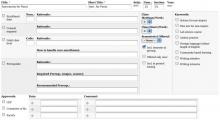
Three tables styling a CCK form. One uses complex cell merging.

This module provides two theme functions which, in turn, provide an easy way to put multiple input form elements on the same line.

Node Form Template

The editing form of a node is themed using theme('node_form'), which is implemented by the theme_node_form() function in Drupal core's node module and can be overridden by adding a <theme_name>_node_form() function in the theme's template.php file. However, this is less convenient and less powerful than taking advantage of Drupal's templating system. Why not be able to override by placing a node-form.tpl.php file in the theme's folder and allow modules to use preprocess functions for customization? This module allows exactly that.

If you want, take a peek at the module's default node-form.tpl.php implementation, which includes documentation you might find useful before deciding if you want to use this module.

This module also lets you have type-specific tpl files. For example, a node-form-story.tpl.php file if you want to customize the node editing form for story nodes only. However, to take advantage of this, you need to have a copy of a default node-form.tpl.php in the same folder as the type-specific one. This is due to drupal's way of handling template suggestions.

Node Content Themehook

This is a simple module that adds a "node-content" theme hook to Drupal for theming the $node->content array. For example, with this module enabled, you can create a "node-content--page.tpl.php" file in your theme's folder, giving you templating control of the "Page" content type. This can be used for any content type, but the use-case I expect it to be most useful for is in having greater theming control of content types that use CCK fields.

There's another module, contemplate, that solves a similar use-case. That module, however, is more geared to providing template control via the CMS interface, whereas this module is more geared to providing it via the normal theming system. Pick the one appropriate to the way you like to work, or mix and match.

Instead of this module, you can take the approach of using "node-<type>.tpl.php" files, as described on http://drupal.org/node/62462. However, then you end up duplicating all of the generic markup that deals with the node title, links, terms, and publish status, that you don't necessarily need to have customized per type. If you want to customize all that generic stuff per type, use those tpl files. But if you only need to customize the node's type-specific content, then this module might be useful for you.

This module depends on:

Nodes In Block

Nodes in block

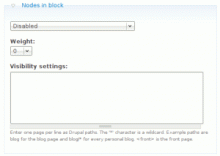
Nodes in block makes it possible to add nodes into a block. A number of configurable blocks are generated which you can assign to a region. Visibility settings of this block are automatically set to 'Show on only the listed pages'. On the node content form, you define the weight and visibility per node thus making it easier for content administration as all your content is now in the same place. With this module, you don't have to explain your customers how blocks work but is still able to decide on which pages content must be rendered.

Video comment

This module allows users to record a video with their webcam and post it to a Drupal website.

Videos are recorded using the JW player and must be pushed to a Flash video server.

Pages

Subscribe with RSS Subscribe to RSS - Content display