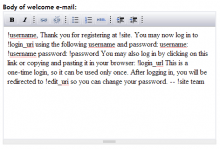
Tiny Tiny MCE (TinyTinyMCE) is a Drupal 6 supported module supporting the wysiwyg editor tinymce.
This module was written as an alternative to the tinymce module. The goal was to make it very simple to set up (enable the module, grant access permissions). However, the configuration screen also lets you modify the default installation so you can turn features on or off.
It offers two modes, simple and advanced. You control which users get which mode in Drupal's user permissions screen.
- simple mode offers a very limited set of controls (bold, italic, underline, strikeout, undo, redo, unordered/ordered list)
- advanced mode offers most of TinyMCE's features, eg links, tables, html, full screen etc. A few features, such as layers, have been removed but you can alter the configuration, if you wish.
By default, all textareas will have a toggle for turning the rich text editor on or off. Some textareas are excluded from this (and you can configure which ones).
The Drupal IMCE module is now supported - if the user is allowed to use IMCE then TinyTinyMCE will detect it. The image popup will have a Browse button which gives you access to the IMCE popup.
IMPORTANT 1) the module must be installed in {basepath}/sites/all/modules/tinytinymce or it won't work properly. DO NOT install it with the core modules {basepath}/modules.
 Still on Drupal 7? Security support for Drupal 7 ended on 5 January 2025. Please visit our Drupal 7 End of Life resources page to review all of your options.