I can not assign a class to the img element using the new "Styles Dropdown" for the relevant CKEditor profile. I can do so with block or inline elements, such as h1 or span elements.
Steps to replicate
- Navigate to "Configure" the "Full HTML" text format profile at
admin/config/content/formats/manage/full_html
- Under "Toolbar Navigation" drag the "Style" dropdown menu into the active toolbar
- This will add a new vertical navbar to the profile page, "Styles Dropdown"
- Create a rule for an image element, i.e.,
img.testStyle|Test Style and save the configuration update
- Create a new "Base page" node and add an image to the body field
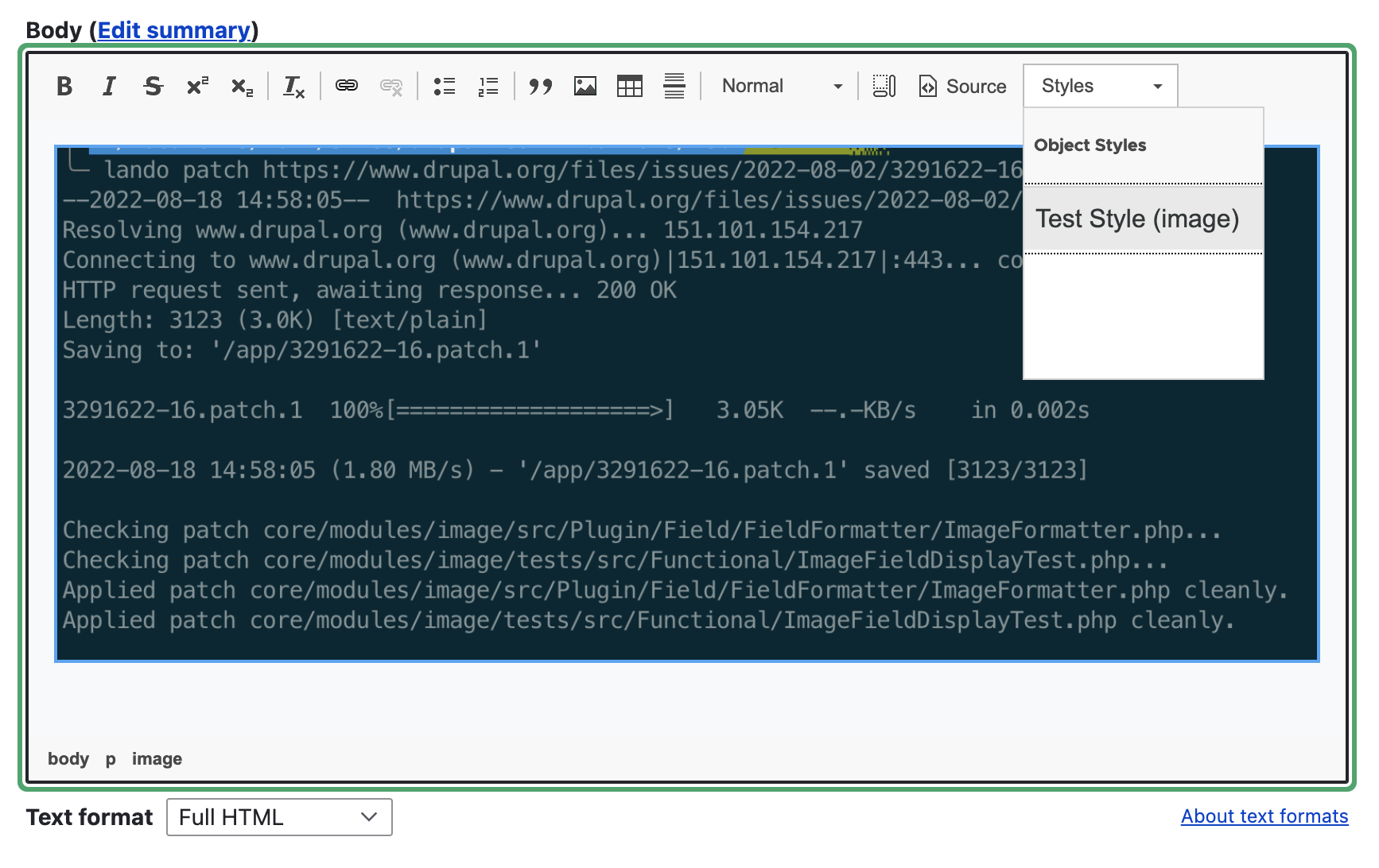
- Select the image either by directly clicking it or by using the CKEditor element selector in the ckeditor pane footer (the span#cke_1_bottom region) The styles button remains inactive
Note: If I change "img.testStyle|Test Style" to "image.testStyle|Test Style" I can apply the style through the styles dropdown, but CKEditor will wrap the img element in an image element, which itself will be "corrected" to two img tags.
Original markup:
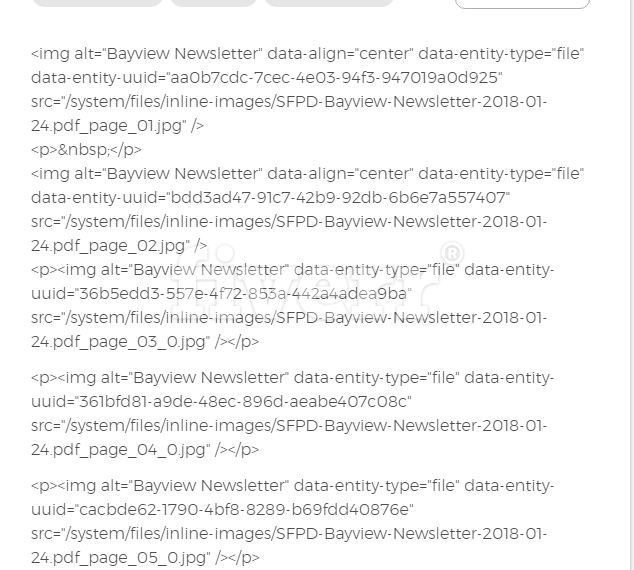
<p><img alt="test" data-entity-type="file" data-entity-uuid="558bfafa-8b58-4c18-b529-41a58a53c795" src="/sites/default/files/inline-images/take-two.JPG" /></p>
Applied markup:
<p><image class="testStyle"><img alt="test" data-entity-type="file" data-entity-uuid="558bfafa-8b58-4c18-b529-41a58a53c795" src="/sites/default/files/inline-images/take-two.JPG" /></image></p>
"Corrected" markup:
<p><img class="testStyle" /><img alt="test" data-entity-type="file" data-entity-uuid="558bfafa-8b58-4c18-b529-41a58a53c795" src="/sites/default/files/inline-images/take-two.JPG" /></p>







Comments
Comment #2
wim leersThank you for your very thorough, very clear issue! I wish all issues were as clear as this one :)
This requires rather deep CKEditor knowledge. I suspect the answer is going to be something like .
See http://docs.ckeditor.com/#!/guide/dev_styles-section-style-types.
Pinging @mlewand.
Comment #3
wim leersOops.
Comment #4
mlewand commentedI'll take a look on it this week.
Comment #5
Screenack commentedComment #6
mlewand commentedIt all depends on how
img.testStyle|Test Stylestring is translated into config.stylesSet property. For a standard element it would be translated into something like:{ name: 'Test Style', element: 'img', attributes: { 'class': 'testStyle' } },Which is not enough for a widget. According to docs widget requires two different properties: type and widget. So in your case this expression should be translated into a following object:
{ name: 'Image decoration', type: 'widget', widget: 'image', attributes: { 'class': 'testStyle' } }Just like I did in this demo: https://jsfiddle.net/cddgs15x/
Comment #7
wim leers#6: Please read #2 again. Then look at the screenshot I uploaded here:

Then the question becomes:
In other words, we do not want to complicate the syntax/configuration UI shown in that screenshot, but we do want this to work.
Note: In Drupal's CKEditor, all
<img>elements are transformed into a widget. Why can't CKEditor then apply this reasoning automatically:<img>becomeimagewidgets.{ name: 'Test Style', element: 'img', attributes: { 'class': 'testStyle' } }imagewidgets, i.e. it auto-generates{ name: 'Test style', type: 'widget', widget: 'image', attributes: { 'class': 'testStyle' } }, and treats is as one and the same as the above.Comment #8
wim leersClarifying title.
Comment #9
mlewand commentedThe reason for it is that you don’t know what markup widget will produce. For example
image2widget produces<img>element, or a<figure>depending if you want to include caption or not. Also a different API needs to be called when you’re applying/removing styles to a widget.If you wish to avoid adding widget information to styleSet rules, and provide a way to tell that img rules are always accepted by all widget instances of given type, you could play around and add your custom style handler that would essentially play as a proxy to default style methods. So that it detects styles for
<img>elem, and if image widget is focused it will tell that “it’s fine to apply this style”, and will implement proper apply/remove style. In any other case, it will just call default style implementation.Comment #10
mlewand commentedComment #11
wim leersThis doesn't make sense, because:
<img>or<figure>image2/drupalimagealways results in a<img>tag after downcasting.Sounds great! Could you provide a prototype implementation of that? Let's give it a type of
'drupalimage'.Comment #12
wim leersA duplicate of this was filed: #2700675: Ckeditor Styles Combo Disabled for Images.
Comment #13
katannshaw commentedI'm having the same issue for my client as the OP when trying to add two Bootstrap 3 responsive classes like this:
I was excited to see the setting but bummed that it wasn't working properly. I'm here to test patches out when ready because we really need this feature as well.
Comment #14
wim leers#13: To be clear,
table.tableis working correctly, right? (Strange classname BTW!) Also note that for Responsive Images, we have #2061377: [drupalImage] Optionally apply image style to images uploaded in CKEditor 5, which has a patch.Thanks for helping to show that this issue is actually important! I'm increasing its priority to . This issue is currently blocked on the CKEditor team.
Comment #15
katannshaw commentedHi @Wim: No it's not working at all. After setting it up, when I select an image or text within the editor, the "Styles" dropdown becomes disabled and I cannot select either of the classes I've added in config. Here's a screenshot:
For the class names, that's what Bootstrap has for making their tables and images responsive.
Comment #16
wim leersCan you please export the relevant text format & text editor and post it here?
Comment #17
katannshaw commentedComment #18
katannshaw commented"Can you please export the relevant text format & text editor and post it here?"
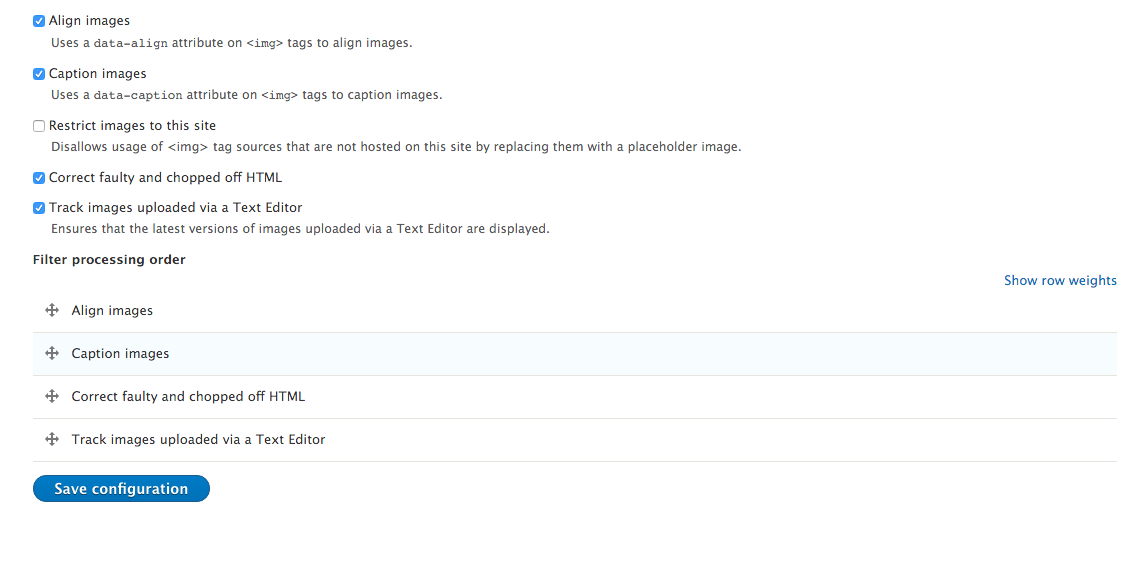
I'm not sure how you export it but here's the relevant info: Drupal 8 CKEditor Full HTML. Here are 2 screenshots of the settings.
Comment #19
wim leersYou can export them at
/admin/config/development/configuration/single/export:) You get YAML there, that you can post here, which I can then import and reproduce exactly what you are seeing. One of the big Drupal 8 wins :)Comment #20
katannshaw commentedVery cool! That's how we learn. I"m still learning D8. Here you go.
Comment #21
wim leers:) Can you also export
filter.format.full_html.yml?Comment #22
katannshaw commentedSure. Thanks for your help.
Comment #24
amazingrandoHas there been any progress made on this issue? I'm working on a project and this is a blocker. Thanks!
Comment #25
Greg Garner commentedYes, please give an update on this. Not being able to style images with the WYSIWYG is a big deal.
FYI, when I enter:
image.img-border|Bordered Image
It at least shows up under styles when an image is clicked. But nothing is applied.
Comment #26
kevinwal commentedCould we just have generic classes or a wildcard option that allows for a class to be applied to anything? In situations like this wouldn't we just want to apply a class?
Comment #27
xem8vfdh commented+1, I'm here for the exact same reason as @jayhawkfan75 (#13). Thanks everyone for the work above. Looks like progress was being made, so I too am curious about an update on this.
Comment #29
wim leersSorry, I lost track of this issue.
@jayhawkfan75 (#13–#22): your
allowed_htmlsetting lists<table>. It needs to be modified to<table class="table">.For the image case, that is an upstream bug in CKEditor per #9 + #11.
I pinged the CKEditor team again, specifically for:
Comment #30
xem8vfdh commentedand we're back, thanks @Wim Leers for jumping in!
Comment #31
benstjohn commentedI'm still seeing this issue - for me if I view the source and remove the data-entity-uuid property it works as expected. Can anyone shed more light on this?
Comment #32
wim leers@benstjohn: the entire explanation can be found in the comments above ;)
Comment #33
mlewand commentedThat'd be true as long as widget downcasts to an element - there's nothing wrong with downcasting widget into a text, e.g. our placeholder plugin does just that. In addition to that you don't want to create styles that apply to every element.
CKE core can't know it, because downcasting is a method that is highly dependent on widget state as mentioned previously.
I've checked how we could add a custom styles handler to implement this, but it's actually way overcomplex - not worth going this way.
Looking again, after all this time we missed the obvious and simplest solution: while converting your custom format like:
You can check rule tag name, if it's
imgthen translate rule into:Rather than regular:
That fixes the problem.
Comment #34
mlewand commentedComment #35
wim leersThis is what I feared/expected, which is why I asked for a sample implementation to get us started.
It fixes it in the default setup. But it's possible to disable the
drupalimageplugin and use a different one. Then this won't work. This is why I was so interested in what you wrote at #9: I was very enthusiastic about that in #11.So… would it be okay for us to generate both of those rules? The problem would be that CKEditor would be showing two separate styles, would it not?
Comment #36
mlewand commentedTrue, and I suppose you can't do magic to tell if drupalimage is loaded or not, because compilation from the text format to object format happens when you save what is visible on CKE styles configuration.png.
CKEditor will hide the rules that are not matched for current selection - so this would work.
Comment #37
awasson commented@mlewand, I've been struggling with this for a while as well. I don't understand what is meant in your post #33:
The class entries are self explanatory but the part: You can check rule tag name, if it's img then translate rule into ...
I don't follow... Are you referring to something within the UI or patching the CKEdit core module or a CKEdit plugin?
Thanks.
Comment #39
kferencz91 commentedHas there been any progress with this? This is a huge deal for us - not being able to add specific classes to images through the WYSIWYG and being forced to go into the source code is a big roadblock for many of our use cases.
Comment #40
awasson commentedAgreed with kferencz91 on post #39. This is a pretty major concern.
I'll contribute to the solution be will need some direction to get going on it.
Comment #41
awasson commentedOk, just circling around to this issue again.... I'm not sure if it's critical but it's highly frustrating now that I have half a dozen production sites live and can't effectively apply styles to images.
Three months ago @mlewand came up with a solution in post #33 but I don't know where to apply it. I assume that this has something to do with CKEdit's Styles Declaration file? Can someone pipe in with some direction.
Appreciate it.
Andrew
Comment #42
wim leersAnother duplicate of this was filed: #2865023: Uploading and placing an image with file browser renders styles useless.
Comment #43
awasson commented@Wim Leers, do you know what @mlewand had in mind for a solution for this? I'm beating my head into a wall while my clients are snapping at me because we can't apply responsive classes to our images.
Comment #44
awasson commentedOk, since there's seems to be no fix for this bug in the past year and a a bit, it's time for a workaround.
I've managed to workaround this issue by installing the IMCE module with the following settings on the ckeditor configuration page:
I've also enabled filters for the following but they may have no effect on this workaround:
Note: I've found in my testing that you'll need to leave the existing Drupal image widget on the toolbar because the workaround does not seem to work if it's removed.
With the IMCE image widget I can of course upload and manage images but it also allows me to select images and apply classes to them regardless of whether they were added to the site through the included image tool or IMCE's image tool. This has been shown to work with the full "Edit" admin screen as well as from the "Quick Edit" mode. Best of all, it does the job right and once someone fixes the issue, there will be no need to undo any of these config settings. This is the way it should work.
I've got this working in a couple of sites now. Ping me back if you can't get it to work and I'll try to help pointing interested parties in the right direction.
Comment #45
awasson commentedRelated Issue
I've found a related issue/bug with the Drupal <image> widget (and workaround) so I'll post it here as it may come in handy for those following this issue.
The issue is that is that the <image> widget inside ckeditor will not apply links to images correctly. If I select an image and then use the link tool to apply a link to an image, the link will be added as a text link beside the image, rather than a link that wraps the image.
The Workaround
The <img> widget in ckeditor works just fine so the workaround is to again use the IMCE image tool to place images. They will be handled within ckeditor as a regular image instead of the Drupal <image> widget.
If you run into an instance where the images are being handled by the <image> widget because they were placed by the native Drupal 8 ckeditor image tool or where the content was brought in via a migration, you'll need to strip the image tags in the html markup of their data-entity attributes. Then they will be handled as regular images and everything will be good.
Comment #46
tomatkins commentedI'm Triaging this at Baltimore DrupalCon 2017.
Comment #47
tomatkins commentedTested in Drupal 8.4 dev, 8.3.1 and 8.1.10.
I was able to replicate this issue and I verify that this issue needs a Needs an issue summary update and fix.
If the class is written as "img.testStyle|Test Style" in (admin/config/content/formats/manage/full_html) the style drop down will be unclickable/faded out when the image is selected.
If the class is written as "image.testStyle2|Test Style 2", the style dropdown is still visible when the image is selected.
Upon saving the content with the image, the code is "corrected" into "img" as included below.
Here is the code as reproduced on 8.4:
<p><image class="testStyle2"><a href="http://www.highstrungpro.com"><img alt="fun image" data-entity-type="file" data-entity-uuid="0d8933b1-07cb-4abf-9935-9947d96f906e" src="/sites/drupal84.dd/files/inline-images/allavailable_5.png" /></a></image></p>and then on save:
<p><img class="testStyle2" /><a href="http://www.google.com"><img alt="fun image" data-entity-type="file" data-entity-uuid="35846eb3-79a9-41d1-adf6-988197316e1e" src="/sites/drupal84.dd/files/inline-images/allavailable_4.png" /></a></p>Here is the code as reproduced on 8.3:
<p><image class="testStyle2"><a href="http://www.google.com"><img alt="fun image" data-entity-type="file" data-entity-uuid="807c287b-7d4e-4ed2-a3c7-9849e9f232c7" src="/sites/drupal831.dd/files/inline-images/allavailable_3.png" /></a></image></p>and then once saved:
<p><img class="testStyle2" /><a href="http://www.google.com"><img alt="fun image" data-entity-type="file" data-entity-uuid="807c287b-7d4e-4ed2-a3c7-9849e9f232c7" src="/sites/drupal831.dd/files/inline-images/allavailable_3.png" /></a></p>As run on 8.1 :
<p><image class="testStyle2"><a href="http://www.google.com"><img alt="fun image" data-entity-type="file" data-entity-uuid="3166c436-3d5d-4836-b381-f0c74b867665" src="/sites/d8.dd/files/inline-images/allavailable_2.png" /></a></image></p>and then once saved:
Important note: The process I went thru was the same as on the list, which is uploading the image, adding a link and then adding the style. The style was not visible unless the class was called "image.testStyle...." DONT SKIP ANY STEPS (I forgot to create a content type of "Base Page" initially.)
Comment #48
tomatkins commentedCorrecting previous post - summary is excellent - I am verifying that the problem exists and needs a patch. I have not tested the workaround.
Comment #49
mjchadwickI can also confirm that the issue remains (only tested it on 8.4-dev so far), and acts like @tomatkins reported in #47.
However, instead of the Styles dropdown being unclickable/faded-out, the dropdown is enabled, but the broken style doesn't display (the whole Inline Styles section is missing). Also, the missing section doesn't display regardless of which element you try to apply it to, rather than just images.
Comment #50
tomatkins commentedSubmitted to CKEditor: https://dev.ckeditor.com/ticket/16998
Comment #51
cilefen commentedI am updating credit for the triage work. @tomatkins (and anyone): When doing issue triage, please be sure to complete and document all steps of the triage. In this case, I haven't seen whether there was a search for duplicate issues, and the issue hasn't been given the triage tag.
It would be great if we could get those things finished on this issue. I feel you did some good work so I credited you.
Comment #53
nickdickinsonwildeThere is a workaround that works very easily - just use span instead of image.
So in editor config:
span.image-round|Styled imageand in your css:
Obviously that isn't ideal because it isn't good DX with no information.
However, an easy fix would be to add that to documentation *and* in place help/examples.
If that seems like a decent approach given that a proper fix/improved integration with ckeditor would be much more time consuming, I can toss up a patch this afternoon with that.
Comment #54
tomatkins commentedThat would be awesome Nick!!!!
Comment #55
nickdickinsonwildeHere is a patch that provides an in-place documentation improvement.
It doesn't remove the problem per se but it does suggest a fully functional work around. The *only* negative to using the workaround is one extra span element per use. So very minimal.
Given that this is a documentation only fix rather than a fix for the underlying issue, I believe that it may be back patchable to 8.4 still.
Comment #56
oriol_e9gI think that we can commit this documentation improvement and then reopen for a better fix, if it's possible.
Comment #57
wim leersI'm not sure documenting a work-around is a good solution.
This is still really kind of a bug in CKEditor itself, which is why I've involved @mlewand from the CKEditor team. It's unfortunate they haven't fixed this yet — I think it's quite natural that any styles for
<img>should also work for the Image widget.So until they fix this upstream, I'd then much rather add a work-around like #33 to Drupal core. That's what the attached patch does. Unfortunately, it still doesn't work. Pinged @mlewand again.
Screenshot of the auto-generated Image widget rule:

(This demonstrates that this does what http://docs.ckeditor.com/#!/guide/dev_styles-section-widget-styles prescribes: )
Comment #58
sic commentedhey guys, any idea when there will be any progress on this?
Comment #59
gifad commentedFWIW, I added the following snippet in the drupalimage/plugin.js :
It's not a generic solution, but it just works…
Comment #61
amaisano commentedIs this still the correct/current issue for this on the upstream repo?
https://dev.ckeditor.com/ticket/16998
It seems they moved to github but I was unable to find a matching ticket there. Should we add one to their new backlog?
See https://github.com/ckeditor/ckeditor-dev/issues?utf8=%E2%9C%93&q=is%3Ais...
Comment #62
socialnicheguru commentedI got the following on the first save of content when adding an image using the image widget in ckeditor.
On the second save I got the image.
Comment #63
Anonymous (not verified) commentedHi all.
FYI, my experience with this... I researched for a couple of days for a fix for this img class issue until I found this thread.
I applied patch #57 and then when I added the img class in the styles dropdown it gives the error "Each style must have a unique label."
I don't know exactly why it shows it because I don't have any identical labels and I also tested it with just one line and still the same error.
So I went and commented the line 107 and then the error was obviously gone.
The good part is the patch actually works and the class was added to the
<img>tag correctly.Another little issue is that (in my case at least) I got 2 entries of that class in ckeditor styles menu.
So my thoughts are:
- Is it ok to comment that "if" to get read of the error? Is there another way to keep the validation but not get the error?
- Why is that class twice in the menu? Can it be fixed?
Comment #65
s427 commentedI also applied patch #57, which solved the initial problem but introduced a new one. Now when trying to make any modification on the text format config page (e.g. admin/config/content/formats/manage/full_html), I get the error "Each style must have a unique label." upon saving.
I don't see any duplicate label in my "styles dropdown" field.
If I empty the "styles dropdown" field, then I am able to save the page.
If I undo the patch, then I am also able to save the page (without the need to empty the "styles dropdown" field).
With the patch applied, I tried removing the styles I'm using one by one, and it seems the problem specifically occurs if there are styles targeting the <img> tag.
E.g. even if I only have this style (and nothing else):
img.img-left|Image leftI get the error "Each style must have a unique label."
But if I change it to
p.img-left|Image leftThen I get no error.
(I'm using Drupal 8.6.1)
Comment #66
Anonymous (not verified) commentedTo prevent the the error "Each style must have a unique label." upon saving, use this patch.
Comment #67
gaspounet commentedHello all,
I'm using Drupal 8.6.5 and patches #57 and #66 are not working for me.
But strangely, if I switch to another content format from the filter list for my text field while editing and switch back to the previous format, the image style now appears in the dropdown menu (only when you select an image in the editor, it remains hidden otherway).OK I found it, the image style doesn't appear in the dropdown menu if you click on the image but only if you select the image
https://imgur.com/a/obpXHfE
Comment #68
yojohnyo commentedWe are using Drupal 8.8.1 and still experiencing this problem. I tried applying patch #66 with no luck.
Comment #69
mmaranao commentedWe were having the same issue on Drupal 8.8.1 and patch #66 does work for us!
I've modified the patch to remove the suffix 'Widget' and only keep the name as per the configuration
Comment #70
chris burge commentedRe #50, https://dev.ckeditor.com/ticket/16998. CKEditor moved its issues to GitHub and this ticket was not migrated. As far as the CKEditor project is concerned, this issue no longer exists.
Comment #73
sayco commentedThe patch #69 is buggy. I can't understand what removing the phrase ' Widget' could cause (maybe some name uniqueness), but it now does not allow to save the text format form.
I reverted the patch and use the one from #65 which works like a charm.
Comment #74
kristen polBoth patches from #69 and #66 (file says it's for comment 65) apply cleanly to 9.1.x.
Back to needs work for nitpicks as there are some extraneous spaces noted below. If you update this, look at comment #73 to decide which patch you want to update.
Comment #75
awasson commentedIs it me, or is it weird that after almost 5 years this is still an unresolved issue ¯\_(ツ)_/¯
Three years ago, on #45 I commented that a workaround was to use the IMCE CKEditor image plugin because it had a flaw that didn't respect CKEditor's img / image behaviour... Well, in the ensuing years IMCE have fixed that flaw and now that workaround is no longer effective.
For a longer-term workaround (hopefully), I've put together a Drupal 8/9 StylesCombo plugin that is a clone of the original and uses the excellent patch from #65. Working out the conflicts and requirements was a major pain in the butt so hopefully others can benefit from my efforts and the efforts of the patches in the issue queue. You can find it here: https://www.drupal.org/project/stylescomboplus
Cheers,
Andrew
Sorry, I had to edit it because I had put in image and img tags in my original response.
Comment #76
xem8vfdh commentedFor sure. It's a huge pain for our content editors, and I feel like a complete dunce when all I can offer them is... ¯\_(ツ)_/¯
lol
Comment #77
fkelly12054@gmail.com commented@awasson. I'll be the second person in a row to quote you. Despite many efforts by developers with skills well beyond mine, this has never been resolved. Like many things Drupal, no one really is in charge. The downside of Open Source I suppose.
By the way I use IMCE all the time to insert images into my content. It works just fine as far as I can see. I upload hundreds, if not thousands of jpgs as part of photo galleries that are presented using the Juicebox contrib module. I use a FTP client (Beyond Compare) and have a "structured" set of directories for my Galleries (images and thumbnails). I can browse those directories with IMCE very easily to select images for my article content type. I'll look at stylescomboplus as a possible enhancement. Thanks.
Comment #78
awasson commented@fkelly,
Sorry I probably didn't explain my motivation with regard to IMCE very well.
My reference to IMCE is only that it used to be a viable workaround for this particular issue; when you needed the ability to place an image within your CKEditor and then apply CSS classes to the image.
IMCE used to have a "flaw" that prevented IMCE placed images to undergo the IMG to IMAGE transformation within CKEditor and therefore we could apply classes to them. That was fixed recently which lead me to look at alternative workarounds.
Eventually I hope this issue will be resolved in Core and my utility module won't be necessary. In the meantime It seems to be a good bandaid and doesn't require modifying Drupal or CKEditor itself.
Cheers,
Andrew
Comment #79
awasson commentedHey all,
Now that I've got a workaround for this, I'm reviewing the issue a little further to see what's preventing us from resolving it within Drupal core and I'm reminded that it's actually a problem with CKEditor.
In patch #50 @tomatkins references a CKEditor issue he logged (https://dev.ckeditor.com/ticket/16998) but that was a few years ago and when CKEditor moved to GitHub, that issue doesn't appear to have been migrated to their new queue.
There is an issue in the CKEditor queue on Github that covers the same problem and it had a lot of activity but it appears to have become frozen for some reason. I just added a comment to ask if it has been resolved: https://github.com/ckeditor/ckeditor4/pull/1681
Cheers,
Andrew
Comment #80
xem8vfdh commentedThanks @awasson for doing the detective work and keeping us updated!
Comment #82
thatguy commentedI'm having this issue and found out that I can get the styles applied to normal image with the patch from #66 or adding custom style such as 'p.image-with-border|Image with border' which will wrap the image in p-tag and I can then use to style the image.
However neither of these solutions seem to work when I want to add an image caption and the image element is turned into figure-element with the image inside it. I have tried adding custom style such as 'figure.image-with-border|Image with border' which I can apply to the image but the class is not added. I also tried modifying the provided patch to work with figure-element but no luck.
Is there currently any solution how I could add the possibility to add style to image with caption and have the class apply correctly either to the figure-element or to the img-element inside it?
Comment #84
joao.ramos.costa commentedFor those who might be interested, for the workaround, inspired by #57 I've extended the plugin class. but I still had to keep the element field for "img". (8.9.x) .
Comment #86
idebr commentedI can conform the 'element' => 'img' is required to have the Styles show up.
Attach patch is the workaround of #84 that can be applied with composer patches.
Comment #87
idebr commentedComment #88
anneke_vde commentedI tested the patch from #87 and I can now choose a style from the dropdown.
Comment #89
gaspounet commentedI confirm that patch #87 is working on my Drupal 9.3.5 website, thank you (finally, 6 years later) !
Comment #90
simgui8 commented#87 works for me too.
Comment #91
simgui8 commentedComment #92
simgui8 commentedWe should be close to RTBC right?
Comment #94
amin.ankitComment #95
amin.ankitComment #96
ameymudras commentedTested on Drupal 9.5.x and php 8.1
- The issue summary is clear and explains the issue along with testing steps
- Was able to replicate the issue using steps provided
- The patch applies cleanly & fixes the issue please see the screenshots provided
- No notices / warnings in the logs too.
Changing the status to RTBC
Comment #97
quietone commentedCKEditor has been removed from core, CKEditor 4 is removed from Drupal Core in 10.0.0