

 Come together with the global Drupal community in Rotterdam, 28 Sept – 1 Oct 2026. Sessions, contribution, connection, and Early Bird savings until 8 June.
Next Steps:
- update issue summary (instructions)
--
My client is populating nodes with data, and every now and then they get this error:
Notice: Trying to get property of non-object in file_field_presave() (line 221 of /httpdocs/modules/file/file.field.inc).
Notice: Undefined property: stdClass::$uri in file_save() (line 575 of /httpdocs/includes/file.inc).
PDOException: SQLSTATE[23000]: Integrity constraint violation: 1062 Duplicate entry '' for key 2: INSERT INTO {file_managed} (filesize, status, timestamp) VALUES (:db_insert_placeholder_0, :db_insert_placeholder_1, :db_insert_placeholder_2); Array ( [:db_insert_placeholder_0] => 0 [:db_insert_placeholder_1] => 1 [:db_insert_placeholder_2] => 1305820825 ) in drupal_write_record() (line 6776 of /httpdocs/includes/common.inc).
PDOException: SQLSTATE[23000]: Integrity constraint violation: 1062 Duplicate entry '' for key 2: INSERT INTO {file_managed} (filesize, status, timestamp) VALUES (:db_insert_placeholder_0, :db_insert_placeholder_1, :db_insert_placeholder_2); Array ( [:db_insert_placeholder_0] => 0 [:db_insert_placeholder_1] => 1 [:db_insert_placeholder_2] => 1305820825 ) in drupal_write_record() (line 6776 of /httpdocs/includes/common.inc).
PDOException: SQLSTATE[23000]: Integrity constraint violation: 1062 Duplicate entry '' for key 2: INSERT INTO {file_managed} (filesize, status, timestamp) VALUES (:db_insert_placeholder_0, :db_insert_placeholder_1, :db_insert_placeholder_2); Array ( [:db_insert_placeholder_0] => 0 [:db_insert_placeholder_1] => 1 [:db_insert_placeholder_2] => 1305820825 ) in drupal_write_record() (line 6776 of /httpdocs/includes/common.inc).
PDOException: SQLSTATE[23000]: Integrity constraint violation: 1062 Duplicate entry '' for key 2: INSERT INTO {file_managed} (filesize, status, timestamp) VALUES (:db_insert_placeholder_0, :db_insert_placeholder_1, :db_insert_placeholder_2); Array ( [:db_insert_placeholder_0] => 0 [:db_insert_placeholder_1] => 1 [:db_insert_placeholder_2] => 1305820825 ) in drupal_write_record() (line 6776 of /httpdocs/includes/common.inc).
I've only found reference to the same PDOException and initial notice here:
http://drupal.org/node/924228#comment-4422726
Effectively, it looks like Drupal is trying to save a file, but there's no filename or filesave, so it's failing as a duplicate of the first time this happened (and was stored in the DB).
I think the PDOException is just a symptom, and the real problem is that an invalid file object is being passed along.
I can't be sure whether my client is trying to upload/delete/change a file, or just entering text data into other fields, but this comes up frequently and seemingly at random.
The easiest way to reproduce this error is:
- Add an image field into a node
- Create a new node and upload an image to its node
- Delete the image from the file system (Not through the Drupal UI)
- Try to upload the same image into another node
| Comment | File | Size | Author |
|---|---|---|---|
| #167 | error database.png | 70.29 KB | jomarocas |
| #157 | error1.png | 24.9 KB | shakthik92 |
| #141 | file-Integrity_constraint_violation-1163740-141.patch | 2.89 KB | revagomes |
| #137 | file-Integrity_constraint_violation-1163740-137.patch | 909 bytes | revagomes |
| #134 | file-Integrity_constraint_violation-1163740-134.patch | 918 bytes | revagomes |
Issue fork drupal-1163740
 Show commands
Start within a Git clone of the project using the version control instructions.
Or, if you do not have SSH keys set up on git.drupalcode.org:
 compare
Comments
Comment #1
Jeffm commentedSame issue here
Comment #2
valderama commentedi having this problem too, when a new user account is created. I have an image field at the user entity.
Any ideas?
Comment #3
lyricnz commentedLooks like file_load($fid) is failing, and not being checked before being saved. Can you add some debugging to file_field_presave() for this situation? Unless I can reproduce, I can't fix it.
Comment #4
blischalk commentedI am also having this issue when trying to import nodes from a D5 install to D7 in a batch operation. When node_save is getting called on nodes that have file fields attached to them I receive this error. I have added a little debugging to file_field_presave as was mentioned in the previous thread and what I discovered is that it appears that file_load is failing. I dump the results of $item in the forach loop I get Array ( [fid] => 7412 [display] => 0 ) so a fid is being passed to file_load. Then if I dump the results of file it seems to have nothing in it... I will look into the file_load function a little deeper but I thought this information may be helpful.
Comment #5
blischalk commentedSome further research revealed some errors in my watchdog logs:
Notice: Trying to get property of non-object in file_field_presave() (line 220 of /src/modules/file/file.field.inc).
Notice: Undefined property: stdClass::$uri in file_save() (line 573 of /src/includes/file.inc).
Followed by the duplicate entry error:
PDOException: SQLSTATE[23000]: Integrity constraint violation: 1062 Duplicate entry '' for key 2: INSERT INTO {file_managed} (filesize, status, timestamp) VALUES (:db_insert_placeholder_0, :db_insert_placeholder_1, :db_insert_placeholder_2); Array ( [:db_insert_placeholder_0] => 0 [:db_insert_placeholder_1] => 1 [:db_insert_placeholder_2] => 1312214252 ) in drupal_write_record() (line 6861 of /src/includes/common.inc).
Comment #6
xamountsubscribe
I'm also getting this error:
I have double checked that full/read write access to the files directory and its good but still I can't figure it out..
Comment #7
pbeakley commentedSubscribing -- getting the same thing here. My first D7 installation.
Comment #8
mvissers commentedSubscribe
Comment #9
bradhawkins commentedsubscribe
Comment #10
poorva commentedMe also having this error in log entries when node edit.
PDOException: SQLSTATE[23000]: Integrity constraint violation: 1062 Duplicate entry 'iydT2U2LvDVLXM0qUWFb8l8uPMY0HvIkMIxaNv9X63A' for key 2: INSERT INTO {redirect} (hash, type, uid, source, source_options, redirect, redirect_options, language, status_code, count, access) VALUES (:db_insert_placeholder_0, :db_insert_placeholder_1, :db_insert_placeholder_2, :db_insert_placeholder_3, :db_insert_placeholder_4, :db_insert_placeholder_5, :db_insert_placeholder_6, :db_insert_placeholder_7, :db_insert_placeholder_8, :db_insert_placeholder_9, :db_insert_placeholder_10); Array ( [:db_insert_placeholder_0] => iydT2U2LvDVLXM0qUWFb8l8uPMY0HvIkMIxaNv9X63A [:db_insert_placeholder_1] => redirect [:db_insert_placeholder_2] => 1 [:db_insert_placeholder_3] => content/extension [:db_insert_placeholder_4] => a:0:{} [:db_insert_placeholder_5] => node/27 [:db_insert_placeholder_6] => a:0:{} [:db_insert_placeholder_7] => und [:db_insert_placeholder_8] => 0 [:db_insert_placeholder_9] => 0 [:db_insert_placeholder_10] => 0 ) in drupal_write_record()
Comment #11
gregglesI believe this is caused by permission issues on the directories.
Be sure whatever user is running the script has the right permissions on the files directory and all subdirectories. If you are running something as drush then it runs as the command line user so that user needs to have read/write on the files directory (possibly via unix groups management).
Comment #12
poorva commentedBut I was working with super admin, I think there should be no permission issue.
Comment #13
greggles@poorva - I mean file system permissions issue. Like the unix users and groups and rwxrwxrwx kind of stuff.
Comment #14
taecelle commentedSubscribe
Also have this problem and all permissions are ok((
Comment #15
shythai commentedSubscribe
I use drupal 7.2. This message happens when I try to update title of any content. Normally it works fine, but just suddenly the error appears as below:
PDOException: SQLSTATE[23000]: Integrity constraint violation: 1062 Duplicate entry 'DlJJ22fbfO-l-aM3d6mFmdFE8TKU52M7rikVGuxctS8' for key 2: INSERT INTO {redirect} (hash, type, uid, source, source_options, redirect, redirect_options, language, status_code, count, access) VALUES (:db_insert_placeholder_0, :db_insert_placeholder_1, :db_insert_placeholder_2, :db_insert_placeholder_3, :db_insert_placeholder_4, :db_insert_placeholder_5, :db_insert_placeholder_6, :db_insert_placeholder_7, :db_insert_placeholder_8, :db_insert_placeholder_9, :db_insert_placeholder_10); Array ( [:db_insert_placeholder_0] => DlJJ22fbfO-l-aM3d6mFmdFE8TKU52M7rikVGuxctS8 [:db_insert_placeholder_1] => redirect [:db_insert_placeholder_2] => 1 [:db_insert_placeholder_3] => news/test [:db_insert_placeholder_4] => a:0:{} [:db_insert_placeholder_5] => node/227 [:db_insert_placeholder_6] => a:0:{} [:db_insert_placeholder_7] => und [:db_insert_placeholder_8] => 0 [:db_insert_placeholder_9] => 0 [:db_insert_placeholder_10] => 0 ) in drupal_write_record() (line 6851 of ...
Comment #16
shythai commentedComment #17
shythai commentedSee this post http://drupal.org/node/1185368
I tried print_r($fields) as Mamouri mentioned and I found that Module "redirect" cause this error for my case.
Thanks to Mamouri
Comment #19
bensoi commentedsubscribed. any solution for this? i encountered the same error in D 7.9.
Comment #20
Bartox commentedSubscribing. Getting this same issue on D7.10 core. Additional I can confirm it's happening when I've all cache combo enabled (Varnish server, Boost, APC & Memcache), but definitely getting this because of the Memcache. It happens often right after Remove an image and then placed a new one. A popup with the message:
Debugging information follows.
Path: /fr/file/ajax/field_image/und/0/form--72WREWH7Nx68im6zAdWBPMgRtTFjHkN8D-5K0w9azo
StatusText: n/a
ResponseText:
Error
Error message
PDOException: SQLSTATE[23000]: Integrity constraint violation: 1062 Duplicate entry 'public://_mg_2699_0.jpg' for key 'uri': INSERT INTO {file_managed} (uid, filename, uri, filemime, filesize, status, timestamp) VALUES (:db_insert_placeholder_0, :db_insert_placeholder_1, :db_insert_placeholder_2, :db_insert_placeholder_3, :db_insert_placeholder_4, :db_insert_placeholder_5, :db_insert_placeholder_6); Array
(
[:db_insert_placeholder_0] => 1
[:db_insert_placeholder_1] => _mg_2699.jpg
[:db_insert_placeholder_2] => public://_mg_2699_0.jpg
[:db_insert_placeholder_3] => image/jpeg
[:db_insert_placeholder_4] => 87206
[:db_insert_placeholder_5] => 0
[:db_insert_placeholder_6] => 1324339254
)
in drupal_write_record() (line 6888 of /var/www/ZZZZ/staging/releases/20111219211239/includes/common.inc).
The website encountered an unexpected error. Please try again later.
Let me know if you have any ideas how to solve this out. Thanks
Comment #21
loopy1492 commentedI believe this happened to a View after we had a PHP timeout.
Now the View is stuck in the system and I can't delete it nor can I edit it. It's just stuck there.
When I try to edit:
PDOException: SQLSTATE[23000]: Integrity constraint violation: 1062 Duplicate entry 'what_s_new' for key 2: INSERT INTO {views_view} (name, description, tag, base_table, human_name, core) VALUES (:db_insert_placeholder_0, :db_insert_placeholder_1, :db_insert_placeholder_2, :db_insert_placeholder_3, :db_insert_placeholder_4, :db_insert_placeholder_5); Array ( [:db_insert_placeholder_0] => what_s_new [:db_insert_placeholder_1] => [:db_insert_placeholder_2] => default [:db_insert_placeholder_3] => node [:db_insert_placeholder_4] => What's New [:db_insert_placeholder_5] => 7 ) in views_db_object->save_row() (line 2043 of /mnt/stor9-wc1-dfw1/645415/www.ZZZZZZZZZZZZ.com/web/content/zzzzzzzzzzz/sites/all/modules/views/inc...)
When I try to delete:
Notice: Undefined property: view::$export_type in ctools_export_ui->access() (line 128 of /mnt/stor9-wc1-dfw1/645415/www.ZZZZZZZZZZZ.com/web/content/zzzzzzzzzzz/sites/all/modules/ctools/plu...).
You are not authorized to access this page.
Could the answer to this problem be to increase your timeout length?
Comment #22
loopy1492 commentedI think I know the chain of events here.
User tries to do something in Drupal.
Drupal times out.
User presses back button.
User submits the same form again.
Error and corrupted data are the result.
Possible Solution:
Open .htaccess file and add this line to stop the timeouts:
php_value memory_limit 64M
Now, to delete the corrupted records, go into your database and find the corrupted item, then delete it. In my case, it was in the "views_view" table. It's easy to find since the name of the view is stored in that table.
If someone knows of another table where stuff needs to be deleted, please let us know.
Comment #23
toniodrupal commentedI got a similar notification/error using drupal 7.8 on windows 7 with an xampp 1.7.7 localhost.
I discovered a way to reproduce it (my notification) and to remove it.
PDOException: SQLSTATE[23000]: Integrity constraint violation: 1062 Duplicate entry 'public://hoofdstukken/hoofdstuk3_0.jpg' for key 'uri': INSERT INTO {file_managed} (uid, filename, uri, filemime, filesize, status, timestamp) VALUES (:db_insert_placeholder_0, :db_insert_placeholder_1, :db_insert_placeholder_2, :db_insert_placeholder_3, :db_insert_placeholder_4, :db_insert_placeholder_5, :db_insert_placeholder_6); Array ( [:db_insert_placeholder_0] => 1 [:db_insert_placeholder_1] => hoofdstuk3.jpg [:db_insert_placeholder_2] => public://hoofdstukken/hoofdstuk3_0.jpg [:db_insert_placeholder_3] => image/jpeg [:db_insert_placeholder_4] => 5363 [:db_insert_placeholder_5] => 0 [:db_insert_placeholder_6] => 1325441672 ) in drupal_write_record() (regel 6868 vanG:\xampp\htdocs\adida.nl23dec\includes\common.inc).
The closest I come to the reported comments, is that I removed image-files from a folder drupal puts the attached files/images in (as I later discovered). I wanted to remove these image-files in order to clean up the folder from a couple of copies (image_0.jpg, image_1.jpg, ...) I did not (knowingly) put there myself.
Finally I could reproduce the notification and made it go away. Perhaps someone can use this information to prevent this notification from happening in the first place.
----------------------------
I used the attach_file module (filefield_sources-7.x-1.4.zip) to attach a different jpg-image (<9K) to a series of nodes through an image-field. This image-field was part of a bookpage content type form with a bunch of other fields. The image appears via a cck-block in the second side-bar on a webpage above the book navigation. I cannot give a weblink, because I am still developing the site on my localhost.
Within the book type form the images are uploaded from the folder “sites/default/files/attach_files_[name]”. I used the name “hoofdstukken” (=Dutch for chapters) and assigned the name "attach_files_hoofdstukken" to the folder where I put the images. These assignments were done in the file attach section of the form that controls the image-field. In the same form I assigned the folder "sites/default/files/hoofdstukken" to the folder where drupal should place the attached image-files.
As for the reported notification/error it took me a while before I figured out how to reproduce it and what to do about it. The information in the above comments helped. I used phpmyadmin to check the database entries.
------------------------------
I observed that when attaching an image-file in the book content form to the image field, data is stored in the database in “prefix_field_data_[name of field]”. For example: with "prefix=drup_" and “name of the field=field_image_deel_een", the database has an entry “drup_field_data_field_image_deel_een”. In this database entry the column “entity_id” has the number of the node that is attached to this specific "field_image_deel_een". The column “field_image_deel_een_fid” has the “file id number” [the file being an image file] which is reported/managed in the database entry “drup_file_managed”. The entry “drup_file_managed” not only has the file ID (fid) but also the specific “filename” and the uri. The database also has a revision entry “prefix_field_revison_[name of field]”: in this specific case “drup_field_revison_field_image_deel_een”
------------------------------
Putting the above information in a scheme gives three entries/rows in the database where information about the node and the attached image is stored.
------------------------------------------
When for example the attached image.jpg is deleted from a node, I expected that all the information about the connection between image.jpg and the node is removed. But it isn’t.
First of all image.jpg is not removed from the folder where drupal stored image.jpg when it was attached. De-attaching image.jpg from the node is recorded in 1 (the node ID is removed), but not in 2 and 3 (the fid and the image remain).
So when re-attaching the same image.jpg to the node by selecting it from the attach_file folder, drupal generates a copy (image_0.jpg) in de folder where the attached images/files are placed (in my case sites/default/files/hoofdstukken). In the admin node-form through which this image.jpg is re-attached the original name shows up: image.jpg (which makes sense).
When deleting the re-attached image before saving the node-form, drupal removes the copy (image_0.jpg) from the folder. However when deleting the re-attached image.jpg through/in the node form, after having saved the node-form, neither of the images (image.jpg or image_0.jpg) disappear from the folder.
And when re-attaching the same image.jpg to the node (after having it removed) by selecting it via attach, drupal puts another copy (image_1.jpg) in the folder. Again only the name of the name of the re-attached image is reported in the node-form (which makes sense). So the deleted actions were not registered in the database under entry 2 and 3 (see above list). And after having attached, removed an re-attached the same image (with saving in between), the folder where drupal stores the attached images/files contains a series of copies of the same image: image.jpg, image_0.jpg, image_1.jpg, image_2.jpg ....
-----------------------
The showing up of the notification
When deleting one of the copies from the folder where drupal stores the attached images (to clean up the folder) and when re-attaching image.jpg to the node, drupal completes the original series and makes a new copy.
However when deleting all of the images and image-copies from the folder and then trying to re-attach the same image.jpg in the node-form, the attachment does not complete itself: on the form page the “please wait” image/spinning circle sign remains spinning. At first I thought of a time out problem. When saving the node-form, the reported PDOException notification shows up: apparently drupal is missing the older copies (place holders?) and therefore cannot make the necessary copy (image_x.jpg) to be re-attached to the node.
Removing/preventing the notification
This PDOException notification does not show up again, and image.jpg can be re-attached to the node, when all the info in database entries 2 and 3 (see above list) about the specific image is deleted. I used phpmyadmin to do that. Be sure to make a backup before changing the database in case you need to go back!
In addition: when using an default image for an image-field, drupal stores a copy of the attached/uploaded image in sites/defaults/files/default_images. Removing or cleaning up a default image is done by removing the corresponding row in entry 2 together with the image and its copies from the default_images folder. Drupal itself generates this default_images folder.
I am not much of a programmer to figure out a script to have drupal remove all the information when removing a previous attached image or a file through a field to a node. I suppose it can be done. Manually cleaning up a site as indicated when developing it is not so hard.
Comment #24
cybertrail commentedI had a similar problem when upgrading from 7.9 to 7.10:
PDOException: SQLSTATE[23000]: Integrity constraint violation: 1062 Duplicate entry 'FileTransfer-class' for key 1: INSERT INTO {registry} (name, type, filename, module, weight)
VALUES (:db_insert_placeholder_0, :db_insert_placeholder_1, :db_insert_placeholder_2, :db_insert_placeholder_3, :db_insert_placeholder_4)
, (:db_insert_placeholder_5, :db_insert_placeholder_6, :db_insert_placeholder_7, :db_insert_placeholder_8, :db_insert_placeholder_9)
, (:db_insert_placeholder_10, :db_insert_placeholder_11, :db_insert_placeholder_12, :db_insert_placeholder_13, :db_insert_placeholder_14)
, (:db_insert_placeholder_15, :db_insert_placeholder_16, :db_insert_placeholder_17, :db_insert_placeholder_18, :db_insert_placeholder_19)
; Array ( [:db_insert_placeholder_0] => FileTransfer [:db_insert_placeholder_1] => class [:db_insert_placeholder_2] => includes/filetransfer/filetransfer/filetransfer.inc [:db_insert_placeholder_3] => [:db_insert_placeholder_4] => 0 [:db_insert_placeholder_5] => FileTransferException [:db_insert_placeholder_6] => class [:db_insert_placeholder_7] => includes/filetransfer/filetransfer/filetransfer.inc [:db_insert_placeholder_8] => [:db_insert_placeholder_9] => 0 [:db_insert_placeholder_10] => FileTransferChmodInterface [:db_insert_placeholder_11] => interface [:db_insert_placeholder_12] => includes/filetransfer/filetransfer/filetransfer.inc [:db_insert_placeholder_13] => [:db_insert_placeholder_14] => 0 [:db_insert_placeholder_15] => SkipDotsRecursiveDirectoryIterator [:db_insert_placeholder_16] => class [:db_insert_placeholder_17] => includes/filetransfer/filetransfer/filetransfer.inc [:db_insert_placeholder_18] => [:db_insert_placeholder_19] => 0 )
in _registry_parse_file()
(line 179 of /var/www/vhosts/website_name.ca/httpdocs/includes/registry.inc)
I don't normally use Parallels Plesk Panel which has a curious habit of duplicating folders during a file/folder move. For example it created an /includes/includes folder with new content leaving the original content in /includes. I removed the duplicate files and folders and it solved the problem.
Comment #25
phoang commentedComment #26
marcoka commentedfyi this can also be happen if your php tomeout/script runtime is too low. i had around 60 but did a huge batch job creating nodes and some had a lot more data (images) to it. these big nodes where what cause the error here.
so the solution was raising timeouts for the import.
Comment #27
catchThe upgrade path reports are duplicate of #966210: DB Case Sensitivity: system_update_7061() fails on inserting files with same name but different case.
If you're getting duplicate key errors for a table other than {file_managed}, this is the wrong issue to post those in.
Everything else here needs explicit steps to reproduce.
Comment #28
summit commentedHi, I have this error with drupal commerce. Will investigate more.
greetings, Martijn
Comment #29
oteno commentedgot the same problem with plupload file-upload
PDOException: SQLSTATE[23000]: Integrity constraint violation: 1062 Duplicate entry 'public://Bild 14_0.jpg' for key 2: INSERT INTO {file_managed} (uid, filename, uri, filemime, filesize, status, timestamp, type) VALUES (:db_insert_placeholder_0, :db_insert_placeholder_1, :db_insert_placeholder_2, :db_insert_placeholder_3, :db_insert_placeholder_4, :db_insert_placeholder_5, :db_insert_placeholder_6, :db_insert_placeholder_7); Array ( [:db_insert_placeholder_0] => 1 [:db_insert_placeholder_1] => Bild 14_0.jpg [:db_insert_placeholder_2] => public://Bild 14_0.jpg [:db_insert_placeholder_3] => image/jpeg [:db_insert_placeholder_4] => 42053 [:db_insert_placeholder_5] => 1 [:db_insert_placeholder_6] => 1329751051 [:db_insert_placeholder_7] => image ) in drupal_write_record() (Zeile 6975 von /ZZZZZZZZ/includes/common.inc).
Comment #30
GinaF commentedI have this error when I remove an image and then re-upload the same one. Using Drupal 7.12
(I also have Redirect module installed. )
EDIT: If I try to upload the image again, it usually works the 2nd or 3rd time.
An AJAX HTTP request terminated abnormally.
Debugging information follows.
Path: /drupal/file/ajax/field_image/und/0/form-TyV4aOwONICvlxZyn0D4oT1x21HACFhGwekwp4zAxi8
StatusText: n/a
ResponseText:
Error
Status message
The image was resized to fit within the maximum allowed dimensions of 120x160 pixels.
Error message
PDOException: SQLSTATE[23000]: Integrity constraint violation: 1062 Duplicate entry 'public://Chrislett.jpg' for key 2: INSERT INTO {file_managed} (uid, filename, uri, filemime, filesize, status, timestamp) VALUES (:db_insert_placeholder_0, :db_insert_placeholder_1, :db_insert_placeholder_2, :db_insert_placeholder_3, :db_insert_placeholder_4, :db_insert_placeholder_5, :db_insert_placeholder_6); Array
(
[:db_insert_placeholder_0] => 2
[:db_insert_placeholder_1] => Chrislett.jpg
[:db_insert_placeholder_2] => public://Chrislett.jpg
[:db_insert_placeholder_3] => image/jpeg
[:db_insert_placeholder_4] => 3541
[:db_insert_placeholder_5] => 0
[:db_insert_placeholder_6] => 1330339068
)
in drupal_write_record() (line 6975 of /u01/www/vhosts/www..uk/httpdocs/drupal/includes/common.inc).
The website encountered an unexpected error. Please try again later.
ReadyState: undefined
Comment #31
jaypark commentedthe reported exception was returned when
-uploading of 1 or more images with plupload, media browser plus and media gallery
-uploading of 1 or more images with media browser plus and media gallery
-uploading of 1 or more images with media gallery
-uploading of 1 image, with unique file name, with media gallery
PDOException: SQLSTATE[23000]: Integrity constraint violation: 1062 Duplicate entry 'node://nid/130694' for key 'uri': INSERT INTO {file_managed} (uid, filename, uri, filemime, filesize, status, timestamp, type) VALUES (:db_insert_placeholder_0, :db_insert_placeholder_1, :db_insert_placeholder_2, :db_insert_placeholder_3, :db_insert_placeholder_4, :db_insert_placeholder_5, :db_insert_placeholder_6, :db_insert_placeholder_7); Array ( [:db_insert_placeholder_0] => 1 [:db_insert_placeholder_1] => Test Gallery [:db_insert_placeholder_2] => node://nid/130694 [:db_insert_placeholder_3] => image/jpeg [:db_insert_placeholder_4] => 0 [:db_insert_placeholder_5] => 1 [:db_insert_placeholder_6] => 1330840747 [:db_insert_placeholder_7] => image ) in drupal_write_record() (line 6975 of C:\xampp\htdocs\d7\includes\common.inc).
Comment #32
marvix commentedThis error is related to php.ini
My site was in sub folder, I copied the site the root, and by mistake I did not copied the php.ini, and I got this error ... I think its something related to the memory !
Comment #33
marvix commentedno ... its not related to it :(
Comment #34
asoqa commentedI have the same error while uploading files.
But I don't think my problem is due to case insensitive, becase I just upload the same file using FILE_EXISTS_RENAME option in file_save_upload(). And the patches's versions are too many to make me disturbed. So My temporary solution is to override file_save_upload method.
Comment #35
ryumkin commentedSubscribe
Comment #36
marcoka commentedryumkin .. in the future check out the green big button on the top right corner saying "Following"
Comment #37
oteno commentedi had the same problem. In my case the solution was only the correct configuration of my tmp-directory.
Comment #38
sk8erboi commentedGetting this...
PDOException: SQLSTATE[23000]: Integrity constraint violation: 1062 Duplicate entry 'fetch_task::og' for key 'PRIMARY': INSERT INTO {cache_update} (cid, created) VALUES (:db_insert_placeholder_0, :db_insert_placeholder_1); Array ( [:db_insert_placeholder_0] => fetch_task::og [:db_insert_placeholder_1] => 1332581757 ) in _update_create_fetch_task() (line 245 of C:\xampp\htdocs\sevenlanes\modules\update\update.fetch.inc).
Comment #39
mhamed commentedThe same problem here with drupal 7.12
When ever i ty to add a content after submitting the article or page :
PDOException: SQLSTATE[23000]: Integrity constraint violation: 1062 Duplicate entry '20' for key 'PRIMARY': INSERT INTO {node_comment_statistics} (nid, cid, last_comment_timestamp, last_comment_name, last_comment_uid, comment_count) VALUES (:db_insert_placeholder_0, :db_insert_placeholder_1, :db_insert_placeholder_2, :db_insert_placeholder_3, :db_insert_placeholder_4, :db_insert_placeholder_5); Array ( [:db_insert_placeholder_0] => 20 [:db_insert_placeholder_1] => 0 [:db_insert_placeholder_2] => 1334479473 [:db_insert_placeholder_3] => [:db_insert_placeholder_4] => 1 [:db_insert_placeholder_5] => 0 ) in comment_node_insert() (line 1301 of /.../public_html/modules/comment/comment.module).and an other line:
The website encountered an unexpected error. Please try again later.
Comment #40
marcingy commentedAs per what Catch states in #27 steps on how to recreate are required.
Comment #41
mhamed commentedHowever for me the problem or the bug is in the comment module :
once I disabled the comment module the error disappeared
but has any one got the same
here i ve used the issiu number #3:
http://drupal.org/node/1512962
like this :
adding
but it throws the following error:
wich is:
using the issiu :
http://drupal.org/node/1020658
and for now with the same actions The error disappeared
Comment #42
drebroff commentedsubscribe... my problem seems looks like
#23 described. But thats not a solution.
Comment #43
babsOnline commentedsubscribe
Comment #44
pedrosmoker commented"PDOException: SQLSTATE[23000]: Integrity constraint violation: 1062 Duplicate entry 'public://7.jpg' for key 'uri':" YOU will get this ERROR if you will try to upload an image with a specific name for example 7.jpg but on your host an image with the same name is already there!!!!! SOMEBODY HELP PLS!!!
Comment #45
KingSalibah commentedI had a similar problem today in trying to figure out how to save files. The file paths weren't being saved correctly using tokens. Eventually it did work, but I kept "removing" the file and reloading it and then I got this error. When I finally figured out the file paths correctly, I created a new node with a different file and it worked. I then deleted the node that I had been "testing" with repeatedly and ensured the doc was deleted in the file path and then re-created the node in a new unit of time and I no longer got this 1062 duplicate entry error. Hope that helps.
Comment #46
maclore commentedAll I did was to create a new user with administrative privileges and that was all.
Comment #47
kenorb commentedThe same problem when saving the node:
Comment #48
kenorb commentedsome xdebug stuff:
Comment #49
kenorb commentedComment #50
jiisuominen commentedyeah. i'm having same issue here. 7.14.
i have file field that i have removed from this particular form, because i want to handle this file field upload process in another form but still have files attached as fields in my entity. and use all field logic too.
the thing is that even if i have removed that field_files -element from form, and in my best logic that shouldn't get validated or raise any kind of error.
this is first set of warnings and notices
and then:
PDOException: SQLSTATE[23000]: Integrity constraint violation: 1062 Duplicate entry '' for key 'uri': INSERT INTO {file_managed} (filesize, status, timestamp, type) VALUES (:db_insert_placeholder_0, :db_insert_placeholder_1, :db_insert_placeholder_2, :db_insert_placeholder_3); Array ( [:db_insert_placeholder_0] => 0 [:db_insert_placeholder_1] => 1 [:db_insert_placeholder_2] => 1337859098 [:db_insert_placeholder_3] => default ) funktiossa drupal_write_record() (rivi 7013 tiedostossa /Users/janne/Sites/D7-TRUNK/drupal/includes/common.inc).which led me here.
i'm not sure if this is the same issue, but it seems that drupal doesn't handle this case that well?
any ideas would be appreciated,
janne
Comment #51
kenorb commentedNote: For those who have similar errors in your custom code, such as node_save(), try to add try/catch.
Example:
Comment #52
zepner commentednice @kenorb
Comment #53
kenorb commentedI've another example of this error:
It happens when I'll go to: node/2/workflow and I'll change the workflow state to different one.
Not sure from where it comes and if it's related to Workflow or some other modules.
--
The previous one happens when the node is saved using ctools wizard and even the file wasn't included, following queries were executed:
Comment #54
darrylh commentedI've seen this come up when loading a node with attached files/images, removing one from the node->field_* array, and calling node_save(). This probably only happens when heavy caching is in place.
From a purely logical standpoint - why is file_save() being called when file_load() fails? The check for $file->status being false isn't enough.
Changing the affected area to
works for me.
Comment #55
SaleQuest commentedI experienced similar message when import user with User Import Framework.
I had tried to import test files with invalid data and the imports failed.
Believing that I had created bad data in the database, I ended up deleting all of the data in the user fields I had added that were being populated by the import, and tried the import again, it worked with no errors.
Rik
Comment #56
kenorb commentedThe error:
Full xdebug trace of file_field_presave() is in the attachment.
file_field_preview is called with $items argument:
Field definition in feature:
Saved node object:
Backtrace:
The error happens on: node_save($node);
The form is created by ctools wizard with 5 multipage steps. The 4th step include the file field, but during the testing I didn't upload anything.
Comment #57
kenorb commentedComment #58
kenorb commentedIn addition, following code:
returns:
Which means
!$file->statusreturnsTRUE, evenfile_load(0);returnedFALSE.Tested on PHP 5.2.17 and 5.3.6
Comment #59
kenorb commentedIt looks like solution from #54 works.
Find the patch in the attachment.
Comment #60
kenorb commentedComment #62
kenorb commentedComment #63
kenorb commentedComment #65
arelem commentedJune 9 2012
Drupal 7.12, all updated modules, with a copy of the server installation on my home machine, both Fedora 16 and Ubuntu Precise.
I found that /sites/default/files, for me in Fedora 16, I had to sudo chown apache:myusername files and the fault disappears.
In Ubuntu I had to sudo chown www-data:myusername files
I have also found that the file /colors in /sites/default/files has to have the same ownership as /files and /ctools in both.
A fresh drupal install does not seem to have this problem.
I hope this helps someone else.
Comment #66
kenorb commentedComment #67
kenorb commentedRelated:
#1176186: D6 -> D7 upgrade: Duplicate files cause Integrity constraint violation: 1062 Duplicate entry 'xx' for key 'PRIMARY'
http://drupal.org/node/1200452
Comment #68
shaostudio commentedI received the same error when trying to save a new view with/without a block. Working with WAMP on a test site. Strange because I've been making and saving views with no issues before.
#66 patch did not work for me. I also deleted corrupt view in database before applying patch.
Update:
Possible fix or just a fluke. After three attempts at trying to make a new view and saving I kept getting the same errors. When I went to the Views list it wouldn't let me delete the view. So I went back to my error page and refreshed it, and surprise no error! I was even allowed to delete the view. My new saved view has no errors so far...
Comment #69
himagarwal commentedI am having the same issue when uploading a file.
Comment #70
kenorb commented@aneko if you have received this error using Views, please report separate issue against Views module, because the same error doesn't mean the same problem. This one is related to Drupal core and patch is working for those who are experiencing the same problem.
Comment #71
alauzon commented#62: file.field_.inc-1163740.patch queued for re-testing.
Comment #72
coolhandlukek2 commented#Subscribe
Comment #73
kenorb commentedSimilar: #1627860: Unable to add new content with empty upgraded image/file field
Comment #74
svergeylen commentedSubscribe. I've got the same :-( With Rules active
Comment #75
kmontyPatch #66 did not work for me either.
Background: I also am in the process of upgrading a Drupal 6 site to D7 Panopoly and am receiving this error whenever I upload a file with the same filename of an already uploaded file to an image field. New files with unique filenames are not a problem. Interestingly enough, even the though the error appears, the file is uploaded to my sites/default/files directory + inserted into the DB. If I save the node and edit it again, it appears in my image field list.
I have a bunch of modules enabled that could be effecting this (filefield_sources, insert, transliteration, content_lock, save_draft, redirect), but I've disabled all related modules and the error persists.
I'll try messing around with killing node_revision (I see that mentioned in other issues) and will report back in I have any luck. Happy to run any tests/assist in debugging in any way deemed helpful.
Comment #76
kmontyI found my issue #1556396: Refactor file.inc to make it simpler and prevent PDO exceptions
Perhaps mark this thread as a duplicate?
Comment #77
sourcesoft commented#66 worked for me. Ajax pop-up error is gone during filefield upload in nodes. This was a critical bug.
Comment #78
pwhite commentedI started having this problem on a website when editing nodes with a lot of images that had been imported. To fix I installed the filefield_paths module then set the field of the image to change the filename to a random hash, I then ticked a box to retrospectively update all paths (this took a while). Now when a file it uploaded the filename automatically gets given a random hash.
Comment #79
irohit786 commentedsame problem, anyone found a define solution yet?? Please respond if answer is affirmative??
Comment #80
mgiffordI got this error too. Went to the issue that @kmonty pointed to and got a good response:
https://drupal.org/node/1556396#comment-6411492
Life was so much simpler before database abstraction.... That being said, best to keep this issue open.
@irohit786 did you try the patch in #66?
Comment #81
dave reidI believe this is a duplicate of #1443158: file_field_presave assumes that a file object has been loaded which is a little more comprehensive.
Comment #82
aadilali commentedHi,
When i try to activate any module or install new module. I found an error.
PDOException: SQLSTATE[23000]: Integrity constraint violation: 1062 Duplicate entry '' contextConditionNodeTest-Class' for key 1: Insert INTO {register}(name,type, filename, module,weight) VALUES
(:db_insert_placeholder_0, :db_insert_placeholder_1, :db_insert_placeholder_2,:db_insert_placeholder_3,....................... ....................................................
can anyone solve this problem?
Comment #83
irohit786 commented@mgifford: No dear..I was a little short of time and was looking for a quick fix..fortunately I got the root of the error in my project it was the remember me module which was trying to insert all zero values in the file managed table while a user logs in and hence thwrowing "duplicate entry error" I removed the module and things are just fine now.. :) Checkout for the newly installed contributed modules.. may be you too get lucky!! Hope this helps..
Comment #84
mgiffordThanks @irohit786
This is the issue you ran into here #1071330: Remember me wipes out user data (file field) after login
Good reminder to disable modules to track down the source.
Comment #85
pigpenn commentedThis is unbelievable! there are 4 or 5 threads about this issue all claiming that it is this or that module. I can't believe that just installing a module hoses the whole install and that that! No answers ...
Drupal 7 == Windows Millennium Edition (ME).
Drupal use to be for smart people and good coders, now it is like medicine or the law made intentionally complex to feed the egos of weak scared people.
Drupal 7 == 1974 FORD LTD
Comment #86
marcingy commented@pigpenn drupal is built by volunteers, so instead of posting unconstructive comments why not help track down the course of the issue or review the posted patch as obviously you are encountering the issue.
Comment #87
bensoi commentedi second that @marcingy. Drupal is open source. all are volunteers and no one has the right to complain. in my experience, Drupal community is kind enough to show me how to do things the right way.
Comment #88
kenorb commented@pigpenn:
This issue is actual MySQL database error, not Drupal it-self and it's too general to tell exactly what happened. So there can be even 100 threads of the same error, each can be caused by something else.
Sometimes it's caused as it's stated by 'Integrity constraint violation', so please use only one Tab at a time and don't refresh/re-post your page again, because probably your record has been already created.
It's best to not install too many modules at once. Start from scratch and install only stable modules with more than 1000 usage statistics and check if the error happens again.
If you are not developer, please use Forum, you'll find there simple solutions to your problems.
Comment #89
nicholasstuartwilson commentedDisabling the 'View Unpublished' module got rid of this error for me. Now I need to work out why that module causes the error....
Comment #90
JeffBrower commentedI get the same error but not for any of the above modules or reasons, which makes me think it is a MySQL error. I am using db_merge with the expectation that the module will see if there is a duplicate and if such is found, do an update rather than an insert. It appears that (unless there is an error here I am not seeing) it is deciding that there is not a duplicate and doing an insert - and the insert is what is throwing the error. The key here is the exact unique key on the schema in my module.
Since the title of this thread is the exact message I am getting and is currently active I decide to add the issue here, but perhaps I need to add it with db_merge in the title of a new issue. Please advise or feel free to cross-post/move it if that is appropriate - I just do not want to create duplication and confusion.
Here is the snippet and the result I am seeing:
Results in:
The database had a failure: exception 'PDOException' with message 'SQLSTATE[23000]: Integrity constraint violation: 1062 Duplicate entryComment #91
marcingy commentedFixing tags
Comment #92
marcingy commentedComment #93
Gastonia commentedI am getting the same error as stated in the title of this thread, but I think I have found the problem and how to fix it.
I created a script to batch create nodes based on data I have in a spreadsheet file. If there are images, then those are handled accordingly. Here is a small excerpt from my $file object when saving a node:
The error, I believe, is in the
file_copy()function. file_copy() checks if the file exists and renames accordingly. However, what is does not do is check if that unique filename already has an entry in the database (url field of the file_managed table).The reason this is happening is the file names in the public:// directory are out of sync with what is reported in the database. Theoretically, if you have image1.jpg in the file folder and public://image1.jpg in the uri field, then the renaming strategy for file_copy should work fine. But what happens when image1.jpg actually gets deleted (for whatever reason)? Then the next file that comes along is image1.jpg. Because it actually does not exists in the file folder, file_copy does not rename it and it populates $file->uri with public://image1.jpg. And then we get the error as shown in the title.
I think adding the validation logic to file_copy() (or whichever function should handle that logic) to not only check if the filename is unique to the files in the folder, but also in this table, will solve the problem. Indeed it has solved it for me.
In my script I append a unique string to the end of my title before I let file_copy manage it to avoid this alltogether.
Comment #94
marcingy commentedPlease do not change version things get fixed in d8 first.
Comment #95
el1_1el commentedI am having the exact same problem as Gastonia but using file_save() instead
If the file is deleted via ftp I get "PDOException: SQLSTATE[23000]: Integrity constraint violation: 1062 Duplicate entry 'sites/default/files/projects/...' for key 'uri': INSERT INTO {file_managed}...
I can't seem to find a function to check if uri exists and then update the record.. or maybe just delete the record and build a new one....I could generate a unique name as Gastonia did but then the old record never gets cleaned up in files_managed table. A check via a SQL statement seems excessive but does anyone have a better solution?
Comment #96
krylov commentedI think it's a concurrency issue when D7 makes a file object in db. I have written a module that fixes the problem and lets you do other checks on the uploaded file.
https://drupal.org/project/upload_qc
Comment #97
mgifford#66: file.field_.inc-1163740.patch queued for re-testing.
Comment #99
jonanthony commented#subscribe
Comment #100
kenorb commentedDrupal 7
Try to combine these two patches:
http://drupal.org/files/core-save_upgraded_empty_fields-please-1627860-1...
http://drupal.org/files/file.field_.inc-1163740_0.patch
I think it seems to work.
Source:
http://drupal.org/node/1627860#comment-6788650
http://drupal.org/node/1163740#comment-6102250
Comment #101
chertzog#100 Fixed my problems in D7.
Comment #102
Barry Tielkes commentedThanks!
#100 Fixed my error to on D7.18
Media module 7.x-2.0-unstable7+4-dev
Field collection 7.x-1.0-beta4
Display Suite 7.x-2.0
(with i18n, for a multilang site.)
Comment #103
aya.y commentedThank u chertzog #100 Fixed my problems in D7.
Comment #104
lyricnz commentedBarry76: Do not change the version number of the Bug. Things get fixed in Drupal 8.x-dev first, then back-ported to Drupal 7.x-dev.
aya.y: Do not change status to "fixed" - this means that the issue has been fixed in the Drupal source repository, not that it works for you.
Setting status to "needs work" until there is a D8-valid patch to review.
Comment #105
j0rd commented#100 did not resolve my issues in Drupal 7.18. I'm using feeds alpha7 to import nodes, which have image/file fields, set as optional, but not included in the feeds import.
Comment #106
j0rd commentedI've managed to get my feeds code to work with regards to #105.
I was attempting to add default image avatars to new nodes, through hardcoded FIDs, but these images had been deleted due to file_managed usage = 0 previously and I didn't notice. I've re-added them, and now my imports work fine.
Sorry for the false alarm. Ignore #105, although better error warnings would have made this easier to debug.
Comment #107
j0rd commentedHere's these two patches merged together for D7.
http://drupal.org/files/core-save_upgraded_empty_fields-please-1627860-1...
http://drupal.org/files/file.field_.inc-1163740_0.patch
Source:
http://drupal.org/node/1627860#comment-6788650
http://drupal.org/node/1163740#comment-6102250
Comment #108
j0rd commentedAnother D7 patch. Previous patch had bad paths. Here's a merge of these three (new is Dave Reid's unset fix in presave) to prevent PDO warnings. Might want to add a watchdog though, as not everything will fail silently.
Dave Reid fix for: We actually need to unset $items[$delta] if the file is invalid otherwise we'll get fatal errors: "PDOException: SQLSTATE[23000]: Integrity constraint violation: 1048 Column 'fid' cannot be null"
http://drupal.org/node/1443158#comment-6231824
http://drupal.org/files/1443158-file-field-presave-D7-do-not-test.patch
jenlampton fix for: empty file fields. At the time file_field_presave is run $items is just an empty array for me, so the patch #1443158: file_field_presave assumes that a file object has been loaded makes no difference in this case.
http://drupal.org/node/1627860#comment-6788650
http://drupal.org/files/core-save_upgraded_empty_fields-please-1627860-1...
kenorb: patch #65 from this issue
http://drupal.org/files/file.field_.inc-1163740_0.patch
Comment #109
kenorb commentedMarked #1627860: Unable to add new content with empty upgraded image/file field as duplicate of this.
This could be duplicate of #1443158: file_field_presave assumes that a file object has been loaded
UPDATE:
New patch available:
http://drupal.org/node/1443158#comment-6955596
Comment #111
hwasem commentedI upgraded to Drupal 7.19 and manually applied the patch in #108. All initial testing shows this fixed my problem adding new content without an image field item. Thank you so much!
Comment #112
jefflinwood commentedI can also confirm that the patch in #108 works with an upgrade of a Drupal 6 site with an image field in some of the content types and some nodes without images to Drupal 7.19.
Comment #113
giorgosktried patch from #108 and even patch from #17 #1443158: file_field_presave assumes that a file object has been loaded but had no luck
I get following error when I try to upload a file on file field (drupal 7.19)
on the other hand installing and enabling https://drupal.org/project/upload_qc took away the problem
Comment #114
hwasem commentedI just updated to 7.21 and had to reapply patch #108 (the one that failed Simple Test). I tried the updated link in #109, but that did not work for me even after clearing cache. Will the patch in #108 be added to core?
Comment #115
gandhi.pranav.66 commentedI am working on my site for display single node and when i revert back my changes suddenly give below error.
I have WAMP server with window 7.
Additional uncaught exception thrown while handling exception.
Original
PDOException: SQLSTATE[23000]: Integrity constraint violation: 1062 Duplicate entry 'slideshow/js/views_slideshow.js' for key 'file': INSERT INTO {core_library_stat} (file, hits, hits_anonymous, hits_admin, module, type) VALUES (:db_insert_placeholder_0, :db_insert_placeholder_1, :db_insert_placeholder_2, :db_insert_placeholder_3, :db_insert_placeholder_4, :db_insert_placeholder_5); Array ( [:db_insert_placeholder_0] => slideshow/js/views_slideshow.js [:db_insert_placeholder_1] => 1 [:db_insert_placeholder_2] => 0 [:db_insert_placeholder_3] => 0 [:db_insert_placeholder_4] => views [:db_insert_placeholder_5] => js ) in drupal_write_record() (line 6868 of E:\wamp\www\leolive\includes\common.inc).
Additional
PDOException: SQLSTATE[23000]: Integrity constraint violation: 1062 Duplicate entry 'css/views.css' for key 'file': INSERT INTO {core_library_stat} (file, hits, hits_anonymous, hits_admin, module, type) VALUES (:db_insert_placeholder_0, :db_insert_placeholder_1, :db_insert_placeholder_2, :db_insert_placeholder_3, :db_insert_placeholder_4, :db_insert_placeholder_5); Array ( [:db_insert_placeholder_0] => css/views.css [:db_insert_placeholder_1] => 1 [:db_insert_placeholder_2] => 0 [:db_insert_placeholder_3] => 0 [:db_insert_placeholder_4] => views [:db_insert_placeholder_5] => css ) in drupal_write_record() (line 6868 of E:\wamp\www\leolive\includes\common.inc).
is there any way to get out of this? Because of this my site was struck.
Comment #116
Xsander commented[removed]
Comment #117
clashar commentedplease delete #116, it's very very bad and abusive russian language about drupal
Comment #118
batigolixremoved contents of comment #116
Comment #119
huythuan commentedI have the same issue when I am trying migrate field from drupal 6 to drupal 7. Look at my issue:
An AJAX HTTP error occurred. HTTP Result Code: 500 Debugging information follows. Path: /batch?id=19&op=do StatusText: error ResponseText: PDOException: SQLSTATE[23000]: Integrity constraint violation: 1062 Duplicate entry 'public://story_art/costadeoro-tastingroom_lores.jpg' for key 'uri': INSERT INTO {file_managed} (fid, uid, filename, uri, filemime, filesize, status, timestamp) VALUES (:db_insert_placeholder_0, :db_insert_placeholder_1, :db_insert_placeholder_2, :db_insert_placeholder_3, :db_insert_placeholder_4, :db_insert_placeholder_5, :db_insert_placeholder_6, :db_insert_placeholder_7); Array ( [:db_insert_placeholder_0] => 4111 [:db_insert_placeholder_1] => 6 [:db_insert_placeholder_2] => costadeoro-tastingroom_lores.jpg [:db_insert_placeholder_3] => public://story_art/costadeoro-tastingroom_lores.jpg [:db_insert_placeholder_4] => image/jpeg [:db_insert_placeholder_5] => 209319 [:db_insert_placeholder_6] => 1 [:db_insert_placeholder_7] => 1269971750 ) in content_migrate_filefield_data_record_alter() (line 280 of /Applications/MAMP/htdocs/wctw_git/sites/all/modules/contrib/cck/modules/content_migrate/modules/content_migrate.filefield.inc).
This issue will cause images disappear in some nodes which its image upload fields have not migrated
My Solution is:
Go to database, search for table: files and delete the row which have fid: 4111 in my case. In other cases you can find the row on your error message. My error message: ...[:db_insert_placeholder_0] => 4111 [:db_insert_placeholder_1] => 6 [:db_insert_placeholder_2] => costadeoro-tastingroom_lores.jpg ....
Hope this can help
Comment #120
huythuan commentedI have the same issue when I am trying migrate field from drupal 6 to drupal 7. Look at my issue:
An AJAX HTTP error occurred. HTTP Result Code: 500 Debugging information follows. Path: /batch?id=19&op=do StatusText: error ResponseText: PDOException: SQLSTATE[23000]: Integrity constraint violation: 1062 Duplicate entry 'public://story_art/costadeoro-tastingroom_lores.jpg' for key 'uri': INSERT INTO {file_managed} (fid, uid, filename, uri, filemime, filesize, status, timestamp) VALUES (:db_insert_placeholder_0, :db_insert_placeholder_1, :db_insert_placeholder_2, :db_insert_placeholder_3, :db_insert_placeholder_4, :db_insert_placeholder_5, :db_insert_placeholder_6, :db_insert_placeholder_7); Array ( [:db_insert_placeholder_0] => 4111 [:db_insert_placeholder_1] => 6 [:db_insert_placeholder_2] => costadeoro-tastingroom_lores.jpg [:db_insert_placeholder_3] => public://story_art/costadeoro-tastingroom_lores.jpg [:db_insert_placeholder_4] => image/jpeg [:db_insert_placeholder_5] => 209319 [:db_insert_placeholder_6] => 1 [:db_insert_placeholder_7] => 1269971750 ) in content_migrate_filefield_data_record_alter() (line 280 of /Applications/MAMP/htdocs/wctw_git/sites/all/modules/contrib/cck/modules/content_migrate/modules/content_migrate.filefield.inc).
This issue will cause images disappear in some nodes which its image upload fields have not migrated
My Solution is:
Go to database, search for table: files and delete the row which have fid: 4111 in my case. In other cases you can find the row on your error message. My error message: ...[:db_insert_placeholder_0] => 4111 [:db_insert_placeholder_1] => 6 [:db_insert_placeholder_2] => costadeoro-tastingroom_lores.jpg ....
Hope this can help
Comment #121
hoebekewim commentedIf you encounter this issue while importing nodes it might help to run a field_cache_clear() before importing the nodes.
Comment #122
summit commentedHi,
I think my situation is almost the same as https://drupal.org/node/1163740#comment-5429444.
For me the error occurs with Commerce Feeds. It has to do with a Image file which is already there, but the feed importer want to put there again.
This patch worked for me https://drupal.org/node/1443158#comment-6955596
Greetings, Martijn
Comment #123
iyia12co commentedRecently had a similar error message:
This happened after I deleted a bunch of nodes containing a file field and then attempted to add new nodes containing the former files. Flushing all caches did the trick for me.
I suppose the permanent fix (in this case) would be to trigger a cache clear upon deletion or to ensure that the cache component is deleted simultaneously with the file itself.
Best regards
Comment #124
liquidcms commentedjust my update:
- tried D7.23: bug is still in core.. :(
- tried upload_qc module (#96); this did not work
- tried patch in #108: this worked
Comment #125
marcingy commentedPlease do not change versions
Comment #126
mgifford@marcingy - agreed, but... What was the last D8 patch in this queue? There hasn't been one that I could see.
This issue hasn't made much progress in D8 and is still stopping folks in D7. I was trying to track down if there is any code relationship between the last patch & D8 and really didn't find any commonality.
Perhaps this is a case where it isn't appropriate to wait till we fix it in D8, before addressing it in D7. There do seem to be useful patches proposed for D7.
Comment #127
hwasem commentedI, too, am not clear on how things get officially patched in core D7. I do understand wanting to make sure this is not in D8 or at least is fixed, but I'm hesitant in going live in D7 with a bug that won't allow new content to be added without an image. This is a show stopper for me with each D7 upgrade and I need to reapply patch #108 each time.
@liquidcms, did you mean patch #108 worked? I don't see a patch on comment #10.
Comment #128
liquidcms commentedyes, typo.. i fixed my post now to say #108. thanks.
Comment #129
ressaI import a Feed every other day, overwriting existing nodes, and I was getting lots of these errors in my logs:
AND
The patch from #108 fixes the issue and all feed items are imported without errors. Perhaps it's ready to be committed to D7?
EDIT: I spoke too soon, I still get
PDOException: SQLSTATE[23000]: Integrity constraint violation: 1062 Duplicate entry...Comment #130
prezaeis commentedguys today after trying to add a content of a particular content type i got the error below, all other content types work fine.
recently we moved from another web server to a new dedicated server. could this have caused this? ive made sure files folder has permission 777
i can see that everything in the root folder and all subdirectories are owned by user 'ftp' and group 'ftp'
these correct? i dont think it would be a permission issuem its database related correct? sorry my knowledge isnt great here
i really appreciate any help, im desperate
NOTE: THIS ONLY HAPPENS WHEN I POST FROM A USER ACCOUNT WITH ADMIN ROLE. NORMAL ROLES CAN POST WITHOUT PROBLEM!!!!!!!
Comment #131
marcingy commented@prezaeis your issue is totally different from the issue here. Please create a new issue for your problem which is do with node_access table.
Comment #132
ressaI deleted the image folder, changed the name of it and let the system regenerate it, and it now seems to work fine, with both user and owner as www-data:www-data.
Comment #133
breathingrock commentedIf anyone is still wondering why this might happen, we encountered the issue when a file field referenced a file that no longer existed. Make sure you're file references are clean, and you'll avoid at least one cause of this problem.
Comment #134
revagomes commentedIn order to prevent this issue the easiest way I found is replace the $counter++ in the file_create_filename() function to time().
This way we will ensure that each file will have an unique filename, even if for some reason the file vanish from the filesystem and its entry in file_managed table is still there .
This is a Drupal 7 patch. D8 version is comming.
Comment #136
prezaeis commentedSo where can i post for help with this issue?
Comment #137
revagomes commentedHere goes the patch for D8.
Comment #139
dave reidI don't think time() is a good enough, especially when doing multiple uploads quickly. This would easily collide.
Comment #140
revagomes commented@Dave Reid I'm also concerned about this, but I didn't realized a better way to fix this yet.
In the beginning I tended to make a query to the file_managed table in order to make sure that there isn't already an entry matching with the current uploaded file and update its name if it was already in use but this brings performance issues.
For sure we can go further to find a final solution for this issue. Although I think my proposal will handle this in the most of cases. At this moment I think it's more efficient than what we already have.
What do you suggest? I really appreciate to discuss a better way to fix this.
Comment #141
revagomes commentedHere goes another solution using the uniqid() function to prevent multiple uploads at the same time.
Comment #143
yesct commentedComment #144
alexkb commentedHappy to try diagnose this for 8.x, but struggling to reproduce the problem based on the some of the comments re: file fields on user entities. Does anyone have some clear instructions to reproduce. Thanks. #drupalsouth
Comment #145
revagomes commentedComment #146
swaroopa585 commentedCan any Please give me the ans , Why I am getting the following exception when I am trying to save the Panel in drupal 7.
PDOException: SQLSTATE[23000]: Integrity constraint violation: 1062 Duplicate entry 'panelpage' for key 'name': INSERT INTO {page_manager_pages} (name, task, admin_title, admin_description, path, access, menu, arguments, conf) VALUES (:db_insert_placeholder_0, :db_insert_placeholder_1, :db_insert_placeholder_2, :db_insert_placeholder_3, :db_insert_placeholder_4, :db_insert_placeholder_5, :db_insert_placeholder_6, :db_insert_placeholder_7, :db_insert_placeholder_8); Array ( [:db_insert_placeholder_0] => panelpage [:db_insert_placeholder_1] => page [:db_insert_placeholder_2] => panelpage [:db_insert_placeholder_3] => [:db_insert_placeholder_4] => panelpage [:db_insert_placeholder_5] => a:0:{} [:db_insert_placeholder_6] => a:5:{s:4:"type";s:6:"normal";s:5:"title";s:9:"panelpage";s:4:"name";s:10:"navigation";s:6:"weight";s:1:"0";s:6:"parent";a:4:{s:4:"type";s:4:"none";s:5:"title";s:0:"";s:4:"name";s:10:"navigation";s:6:"weight";s:1:"0";}} [:db_insert_placeholder_7] => a:0:{} [:db_insert_placeholder_8] => a:1:{s:11:"admin_paths";b:0;} ) in drupal_write_record() (line 7166 of C:\wamp\www\drupal\includes\common.inc).
Comment #147
swaroopa585 commentedCan any Please give me the ans , Why I am getting the following exception when I am trying to save the Panel in drupal 7.
PDOException: SQLSTATE[23000]: Integrity constraint violation: 1062 Duplicate entry 'panelpage' for key 'name': INSERT INTO {page_manager_pages} (name, task, admin_title, admin_description, path, access, menu, arguments, conf) VALUES (:db_insert_placeholder_0, :db_insert_placeholder_1, :db_insert_placeholder_2, :db_insert_placeholder_3, :db_insert_placeholder_4, :db_insert_placeholder_5, :db_insert_placeholder_6, :db_insert_placeholder_7, :db_insert_placeholder_8); Array ( [:db_insert_placeholder_0] => panelpage [:db_insert_placeholder_1] => page [:db_insert_placeholder_2] => panelpage [:db_insert_placeholder_3] => [:db_insert_placeholder_4] => panelpage [:db_insert_placeholder_5] => a:0:{} [:db_insert_placeholder_6] => a:5:{s:4:"type";s:6:"normal";s:5:"title";s:9:"panelpage";s:4:"name";s:10:"navigation";s:6:"weight";s:1:"0";s:6:"parent";a:4:{s:4:"type";s:4:"none";s:5:"title";s:0:"";s:4:"name";s:10:"navigation";s:6:"weight";s:1:"0";}} [:db_insert_placeholder_7] => a:0:{} [:db_insert_placeholder_8] => a:1:{s:11:"admin_paths";b:0;} ) in drupal_write_record() (line 7166 of C:\wamp\www\drupal\includes\common.inc).
Comment #148
swaroopa585 commentedCan any Please give me the ans , Why I am getting the following exception when I am trying to save the Panel in drupal 7.
PDOException: SQLSTATE[23000]: Integrity constraint violation: 1062 Duplicate entry 'panelpage' for key 'name': INSERT INTO {page_manager_pages} (name, task, admin_title, admin_description, path, access, menu, arguments, conf) VALUES (:db_insert_placeholder_0, :db_insert_placeholder_1, :db_insert_placeholder_2, :db_insert_placeholder_3, :db_insert_placeholder_4, :db_insert_placeholder_5, :db_insert_placeholder_6, :db_insert_placeholder_7, :db_insert_placeholder_8); Array ( [:db_insert_placeholder_0] => panelpage [:db_insert_placeholder_1] => page [:db_insert_placeholder_2] => panelpage [:db_insert_placeholder_3] => [:db_insert_placeholder_4] => panelpage [:db_insert_placeholder_5] => a:0:{} [:db_insert_placeholder_6] => a:5:{s:4:"type";s:6:"normal";s:5:"title";s:9:"panelpage";s:4:"name";s:10:"navigation";s:6:"weight";s:1:"0";s:6:"parent";a:4:{s:4:"type";s:4:"none";s:5:"title";s:0:"";s:4:"name";s:10:"navigation";s:6:"weight";s:1:"0";}} [:db_insert_placeholder_7] => a:0:{} [:db_insert_placeholder_8] => a:1:{s:11:"admin_paths";b:0;} ) in drupal_write_record() (line 7166 of C:\wamp\www\drupal\includes\common.inc).
Comment #149
globoandy commentedI had the same problem as the title of this issue, in a panopoly installation when going to "Apps". After set chmod 777 to sites/default/files/apps/panopoly_demo , panopoly_faq and panopoly_news it worked fine!
Comment #150
deanflory commentedI just got this when attempting to create a test article after deleting some nodes and some files and enabling/disabling some modules:
Modules just enabled:
Comment Easy Reply Node
Twitter Post
LinkedIn
LinkedIn status update
Device Geolocation
Ajax form entity
APC Status
Modules just disabled:
Dummy image
Taxonomy menu
Taxonomy Menu Trails
It turned out to be the Comment Easy Reply Node module. Disabling the Comment Easy Reply Node module brought back functionality for me.
Comment #151
marthinal commentedDuplicated and I think the main thread should be #1556396: Refactor file.inc to make it simpler and prevent PDO exceptions.
Comment #152
asb commented@marthinal : Please consider that this issue is older and more active when changing it's status.
Comment #153
hwasem commentedI'm also at a loss. This problem returns with every D7 update and I have to repatch using #108. I'm about to go live with this site, but am concerned due to this problem.
Since this is now closed (?), I will roll back #108 and test with the referenced patch mentioned by @marthinal in #151. But that issue has not been touched in 3 months and it last failed. :( I'm fairly new to Drupal and am really unclear how approval happens. This patch has been working for many and has been ready for over a year. D8 or not, it is holding up D7 sites.
If #151 suggestion works or not - I will report back here. If it doesn't I'll go into more details for @alexkb in #144 above.
Cheers!
Heidi
Comment #154
hwasem commentedJust to be sure I started fresh, I went to my dev site and updated to 7.24 -> 7.26. I tested to make sure there was a problem adding a new node without the optional image. Lo and behold - no error! It worked without applying #108 patch.
Looking at the original issue I posted (which later led me here), they mentioned (Followup: tests) file_field_presave assumes that a file object has been loaded which appears to have been included in 7.25. So perhaps this is a solved issue, just by a different issue number - at least it is for me. I thought I'd close the loop just in case anyone was holding off on updates for this issue.
Heidi
Comment #155
ruslana commentedI tried to open myPHPAdmin
from operations, repaired the table
and it is back on track
Comment #156
shakthik92 commentedGuys,
I had the same problem. I solved this by mentioning correct credential in Settings.php file. The problem was i gave wrong username, pwd, host name. So guys, Before u do all research, Plz check whether the given credentials are correct or not.
Comment #157
shakthik92 commentedOMG...!!! I think i was wrong... :( Just now i discuss with my frnd....
Integrity Violation : (Duplicate Entry)
Actually I was wrong in my previous comment (may b :P )
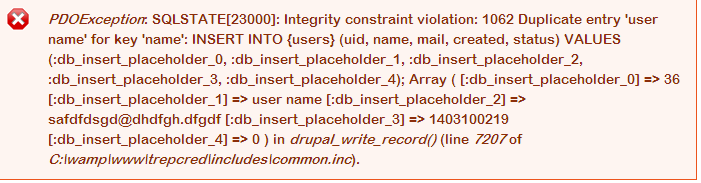
Here we are giving the ‘name’ column’s value as “user name”. So first time it wont show any error message. But next time if we submit the form, the ‘user’ column’s value will be repeat again as ”user name”. so this error message will come. In Data base we haven’t allowed for DUPLICATE entry for ‘name’ column. That is the problem here. We can resolve this in two ways,
A) Allow the duplicate value for the particular column in database
->Uncheck the PRIMARY KEY
B) Get the run time value for the particular filed (with the existence validation with DB)
I hope this will work :)
Comment #158
marcingy commented@shakthik92 unrelated issue this is to do with the file module and file module alone.
Comment #159
elvin - albania drupal developer#96 solved my problem :)
Comment #160
Ace Cooper commentedIn my case with the same error neither #137 nor #141 helped.
But a link to the neighbouring topic from #154 fixed my problem.
Thank you, hwasem, for pointing in the right direction.
Comment #161
deanflory commentedAnything on this for Drupal 7 as I'm getting this when editing and changing nothing, then saving an Article:
Comment #162
joe huggans#78 worked for me, the issue was with a file upload field as a line item in commerce
Comment #163
harishpatel86 commentedwhen i edit user profile and save it then i am get an error.
"Error
The website encountered an unexpected error. Please try again later."
PDOException: SQLSTATE[23000]: Integrity constraint violation: 1062 Duplicate entry '' for key 'name': UPDATE {users} SET name=:db_update_placeholder_0, pass=:db_update_placeholder_1, mail=:db_update_placeholder_2, theme=:db_update_placeholder_3, signature=:db_update_placeholder_4, signature_format=:db_update_placeholder_5, created=:db_update_placeholder_6, access=:db_update_placeholder_7, login=:db_update_placeholder_8, status=:db_update_placeholder_9, timezone=:db_update_placeholder_10, language=:db_update_placeholder_11, picture=:db_update_placeholder_12, init=:db_update_placeholder_13, data=:db_update_placeholder_14 WHERE (uid = :db_condition_placeholder_0) ; Array ( [:db_update_placeholder_0] => [:db_update_placeholder_1] => $S$DE6pmKTrt1D58J3YK086khVDhn1inWkKnnOAVy90H4T9etcETVKg [:db_update_placeholder_2] => abc@abc.com [:db_update_placeholder_3] => [:db_update_placeholder_4] => [:db_update_placeholder_5] => filtered_html [:db_update_placeholder_6] => 1409557369 [:db_update_placeholder_7] => 1415427780 [:db_update_placeholder_8] => 1415423112 [:db_update_placeholder_9] => 1 [:db_update_placeholder_10] => Asia/Kolkata [:db_update_placeholder_11] => [:db_update_placeholder_12] => 0 [:db_update_placeholder_13] => abc@abc.com [:db_update_placeholder_14] => a:3:{s:7:"contact";i:1;s:17:"mimemail_textonly";i:0;s:18:"htmlmail_plaintext";i:0;} [:db_condition_placeholder_0] => 50 ) in drupal_write_record() (line 7202 of /var/www/includes/common.inc).
any solution ?.
Comment #164
kenorb commented@harish86: You're posting on already closed issue (again), please raise a new support ticket for that as it seems it's not related to the current issue (different table) or use Drupal SE for asking the questions. If you're using auto_username module, please post on: #2302419: Conflict with user_import, if user_import module, then #2302421: Conflict with auto_username.
Comment #167
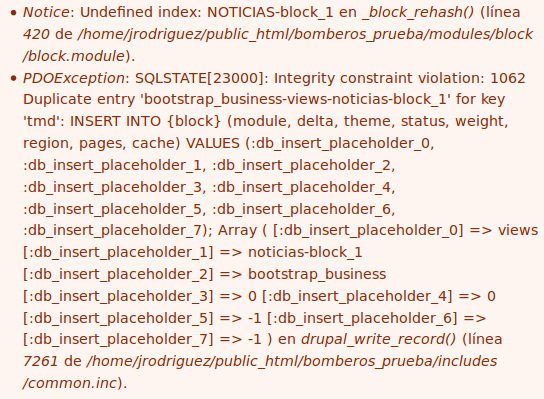
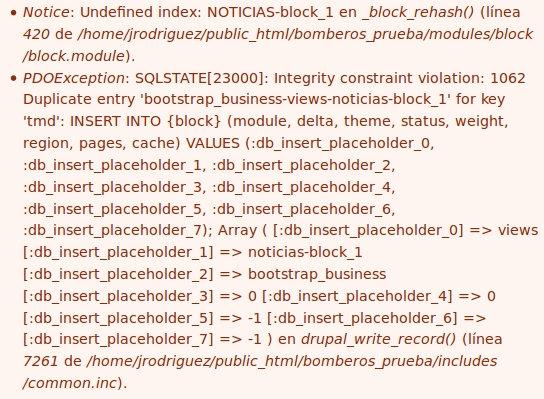
jomarocas commentedi have the error with drupal 7.35 only when a save a new view with block, but the site working good, only this error, i clear cache and make update.php and nothing, how to erase this error and working before this
Comment #168
Anonymous (not verified) commentedHow to solve the issue as
PDOException: SQLSTATE[23000]: Integrity constraint violation: 1062 Duplicate entry 'rhdhhdhdb@shddh.com' for key 'name': INSERT INTO {users} (uid, name, pass, mail, created, status, init, data) VALUES (:db_insert_placeholder_0, :db_insert_placeholder_1, :db_insert_placeholder_2, :db_insert_placeholder_3, :db_insert_placeholder_4, :db_insert_placeholder_5, :db_insert_placeholder_6, :db_insert_placeholder_7); Array ( [:db_insert_placeholder_0] => 795 [:db_insert_placeholder_1] => rhdhhdhdb@shddh.com [:db_insert_placeholder_2] => $S$DQSH6hlxLn8KHQiKzW/ikML8EgNO4i3YwLmWkbB81mAwJoiaq7Lx [:db_insert_placeholder_3] => rhdhhdhdb@shddh.com [:db_insert_placeholder_4] => 1433179882 [:db_insert_placeholder_5] => 1 [:db_insert_placeholder_6] => email address [:db_insert_placeholder_7] => a:1:{s:17:"mimemail_textonly";i:0;} ) in drupal_write_record() (line 7207 of
even this email is not present into the table.
i transfer the my local setup to another server and this issue comes.
what will be the issue.
and i want name field to be unique value because it will use for the login purpose.
$success = create_user($_POST); //its working fine.
i have 2 server and its working on first server . and i migrate all files and database to other server and
its site working fine too. but this issue comes .who to overcome ..Please help me ...Thanks .
Comment #169
Drupal Geeks commentedI am having this error during content type import task . I am using bundle copy module to import content types. I have fixed this error by deleting duplicate entry in the field_group table . This error occur due to multiple content type imported again and again , also server does not respond .
Comment #170
Zedda commentedIn case others get this error while trying to use the Backup & Migrate module (D7):
I got this error while trying migrate one localhost site to another localhost site for testing. I had to go into common.inc and compare the code side-by-side ("old" localhost common.inc vs "new" localhost common.inc). I copied over the bits that were different one at a time and I got my site migrated!
I'm still de-bugging permissions, but that's a whole 'nother can o' worms.
Comment #171
wajdigharbi commentedPDOException : SQLSTATE[23000]: Integrity constraint violation: 1062 Duplicate entry '1062' for key 'PRIMARY': INSERT INTO {field_collection_item} (item_id, revision_id, field_name, archived, uuid) VALUES (:db_insert_placeholder_0, :db_insert_placeholder_1, :db_insert_placeholder_2, :db_insert_placeholder_3, :db_insert_placeholder_4); Array ( [:db_insert_placeholder_0] => 1062 [:db_insert_placeholder_1] => 1145 [:db_insert_placeholder_2] => field_les_objectifs [:db_insert_placeholder_3] => 0 [:db_insert_placeholder_4] => 7efe29f5-3642-4fc6-bc62-792566c7dd36 ) dans drupal_write_record() (ligne 7383 dans /var/www/vhosts/monoprix/staging.monoprix.tn/includes/common.inc).
Comment #172
nick0989 commentedSo when I get this error it is because one of the fields during creation of the content type was not filled out. For me, it was my location settings of longitude and latitude. I am using the location for the GMAP module to put markers on the map. If that information isn't filled out, then it will not submit and cause this error.
Comment #173
rvanderh1 commentedI got this error when editing and updating a custom content type node: Uncaught PHP Exception Drupal\\Core\\Entity\\EntityStorageException: "SQLSTATE[23000]: Integrity constraint violation: 1062 Duplicate entry '-7sOg-tNwbC3U2TqxnMC7skB2oFDBoazzhtOmViHzdY' for key 'hash': INSERT INTO {redirect} (type, uuid, language, hash, uid, redirect_source__path, redirect_source__query, redirect_redirect__uri, redirect_redirect__title, redirect_redirect__options, status_code, created) VALUES (:db_insert_placeholder_0, :db_insert_placeholder_1, :db_insert_placeholder_2, :db_insert_placeholder_3, :db_insert_placeholder_4, :db_insert_placeholder_5, :db_insert_placeholder_6, :db_insert_placeholder_7, :db_insert_placeholder_8, :db_insert_placeholder_9, :db_insert_placeholder_10, :db_insert_placeholder_11); Array\n(\n [:db_insert_placeholder_0] => redirect\n [:db_insert_placeholder_1] => b79c4362-48b5-4cfb-a18e-265759ee751c\n [:db_insert_placeholder_2] => en\n [:db_insert_placeholder_3] => -7sOg-tNwbC3U2TqxnMC7skB2oFDBoazzhtOmViHzdY\n [:db_insert_placeholder_4] => 1\n [:db_insert_placeholder_5] => about/staff/vernes-cecilia\n [:db_insert_placeholder_6] => a:0:{}\n [:db_insert_placeholder_7] => internal:/node/65\n [:db_insert_placeholder_8] => \n [:db_insert_placeholder_9] => a:0:{}\n [:db_insert_placeholder_10] => 301\n [:db_insert_placeholder_11] => 1497979365\n)\n" at /var/www/html/core/lib/Drupal/Core/Entity/Sql/SqlContentEntityStorage.php line 777, referer: http://webroot/node/65/edit?destination=/admin/content
At first I thought it was because the node was authored by another user (but I'm the admin user so that shouldn't have happened anyway), but then I edited a different record by another user and it saved properly with no error.
Comment #174
Utkarsh Harshit commentedI got this error after enabling field_collection module,after refreshing the problem exhausted but afterthat every time opening the module sections website receives such error.
PDOException: SQLSTATE[23000]: Integrity constraint violation: 1062 Duplicate entry 'sites/all/modules/contrib/field_collection/field_collection.modu' for key 'PRIMARY': INSERT INTO {system} (filename, name, type, owner, info) VALUES (:db_insert_placeholder_0, :db_insert_placeholder_1, :db_insert_placeholder_2, :db_insert_placeholder_3, :db_insert_placeholder_4); Array ( [:db_insert_placeholder_0] => sites/all/modules/contrib/field_collection/field_collection.module [:db_insert_placeholder_1] => field_collection [:db_insert_placeholder_2] => module [:db_insert_placeholder_3] => [:db_insert_placeholder_4] => a:14:{s:4:"name";s:16:"Field collection";s:11:"description";s:81:"Provides a field collection field, to which any number of fields can be attached.";s:4:"core";s:3:"7.x";s:12:"dependencies";a:1:{i:0;s:6:"entity";}s:17:"test_dependencies";a:1:{i:0;s:18:"entity_translation";}s:5:"files";a:6:{i:0;s:21:"field_collection.test";i:1;s:27:"field_collection.entity.inc";i:2;s:25:"field_collection.info.inc";i:3;s:54:"includes/translation.handler.field_collection_item.inc";i:4;s:47:"views/field_collection_handler_relationship.inc";i:5;s:28:"field_collection.migrate.inc";}s:9:"configure";s:33:"admin/structure/field-collections";s:7:"package";s:6:"Fields";s:7:"version";s:20:"7.x-1.0-beta12+4-dev";s:7:"project";s:16:"field_collection";s:9:"datestamp";s:10:"1481300586";s:5:"mtime";i:1498736496;s:3:"php";s:5:"5.2.4";s:9:"bootstrap";i:0;} ) in system_update_files_database() (line 2314 of C:\xampp\htdocs\drupal7\modules\system\system.module).
Comment #175
fngatia commentedMine finnaly worked and am using FILE_EXISTS_REPLACE
Hey everyone! I have had this issue for the past one one month and tried all the threads answers i could get but couldn't get an answer. This evening i revisited this node and read all the 172 comments, for instant there is that part of comment that says it had something to do with drupal folder permission.
So i visited by drupal public:// folder and found a .htaccess file. This is the path:
I opened the file and commented all the line using the # as shown below
My the error is now gone and i can upload my files without a warning, however, it may not be applicable to everyone especially those who do not have access to installation folder. I don't know what implications this has to the public:// folder. Can someone let me know what implications this has.
For reference this was my error:
×PDOException: SQLSTATE[23000]: Integrity constraint violation: 1062 Duplicate entry 'public://xxx' for key 'uri': UPDATE {file_managed} SET uid=:db_update_placeholder_0, filename=:db_update_placeholder_1, uri=:db_update_placeholder_2, filemime=:db_update_placeholder_3, filesize=:db_update_placeholder_4, status=:db_update_placeholder_5, timestamp=:db_update_placeholder_6, type=:db_update_placeholder_7 WHERE (fid = :db_condition_placeholder_0) ; Array ( [:db_update_placeholder_0] => 1 [:db_update_placeholder_1] => xxx.jpg [:db_update_placeholder_2] => public://xxx.jpg [:db_update_placeholder_3] => image/jpeg [:db_update_placeholder_4] => 8034 [:db_update_placeholder_5] => 0 [:db_update_placeholder_6] => 1501540866 [:db_update_placeholder_7] => image [:db_condition_placeholder_0] => 412 ) in drupal_write_record() (line 7383 of C:\xxx...\includes\common.inc). Error The website encountered an unexpected error. Please try again later.Comment #176
jkingsnorth commentedCommenting out:
# Set the catch-all handler to prevent scripts from being executed.
#SetHandler Drupal_Security_Do_Not_Remove_See_SA_2006_006
#
# Override the handler again if we're run later in the evaluation list.
#SetHandler Drupal_Security_Do_Not_Remove_See_SA_2013_003
Is not recommended, if you read those security announcements you'll see more information about why they're there. But it's interesting that it now works for you after commenting them - perhaps that points to the cause of the issue.
Comment #177
marcelcorzo commentedI tried the soution given on the pst #22, and it worked for me.
The error was:
PDOException: SQLSTATE[23000]: Integrity constraint violation: 1062 Duplicate entry 'temporary://logo_0.png' for key 'uri': INSERT INTO {file_managed} (uid, filename, uri, filemime, filesize, status, timestamp, type) VALUES (:db_insert_placeholder_0, :db_insert_placeholder_1, :db_insert_placeholder_2, :db_insert_placeholder_3, :db_insert_placeholder_4, :db_insert_placeholder_5, :db_insert_placeholder_6, :db_insert_placeholder_7); Array ( [:db_insert_placeholder_0] => 1 [:db_insert_placeholder_1] => logo.png [:db_insert_placeholder_2] => temporary://logo_0.png [:db_insert_placeholder_3] => image/png [:db_insert_placeholder_4] => 11210 [:db_insert_placeholder_5] => 0 [:db_insert_placeholder_6] => 1508199388 [:db_insert_placeholder_7] => image ) in drupal_write_record()(line 7261 of /home/vol3_4/byethost7.com/b7_20854678/htdocs/ligafincaraiz/includes/common.inc).
So I found the file_managed table and erased the "logo_1.png" entry.
I think the problem was that I replaced the logo.png file with my own file, but with the same name. So I changed the name and uploaded the file correctly.
Comment #178
Fredsvanelli commentedSOLVED (for my case):
After reading comment #177, I deleted the last few entries on file_managed table and it got working again (Drupal 7.58)
Comment #179
lipinponmala007 commentedhttps://www.drupal.org/forum/support/module-development-and-code-questio...
Comment #180
dm66 commentedUse module Fancy File Delete to delete orphaned / unmanaged files.