

 Come together with the global Drupal community in Rotterdam, 28 Sept – 1 Oct 2026. Sessions, contribution, connection, and Early Bird savings until 8 June.
Problem/Motivation
Bartik's code needs to meet current Drupal coding standards.
Proposed resolution
This issue takes a specific section of Bartik's code, it acts as a "component" issue and improves that section of code with minimal impact on the rest of Bartik's codebase.
This issue aims to clean up and properly format the CSS and templates files without breaking Bartik visually.
This issue primarily looks at the css/components/captions.css file.
Work that needs to be included in patches for this issue are fully outlined in the META issue #1342054: [META] Clean up templates and CSS.
The work needs to be crossed off the list below as completed or stated why they were not applicable to this issue in the comments below, to make sure we cover everything.
Also very helpful! Noting the list items in your comment with the patch to show what parts you added to the patch.
Create a patch containing the potential following work:
Code cleanup work
- Check each selector in the CSS file (associated with the particular issue) is in use within core right now.
If not...
a) Check to see if the classes in core have been changed and correct them (for e.g. I found this in this issue ).
or
b) Remove that CSS completely from the CSS file. -
a) Check the CSS selectors are not being replicated in other stylesheets in Bartik.
b) Check the CSS properties are not being overridden by other stylesheets in Bartik.
If a) move all of the properties to the selector in the stylesheet that you think most appropriate for the component you are dealing with.
If a) and b) also remove the CSS properties and values being overridden within that ruleset. - If you find CSS for a component which seems out of place in the file it is currently in move it to the one you think is the correct one.
-
If a selector appears to be too long and/or too specific, check if the selector can be simplified. for eg.
.something .something .something { }being modified to.something .something { }. - Check that RTL styles exist when needed and are formatted as per the guidelines. (for e.g. we found that RTL styles are broken on certain pages in this issue, so fix anything you see missing/incorrect in the CSS file.
- If you think the contents of the CSS file could be further broken down into more components CSS files, or grouped together with other existing CSS files to form one component do it. The initial SMACSS issue may not of been perfect, guidelines on CSS file organisation for Drupal 8 can be found here.
- Check the markup from the templates that all of the classes are used as selectors in the CSS files. If not remove them. See an example issue here for this.
Code formatting work
- Add a File comment to the top of the stylesheet - see here for guidelines.
- Check any other comments are formatted correctly - see here for guidelines.
- Check Whitespace is being used correctly, this includes indentations and line breaks - see here for guidelines.
- Check the formatting of rulesets, properties and media queries are correct - see here for guidelines.
- As mentioned above, check existing RTL styles are formatted correctly - see here for guidelines.
Remaining tasks
- Assess the code applicable to this patch and figure out what work in the lists above need to be included in the patch.
- Cross out work tasks that do not apply to this issue.
- Write a patch with as much work as you want to include, upload and comment what you included
- Review the patch - code review and visual changes
- Upload screenshots to show nothing/something is broken on the frontend
User interface changes
None, we are cleaning up CSS and markup in templates. The use of Bartik's UI and design will stay the same.
API changes
n/a
Beta phase evaluation
| Issue category | Task because it is a code clean up overhaul of a theme. |
|---|---|
| Unfrozen changes | Unfrozen because it only refactors CSS and templates, no changes to UI or APIs |
| Prioritized changes | The main goal of this issue is usability and performance. We want Bartik code to be up to date and something to be proud of. |
| Disruption | No disruption it's only refactoring code not changing how to use the theme |
| Comment | File | Size | Author |
|---|---|---|---|
| #84 | alignmentwithpatch.png | 4.3 MB | roberttabigue |
| #84 | Alignmentwithoutpatch.png | 4.38 MB | roberttabigue |
| #76 | afterPatch-74.png | 41.98 KB | asha nair |
| #76 | beforePatch-74.png | 96.67 KB | asha nair |
| #74 | 2398459-74.patch | 402 bytes | Shubham Sharma 77 |
Issue fork bartik-2398459
 Show commands
Start within a Git clone of the project using the version control instructions.
Or, if you do not have SSH keys set up on git.drupalcode.org:
 changes









Comments
Comment #1
emma.mariaComment #2
emma.mariaComment #3
dernetzjaeger commentedadded file comment
Comment #4
dernetzjaeger commentedComment #5
schnitzel commentedcouldn't apply the patch, something was strange. fixed it and uploaded the patch again.
Comment #7
DickJohnson commented1. There should be blank line after file comment
2. Hexas should be written in small letters
Comment #8
olmaga commentedComment #9
olmaga commentedHere i changed to lowercase color values
Comment #10
dernetzjaeger commented@olmaga
Thanks for working on this task. please unassign yourself, so everybody knows that this is ready for review and not reviewed by you :)
Comment #11
DickJohnson commented1. We should have empty line after file-comment.

2. I tried to make blockquote to caption, but didn't manage to do it. So from my point of view that part of styling is unnecessary.
3. Should we change font-size: small to em's as this is pretty much only place in Bartik where we're using keywords?
Comment #12
emma.mariaDetailed review of the patch in #9.
padding-top: 0.5ex;We don't use ex anywhere else and it's causing a visual issue with image captions.
font-size: small;for eg.
border: 1px solid #ccc;within.caption > figcaption {when it is already declared in.caption > *{Note: There are styles for .caption-pre and .caption-blockquote inside this stylesheet. This is because you can edit the html and use the attribute data-caption to add captions to these elements. I could not find this documented anywhere, but I found a reference by Wim in another issue here.
Comment #13
jannis commentedi'm working on this now
Comment #14
jannis commentedWorked on this issue at DrupalCon LA
Addressed most of the comments from #12:
1, 2, 3, & 4 - done
5 - done, but needs work since you cant't add blockquote/pre to caption with the current wysiwyg #2268941-2: Removing caption from a previously captioned image fails to remove the caption-related classes
This issue needs screenshots.
Comment #15
jannis commentedadded before and after screenshots
Comment #16
bfodeke commentedI'm currently reviewing this
Comment #17
bfodeke commentedI talked with @emma.maria to get clarification on validating blockquote and pre caption styles. These currently cannot be done through the wysiwyg UI, but can be done by manually typing in the required
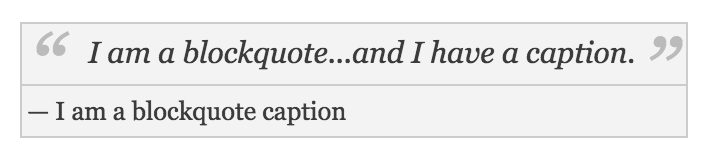
data-captiondata attribute.Adding a caption to a blockquote:
Will yield:

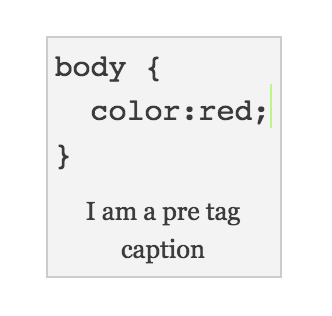
Adding a caption to 'pre':
Will yield:

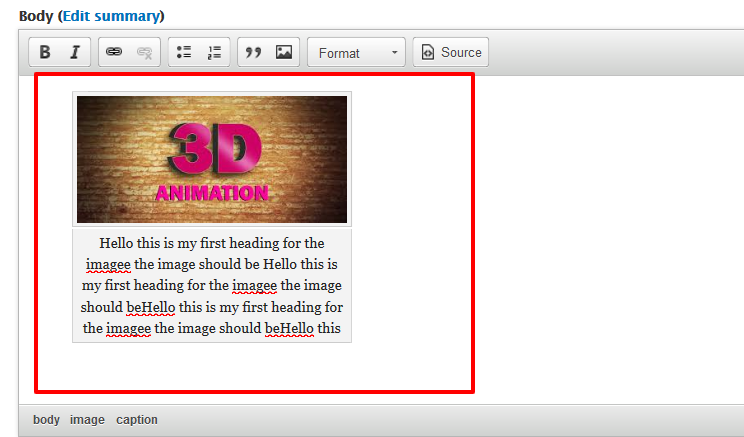
The issue with alignment of the figurecaption element with the image varies based on the width of the viewport:

With the issue fixed:

Comment #18
bfodeke commentedInterdiff file attached
Comment #19
mgiffordShouldn't we be using
HTML6HTML5's figure/figcaption? - http://www.w3.org/wiki/HTML/Elements/figcaptionIn the patches I've seen they are just CSS. Am I missing something?
EDIT: No idea why I typed HTML6....
Comment #20
emma.maria@mgifford I'm not sure. Bartik is just theming what is given to in the markup from Core. We do target the figcaption tag also in the styles.
Comment #21
emma.mariaTesting is currently blocked by #2540850: (regression) EditorImageDialog alignment & captioning are not working.
Comment #22
mgifford@emma.maria HTML5's
figure/figcaptionis available in CKEditor. Not sure where else we're seeing examples of captions in Core. Where would be a good place (other than CKEditor) to see what Core is spitting out?Comment #23
wim leers#17: <3 <3 AWESOME!
#21: this does not need to be blocked on that issue at all, just create the markup manually. Disable JavaScript, create
<img src="some image" data-align="center" data-caption="Caption text." />Why these changes? Look at git blame, see the issues that made it this way. This was not done on a whim.
Comment #24
emma.mariaOK now that this is fixed #2540850: (regression) EditorImageDialog alignment & captioning are not working we can again test this in the UI and check the generated markup.
#23 I spent a while before poring over the markup and this was a valid change at the time...
Comment #25
emma.mariaI used this HTML code in the WYSIWYG field to test this issue...
I added captions to an image, a blockquote and preformatted text.
I got the following markup on the frontend...
Image
Blockquote
Preformatted text
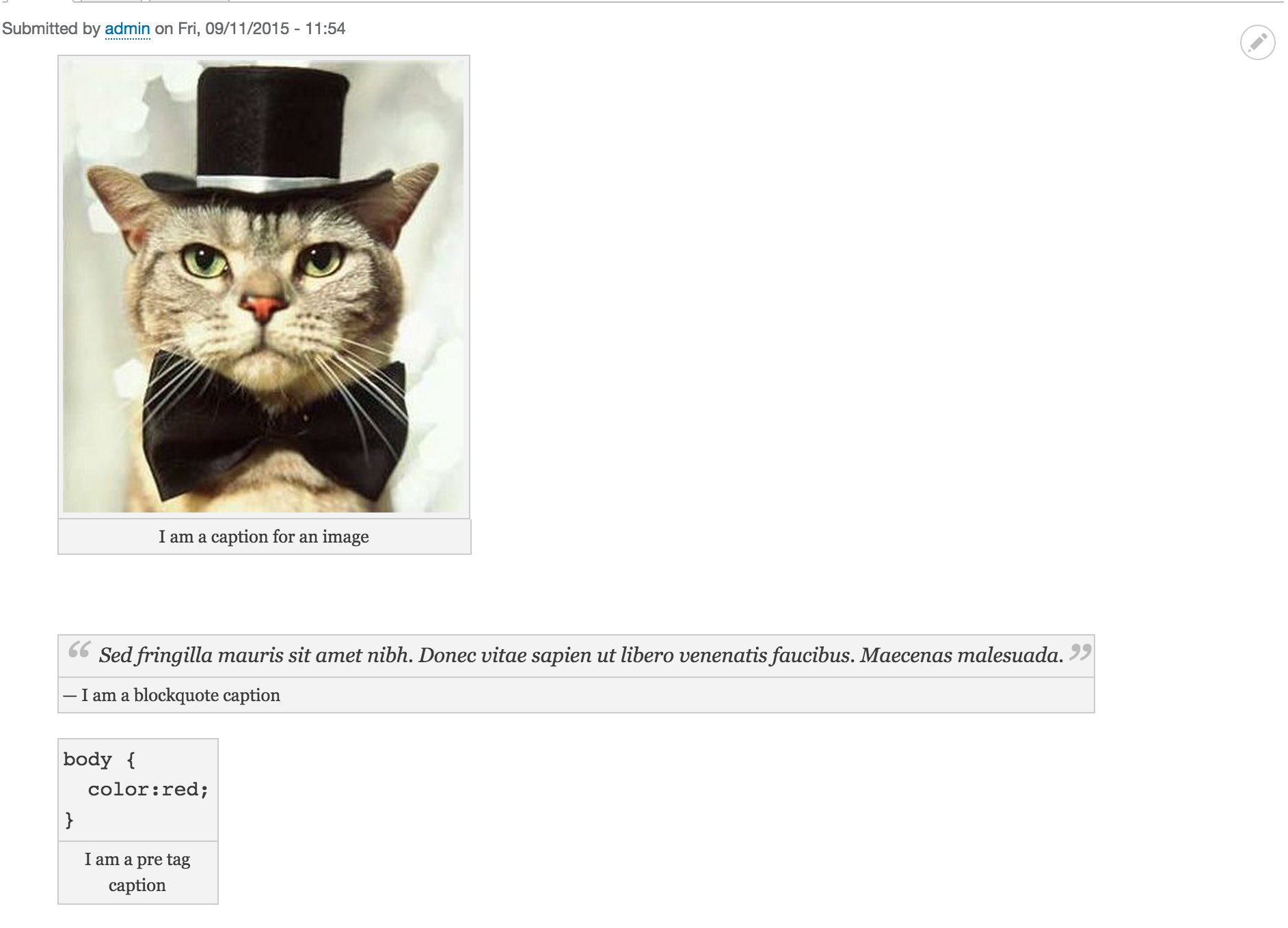
and the following visual on the frontend...

I ran visual regression testing the new code actually fixes a bug at small widths on the Image component...


And now I see why @Wim Leers highlighted the potential need for the code snippet in #23 pre html does not wrap the contents in a box so a border-top is needed for the caption only on this component.
To accommodate this I will add a CSS rule to remove the border-top on all captions except .caption-pre
I will upload the fix in a new patch with screenshots.
Comment #26
emma.mariaOK I've added this rule to fix the border regression. I think it is best to have an exception rule for one thing then set it for many.
I also fixed a nit in the file comment.
Can someone please check over my review in #25, my new patch here and RTBC this pretty please :-)
Comment #27
lewisnymanNice
Do we need all these vendor prefixes?
Comment #28
wim leersThis is now just repeating what
.caption > figcaptionused to do generically. Why is it worth having a separate selector for this?And I see how this is cleaner, but what do we really gain by this change?
Comment #29
lewisnyman.caption-blockquoteIf these classes are redundant, we could remove them from the mark up?
It's not the same, this is ensuring that the caption-pre has a top border, I thought this was fixing a visual bug?
Comment #30
wim leersOh, you're right, that fixes a regression in HEAD. So, disregard #28.1.
But they're not redundant, as the use of the
.caption:not(.caption-pre) > figcaptionselector shows. Until CSS has a:has()selector or something like that, we'd need this, unfortunately :(Comment #31
johnflower commentedIf the captioned image width is greater than the screen width it will overhang. This does not happen with uncaptioned images. This was observed in Bartik 8.0.1.
Comment #32
johnflower commentedAt small browser widths the image overhangs the caption.
Comment #33
sudhanshug commentedFixed the issue by using CSS 3's
calc().The cause of the problem was the padding of image.
Set the max-width to 100% and displayed the
.captionas block.Used !important to override styles of other css files.
The first two image files reflect the changes.
Comment #34
sudhanshug commentedComment #36
sudhanshug commentedsorry for previous patch
Uploaded new one
Comment #37
sudhanshug commentedComment #39
sudhanshug commentedComment #40
sudhanshug commentedComment #41
cs_shadow commented1. Looks like you've changed some of the coding standards while modifying the file. Please revert them.
- The file comment at the top of the file.
- Using capital letters for color codes etc.
2. I'm not a CSS expert but it'll be better if you could avoid the use of !important
Comment #42
cs_shadow commentedComment #43
wim leersIsn't this issue supposed to be solely about cleaning up the component, and not about fixing bugs? For fixing the bug, we already have #2568597: [upstream][Firefox] The CSS used for Filter/Editor captions is not responsive.
Comment #44
sudhanshug commented@wim This patch contains the cleaned up CSS and also fixes the bugs.
Comment #45
sudhanshug commentedComment #46
sudhanshug commentedComment #47
wim leersYour interdiff is the entire patch. It's impossible to see what you've changed.
And in #44 you're just repeating what I say is the problem. That's not an answer.
Comment #48
johnflower commentedMy mistake. I misread. This issue is about beautifying the code, not about beautifying what the code does.
Comment #50
jmehta commentedI created the new patch to make sure that the css guidelines are followed and removed all the code fixes that were done on the previous patch number 44
Comment #52
akshay kashyap commented#50 I have review the patch, apply successfully and working fine. I have attached After_patch image and Before_patch images.
I test this patch in Firefox and Chrome browser. It's Working fine.
But in captions.css file, I have found ex instated of em.
According to #12 comments and #14 patch changes, these need to be change.
So I have made these change and add patch.
Comment #60
bandanasharma commentedReroll the patch for 9.1.x because #52 patch is not working with 9.
Comment #61
tanubansal commentedTested #60, its working fine on 9.1
Comment #63
djsagar commentedTested #60, its also working fine on 9.2-dev.
For more info please review the attachment.
Thanks!
Comment #65
lauriiiWhy are we changing this selector?
Comment #66
sakthivel m commentedProviding updated version of patch #66 as per comment #65, Please review the patch
Comment #67
sakthivel m commentedComment #69
asha nair commentedApplied patch #66 successfully. Works fine
Comment #70
shashwat purav commentedAdded patch for the 9.4.x version.
Comment #72
Shubham Sharma 77 commentedApplied patch #70 is not working.
Why are we changing the class, font-size and padding?
We can add box-sizing to fixed this.
Example:-
Comment #73
Shubham Sharma 77 commentedApplied patch #70 is not working.
Attached reroll patch against Drupal 9.5.x.
Comment #74
Shubham Sharma 77 commentedUpdating patch after Fixing failed test cases.
Comment #75
Munavijayalakshmi commentedComment #76
asha nair commentedApplied patch in #74 in 9.5.x-dev. This patch fixes the issue. Adding screenshots
Comment #77
Shubham Sharma 77 commentedMove this ticket to RTBC.
Comment #79
Shubham Sharma 77 commentedThe last submitted patch, #74, passed testing. So, move this ticket to RTBC.
Comment #80
wim leersThis is now a contrib theme: https://www.drupal.org/project/bartik
Comment #83
rpayanmComment #84
roberttabigue commentedHi @rpayanm
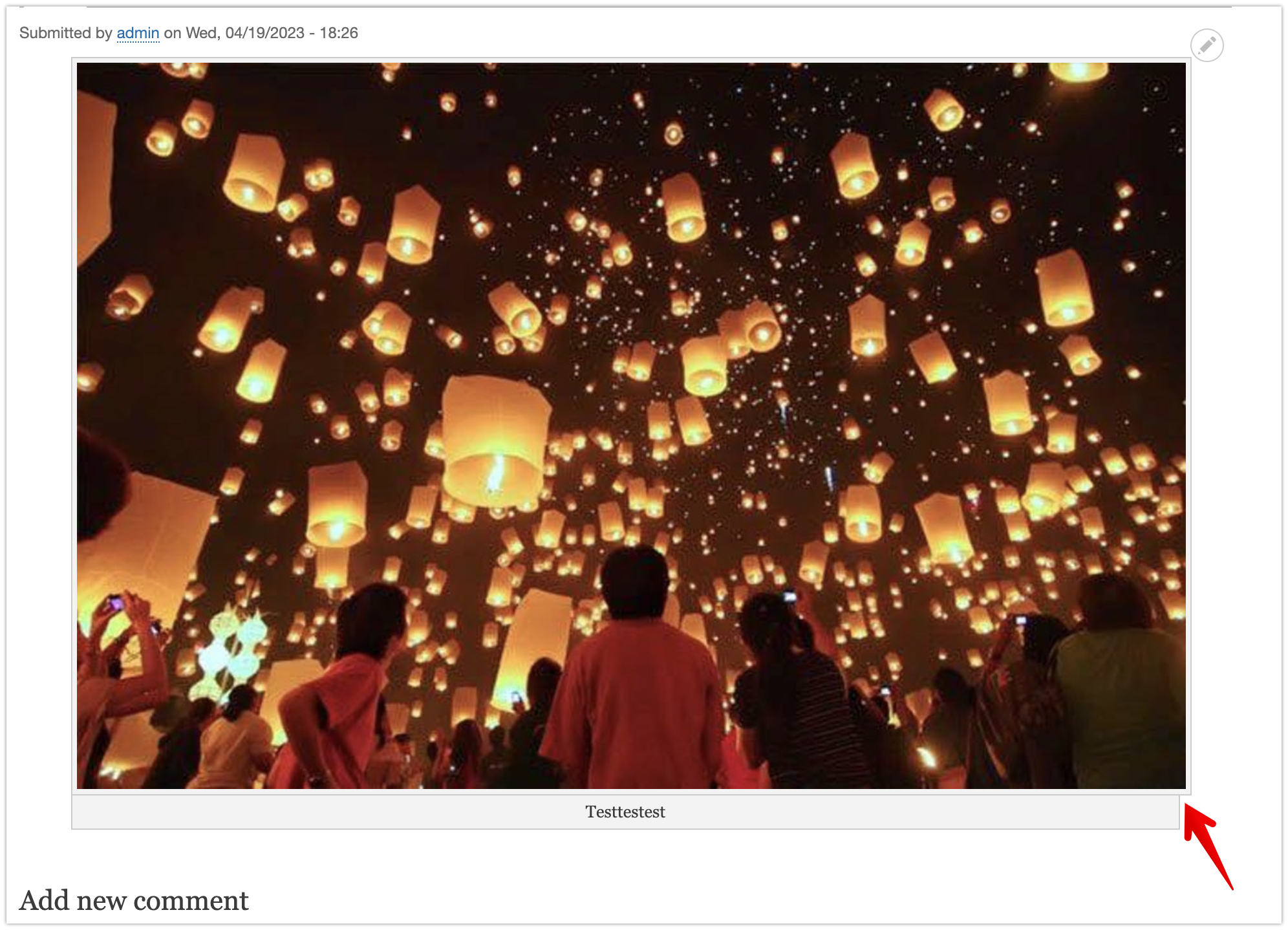
Confirmed resolved the alignment issue of the caption below the image when I applied the MR !1 to the Bartik theme against 1.0.2 version and with the Drupal core version 9.5.6.
Moving now to RTBC and
Please see the attached screenshots for your reference.
Comment #87
liam morland