

 Come together with the global Drupal community in Rotterdam, 28 Sept – 1 Oct 2026. Sessions, contribution, connection, and Early Bird savings until 8 June.
Upon expanding the save choices for a content edit, I have to scroll to make all choices visible and the scroll has to be done in a particular way.
Steps:
1. Create a content type which requires scrolling to enter all content.
2. Click Add content, and choose a that content type
3. Scroll down to the bottom
4. On the Save and publish button, click the down arrow.
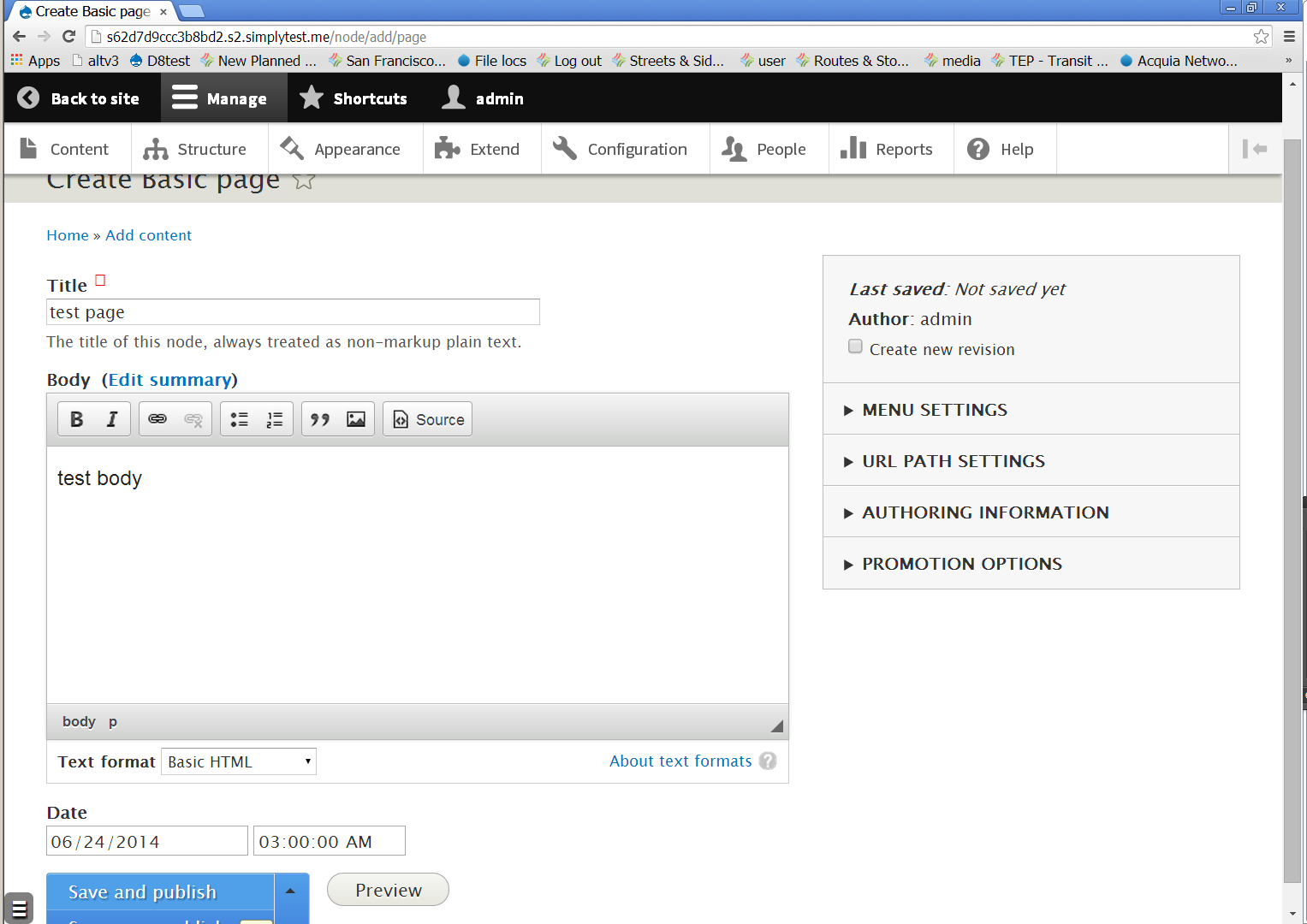
Actual result: Options run off the screen
Expected result: Options are visible on screen. This might be done either by moving the button up or by providing for the extra scroll space so that step 3 provides enough padding at the bottom that there is room for the button to expand fully without requiring further scrolling.
See after clicking down arrow.png [note: yellow rectangle at bottom is a Windows artifact and not part of the bug; gray button in lower left is a simplytest.me artifact]
5. Move the mouse to the scroll bar to scroll down
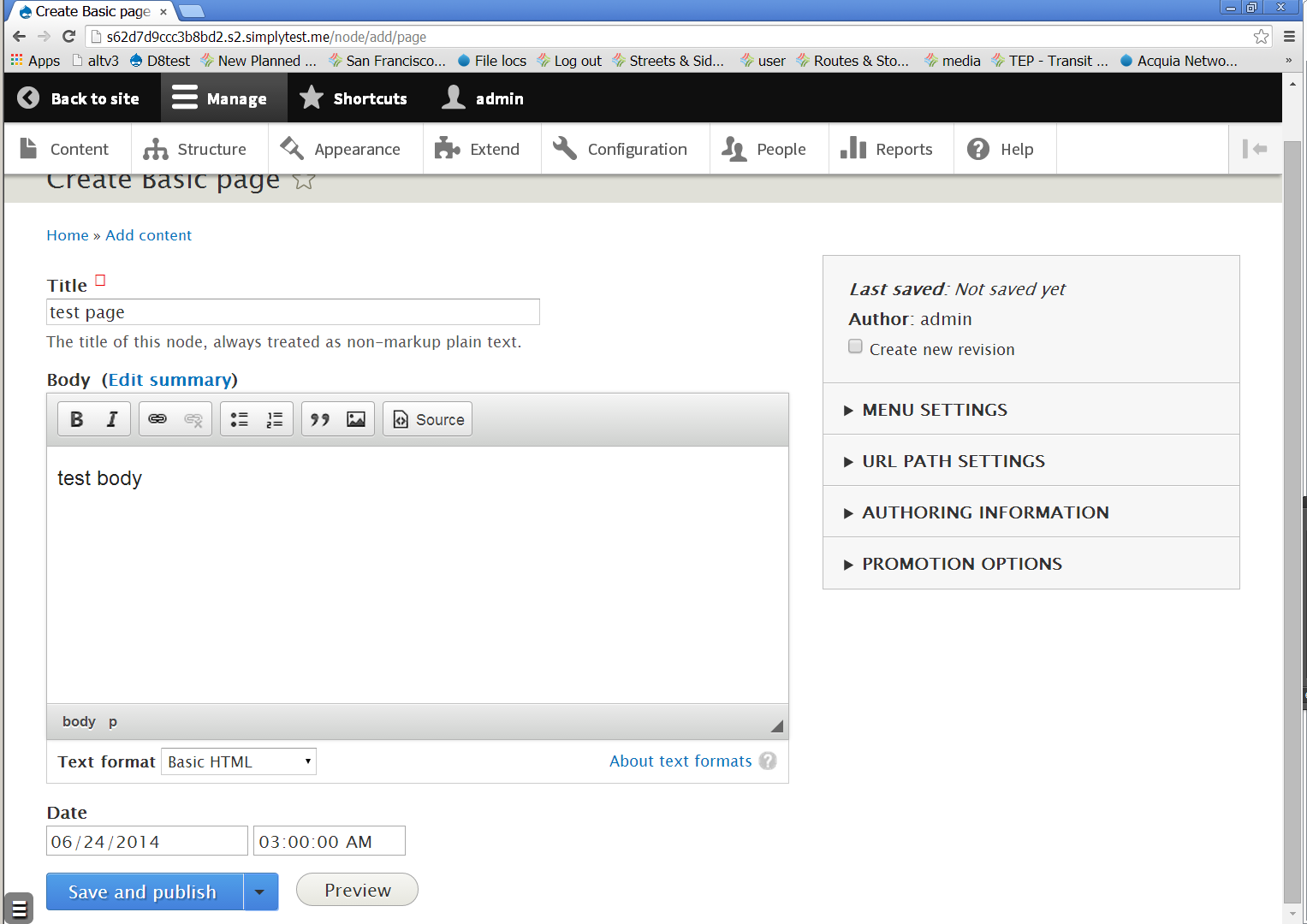
Actual result: Button collapses and there is no place to scroll
Expected result (required): There is still a place to scroll to and I can scroll down.
Expected result (optional): The button doesn't collapse and I can scroll down.
Workaround: Use the Page Down key to scroll down.
See after rolling off.png
| Comment | File | Size | Author |
|---|---|---|---|
| #7 | interdiff-2292083-5-7.txt | 1.23 KB | adci_contributor |
| #7 | scroll_opening_dropbutton-2292083-7.patch | 1.17 KB | adci_contributor |
| #5 | 2292083_scroll_opening_dropbutton-5.patch | 1.15 KB | tompagabor |
| after rolling off.png | 120.1 KB | charles belov | |
| after clicking down arrow.png | 118.5 KB | charles belov |

Comments
Comment #1
nod_This is a duplicate of another issue but I don't remember. Leaving open for now.
Comment #2
nod_Comment #3
nod_Comment #4
tompagabor commentedComment #5
tompagabor commentedComment #6
jhedstromThe comments here should follow coding standards (capitalized, with a period at the end).
Trailing whitespace here.
Comment #7
adci_contributor commentedUpdated in according to the corrections in #6
Comment #8
nod_Doesn't pass eslint.
Also I'd like to have feedback from the UX team to know if we should scroll down the page OR open dropbutton the other way (expand on top instead of current expand to bottom).
Personally I'd rather not mess with scrolling.
Comment #9
charles belovAs issue filer, I would prefer step 4 be fixed:
4. On the Save and publish button, click the down arrow.
Actual result: Options run off the screen
Expected result: Options are visible on screen.
I don't see any point in making me scroll after I have indicated intent to interact with the button. So, I'm with #8 expand to top.
Comment #10
tompagabor commentedThere was a patch (https://www.drupal.org/node/2307533) which give us enough space at the bottom for dropdown button. I think it resolves the most common situations, eg.: the site uses the Seven theme for administration.
Comment #19
pameeela commentedThe dropdown button for node save was removed from core in #2068063: Change "Save and keep un-/published" buttons to a "Published" checkbox and an included "Save" button, so I don't think this is relevant anymore.