

Needs work
Project:
Toolbar
Version:
1.x-dev
Component:
Code
Priority:
Major
Category:
Bug report
Assigned:
Unassigned
Issue tags:
Reporter:
Created:
28 Oct 2016 at 07:16 UTC
Updated:
21 Sep 2026 at 11:56 UTC
Jump to comment: Most recent, Most recent file


 Show commands
 changes


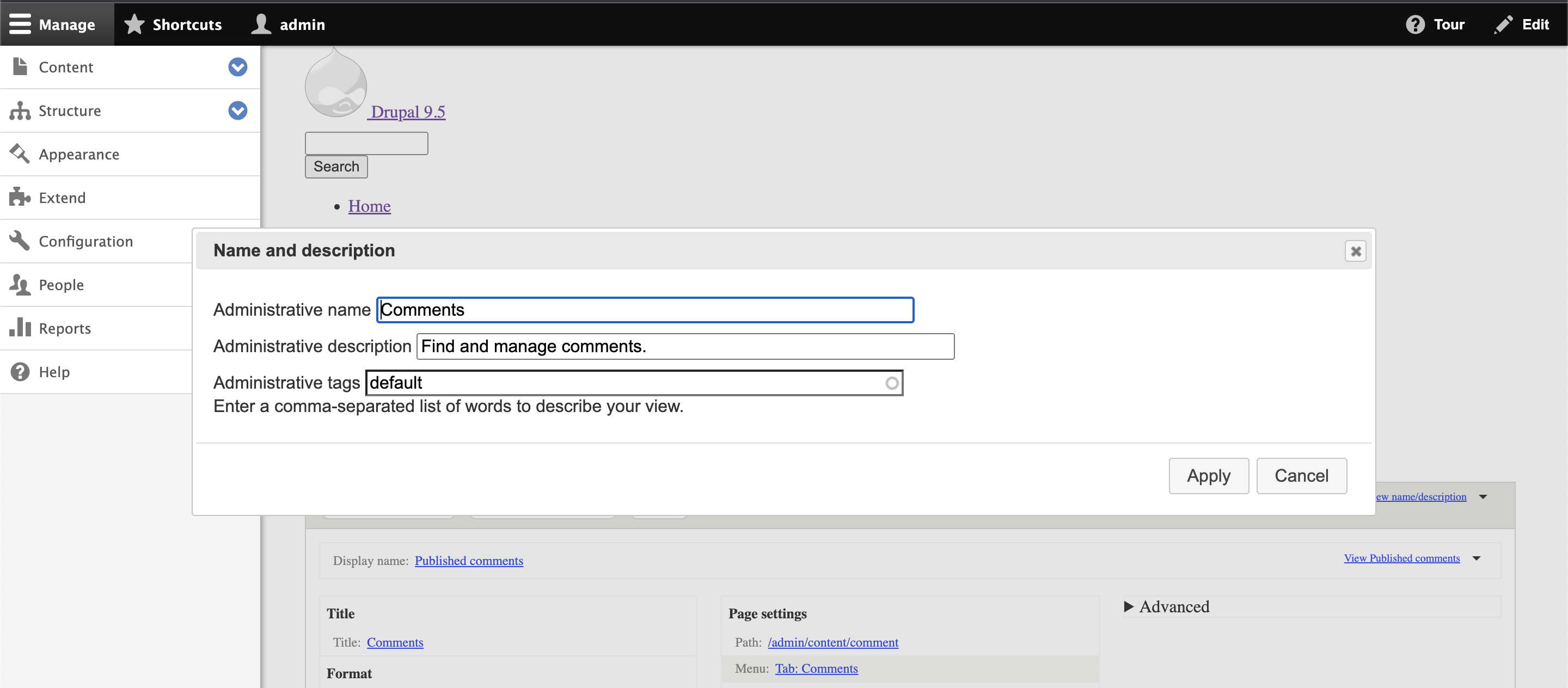


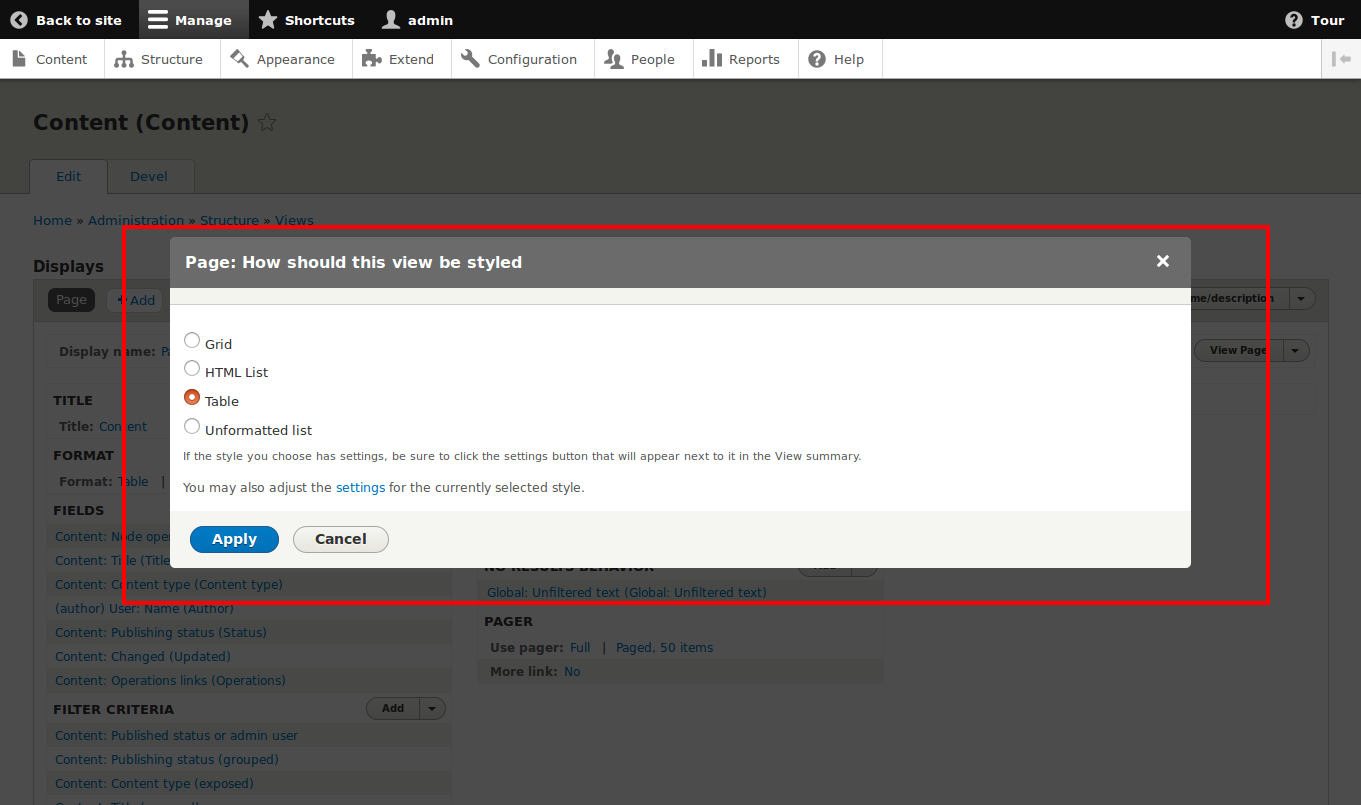


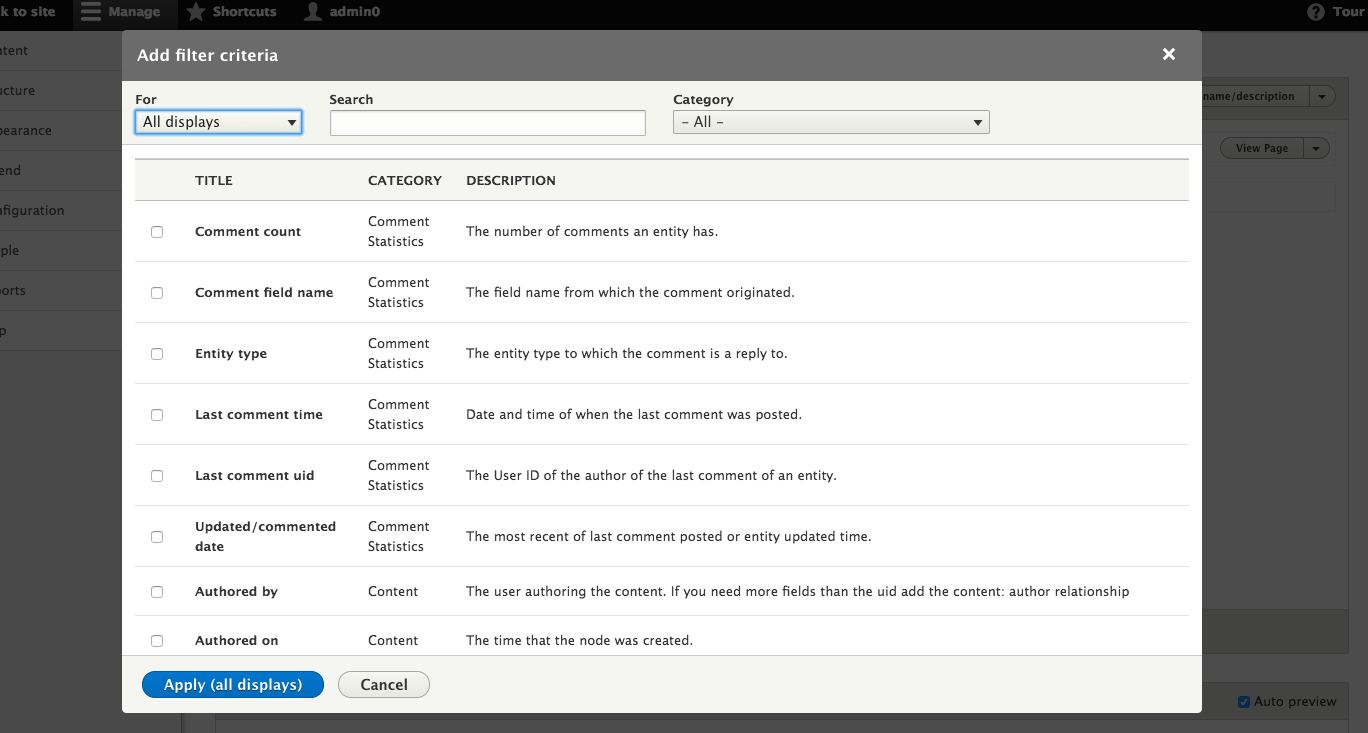
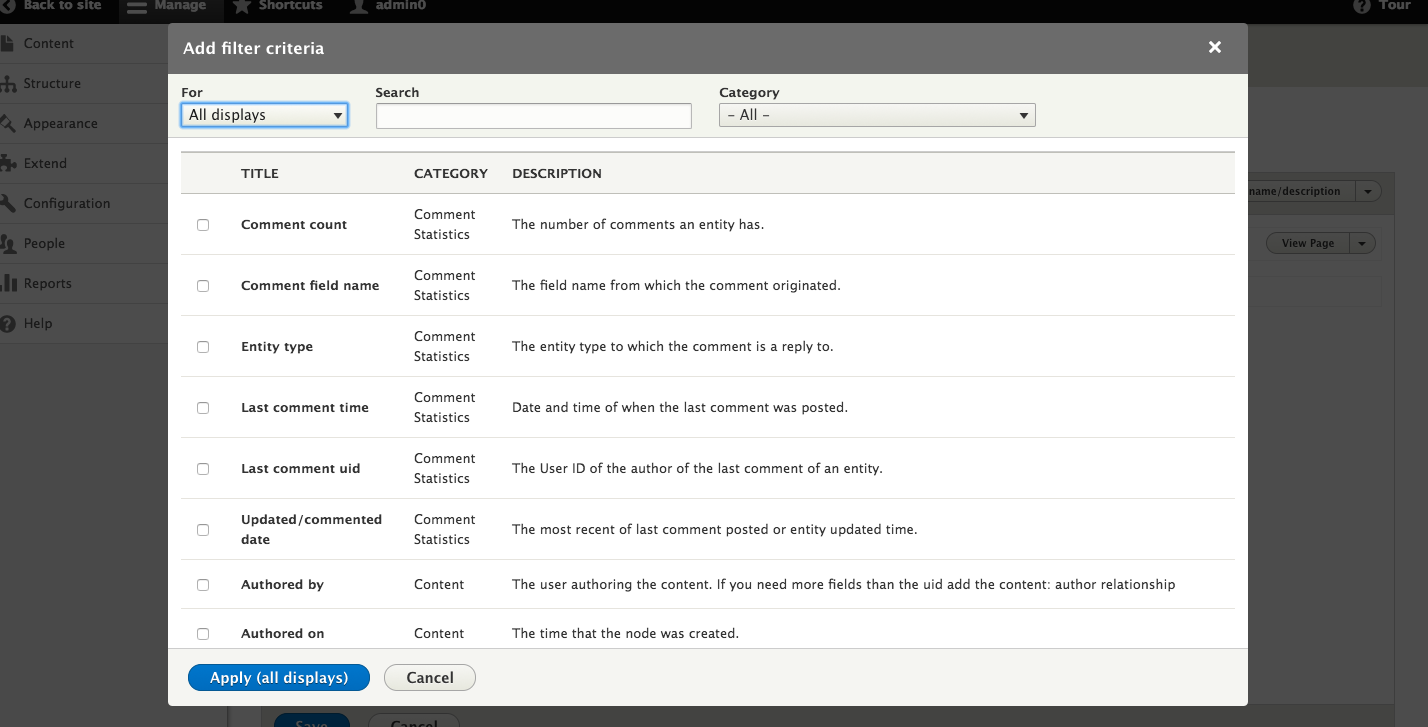



Comments
Comment #2
shashikant_chauhan commentedComment #3
shashikant_chauhan commentedComment #5
goz commentedIssue also occurs with horizontal toolbar. Depends of modal and browser size.
Comment #6
goz commentedThere are two options:
I think we should take option 2
Comment #8
vivekguptakota commentedHello
Please find this patch for resolving this issue.
Let me know if there something else or wrong.
Comment #9
vivekguptakota commentedComment #10
traviscarden commentedThat doesn't do the trick in my testing, @vivekguptakota. Also, we can't directly edit files under
/core/assets/vendor/, can we?Comment #11
vivekguptakota commentedHello @TravisCarden,
I agree with you. But this is the only place I found to add my css. Because other css files are related to theme. All other css are calling from admin theme. So let me know if you know any css file where I can add this css?
Comment #12
bighappyface commentedMarked #2908507: Portion of the view settings modal goes behind the admin toolbar in vertical orientation as a duplicate of this issue and closed.
Comment #13
manuel garcia commentedThank you for the patch @vivekguptakota
Using
!importantis not allowed on Drupal core, so a new strategy to this will be needed.You can use stylelint to check if your css will pass https://www.drupal.org/node/2868114
Comment #14
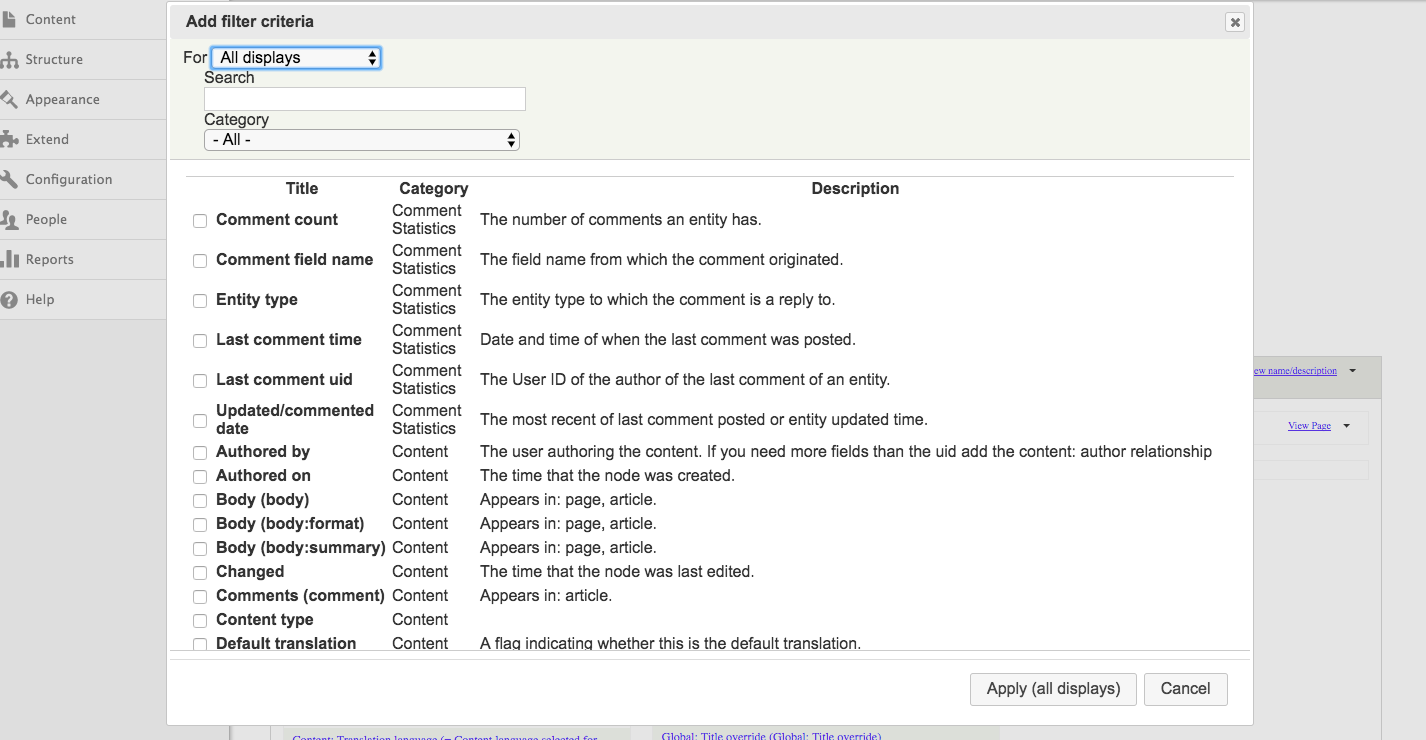
bighappyface commented@GoZ I agree with the z-index approach. Below is a quick example image of what it would look like.
Comment #15
bighappyface commentedThis patch introduces a new CSS file into the Seven theme to override
z-indexsettings for the toolbar in the Stable theme.The change in the patch overrides the CSS properties via the Seven theme because there are no changes to Stable allowed unless under an extenuating circumstance. I am not a fan of fixing CSS with more CSS, but I respect the importance of the Stable theme, and there is plenty of precedent in overriding styles within Seven itself (see the
libraries-overridesection ofseven.info.yml).Important: the CSS overrides to the
z-indexproperties bring the toolbar much lower in the stacking order. Because the toolbar tray is anavelement within the toolbarnavwe are in a tough situation as the stacking order of the tray is relative to the parent element, and not other items on the page, such as theui-widget-overlayelement that is appended to the body dynamically.As a result, the dialogs will display over the toolbar, regardless of vertical or horizontal orientation.
It is my opinion that this is a desirable behavior. Like a javascript
confirmdialog, full focus is given to the dialog and the user can not interact with the rest of the page until they interact with the dialog. I do not know if the toolbar's current behavior, displaying the overui-widget-overlay, was intentional, but I don't think it was. I think it was a luck of the draw on pickingz-indexproperty values.See the "problem"
z-indexproperty values at the following locations:http://cgit.drupalcode.org/drupal/tree/core/themes/stable/css/toolbar/to...
http://cgit.drupalcode.org/drupal/tree/core/themes/stable/css/toolbar/to...
Comment #16
neograph734@bighappyface, shouldn't this be addressed in the toolbar module instead?
The z-indexes are defined in core/modules/toolbar/toolbar.modules.css (lines 56-60).
By only solving it in the seven theme, the patch does not provide a solution for people using different admin themes.
Comment #17
bighappyface commented@Neograph734 thanks for taking a look.
Unfortunately, the CSS in the module is not in use. The copied versions in the Stable theme are the active styles.
I completely agree that this approach does not solve for other admin theme users; however, popular themes such as Adminimal use Seven as the base theme, so it will fix the issue for *some* alternative admin theme users.
We spoke with others here at the mentored code sprint in Vienna about the nature of having the CSS files copied into Stable, and what would be involved making changes there. Simply put, Stable is more or less off limits, and it completely at the discretion of the core committers.
Please see the following image showing how the styles come from Stable.
Comment #18
neograph734Fair enough. Enjoy Vienna :)
Comment #19
WidgetsBurritos commented+1 RTBC
Comment #20
tim.plunkettThe Bartik toolbar.css file has this comment, seems to be a standard thing:
Could these be a bit further apart? 95 and 100? or something like that. Just in case someone wants to be in between :)
Additionally, I think that both Seven *and* the toolbar CSS should be updated. Yes it is duplicated, but it protects those that bypass the Stable theme.
Comment #21
bighappyface commented@tim.plunkett thanks for the guidance and feedback today.
Attached is another patch containing the requested updates.
To be clear on my process, I made the changes for the toolbar module CSS to the Stable theme's copy to test them out, but only include the changes to the module's copy in the patch. Both the new CSS in Seven and the changes to Toolbar's CSS behave the same, according to my testing.
Comment #22
neograph734I have tested a few different modals (CKEditor image dialog, Views settings dialogs and Context dialogs). These all behaved as expected.
Comment #23
neograph734Oh wait, one nitpick... Now the Seven CSS file says it is for Bartik.
Comment #24
bighappyface commented@Neograph734 great spot! Please see the updated patch and comment, which I have generalized to counter copy/pasta-isms like that.
Comment #25
bighappyface commentedComment #26
neograph734Yes, better now :)
Comment #27
manuel garcia commentedI like this approach, thanks for working on this!
Since we are making changes to
core/modules/toolbar/css/toolbar.module.css, we should check that we are not breaking Stark nor Bartik. Screenshots will help with the usability review, so adding the tag =)Comment #28
meenakshig commentedPatch is all good it does not break in Stark and bartik theme . Here are the screenshots
Comment #29
manuel garcia commentedThank you @Meenakshi Gupta for the screenshots, they prove that Seven works. If we can now prove that also Bartik and Stark are ok, then I think we can RTBC this patch, so what we need is:
You can do this by clicking on the Appearance link on the menu on top, from here, scroll to the bottom of the page to the Administration Theme area. You will see a dropdown list entitled Administration Theme.
Comment #30
meenakshig commentedThank you ! @Manuel Garcia for telling it works well in stark when i set Stark as admin theme and not in Bartik . Here are the screenshots
Comment #31
manuel garcia commentedBrilliant thanks! This is very useful.
Setting to needs work, we need to get #24 working on Bartik.
Comment #32
meenakshig commentedi think increasing z-index for bartik theme would work
Comment #34
bighappyface commented@Manuel Garcia @Meenakshi.g I have added the z-index adjustments for bartik. Please see the attached screenshots and updated patch.
Comment #35
WidgetsBurritos commented+1 The patch in #34 looks good to me.
Comment #36
WidgetsBurritos commentedComment #37
andrewmacpherson commentedBumping this to major, going by the screenshots in the issue summary.
Some form inputs and labels are visually obscured. Checkboxes, radios, and short labels are particularly impacted.
I'm confident it's a failure to satisfy WCAG 2.0 Success Criterion 2.4.7 Focus Visible. Checkbox/radio controls will be focusable, and operable, but not visible. Their state cannot be understood visually.
It is likely to count as a failure of some other WCAG 2.0 success criteria too, such as "Info and Relationships" and "Labels or Instructions".
I'm late to the discussion here, glad to see it's already at RTBC. Good work everyone!
Comment #38
andrewmacpherson commentedShould still be eligible for 8.5.x.
- I will cue some tests for that branch.
Comment #39
manuel garcia commentedRTBC +1 - thanks @bighappyface
I agree with @andrewmacpherson, this is pretty bad for accessibility, and it'd be great to ship 8.5.0 with this fixed.
Comment #41
lendudeSo I thought it might be nice to have a test for this. As far as I can tell, this isn't fixed for all situations, because the tests fails (locally anyway). Also, see the screenshot taken during the test where you can see this isn't fixed.
So did we miss a spot somewhere? Cause it works great when manually testing this.
Ideally this test wouldn't live in Views since it should be a toolbar test.
Comment #43
bighappyface commentedComment #44
bighappyface commentedReroll for 8.6.x
Comment #47
wengerkIt seems the profile used by
JavascriptTestBaseis 'classy' but the bugs appear with the bartik or seven themes.Here is a summary of my changes, checkout the interdiff for more info.
Comment #48
wengerkComment #49
ifrikThanks so much for picking this up. The patch works fine and the modal is completely visible even if the toolbar is used vertically.
Comment #50
bighappyface commented+1 for #47
Comment #51
lauriiiDid you consider increasing dialog z-index instead of lowering the toolbar z-index? Increasing the z-index for the dialog would involve less changes and less risk since the dialog is pretty much always supposed to be rendered on top, whereas the toolbar might vary case by case.
Comment #52
wengerk@lauriiii thanks for the review in #51.
I think they consider it but it wasn't possible cause
jQueryUIapply an inline-style to the.ui-dialogwith an automatic calculatedz-index:101. It could be possible to add aimportantinto thedialog.csscomponent but it is by far more dangerous than lowering the toolbar z-index. Do you have another solution or approach to suggest ?Comment #53
lauriiiWe could override the inline-style in our dialog implementation with another inline style. We already do this for example in CKEditor.
Comment #54
wengerkThanks @lauriii.
I made a refactoring & remove the previous attempts to apply the suggested approach in #53.
I also improve the tests coverage by using a
dataproviderof themes to asserts it works on more than only 'seven' theme. It now coverage for 'seven', 'bartik' & 'classy' themes.Let's see tests it to check regression anywhere else.
Comment #55
joelpittetNeeded to clear cache but this is very nice, thank you!
Comment #56
joelpittetOh yeah, RTBC
Comment #59
manuel garcia commentedI just ran the test locally using
8.7.xand the test passed... strangeComment #60
joelpittetI wonder if maybe the browser window it opens up is not wide enough to show "Vertical orientation" button?
Maybe we need to set it explicitly:
Example code in
core/modules/toolbar/tests/src/FunctionalJavascript/ToolbarIntegrationTest.php:29Comment #61
joelpittetHere's my suggestion from #60
Comment #62
joelpittetComment #64
joelpittetOne fail down, so I was half right...
Removed the extra check that was failing. Tried to setup local testing but failed miserably... so testbot, you get to work.
Comment #66
wengerkJust re-roll the patch #61 for 8.7.x & run the test localy via chromedriver (see Running functional Javascript tests with Webdriver).
All the tests on
Drupal\Tests\views_ui\FunctionalJavascript\FilterOptionsTestpass. Let's try on testbot now.Edit
It fail on testbot ... I think it's because testbot run
chromedriverwith parameters--headless--disable-gpu.You should setup your tests as follow to asserts running test with the same env as testbot:
Comment #67
wengerkIt seems the issue was on
$session->resizeWindow(1200, 600);.It should be done before accessing a page via
$this->drupalGet.Let's try in now.
Comment #68
wengerkComment #70
wengerkSeems to fail on another module :/
Drupal\Tests\content_translation\Functional\ContentTranslationWorkflowsTestRandom fail on
ContentTranslationWorkflowsTest? I restart tests to be sure.Edit
The final test pass. Seems all clear.
Comment #71
wengerkComment #72
wengerkComment #73
meenakshig commentedPatch seems to fail
Comment #74
wengerkI don't understand @Meenakshi.g the latest patch #67 pass.
Which patch are you talking about ? For me this is ready to review.
Comment #75
manuel garcia commentedSetting to needs review since #67 is green.
Comment #76
wengerkI can no longer RTBC this. Anyone else want to review / test / RTBC?
Thanks!
Comment #77
manuel garcia commentedThis was last RTBCed by @joelpittet on #56, as the review by @lauriii (#51) was properly addressed.
The changes made after that were:
Comment #78
lauriiiI tried to run the test locally but it is passing even without the bug fix.
Comment #79
wengerk@lauriii, thanks for your review.
Did you run the tests with or whitout
"--disable-gpu","--headless"? Because this is the main purpose of the change in #67. Testbot run with"--disable-gpu","--headless"but people often run localy tests whitout--disable-gpu","--headlesswhich leads to working #66 localy but not on testbot.Tell me if my answer is not clear, it not easy to explain it ^^.
Comment #80
joelpittetI tested manually in #56 and the testbot agrees. Setting back to RTBC because I think #79 may be correct.
Comment #81
lauriiiPosting the test only patch to confirm that the assertions fail before the bug fix.
Comment #82
manuel garcia commentedTest only patch doesnt fail, which means we don’t have a valid test demonstrating the bug, back to needs work.
Comment #83
wengerkHere a reroll.
The only way I found to assert the element is visible aka "on top of X" is to click on it.
The
visiblemethod of Selenium still returnTRUEeven when an element is behind another one.So using the
clickwe are able to detect this overlay. Selenium should trigger the following message when something is not clickable (in our example behind the Horizontal Toolbar):Let's tests this on testbot.
Comment #84
wengerkComment #86
wengerkComment #87
lauriiiThanks for the test only patch and finding an approach that works!
Just a minor nitpick, how about using
Drupal\FunctionalJavascriptTests\JSWebAssert::waitForElement()instead?Comment #88
wengerk#87 for consistency.
On the same tests we already use at multiple times
$page->waitFor(10, function () use ($page) {. Changing this behavior was - in my point of view - out-of-scoop of this issue.What do you think ? If we change it here we should change it it the whole tests. Do you think we should we create a new link issue ?
Comment #89
lendude@wengerk those existing waits in that test are testing negatives:
So in essence
waitForElementNotVisible(), which we still don't have.For positive checks, I would recommend the existing waitForX() methods
Comment #90
wengerkThanks for the explanation @lendude ! I will then work on it asap :D !
Comment #91
wengerkComment #92
wengerkHere the requested changes on #87
Comment #94
wengerkComment #95
lendudeStill a shame that this depends on the Views UI module (I know, I did that), but *shrug*
Looks good to me, all feedback has been addressed
Comment #96
manuel garcia commentedExcellent work @wengerk!
Comment #97
lauriiiGreat work everyone!
Just had to run
yarn prettier && yarn build:json commit. I attached interdiff of the changes here.Committed 3257ff1 and pushed to 8.7.x. Thanks!
Comment #100
dwwCan we please backport this to 8.6.x?
I ran into this via #2936535: Modal dialog errors in stark theme in preparation for diving into #2352949: Deprecate using Classy as the default theme for the 'testing' profile. Much to my surprise, the 8.7.x test-only version in there passed. ;) But it still fails in 8.6.x. Turns out this issue fixes that bug as a side effect. Basically, stark is uniquely vulnerable to this, since it has no CSS. But setting the zindex in js (as this patch does) solves that problem for us.
#92 applies cleanly to 8.6.x branch and
core/modules/views_ui/tests/src/FunctionalJavascript/FilterOptionsTest.phpstill passes locally.Seems silly to only fix #2936535 in 8.6.x. Perhaps we can add the additional test coverage from there into both branches?
Thoughts?
Thanks,
-Derek
Comment #102
dwwBot is confused. #92 for 8.6.x branch is all green. Back to RTBC for backport consideration.
@Lendude re: #95:
The test-only from #2936535-13: Modal dialog errors in stark theme is a stand-alone test for a related bug. You might be interested in helping get that into core, too.
Cheers,
-Derek
Comment #103
lauriiiThis issue was purposefully not backported. The change is potentially disruptive since it changes z-index for dialog everywhere it's being utilized. Couldn't the other issue move forward even without tests passing in 8.6.x branch?
Comment #104
dwwNot really. It's the identical fix. ;) Maybe I wasn't clear. The test-only in #2936535-13: Modal dialog errors in stark theme already passes in 8.7.x (because this issue did the same fix that one needs -- setting the z-index in our dialog-related JS). They only fail in 8.6.x because neither that fix nor this one have been (will ever be?) committed. If it's disruptive to backport such a change, then all modals will remain broken in stark (and stark-based) themes for 8.6.x unless they work around this themselves. There's not really much to "move forward" at #2936535 for the 8.7.x branch, except perhaps adding more explicit (and non-views_ui-based) tests for a different manifestation of basically the same problem.
Sorry for any confusion (I know I was confused while working on #2936535). Hope this comment makes the situation more clear.
Thanks,
-Derek
Comment #105
johnwebdev commentedYeah, this fix breaks dialogs being stacked upon each other. How can I undo this behaviour?
Comment #107
mgiffordFixing the accessibility tag.
Comment #108
lauriiiThis issue has caused some regressions: #3037636: [regression] Dialog modals can no longer be stacked. Going to any direction to fix those could be disruptive, so, for now, it seems like reverting this change is the least disruptive option.
Talked with @catch and since this change seems to have caused more widespread issues than the original bug, he agree that we should revert this. I tested the known workarounds from the regression issue to ensure that reverting this issue doesn't cause more regressions to those modules.
Revert commits: 8f8ddab2 and 3925713f.
Comment #109
waverate commented@lauriii. Re: revert at #108.
Can the removal of these commits be uploaded here as a patch for those of us not running 8.7.x-dev? Ideally, it would be against the current 8.7.1 as I hope this will get included in the next minor build.
Comment #110
markhalliwell@waverate, just add
.patchto the end of those URLs to use until a release is made.Comment #111
waverate commentedHow about that; learn something new everyday. Thank you Mark.
Comment #114
osab commentedWhat do you think if we just made these popups movable and resizable?
Comment #119
quietone commentedI found a similar issue which I have closed it as a duplicate of this (touching the same code in dialog.position.es6.js). Adding credit.
I see that this also needs an Issue Summary update, adding tag. Although working on BugSmash, I am not tagging this as I have not done a full triage.
Comment #120
neograph734Thanks for bringing this back up quietone. But I can no longer reproduce this. I have tested with Claro and Seven on Drupal 9.4.3 and for both cases the Views modal rendered nicely over the extended toolbar as expected.
Screenshot looks nothing like screen 2 from the summary.

If somebody could doulbe check this, we might be able to close this as it is apparently fixed elsewhere?
Comment #122
bnjmnmThis looks to work in Claro just fine , but this is still an issue with default CSS (using the Stark theme). Seems like it would be safe to assume a themer would want the modal to appear in front of the tray, and addressing this could make creating custom admin themes a little easier.
Comment #123
shobhit_juyal commentedNo issue found in Drupal v. 9.5.8-dev

Comment #124
bnjmnmRe #123 @shobhit_juyal Your "no issue found" is a screenshot of Claro. If you look at the comment just prior to yours, I already confirmed this is not a problem in Claro. We need no further confirmation of that, and saying "no issue found" when you didn't check for the diagnosed issue creates confusion.
The problem is specific to Stark AKA the default theme implementation of views. It will not happen with Claro.
Comment #125
shobhit_juyal commented@bnjmnm, I apologize for any inconvenience caused.

In stark theme, if we can just add z-index says 1260 then it will also work. like this:
z-index: 1260;and here its UI after that update.

Hope, if this can help.
Comment #126
pradipmodh13 commentedHello @bnjmnm,
Yes, you are correct. The ui-dialog box will be hidden on the vertical toolbar for default theme stark.
To resolve this issue, I added a z-index to the ui-dialog box using js and verified that it works properly with all of the themes listed below.
- Default Theme / Stark
- Olivero
- Bartik
- Seven
- Claro
I've included a screenshot for reference.
Please let me know if there's anything I can do better.
Comment #127
pradipmodh13 commentedFixed #126 CCF.
Comment #128
pradipmodh13 commentedFixed #127 CCF.
Comment #129
pradipmodh13 commentedFixed #126 CCF
Note:
Please Ignore my patch #127 and #128.
Comment #130
pradipmodh13 commentedFixed #126 CCF
Note:
Please Ignore my patch #127, #128 and #129
Comment #131
bnjmnm@pradipmodh13
You can check for Custom Commands Failed locally without having to add noise to
the issue. At the end of the fail report there are instructions on how to do this, but they can be easy to miss.
The occasional "Custom Commands Failed" patch is bound to happen from time to time, but first checking locally can help prevent having it occur in multiple consecutive comments.
Comment #132
mgiffordTagging
Comment #136
gauravvvv commentedComment #137
smustgrave commentedIssue summary still appears to be needed
Did not review or test.
Comment #138
mstrelan commentedCame across this triaging issues for Bug Smash Initiative and have a few thoughts:
Comment #140
quietone commentedThe Toolbar Module was approved for removal in #3476882: [Policy] Move Toolbar module to contrib.
This is Postponed. The status is set according to two policies. The Remove a core extension and move it to a contributed project and the Extensions approved for removal policies.
The deprecation work is in #3484850: [meta] Tasks to deprecate Toolbar module and the removal work in #3488828: [meta] Tasks to remove Toolbar module.
Toolbar will be moved to a contributed project before Drupal 12.0.0 is released.
Comment #141
quietone commentedToolbar has moved to contrib