

Closed (duplicate)
Project:
Drupal core
Version:
8.3.7
Component:
views.module
Priority:
Normal
Category:
Bug report
Assigned:
Unassigned
Issue tags:
Reporter:
Created:
13 Sep 2017 at 11:56 UTC
Updated:
29 Sep 2017 at 10:53 UTC
Jump to comment: Most recent, Most recent file

Comments
Comment #2
vivekguptakota commentedComment #3
vivekguptakota commentedHello
Please find this patch for resolving this issue.
Let me know if there something else or wrong.
Comment #4
vivekguptakota commentedComment #5
vivekguptakota commentedComment #7
vivekguptakota commentedSorry for the last. New patch added.
Comment #9
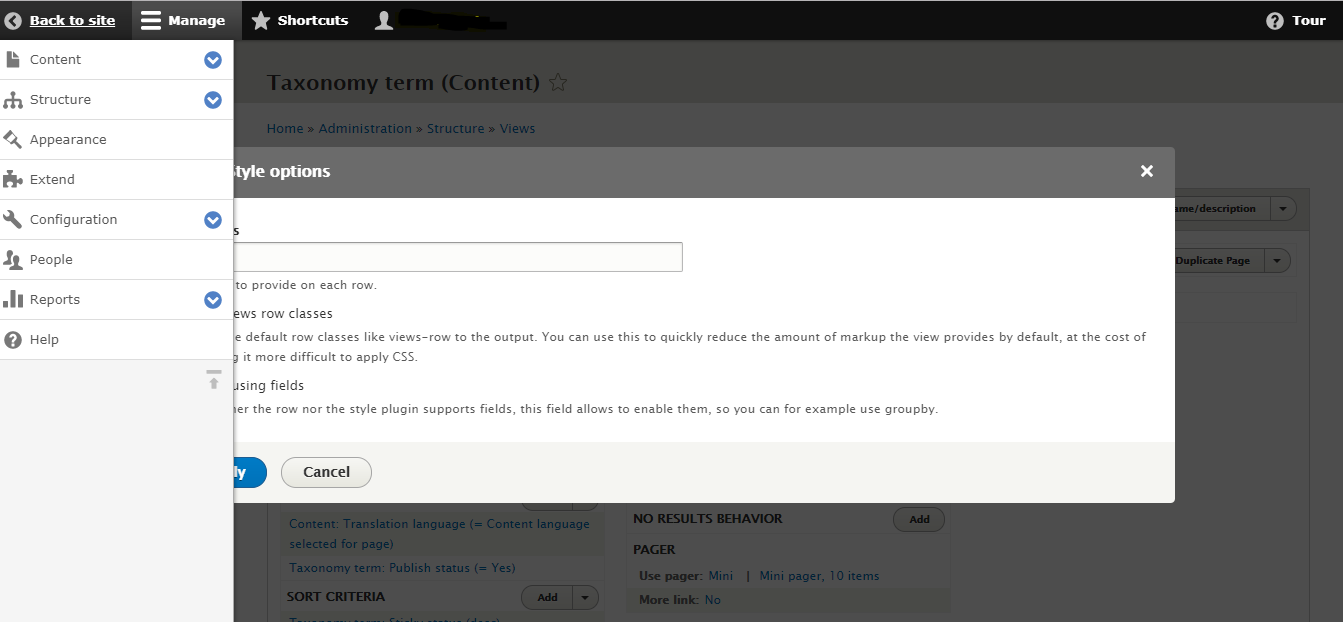
bighappyface commentedMarking as duplicate of #2822778: Modal popups in views is not showing properly when toolbar tray is upon modal
The patch in #7 is a duplicate of patch #8 in #2822778: Modal popups in views is not showing properly when toolbar tray is upon modal
Both issues accurately describe the problem and have valid steps to reproduce.
Closing this as a duplicate. Thanks for the work on this @vivekguptakota - let's focus on addressing this in the older task.