Problem/Motivation
Created a field of the type integer called ISBN, without setting anything else but the name. (So no minimum, maximum, default value etc.)
When entering a particularly large value when adding a node, the following message is displayed after hitting the Save button:
Drupal 7 version of the error message:
PDOException: SQLSTATE[22003]: Numeric value out of range: 1264 Out of range value for column 'field_isbn_publication_value' at row 1: INSERT INTO {field_data_field_isbn_publication} (etid, entity_id, revision_id, bundle, delta, language, field_isbn_publication_value) VALUES (:db_insert_placeholder_0, :db_insert_placeholder_1, :db_insert_placeholder_2, :db_insert_placeholder_3, :db_insert_placeholder_4, :db_insert_placeholder_5, :db_insert_placeholder_6); Array ( [:db_insert_placeholder_0] => 1 [:db_insert_placeholder_1] => 2 [:db_insert_placeholder_2] => 2 [:db_insert_placeholder_3] => publication [:db_insert_placeholder_4] => 0 [:db_insert_placeholder_5] => es [:db_insert_placeholder_6] => 9070334046 ) in field_sql_storage_field_storage_write() (line 447 of /[...]/modules/field/modules/field_sql_storage/field_sql_storage.module).
Drupal 8 version of the error message:
Drupal\Core\Entity\EntityStorageException: SQLSTATE[22003]: Numeric value out of range: 1264 Out of range value for column 'field_jtqu3u4e_value' at row 1: INSERT INTO {node__field_jtqu3u4e} (entity_id, revision_id, bundle, delta, langcode, field_jtqu3u4e_value) VALUES (:db_insert_placeholder_0, :db_insert_placeholder_1, :db_insert_placeholder_2, :db_insert_placeholder_3, :db_insert_placeholder_4, :db_insert_placeholder_5); Array ( [:db_insert_placeholder_0] => 2 [:db_insert_placeholder_1] => 2 [:db_insert_placeholder_2] => dzpge4ou [:db_insert_placeholder_3] => 0 [:db_insert_placeholder_4] => und [:db_insert_placeholder_5] => 2147483648 ) in Drupal\Core\Entity\FieldableDatabaseStorageController->save() (line 693 of core/lib/Drupal/Core/Entity/FieldableDatabaseStorageController.php).
Steps to reproduce
- Add an integer list field to a content type
- Create a node of that content type
- Enter a number > 2147483647
- Save
- Check log for erorrs
Proposed resolution
TBA
Remaining tasks
Issue Summary Update
Review
User interface changes
API changes
Data model changes
Release notes snippet


Comments
Comment #1
yched commentedHm. Not sure how we can predict the max int size allowed by the db in use, and catch errors at validation time.
Comment #2
carwin commentedI too am having this problem in d7 release. In my case I created an integer field for use as a user's cell phone number. When a user ads any number into the field (there is no minimum or maximum limit for testing purposes) this error appears:
PDOException: SQLSTATE[22003]: Numeric value out of range: 1264 Out of range value adjusted for column 'field_pcell_value' at row 1: INSERT INTO {field_data_field_pcell} (entity_type, entity_id, revision_id, bundle, delta, language, field_pcell_value) VALUES (:db_insert_placeholder_0, :db_insert_placeholder_1, :db_insert_placeholder_2, :db_insert_placeholder_3, :db_insert_placeholder_4, :db_insert_placeholder_5, :db_insert_placeholder_6); Array ( [:db_insert_placeholder_0] => user [:db_insert_placeholder_1] => 1 [:db_insert_placeholder_2] => 1 [:db_insert_placeholder_3] => user [:db_insert_placeholder_4] => 0 [:db_insert_placeholder_5] => und [:db_insert_placeholder_6] => 4175228511 ) in field_sql_storage_field_storage_write() (line 425 of /myserverpath/httpdocs/modules/field/modules/field_sql_storage/field_sql_storage.module).
Comment #3
donSchoe commentedjust discovered a similar problem after modifying the date of one of my articles.
i tried to change the date to
2008-07-21 20:55:47 +0100but accidently ended up with208-07-21 20:55:47 +0100causing the following error:we need to avoid exeeding integer range.
Comment #4
bfroehle commentedSee http://drupal.org/node/159605 for a list of database types and common sizes. Maybe store the ISBN as text with a custom validator?
Comment #5
donSchoe commentedi agree storing isbn and phone numbers using an integer is not a good idea but in my case it was a malformed date (year 208) causing my drupal to throw this exception.
Comment #6
steinmb commentedAlso see this with one of the sites that got migrated from D6. Have not yet found time to dig into it though.
Comment #7
betoscopioI'm having the same problem using Drupal 7.10 after delete an integer type field and make a new one with the same name but using decimal type. Here is the error message:
Comment #8
chi commentedI have the same error.
Comment #9
Yuri commentedThis error still appears in the latest version D7.12, and not only in integer fields but also numeric fields like decimal.
Would be nice if this gets fixed soon.
Currently my site shows:
"The website encountered an unexpected error. Please try again later." and the error message above I found in the logs.
Comment #10
lunk rat commentedI'm seeing this in 7.12 with integer field too. Just try to enter 602527406183 in a normal integer field. Did I set up the field improperly maybe?
Comment #11
noeldbs commentedHola:
El campo Número entero es un tipo de campo INT (integer) y su caracteristica en MySQL es que puede almacenar hasta 10 dígitos
( 4 Bytes = 4x8 = 32 bits ==> 4.294.967.296 valores); que esten en el intervalo entre -2.147.483.648 Y 2.147.483.647.
ES DECIR, si el numero es MENOR QUE < - 2.147.483.648 O MAYOR QUE > 2.147.483.647 ; NO CABE y ocurre un desbordamiento (overflow) y aparece dicho error
La solucion: Cambiar el tipo de datos a BIGINT (en la base de datos con PHPMYADMIN) que puede almacenar hasta 20 digitos
( 8 Bytes = 8x8 = 64 bits ==> 18.446.744.073.709.551.616 valores) que esten en el intervalo
entre - 9.223.372.036.854.775.808 Y 9.223.372.036.854.775.807
AUNQUE OCUPA EL DOBLE DE MEMORIA (doble memoria para el desempeño); PUEDE SER LA SOLUCIÓN
______________________________________________________________________________________________________
The integer field is a field type INT (integer) and feature in MySQL is that it can store up to 10 digits
(4 bytes = 4x8 = 32 bits ==> 4,294,967,296 values); who are in the range - 2.147 .483.648 and 2.147.483.647
THEN, if the number is less than < -2.147.483.648 OR GREATER THAN> 2.147.483.647; an overflow occurs and the error appears
The Solution: change the BIGINT data type (in DataBase with PHPMYADMIN)that can store up to 20 digits
(8 bytes = 8x8 = 64 bits ==> 18,446,744,073,709,551,616 values) who are in the range
from - 9,223,372,036,854,775,808 And 9,223,372,036,854,775,807
EVEN THOUGH , you need twice the memory ( Double memory for the performance ) MAY BE THE SOLUTION
Comment #12
Anonymous (not verified) commentedGot the same issue this morning on a production environment. Killed a hole section of the site! Is it okay therefore, to set this issue to major?
It was very well hidden behind a view pane in a panel page. And all just because a user entered 9999999999 in an integer field.
Edit: The result was, the node entity was created without any field. Views tries to display the integer field without checking its existence. Boom. Filed at #1484336: Undefined index in views_plugin_row_node_view.inc.
Comment #13
chx commented#7 is a weird one, why would 1 be out of range for a decimal? Aside from that, the way to fix this IMO is to provide a min and max value in the field settings for int / decimal, default it to -2**31-1..2**31 and work from there. Ie: do not try to guess the size of the DB column, let the user tell us.
Comment #14
Anonymous (not verified) commentedFull ack. A safe default. And a good hint is required near the range settings: so users know why it's important to set an adequate range.
In my case an incomplete node entity remained, causing other troubles. I couldn't delete it via Drupal, therefore had to remove it from the database directly. It was listed in Views, but not in the admin backend. It made cron fail! Very serious situation! And all just because a user put in a bad number!
Comment #15
betoscopioThanks chx, i fixed the error message in #7 adjusting the minimun and maximun values in the configuration of the field in the "Manage Fields" and the "Manage Display" tabs. The values weren't the same in both cases and that caused an error in my case.
Comment #16
xjmLet's have someone try to reproduce this issue on a clean install of D8. If it's reproducible, then let's add a test demonstrating the bug.
Comment #17
Zgear commentedOk I was able to reproduce so here's the steps needed :)
1. get a fresh install of drupal 8
2. click the link structure in the admin menu
3. find content type and click on it too
4. go to manage fields for any content type (it doesn't matter which)
5. look for the drop down menu for field types and find integer
6. enter in some text into the field label (doesn't matter what you put in) and click save
7. just save field settings (it doesn't give you any options anyways)
8. now that its saved you don't have to worry about anything else so go ahead and click content inside the admin menu
9. click add content
10. find the content that you added the field to
11. create that content with some unusually large number inside the number field (something bigger than trillions should do) and save it
that then displays the error ^^
Comment #18
BrockBoland commentedNext up: test
Comment #19
domidc commentedIt should have a validation that an int cannot be bigger than 2147483647.
If you use an ISBN or a telephone split up the field into multiple parts or use a text field. Int are useful to do calculation on. Telephone nrs and isbn nrs dont require calculations so ints are not needed.
Comment #20
domidc commentedTest + validation for PHP_INT_MAX
Comment #21
domidc commented#20: testfortookbigint-1003692-20.patch queued for re-testing.
Comment #22
aspilicious commentedThere are a couple of tiny unrelated styling issues but they look good.
Great work :).
And this is good to go :)
Comment #23
catchThe comments don't meet coding standards. Also is it necessary to do this with a drupalPost() - could we not test the field validation more directly than that?
Should be into_too, not into_to.
Trailing whitespace here.
Comment #24
Anonymous (not verified) commentedWhy testing for +10, +1 should fail
again
PHP_INT_MAX is not an imperative for databases. 64-bit PHP with a 32-bit database would still run into this issue. Think of a multi-server with old 32-bit database backend and new file/http-server. Drupal should perhaps better assume 32 bit for all time to be reliable.
Comment #25
aspilicious commentedHow can you test a field validation error while not triggering validation? I always checked this by submitting the form.
Comment #26
yched commentedThe test should be able to call field_attach_validate() directly on an arbitrary $entity object, without going through an entity form submit.
Comment #27
marthinal commentedI fixed syntax errors and some errors I had testing locally.
Comment #29
marthinal commented#27: d8-toobiginteger-1003692-27.patch queued for re-testing.
Comment #31
marthinal commentedIt seems that my core version wasn't up to date.I try again.
Comment #32
kotnik commentedJust tried it, and I still get error.
When I enter ridiculously big int, I get the message:
After I enter that number, I get the same error as in the original issue report.
Comment #33
marthinal commented#31 Seems correct for me.
The original report was SQL error. With the patch you have a validation message error.
This is what the test verify. We verify if you have this error.
Comment #34
warmth commentedComment #35
chi commented#31: d8-toobiginteger-1003692-31.patch queued for re-testing.
Comment #37
chi commentedWhat about decimal fields?
Comment #38
pfrenssenPHP_INT_MAXwith a new constantNUMBER_MAX_INTwhich is hard coded to 2147483647. This addresses the problems on 64-bit systems as mentioned in #24 and #32.Comment #40
pfrenssenComment #41
rlmumfordJust a couple of code style things.
Needs a space after the comma.
As someone said earlier, do we need to test with +/-10 if +/-1 will suffice. Not sure how big a deal this is.
If this was wrong before, shouldn't it be fixed in it's own issue rather than here?
Comment #42
bailey86 commentedThis looks like it could be related to a bug in the Debian package libapache2-mod-php5filter. I've reported it here:
http://bugs.debian.org/cgi-bin/bugreport.cgi?bug=709023
My fix was to install the package libapache2-mod-php5 which then replaced libapache2-mod-php5filter.
In fact the package libapache2-mod-php5 should be used in preference to libapache2-mod-php5filter as on the package page for libapache2-mod-php5filter it even says 'Unless you specifically need filter-module support, you most likely should instead install libapache2-mod-php5.'
This has also been reported as a bug - http://bugs.debian.org/cgi-bin/bugreport.cgi?bug=709027
It could also be related to https://bugs.php.net/bug.php?id=62507
Comment #43
IRuslan commentedFor me any patch didn't help.
Simple case to reproduce problem - create decimal field, and insert value greater then specified integer part.
I.e. i have decimal(10,2) field, then any simple integer value longer then 8 digits cause PDO fatal error.
I think we should provide additional validation here to respect available length of integer and fractional parts.
So patch should compare not the how value is big or small, but length of components in case of decimal.
Comment #44
pfrenssenPatch does not apply any more.
Comment #45
pfrenssenRerolled patch with needed changes from #2015691: Convert field type to typed data plugin for number module. Also addressed the remarks from #41. Setting to needs review to get test results, but this still needs work to address the remarks from @IRuslan in #43.
Comment #46
pfrenssenWoops! Dreditor flags this as a big red warning :D
Comment #46.0
pfrenssenAdded D8 error message.
Comment #47
pfrenssenStraight reroll.
Comment #49
grisendo commentedPatch doesn't apply due to https://drupal.org/node/2218199
Comment #50
grisendo commentedPatch attached. Also added NUMBER_MIN_INT, which its value is different (-2147483648) than NUMBER_MAX_INT (2147483647)
Comment #53
pfrenssenGo Grisendo!! Wish I was there with you guys :)
Comment #54
grisendo commentedComment #56
donSchoe commented54: 1003692-54-number-int_too_big.patch queued for re-testing.
Comment #57
TheTomatoFarmerReturns commentedStill an issue, when I had accidentally gave the decimal field the same precision as scale this error appeared.
Comment #58
nDigitHQ commentedWas able to reproduce as well with a value of 259457056. I edited the actual DB field and that didn't seem to help.
Comment #61
xjkwak commentedI can still reproduce this issue in the following scenarios:
1) When having a field of type=integer, if you write more than 10 digits and then submit the form the error appears.
2) When having a field of type=decimal, if you write more digits than the precision digit that was configured for that field.
Comment #62
meysamm commented#11 yes, that was my problem, i did so and worked for me. thanks a lot :)
Comment #65
hgoto commentedI checked the patch #54.
1. It may be better to change
IntegerItemrather thanNumericItemBaseif the problem is only with Integer field.2. It's better to not add global constants.
Comment #66
hgoto commentedI'd like to propose an approach that changes the
IntegerItemrather thanNumericItemBase. But I'm not confident and would like someone to review this.Comment #67
hgoto commentedThe Data types table can be useful here, I believe.
https://www.drupal.org/docs/7/api/schema-api/data-types
Comment #70
hgoto commentedThe patch #66 failed on some existing tests.
One was caused because I changed the error message without considering the side effect. Another was caused for the test for string input into an integer field.
I fixed the points and I hope this would work.
Comment #72
hgoto commentedI'm sorry to mess up the issue. I forgot to change the test appropriately on #70... Here is another trial.
Comment #75
dagmarBack to needs review, since the failure if because the test only file.
I think this comment could explain when this is a issue.
Comment #76
diaspar commentedHey guys, what is the workaround while this change comes to drupal 8.3?
Comment #77
dagmarYou could apply the patch to your installation. The instructions are here: https://www.drupal.org/patch/apply
Comment #79
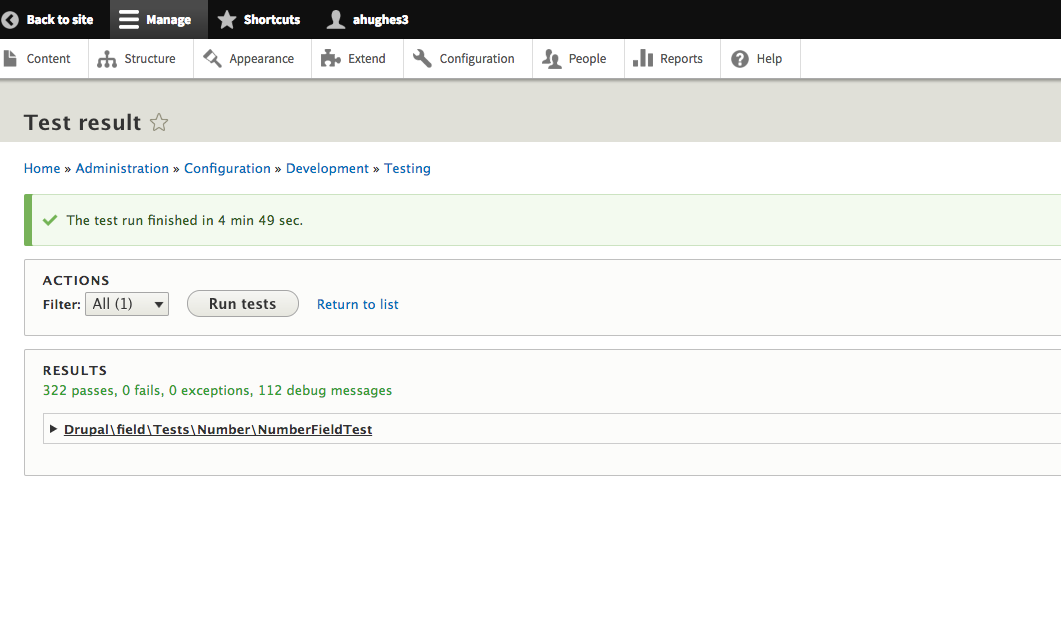
ahughes3 commentedI applied the passing patch from #72 and tested in my Drupal 8.4 install. All tests passed and the code from the patch looks good
Comment #80
rootworkNeeded a reroll as #72 no longer applies.
Weirdly I couldn't get an interdiff generated, I think because the previous patch didn't apply. But this is basically just an update using the new array syntax.
Comment #81
hgoto commentedThank you for reviewing and rerolling the patch.
I updated the patch #80 with changes like the following.
Firstly, as dagmar told in comment #75, the comment
// 2^64 is large and cannot be always handled by PHPand valueNULLfor'big'was not so helpful and I replaced it tobecause the value 2^64-1 should be used if it's supported, and PHP_INT_MAX should be used if not.
Secondly, the values 256, 65536 and 16777216 are not proper and should be changed to 255, 65535 and 16777215 (I used these values mistakenly).
The auto tests must pass :)
Comment #82
dagmarThanks @hgoto.
If I ran this in my local environment:
So tecnically PHP_INT_MAX == 9223372036854775807 when PHP_INT_SIZE >= 8. Therefore
'big' => (PHP_INT_SIZE >= 8) ? 9223372036854775807 : PHP_INT_MAX,Seems redundant, isn't?
Also, Try I still see the getDefaultMaxValue a bit cryptic.
(PHP_INT_MAX >> 1),. Why is this? In general lines I think some comments should help to understand what this method is doing.Comment #83
hgoto commented@dagmar thank you for your sharp review.
I understood it. I'm sorry, I had misunderstood that we need to make sure that the values to be used for the range check are properly recognized as integer values by PHP. One reason why I thought so is the following behavior of PHP.
Hence, I used complicated expressions to check if the literals can be recognized as integer by PHP.
I was wrong. As you think, such handling is not necessary, right?
As you may already know, we don't need to care if literals can be recognized as integers here because
PrimitiveTypeConstraintValidatoralready checks if the value entered in an integer field is an integer or not.Drupal\Core\Validation\Plugin\Validation\Constraint\PrimitiveTypeConstraintValidator:I'm going to revise the patch from #80.
Comment #84
hgoto commentedI revised the patch #80 (The patch #81 was based on my misunderstanding and I restarted from #80...).
Points are as follows.
// Each value is (2 ^ (8 * bytes) - 1).to each block to make the magic numbers easier to be understood.'big' => NULLto the proper number.I myself tested the allowed max values for each size with MySQL.
In addition, if it's OK, I'd like to add tests for boundary values of integer into the
PrimitiveTypeConstraintValidatorTestbecause it's closely related to the integer field validation. Is it OK?FYI, the changed test classes in this patch are as following.
Drupal\field\Tests\Number\NumberFieldTestDrupal\Tests\serialization\Unit\Normalizer\PrimitiveDataNormalizerTestComment #85
_Archy_ commentedAdded validation for the decimal item as well. Not tested enough but seems to solve the problem.
Comment #95
mahesh.umarane commentedAdded a patch for 8.9.16 version.
Comment #96
vsujeetkumar commentedRe-roll patch created for 9.3.x.
Comment #97
vsujeetkumar commentedFixed cs issue.
Comment #99
vsujeetkumar commentedFixed fail tests, Please have a look.
Comment #100
daffie commentedWe are only testing for the field size 'normal'. Could we add a @dataProvider method to also test for other sizes.
Can we add some documentation about this calculation. What, why and how about the calculation.
I this test we test the integer field changes. Can we also create a test for the decimal field?
The number of violations goes up for 1 to 3. Only for the first violation do we test what the violation is about. Can we do the same for the 2 new violations.
The number of violations goes up for 1 to 3. Only for the first violation do we test what the violation is about. Can we do the same for the 2 new violations.
I think this line can be removed.
This can be done on a single line:
if ($database_absolute_minimum = $this->getDefaultMinValue()) {. The changed variable better describes what it is for. Why test for!is_null? As the return value from the method is always an integer value. The same for the other 3 places.Comment #101
quietone commentedClosed #1107666: Allow larger values for Integer field as a duplicate.
Updated the IS but it still needs, at least, the proposed resolution section fixed.
Comment #103
golddragon007 commentedWe applied #99 and while testing we noticed, that when you have a decimal(16,2) field and you want to give a higher number, we receive the following error message: "Field name: The integer must be smaller or equal to 1.0E+14." While the message clearly says that it can be equal, in reality, it can't. It must be smaller than the mentioned number.
Comment #106
ion.macaria commentedRe-roll patch created for 9.5.x.
Comment #107
ion.macaria commentedRe-roll patch created for 9.5.x.
Fix phpcs errors.
Comment #109
dinazaur commentedRe-roll patch created for 10.2.3
Comment #111
anybodyLooks like this might also be caused by #2230909: Simple decimals fail to pass validation?
(While I think if this is a real book ISBN, you should use a string anyway). Can anyone confirm this is a duplicate or not?
Comment #112
tstoecklerNo, this is not a duplicate. It's related, but that one is kind of the opposite: Valid number do not pass validation due to an issue with the decimal validation. Here invalid (not mathematically/theoretically, but in practice because they do not "fit" in the database) numbers do pass validation but then blow up the DB.