


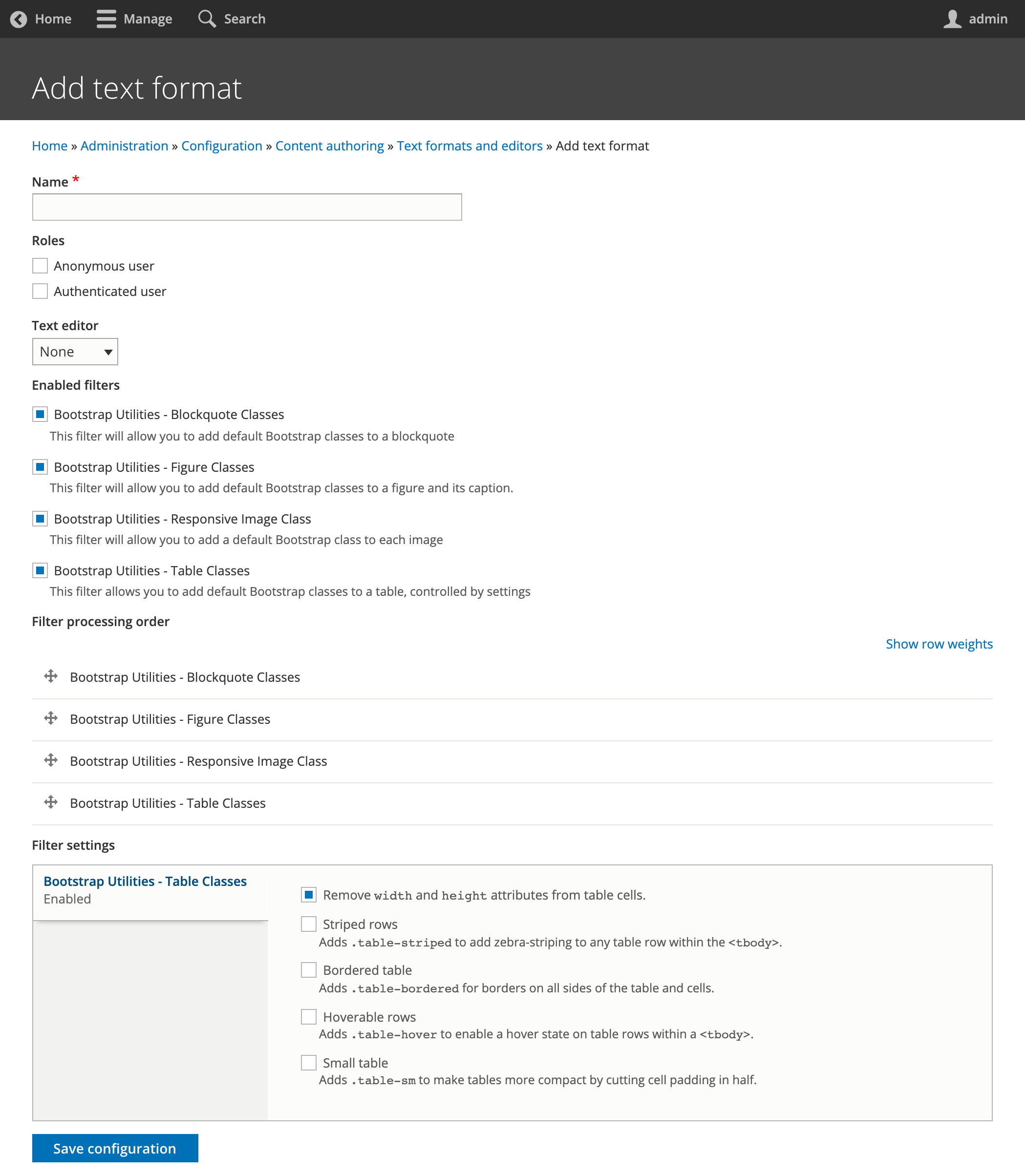
Bootstrap Utilities is a module that adds Filter options for easy content creation using a Bootstrap theme in Drupal. When you use Bootstrap 4 or Bootstrap 5 in your site, this module helps you to use Bootstrap with less hassle. It comes with 4 text filters. These filters will add Bootstrap classes automatic to HTML elements, so Bootstrap styles are applied automatic.
The text filters using xPath to apply the classes. No regular expressions are used to keep high performance.
Text editor filters:
Table filter options
- Remove
widthandheightattributes from table cells. - Adds
.table-stripedto add zebra-striping to any table row within the<tbody>. - Adds
.table-hoverto enable a hover state on table rows within a<tbody>. - Adds
.table-smto make tables more compact by cutting cell padding in half. - Remove
widthandheightattributes from table cells, so table behaves more responsive.
Blockquote filter
This filter will allow you to add default Bootstrap classes to a blockquote
Figure filter
This filter will allow you to add default Bootstrap classes to a figure HTML element and its caption.
Image filter
This filter will allow you to add a default Bootstrap class to each image HTML element.
Module installation
Install Drupal module as usual. Visit https://www.drupal.org/docs/extending-drupal/installing-modules for further information.
Add the desired filters via: Home » Administration » Configuration » Content authoring » Text formats and editors.
Recommended modules
This module enrich the editor experience together with other utility and filter modules like:
Supporting organizations:
Project information
 Minimally maintained
Maintainers monitor issues, but fast responses are not guaranteed.- Maintenance fixes only
Considered feature-complete by its maintainers. - Project categories: Content display, Content editing experience, Developer tools
- Ecosystem: Bootstrap5, radix, Barrio Bootstrap 5 Theme, Bootstrap4, Bootstrap, Bootstrap for Drupal
 1,230 sites report using this module
- Created by martijn de wit on , updated
 Stable releases for this project are covered by the security advisory policy.
Look for the shield icon below.


