

Closed (fixed)
Project:
Admin Toolbar
Version:
8.x-2.x-dev
Component:
Code
Priority:
Normal
Category:
Feature request
Assigned:
Unassigned
Issue tags:
Reporter:
Created:
1 Jul 2016 at 16:06 UTC
Updated:
6 Oct 2022 at 00:24 UTC
Jump to comment: Most recent, Most recent file
 Show commands
 changes




Comments
Comment #2
zmove commented+1
Comment #3
eme commentedWell, why not... Just have to define where. In the white menu (top right) or add a new tab in the black one ?
Comment #4
chrisfromredfinMy hunch is I would most naturally see it as its own item, with the tabs then underneath it. So maybe another module, like admin_toolbar_extra_tabs, or maybe admin_toolbar_extra would have it as an option.
So I would see it with an icon, all the way to the left, like how admin_toolbar_extra does it now (so in the white section).
Comment #5
zmove commentedThe suggestion in #4 is ok, just add some css class to allow customization and it should cover most cases.
Comment #6
tinny commentedIn the meantime I created a custom module and manually added them to the toolbar.
Comment #7
danthorneThanks tinny.
Comment #8
miro_dietikerWe also discussed getting rid of the tabs to make the content area look more like it looks in public.
However, i would prefer a location that is related / near to the contextual edit toggle toolbar item:
Comment #9
pivica commentedHere is a first patch based on comment 8 proposals. Looks like t:
Stuff that still needs to be done
Comment #10
berdirI think some implementations were changed to use lazy builders so that the data doesn't have to be cached and is then added later, I think that would work quite well here as well.
You can see how that works in admin_toolbar_tools_toolbar() + admin_toolbar_tools_toolbar_alter().
If you do that you don't have to worry about cacheablity anymore.
Comment #11
adriancidHi @pivica thanks for the patch.
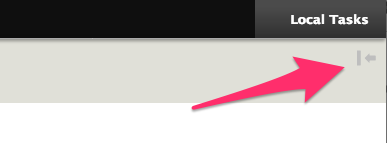
If you don't have Local Tasks the arrow is shown:
Another thing, if you have visible the Toolbar and you click in the Local Tasks, the Toolbar is hidden, but if you click again in the Local Tasks button the Local Tasks are hidden but to show the Toolbar you need to go to click in Manage, and for this you made the whole tour from the right corner to the left corner.
Comment #12
pivica commentedNew patch. Changes:
New screenshot:
Tried to add lazy_builder callback also for tab item but it's not possible. This means that we can not dynamically choose to not render tab item if there are no local tasks. For now, we will always render tab item. I don't have a good idea how to solve this. IMHO it's not a big deal to render tab item always if we don't figure some way to not show it.
Do we need a config option for this?
@adriancid sorry i was not able to understand exactly what is a problem here, can you add some screenshot or animated gif that is showing a problem?
Comment #13
miro_dietikerIf i checkout admin/structure/block in admin menu, it always only displays the first level..
My original intention was to use this functionality as a replacement to the other tabs below (such as hide the block).
Any idea how to address the second level?
(It's exposed as two blocks in admin UI..)
Bug: It seems to cache the tabs from the first load after a cache clear and always display those.
I guess this is test coverable.
Comment #14
miro_dietikerI also see the Revisions tab displayed even if it is in fact then 403. So seems that access is not checked to hide inaccessible.
BTW the term "Edit" on the local task and the primary toolbar (top right for contextual) seems user confusion to me. We should not use the same term for two different things. But that's obviously a core issue...
Comment #15
adriancidHi @pivica
Let see if I can explain this (sorry for my english :-) )
When you click in the Local Tasks (the Toolbar with the Menu is hidden) you only see the local tasks, the other options (Content, Structure, ...) are not visible, and if you want to see this menus again, you need to move your mouse from the screen right side to the left side to click in the Manage option to show the Menus again.
Comment #16
Alexandre360 commentedAny plan to commit this ? this issue begin to be old whereas there are solutions provided as patch...
Comment #17
adriancid@Alexandre360 we don't have plans for the moment as we have things to review. See #13, #14 and #15
Comment #18
chris matthews commentedComment #19
miro_dietikerWe switched away from this approach, so we (pivica, Berdir) likely won't push forward. Thus unsubscribing here.
We are using https://www.drupal.org/project/moderation_sidebar now and remove the tabs in the content area.
Comment #20
manuel.adanAt first glance, moderation_sidebar seems like a good alternative to say good bay to the taskbar, but according to its name and dependencies, it is oriented for websites with content moderation enabled, not fitting totally for simple sites with no content workflow. In addition to that, the taskbar is also present on other contexts apart from the entities canonical pages, could moderation_sidebar be useful to move the taskbar to the sidebar where it appears?
Comment #21
a.dmitriiev commented@Chris Matthews I think you were trying to apply the patch against version 2.x, but it was made for version 1.x of the module. I am trying to re-roll the patch for version 2.x. Yes, issues described in #13, #14 and #15 will not be covered, but it would be the first step.
Comment #22
a.dmitriiev commentedHere is the re-rolled patch, maybe this will be a small push to restart the conversation here.
Comment #23
jcnventuraComment #24
jcnventuraOn Drupal 9, patch #22 throws this error:
Drupal\Core\Security\UntrustedCallbackException: Render #lazy_builder callbacks must be methods of a class that implements \Drupal\Core\Security\TrustedCallbackInterface or be an anonymous function. The callback was Drupal\admin_toolbar_tools\AdminToolbarToolsHelper::localTasksTrayLazyBuilComment #25
shaktiki am working on it.
Comment #26
shaktikHi @jcnventura,
Thanks for the review, please check the latest patch.
The #22patch no longer to applied on my sytem due to some chages came from diffrent patch code merged
index 708ea38..cffa113 100755
, I reroll the patch #22 after that i fixed the issues D9.


Before patch
After patch
Comment #27
adriancid@shaktik, It doesn't work for me neither in d8 nor in d9. Can you pull the latest dev changes and apply your patch to see if is working for you?
Comment #28
shaktikHi @adriancid,
I am able to apply the patch and working fine d8 and d9, below the output/screenshots.
Comment #30
adriancidThanks
Comment #31
berdirHm, this feels important to me.
Not sure this module should automatically and unconditionally do this?
As mentioned before, we use https://www.drupal.org/project/issues/moderation_sidebar now, so this would duplicate that and you end up with two tasks elements?
Comment #32
skaughtEDIT: just below point
i see no 'option' to enable/disable.
Comment #33
skaughtComment #35
skaughtre-add: i think dev head is broke. i am running composer builds on a project and reverted to previous. in /admin all pages WSOD with local bar commit
Comment #36
adrianciddev is working fine for me.
Comment #37
berdirMight be a special type of local task that breaks it, needs an actual error message/backtrace to investigate.
Comment #38
chrisfromredfinThis patch takes 22 against 8.x-2.x-dev and adds a config form to allow a checkbox and use it before the code that was added, removing the @todo. I was authoring with Drupal 9.0.3.
NOTE: Once I hit save, I need to flush caches in order to see the local tasks come or go. Do we need a drupal_flush_all_caches()
to happen when the config form is saved, or something else? Or is it OK to leave this with that expectation?
Comment #39
berdirTry adding cacheablity metadata to $items. Note that like https://api.drupal.org/api/drupal/core%21modules%21shortcut%21shortcut.m..., you need to always add it, not just if it's true.
So don't load the config value directly, get a $config object, then use https://api.drupal.org/api/drupal/core%21lib%21Drupal%21Core%21Cache%21C... to create a cacheable metadata object from it and apply it to the empty $items['admin_toolbar_local_tasks() before the if.
Comment #40
skaught#35
was Drupal 8.9.x. Seven theme. custom project theme.
-all /admin* page failed.
-public custom theme was find.
project is using serveral contrib modules adding other tasks.
#37
sorry, didn't have time to debug, just rebuilding composer to previous commit id .. was during 'working hrs'.
Comment #41
kitikonti commentedWhat is missing to get this working? I can't apply the patch from #38 to the latest dev. I also don't want to use the moderation sidebar module because it depends on the content moderation module which i dont use.
Comment #42
tinny commentedI had a crack at applying #38 + #39 against 8.x-2.x.
Comment #43
tinny commentedIs there anything else I can do to push this along?
Comment #44
kitikonti commentedI dont see a icon and because of this on the mobile layout i dont see anything. You refere to an icon in "/modules/contrib/admin_toolbar/admin_toolbar_tools/misc/icons/bebebe/tasks.svg". In my case there is no "tasks.svg".
Comment #45
tinny commentedI'm not exactly sure how to add an image to a patch. The icon reference was referred to in a previous patch which I just kept.
Comment #46
kitikonti commentedThe icon is in the patch from #26. Adding a icon works the same as every other file.
Comment #47
casey commentedI've published a module that does something similar; main difference is that it only moves "administrative" local tasks to the toolbar and only if not currently viewing a admin page.
https://www.drupal.org/project/admin_toolbar_tasks
It is complemented by https://www.drupal.org/project/admin_toolbar_messages that split of and display "administrative" status messages as part of the toolbar.
I also published https://www.drupal.org/project/admin_toolbar_entity_version that displays version information (published status or content moderation state) about the entity being viewed.
Comment #48
dave reidI found that my local tasks were not ordered correctly by weight, so I added an Element::children() call to sort them by weight, and then Element::getVisibleChildren() to filter out any links that had an #access result that was not isAllowed(). I also restored the icon.
Comment #50
florianmuellerch+1, used patch from @Dave Reid from #48 and it works like a charm!
Would love to see that being commited to the module!
Comment #51
chrisolofConfirming that the patch in #48 works well.
Comment #53
adriancidComment #56
larowlanJust updated to 3.1.1.and noticed all my test started failing because all pages became uncacheable with Dynamic Page Cache.
Looking at the code difference between that and 3.1.0 and 3.1.1 this issue is the only one that stands out as cache related.
Also, shouldn't there have been an upgrade path to add the new setting?
Comment #57
larowlan#3313767: Version 3.2.0 makes all pages uncacheable with dynamic page cache added for the critical regression this causes on all pages for logged in users
Comment #58
larowlanRelated #3232018: Trigger a deprecation when using \Drupal\Core\Cache\RefinableCacheableDependencyTrait::addCacheableDependency with a non CacheableDependencyInterface object