

 Come together with the global Drupal community in Rotterdam, 28 Sept – 1 Oct 2026. Sessions, contribution, connection, and Early Bird savings until 8 June.
When creating a view with a relationship to an entity reference field (to join the referred-to entity in the query), duplicates will be produced if the entity reference field is multi-valued (i.e. cardinality > 1). Users assume that checking the box at Advanced -> Query settings -> Distinct will solve this problem, but it doesn't.
This is because from a database perspective, the records actually aren't duplicates. Each different entity reference in the multi-valued field will produce a different row as the target IDs are different, even though this isn't necessarily reflected in the view itself if not all fields are included. Said another way, the view results may look the same on the front-end, even though they're not on the back-end.
It should be noted that this affects all entity types, whether it be taxonomy terms, nodes, paragraphs, custom entities, etc. There are several duplicates of this issue in various other queues that should be marked as such, with all efforts directed here.
Proposed solution
If the Distinct box is checked in the view configuration, after the query has executed, remove results whose entity IDs are already in the list.
Remaining tasks
Produce a patch to solve the basic problem.- Add support for pagers (as per #12).
- Add support for aggregation (as per the D7 version of Views Distinct).
- Add tests.
Original report
If you have a content type with a multivalue taxonomy term field and add a relationship based on that field in a view (in my case I want to use the term name as an argument) the resulting views result has duplicates if one or more of the nodes has multiple terms in that field.
The DISTINCT keyword does not help, since the tid is added as a field in the SELECT part of the query.
I have the following query:
SELECT DISTINCT node_field_data.sticky AS node_field_data_sticky, node_field_data.created AS node_field_data_created, node_field_data.nid AS nid, taxonomy_term_field_data_node_field_data.tid AS taxonomy_term_field_data_node_field_data_tid
FROM
{node_field_data} node_field_data
LEFT JOIN {taxonomy_index} taxonomy_index ON node_field_data.nid = taxonomy_index.nid
LEFT JOIN {taxonomy_term_field_data} taxonomy_term_field_data_node_field_data ON taxonomy_index.tid = taxonomy_term_field_data_node_field_data.tid
WHERE (node_field_data.promote = '1') AND (node_field_data.status = '1')
ORDER BY node_field_data_sticky DESC, node_field_data_created DESC
.. which produces duplicates, even though the DISTINCT keyword is present, because the taxonomy_term_field_data_node_field_data.tid makes the duplicate nodes in the results 'distinct'.
Ideally the query should just exclude the field from the SELECT part like this:
SELECT DISTINCT node_field_data.sticky AS node_field_data_sticky, node_field_data.created AS node_field_data_created, node_field_data.nid AS nid
FROM
{node_field_data} node_field_data
LEFT JOIN {taxonomy_index} taxonomy_index ON node_field_data.nid = taxonomy_index.nid
LEFT JOIN {taxonomy_term_field_data} taxonomy_term_field_data_node_field_data ON taxonomy_index.tid = taxonomy_term_field_data_node_field_data.tid
WHERE (node_field_data.promote = '1') AND (node_field_data.status = '1')
ORDER BY node_field_data_sticky DESC, node_field_data_created DESC
which works an nodes with multiple terms in the field are now only appearing once.
I have couldn't find a way to actually omit the field in the SELECT part of the query, and I'm also not sure, if it could create other issues if removed. But the tid in the select the DISTINCT keyword is useless..
Steps to reproduce.
1. add multivalue taxonomy term field to node type, and add a node with multiple terms selected
2. add a view which uses that field to add a relationship to the term (needed to use the term name as argument)
3. make the view results DISTINCT
4. optionally add the argument (contextual filter) that uses the relationship to filter the views result on the term name.
5. if no argument is given, the node with multiple terms in the field will appear multiple times
| Comment | File | Size | Author |
|---|---|---|---|
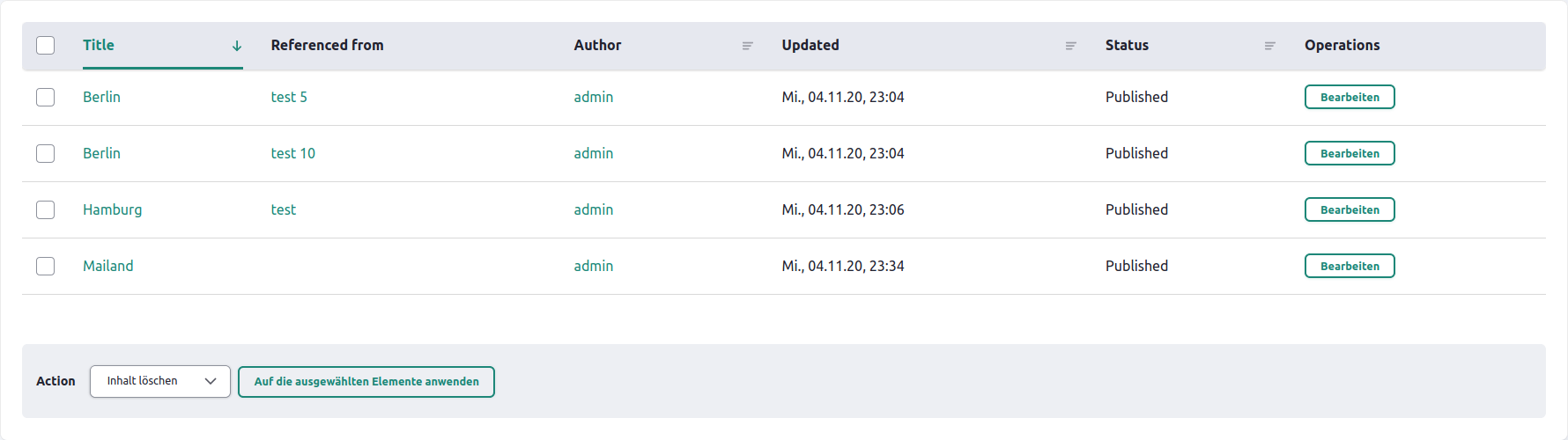
| #141 | blog-listing.PNG | 97.48 KB | jsimonis |
| #137 | remove-duplicates-filter.png | 51.74 KB | flyke |
| #117 | 2993688-117.patch | 2.83 KB | prem suthar |
| #109 | Screen Shot 2023-01-05 at 3.46.13 pm.png | 13.17 KB | acbramley |
| #99 | reroll_diff_69-99.txt | 1.3 KB | ravi.shankar |
Issue fork drupal-2993688
 Show commands
Start within a Git clone of the project using the version control instructions.
Or, if you do not have SSH keys set up on git.drupalcode.org:
 compare



Comments
Comment #3
Jorge Navarro commentedI was able to fix it writing a custom module:
I hope this helps.
Comment #4
rgpublic#3 works for me. Thanks a lot. A lifesaver! Terrible that we're now on version 8.6 and basic stuff like that still doesn't work properly and reliably out-of-the-box. It's a node, a view and a taxonomy term. All of them are core modules. You use them in a very basic fashion. And it breaks. Stuff like that just shouldn't happen IMHO.
Comment #5
ñull commentedThe work around is not suitable when sorting comes into play. Any suggestion?
Comment #6
david.qdoscc commentedSame issue as #5, however if using a Table format and set the sort functions on the table settings, this does not interfere with the groupby.
Comment #7
it-cruPerhaps we should mark this issue with Drupal 8.8.x-dev and raise priority to major?
Comment #8
playful commentedI'm using Views 8.7.8 and having this problem. A patch would be very much appreciated!
Comment #9
mykola dolynskyi8.7.10 - same problem as described in #0
Comment #10
colanI made the title more general as this actually affects any entity references (with multiple values), not just Taxonomy.
Contrib has been handling this with the Views Distinct module, which (after the query is executed) removes duplicate results. This seems like the simplest solution, and Advanced -> Query settings -> Distinct should certainly be doing it. So I'm keeping it as a Bug, and not changing it to a Feature Request.
Here's a D8-core version of what somebody posted in #2609938-8: Port Views Distinct module to Drupal 8. It's still missing support for aggregation as per the D7 module, but seems to work well if not using that in your views.
Comment #11
colanUpdated the IS.
Comment #12
sense-designThe patch from #10 breaks my pager but it filters all the duplicates 👍
Comment #13
colan#12: You can't have everything. ;) Thanks for the review. I just added pager support to the IS.
Folks: Feel free to add other items there directly, and keep moving this forward. It now works well enough for my use case so I won't be doing any more work on it.
Comment #14
bkosborneWhy does this need to be solved by adding a group by? Seems to me the problem is that views is adding a field to the SELECT for the ID of the referenced entity for no apparent reason. That's what makes each result unique and prevents a normal DISTINCT from working.
Comment #15
bkosborneThe problem is this bit of code in Drupal\views\Plugin\views\query\Sql in "query" method:
Comment #16
bkosborneHere's my ugly solution that removes the ID of the entity reference field from the list of fields in the SELECT.
Note that this has to be done in views_post_build and not views_query_alter, because the ID field is added after views_query_alter is invoked :(.
Nothing in the view seems to break from this, and it allows distinct to work correctly.
Comment #17
vidorado commentedMy solution has been adding a groupby by nid. People reports that this doesn't work when sorting is in place. In my case was because there were problems with the ANSI SQL mode of GROUPBY, not allowing to select fields that weren't in the groupby.
For this kind of groupby can be done, we have to disable ANSI and ONLY_FULL_GROUP_BY modes in Connection class. Is risky, but it can be handy if you know what you are doing...
core/lib/Drupal/Core/Database/Driver/mysql/Connection.php:
Custom module:
Comment #18
yfma commentedIn our case, we have translated taxonomy terms and desecration to be displayed in the view, even no multiple terms selected on the content, it was still duplicated in the view. The patch from #10 works well, filtered out the duplicate from either original and translated language.
Comment #19
liquidcms commentedHey Colan, great to see you (and others) taking this on... another awesome feature lost in D8 :(
I tried patch in #10 on my modified version of the Commerce Orders view. The paging seems to be fine but 1 very odd issue i see is that the VBO checkbox on the last item of the first page is missing: https://www.screencast.com/t/4ddRPL0Z. I only have 2 pages at the moment; and 2nd page isn't full; so my guess is this will be missing on all full pages.
I may get a chance to look into this myself; but likely not until next week or so.
Comment #20
robertoperuzzoI tested #2993688-10: Views relationships with multi-valued entity reference fields invalidate Distinct query option in my scenario and it works fine, pager too. My view has a relation with taxonomy multi-values field and I'm not using VBO.
Comment #21
tahiche commentedAfter trying out just about everything it seems like @bkosborne at #16 is actually working!
The patch at #10 works but is incompatible with a pager and results summary (since it filters after the actual execution).
I couldn´t get hook_views_query_alter to work. In my case it´s a Catgory (taxonomy) as a relationship.
Now, if i may ask... Why is this fix ugly?. Looks beatiful to me ;)
Comment #22
colanComment #23
playful commentedI tried #10 and it worked to remove the duplicates but didn't work well with the pager. Any chance to get #16 in a patch for testing?
Comment #24
amaisano commentedThe "proposed" solution here is awful, if it's suggesting we post process the results of the view. This results in inaccurate paging, counts, etc. Using the GROUPBY adjustment is a better, more pure approach that doesn't require tweaking results, pages, etc.
Comment #25
colanI just needed to get something working, but you're right. That's exactly why I set the patch to Needs Work. Better patches are obviously welcome.
Comment #26
bkosborneGROUPBY or post alter - they are both bad solutions to the real problem, which is that field should not be added when it's not used.
Comment #27
vidorado commentedWe can work in adding the fields to the groupby so we don't have to modify the SQL mode like I did in #17
I don't see other "clean" solution apart from a groupby @bkosborne, ¿do you have any other proposal?
Comment #29
michèle commentedI had the same problem. Despite distinct, nodes with multiple taxonomy terms were displayed multiple times. I tested patch #10 and thought at first that it would work in my case because the nodes with multiple terms were not displayed multiple times afterwards. But then I realized that the view now contains too few lines.
Example: I have 10 nodes that should be shown in the view. 3 nodes have 2 terms, 7 nodes have 1 term.
Now the view shows only 7 rows instead of 10 rows (3 nodes with 2 terms and 4 nodes with 1 term - so in the end I have 10 displayed terms but only 7 displayed nodes).
So I removed the patch and tried the solution from bkosborne in #16. In my case it works! Thank you @bkosborne!
A little tip: I found out the alias very easily with
kpr ($ mainQueryFields)(requires Devel).Comment #30
yalasta commented#3 works for me. Thanks a lot @Jorge Navarro!
Comment #31
sense-design#10 is not compatible to Drupal 8.9
Comment #32
kclarkson commentedThank you so much for #10 patch. I am currently on Drupal 8.8.5.
I would love to see an updated 8.9 patch.
Comment #33
pameeela commentedI am updating this to a feature request based on consultation with @Lendude, @jibran and @catch in Slack - comments below. There is probably not a single, catch-all solution for this but we are leaving it open to encourage discussion and patch proposals.
Lendude says:
jibran says:
Comment #34
tednacip commentedHi, did you find a solution for D8.9 ?
Thank you !
Comment #35
adsyy commentedHi, path #10 work for me on D8.9.1 but not totally because view->total_row is not updating correctly (obviously because it's post treatment).
edit : patch dont work on D8.9, duplicate node are deleted twice.
Comment #36
pameeela commentedComment #37
coufu commented#3 works for me (so far) thank you.
Comment #38
acbramley commentedThis can actually surface without a relationship. I have a grouped filter on an entity reference field with a single option on "Not empty". This results in an INNER JOIN on the field's table and any entity that has multiple values in that field will have a duplicate row produced. Similarly to the issue with relationships, this can't be solved by using a Distinct.
Comment #39
dqdThis issue is not only affecting multi-valued reference fields but also multiple back references from other bundles referring to the listed items when the user tries to add them via relationship.
I rarely feel the need to reverse a status decision to prevent a back and forth edit war, but here I somewhat disagree with the decision turning this issue into a feature request. We have an underyling problem to solve in relation to an existing and promoted feature which is not working as expected. No matter if it is more or less complicated or more or less involving other changes or misunderstandings of users why something is not working easely as expected. Let's break it down to the UX, which is always our last instance of "if something works" or not: The user wants to list items and wants to add fields with references, or parts of other items which are referring to the prior items listed. The average user assumes that this is exactly what should easely be done with Views and the more advanced user expects that DISTINCT is exactly there for to prevent more than one row to be shown if there are multiple references or back references. And it is not working that way easely. If this is a "feature request" then we can not say on the product page that Views is able to list items and references from or to it side by side easely.
Look here and here how users expect that to work out. Otherwise why should we limit the entitiy reference module to only be able to add/refer in one direction only? Modules like CER try to overcome this limitations but run with the risk to break things. This is a "not to solve" issue from the users perspective from one end or the other at the moment. If this is a feature request then we have to state clearly what entity reference is not able to do in combination with Views at the moment.
Little side kick info: We already discussed this in times of Node reference vs Relations module priority in D7 cycles and the question which attempt should be preferred for core.
Comment #40
pameeela commented@diqidoq feel free to switch it back to a bug report.
I changed it on the advice of Lendude and jibran but solely based on the lack of a viable solution that would work for all use cases. We aren't saying it's simply 'not a bug' or isn't something that should be supported.
If you think there is a good solution for it, patches welcome!
Comment #41
rgpublicWhat I don't understand is the absolute premise about the solution needing to be database agnostic. Could someone elaborate? If I understand correctly we need to switch off ONLY_FULL_GROUP_BY. I might be wrong, but this seems to be available with PostgreSQL and MySQL. Anyone actually using other databases? And it's "risky" only if we remove this permanently on DB open. We could also switch this flag off just for the query if it's set and reset everything back to its original state after the query.
Currently, the corresponding Views option says somewhat cryptically sth. along the lines of "Try(!) to remove duplicate rows. This doesn't always work". If such a weak promise is made, all bets are off anyway. Why not just check the type of database and if it's supported and the option is set, really try everything possible to remove those rows? It would work for >99% of the user base and get rid of a (IMHO) quite terrible problem.
Comment #42
dqd@pameeela Sure. I absolutely see your reasons and it wasn't any offense. And I didn't turned it back to a bug report yet because a) I agree with parts of what you and Lendude and jibran discussed but just put my 2 cents to it. And b) I would like to collect more thougths and voices here on it. Also on my concerns. Feel free to add something to my inserts. And of course are patches appreciated. We support a lot of projects on D.O. but I think there is still more to put on the table before starting with patches in different directions.
@ rgpublic: This! +1 Good point. Maybe ... If you are not mistaken and the simple solution would work, I would rather recommend to make this an option setting under query settings exactly where the user also can set DISTINCT. I would not let it go active automatically. Why: Because 1.) It is a more advanced setting the user should be aware of and should know what she/he is doing and 2.) This has a better performance because the user can be warned in the checkbox description to only activate it in case of running databse type A or B ... etc and we need to checks what the project is build on.
Comment #43
jasonluttrellThanks to all of those on here who are attempting to address this issue. This is definitely a bug (not a feature request) and it needs a resolution as it does not work as per user expectation. None of the proposed solutions thus far fully address the problem. I was able to implement a workaround by adding an additional custom text field at the bottom of my fields in my view and it then grouped the results. It took a lot of playing around to get it to work, but I managed. It should not be that difficult to make this work though. Hopefully, the group/distinct issue can be resolved soon. Thanks again.
Also regarding @rgpublic's point about the "solution needing to be database agnostic"--100% agreed. A solution that works 95% of the time is better than one that currently does not work.
Comment #44
baluertlPatch #10 applied on 8.9.x branch for me does the job of filtering only distinct rows from views output.
Comment #45
ravi.shankar commentedAdded reroll of patch #44.
Comment #47
brightboldPer #19, shouldn't we add VBO support to the "Remaining tasks" list? I was revisiting this issue since there's been some movement on it, but remembered that the inability to use VBO on the final item in the list was the dealbreaker for me — my client needs this in a Commerce view where they use VBO to mark orders in bulk as fulfilled. Obviously it's not core's responsibility to ensure it's compatible with every contrib module, but the fact that there's no checkbox on the last item in the list presumably means there's something non-standard about the way the patch works which may have other ramifications.
I ultimately tried the solution in #16 and that seemed to do the trick! Thanks @bkosborne. If anyone else is implementing that, you can also get the entityreference field alias through
kint($view)by drilling down to query > fields > [name of field where the relationship is causing the duplication] > [whatever's in the alias column for that field].Comment #48
anruether> Obviously it's not core's responsibility to ensure it's compatible with every contrib module, but the fact that there's no checkbox on the last item in the list presumably means there's something non-standard about the way the patch works which may have other ramifications.
I'm not sure if [#19] is using VBO module or cores bulk operations. I'm seeing that in a view with bulk operations for a row that used two rows without this patch is the last in the list, the vbo checkbox is displayed. But if an item is last which was already distinct without this patch, the checkbox is not displayed (see screenshot).
Also, it seems we can't display all results of the reference field when using this patch like the "Display all values in the same row" option for multi value fields?
Comment #49
blainelang commentedUsing 9.0.7 and applied #45 via composer and found the test for the view query instance of was returning FALSE
even though, when I evaluate $view->getQuery the object is a Sql instance - see image below.
if (!$view->getQuery() instanceof Sql)Comment #50
v.hilkov commentedI see, that in #45 is missing use Sql dependency, that's why it wasn't working properly.
Comment #51
liquidcms commentedJust an update to my comment above suggesting this patch breaks vbo; that is not entirely correct. It seems that this patch with vbo and distinct set only break vbo when i add a field that uses an entity relationship.
Comment #52
liquidcms commentedA test case: Paragraphs on a Node; multivalue Term field on paragraph (currently using this patch)
- i have 2 Paragraphs on my node.
- i originally had a content (node) view which i then made a relationship to the paragraph to list paragraph fields. This caused duplicates (4 rows). When i select distinct, i now get 1 row (the correct answer is 2) because i suspect this patch groups on NID, so i only have 1 nid, but 2 paragraphs on it
- re-did the view to be a paragraphs view and now with distinct off i get 4 items; but with it on, i get 2 (correct as now i suspect distinct is grouping by paragraph id, not nid). So far, so good. :)
But.. on the paragraph i have a multivalued taxonomy term; this term has a field i want to display so i add a relationship to that term. With distinct set i only see one of my terms (so 4 results with only 1 term showing) with distinct off; i now get 12 results (1 paragraph has 1 term, the other has 2 terms - so 12 rows makes sense).
I haven't gone through this patch at all; but guessing the distinct/groupby has to be done on a relationship by relationship basis; not on just the base id of the row.
I am pretty sure all of this worked correctly in D7 (but i'll need to test).
Comment #53
liquidcms commentedNot sure how this isn't at least Major.
Comment #54
thirstysix commentedD8.9.x - Patch #10 work well, but not in the pager. I tried with all patches, but still having the duplicates in pager.
Comment #55
camslice commentedSame here, still getting duplicates in the pager. Drupal 9.1.5. Thanks for everyone's hard work on this, I'm not at a level where I can contribute but I'm cheering from the sidelines :)
Comment #56
matthiasoHad the same pager issue. Fix based on #50
Comment #57
matthiasoFor the pager issue, I added patch 56 based on #50.
Comment #58
mxwright commentedComment #59
mxwright commentedComment #60
camslice commentedUnfortunately #56 doesn't work for me on Drupal 9.1.5. Interestingly the issue appears as soon as I add a relationship to the view. I've found that I don't need to use the relationship in a filter for the bug to appear. The mere existence of a relationship on the view causes duplicates to surface in the pager.
Comment #61
shriaasThis problem is not just with referenced field but any field which has its own table even fields like plain text.
One more thing to take care of while coming up with a solution is how
does not contain/is not one ofoperator is handled.For example a multi-valued text field of n1 contains
foor,barandbazand filter has valuebarthecontainsoperator should return TRUE and thedoes not containsoperator should return FALSE.See this issue for details: https://www.drupal.org/project/drupal/issues/2980394.
Comment #62
colanAdded as related, and now with d.o markup (see "More information about text formats" for details): #2980394: Exposed filter with 'Does not contain' operator has unexpected behaviour with multi-value fields.
Comment #63
seanbAs mentioned multiple times, removing results in
views_views_post_execute()will break pagers and can potentially show even empty pages.After digging around a bit a traced the issue to
Drupal\views\Plugin\views\query\Sql::query()and specifically:I think we should not necessarily add base fields for all relations. Sometimes the relationship is only used for filtering, not to show fields. We could have a number of ways to fix this. Whatever we do, we should probably add an option to allow the current behavior to be changed. This will prevent existing views that rely on this to remain the same.
Comment #64
seanbThis patch implements the quick workaround for #63.A since that seems to fix it for me at the moment. Be careful using this patch. Hopefully it does help others for the time being and provide a possible direction for a proper fix.
Comment #65
colanDo you mean "adds a field" or "adds fields"? The grammar is incorrect.
Also, "potentiolly" is spelled wrong.
"for relations" or "for a relation"?
Comment #66
manish-31 commentedComment #67
manish-31 commentedAttaching a patch, I have fixed the typos and grammatical issues. Needs review.
Comment #69
seanbMy grammar is awful so thanks for the review! I forgot to add the schema for the new setting as well, so here is another version with the schema so the setting will be added to config on export.
Comment #70
thomas.dutch commentedWe tested patch 2993688-69.patch hoping it might also prevent duplicate items when content contains multiple dates inside a paragraph in combination with a date filter. In this scenario it did prevent the duplicates but only when we remove the date sort (which, just like the date filter, contains a relation to the paragraph with the date field).
Comment #72
tim-dielsGood work everyone! I had this issue also and patch #69 works to solve the issue.
Comment #73
ginovski commentedThis is very needed, +1
Comment #74
camslice commentedPatch #69 along with ticking the new checkbox "Disable automatic base field for relationships" in Query settings solves it for me. Nice work folks :)
Comment #75
glynster commentedEven with this patch applied we are not getting any success. Our setup is a view with a specific content type, entity reference for a taxonomy with multi value. Patching and then applying the checkbox gives us the same results. For Drupal 7 sites we used views_distinct module a lot to solve this issue. @ThirstySix created a working version of it for D8/9 https://www.drupal.org/files/issues/2021-02-23/views_distinct.zip and it solved the problem right away. I wanted to link this here to see what could be used from the module to truly resolve the core issue.
Comment #76
tobiberlinI applied the patch from #69 with the expected result for most cases. But I have one case where the patch avoids any relationships to be added to the query. I have a view of entities with two displays: one page display and one data export display created with Views data Export module. This export is added to the page display so the user has a button add the end of the page where he can download the result as CSV.
When I export the data all columns which should show data/fields from entities which are included by relationships become empty whenever I check the "Disable automatic base field for relationships" checkbox in view configuration for this export view. When I uncheck this the data of the related entities come back but the old problem of duplicated results come back.
I created an issue for Views Data Export: https://www.drupal.org/project/views_data_export/issues/3226848
Comment #77
seanb@tobiberlin Yeah the patch in its current form is not a real solution, just a workaround that works for some (mostly simple) views. Ideally we should figure out which automatic base fields are actually needed, and only discard fields we don't need. That is precisely why this bug exists though, it not that easy to figure out which base fields are needed in the select (specially since queries could be altered).
Comment #78
imclean commentedThe patch in #69 works well when there are no fields from the referenced entity in the view. We're using it to filter by the bundle of the referenced entity.
Comment #79
AndyLicht commentedI´m working with Drupal 8.9.18
At the moment no solution is working for me. You can see my configuration at the attached image.
I´ve created a relationship between nodes and media object over a vocabulary.
The media object has the field field_tags and the node has the field field_mt_post_tags both are referenced to the same vocabulary.
Now i´ve got the problem of duplicates and that are all images shown if only one tag is used together, but i want to have every image once and i want that the media is referenced to all tags of the referenced tags of the node.
If i´m using the code of #3:
I got the following error, so i have added the "media: ID", than i get the error in the view-display (second image).
Has someone an idea to solve that problem?
Comment #80
eswiderski commented#75 worked perfect for me. Thanks @glynster
Comment #81
weekbeforenextPatch #69 worked, even in a case where the related term fields are being used in a Combined fields filter. Thanks!
Comment #82
brooke_heaton commentedPatch #69 is working well for me.
Comment #83
brooke_heaton commentedComment #84
danflanagan8Setting back to NW. This still needs tests.
And the comment in #77 from the patch's poster certainly gives me pause.
Comment #85
danflanagan8Here's a test-only patch that re-creates the scenario described in the original IS. It adds config for a test view. If you do a standard install locally, you should be able to import that view through the config ui (i.e. copy/paste into the import single item form). That might help manual testing.
I'll leave the Needs Tests tag on for now, but I'm hoping someone can review the test. I think this is what we need, but another set of eyes would be great. FWIW, the patch in #69 does not fix any of these failing cases.
Comment #89
liquidcms commentedI tried the idea of adding a groupby in a query_alter; but this adds groupbys for all my fields (as enabling aggregation does). When i take the resulting views sql and run it directly in the db i see my duplicates. When i remove all the groupbys except the one i add with code, i get the correct result set.
before i tried to track down how to programmatically remove the unwanted groupbys, i tried the approach in #16 - and sure enough, it seems to work.
wasn't entirely sure which field to remove as i had the following:
0 = "paragraphs_item_field_data_langcode"
1 = "field_sessions_paragraphs_item_field_data_langcode"
2 = "paragraph__field_session_date_field_session_date_value"
3 = "id"
4 = "field_sessions_paragraphs_item_field_data_nid"
but removing the first 1 did the trick.
btw, for this fix: aggregation is off, distinct is enabled.
havent yet tried this with vbo; but pager works correctly.
Comment #90
liquidcms commentedAlthough the solution from #16 worked for one of my paragraph views it didn't work for another.
I was able to get the 2nd of my views to remove duplicates by using aggregation and some combination of groupbys added through the UI. But, with this i noticed, somehow this breaks my date range fields from showing their end dates.. wth??
Trying solution from #16, even though i have numerous fields in my view there are only 2 that show in that code and removing either of them only removes columns of required data from my view.
I also noticed that with this view; even though i have distinct set, it does not show in views sql. And if i take the sql that views has created and use it directly in db as an sql query; i show the duplicates - until i add the distinct and then this fixes it. More views bugs.. :(
Comment #91
edmund.dunn commented#69 worked well for me.
Comment #92
isinadinos commented#69 not working in drupal version 9.3.3
Comment #93
azinck commentedI'm just here to strongly endorse the solution outlined by SeanB in 63B. Everything else (post-processing, GROUP BY) is a hack. We've got to get the columns out of the select statement unless they're explicitly required.
Comment #94
anybodyAgree with #93. #63B seems to be a good idea, @seanB would you rate 63B as a real fix or workaround? With your experience, which way would you suggest? And should other core maintainers perhaps have a look to make a final plan?
Comment #95
seanbAs mentioned in #63, in theory the best solution is to only add base fields when they are actually required.
That being said, the views module has a lot of ways to alter a view, and the current behavior has been in the module forever. There are probably lots of sites out there relying on the current behavior. That makes it very difficult to determine which base fields are actually required.
Since it is very hard to determine if any existing code needs a base field to be in the query, I guess making this configurable is the only option. The next questions are:
My vote would probably be to change the default to only include base fields that are actually displayed, and write an update hook to make sure existing sites keep the current behavior.
Comment #96
anybody@seanB: 100% agree with all your points in #95 and +1 your vote. I'd see it exactly the same way. As this was a problem in the past and users new to Drupal should not have to learn why things are (wrong) like they are, it should have the improved functionality in the future by default.
So how to proceed here? I guess it would make sense if a core / views subsystem maintainer could have a look? First we should have the plan and green light, before the implementation is started? I'm not very experienced with large core issue workflows. But I think this is indeed major for (even a bit) more complex views.
Comment #98
alfattal commentedPatch in #69 failed to apply on version 9.4.
Comment #99
ravi.shankar commentedAdded reroll of patch #69 on Drupal 9.5.x.
Comment #100
rsnyd#99 seems to work for me on 9.4.3
Comment #101
bbytyqi commented#99 works on 9.4.5
Comment #103
aharown07 commented#99 works in my tests - in 9.4.8
Comment #104
aharown07 commentedColumn not found error after adding sort
Details:
* Node view
* Entity reference field to users
* Several nodes with multiple users in the field
* Distinct enabled, 'Disable automatic base table' enabled
This successfully eliminated duplicate rows.
Next...
* Add updated/last comment date to sort
SQLSTATE[42S22]: Column not found: 1054 Unknown column 'node.changed' in 'field list': SELECT DISTINCT "history"."timestamp" AS "history_timestamp", "node_field_data"."created" AS "node_field_data_created", "node_field_data"."changed" AS "node_field_data_changed", "comment_entity_statistics"."comment_count" AS "comment_entity_statistics_comment_count", "node_field_data"."nid" AS "nid", GREATEST(node_field_data.changed, comment_entity_statistics.last_comment_timestamp) AS "comment_entity_statistics_last_updated", GREATEST(node.changed, comment_entity_statistics.last_comment_timestamp) AS "comment_entity_statistics_last_updated_1" FROM "node_field_data" "node_field_data" LEFT JOIN "node__field_select_users" "node__field_select_users" ON node_field_data.nid = node__field_select_users.entity_id AND node__field_select_users.deleted = :views_join_condition_0 LEFT JOIN "users_field_data" "users_field_data_node__field_select_users" ON node__field_select_users.field_select_users_target_id = users_field_data_node__field_select_users.uid LEFT JOIN "comment_entity_statistics" "comment_entity_statistics" ON node_field_data.nid = comment_entity_statistics.entity_id AND comment_entity_statistics.entity_type = :views_join_condition_1 LEFT JOIN "history" "history" ON node_field_data.nid = history.nid AND history.uid = :views_join_condition_2 INNER JOIN "node" "node" ON node_field_data.nid = node.nid WHERE ("node_field_data"."status" = :db_condition_placeholder_3) AND ("node_field_data"."type" IN (:db_condition_placeholder_4)) ORDER BY "comment_entity_statistics_last_updated_1" DESC LIMIT 5 OFFSET 0; Array ( [:db_condition_placeholder_3] => 1 [:db_condition_placeholder_4] => pm [:views_join_condition_0] => 0 [:views_join_condition_1] => node [:views_join_condition_2] => 1 )Edit: I'm also getting the error with Distinct and Disable base turned off, though. So it may not be related.
Comment #105
Ankit.Gupta commentedI have checked patch #99 in my local system it is applied successfully in drupal 10.1.x
Comment #106
smustgrave commentedError was reported in #104
Also there are a number of remaining tasks it appears.
Comment #107
anybody@aharown07 but you don't get the same error without the whole patch? That's for sure?
Comment #108
aharown07 commented@anybody. Will test some more. Results shortly.
Test result: I am seeing the error without the patch also on another build without the patch.
So #104 is not due to the patch
Apologies for the hasty post on that.
Comment #109
acbramley commentedYou can workaround this with some filter magic in views. Create a new filter OR group and add a filter on the delta = 0 along with another EMPTY filter (so rows without a field value aren't filtered out). E.g
Where Personalisation criteria is my entity type and Suburbs is my field.
Comment #110
dpineda commentedNice job! It works great
Comment #111
aharown07 commented@acbramley
Tested: fantastic! I don't understand why that works, but it does.
I was going a little crazy repatching core over and over.
Comment #112
acbramley commented@aharown07 essentially you're reducing the duplicates by filtering on the field delta.
Comment #113
komlenic commented+1 for #99. This resolved the issue in my use case on Drupal 9.5.2.
Comment #114
aharown07 commentedI ended up going back to #99 because I had a couple of views where I couldn't use the target ID method in #109 (or maybe more accurately, had a couple of views where I couldn't figure out how to use it). In any case there are tradeoffs: with #109, you have to set this up for each view. With #99, you solve the problem with all of them.
It turned out I have a pretty large number of views with entity reference relationships causing duplicate rows.
I also no longer see any errors with that patch in place.
Seems like this qualifies for RTBC at this point?
Comment #115
danflanagan8This is definitely not RTBC. It still has the "Needs Tests" tag. I added tests back in #85. I don't believe the tests were ever reviewed and they definitely are not included in the patch in #99.
I think it would be wise to see if the patch in #99 makes the fail test in #85 pass.
Back to NW.
Comment #116
cruze72 commentedHas anyone got this to work with Drupal 10? I have duplicates when using relationships on a view for commerce orders:
Order Item
User
(User Profile)
Here is the sql query:
The output prints every created profile from all orders on the site against every single order. ie 20 orders, 20 profiles thus 400 entries.
The duplicates are removed as soon as the (User)Profile relationship is removed.
Comment #117
prem suthar commentedRe-roll the #99 Patch For 10.1
Comment #118
bburgUsing patch in #99 with the Distinct and new option enabled and I am still seeing duplicates. I have an "Event" node with a multi-value set of "Session" paragraphs, which have Smart date range fields. I only want to display a single version of a node with the next upcoming session. I was able to engineer a query alter that inserts a subquery to handle the filter. However, I still need the relationship to handle the sorting for me, which brought me to this issue.
Comment #119
kushagra.goyal commented#3 working perfectly for me instead of applying patch, thanks...
Comment #121
j_s commentedAlso just noting that using #3 worked well for my specific use case. But the patch making automatic base fields optional seems promising.
Comment #122
vasikeit seems there are some issues with DISTINCT ...
for example, it's not taken if there are other elements ... like sorting or some specific fields
the part
!empty($this->fields)of this conditionif (empty($this->noDistinct) && $this->distinct && !empty($this->fields)) {...it "stops" the DISTINCTSo 2993688-85-FAIL.patch from #85 ... i don't think it will work, even we "fix the SQL".
About the latest patch
i would say it could help, but not sure it's the "universal panacea" for multiple value fields relationship.
However i would change some things like naming and "loop break"
for example:
Name:
exclude_relationship_base_fieldsinstead ofdisable_automatic_base_fieldsand
Code:
or something ... to be more clear what we're trying to do ...
But what if we want to add fields with the relationships ... how this could affect the results ...
And so on ...
Comment #123
flyke commentedI have a view of commerce_product entity types with a relation on commerce_product_variation.
The view shows rendered commerce_product entities as a field. The results are unique until I sort the view by a commerce product variation field. Then I get duplicate results.
When I add and apply the patch from #99 and check 'Distinct' and 'Disable automatic base field for relationships', the view no longer works and I get this error:
That error is fixable by patch from https://www.drupal.org/project/drupal/issues/3007424
But now my view looks empty, the rendered entities dont render anymore. I still do have results and a pager, its just not rendering anything inside per result.
If I change my fields to just the commerce product ID instead of rendered entity, I see that I am still getting duplicate results. When I remove my commerce product attribute sorting field, then I dont have duplicate results. So in my specific case the problem is unfortunatly not resolved.
My views query that has no duplicates without the sorting added:
My views query when I add the commerce product variation sorting:
So I can see that despite having 'Disable automatic base field for relationships' checked, the field_primary from my commerce product variation is still added in the select cause.
Comment #124
coaston commentedAny progress?
Comment #125
pappisSame problem here. Any proposed solution or patch that will remain when drupal gets updated?
Comment #126
hannakras commentedThe patch (2993688-117) with "Distinct" and "Disable automatic base field for relationships" both checked works well for me to deduplicate items, but it breaks the view's autocomplete filters.
Comment #127
vasikei'm still doubtful about this issue
i believe whenever relationships are involved ... "AGGREGATIONS" should be used - DISTINCT is not a way for Views generic SQL solution - imho.
related with my previous comment i noticed something that could improve things about DISTINCT .. in general ... so linked the issue, maybe someone is interested and could help there.
Comment #128
solideogloria commentedCouldn't there be a "client-side distinct" (performed in PHP) that only affects the results shown in the table? That would be different than DISTINCT in the SQL if the query itself contains extra fields behind the scenes.
Comment #129
azinck commented@solideogloria Then you get into a situation where you have an inconsistent # of results per page (because some are culled by your PHP code) and other complexities that come out of that.
You also break pagination completely since you can't really assess the total possible # of results matched by your query (not just the current results, but the entire set matched by the COUNT query) without having PHP evaluate every single match which is both time-and-memory-prohibitive for queries returning large #'s of matches.
Comment #130
solideogloria commentedThen it could use a query like
Comment #131
c-logemannI just successfully tested patch #117 with core 10.2 and it fixed a view with entity references when using a filter on multiple value field.
Comment #132
aharown07 commented#117 working for me on 10.3.2.
Comment #133
danny englanderI ran into the same issue with a reference of multiple taxonomy terms. #117 working for me with 10.2.5. Pager works fine as well as exposed filters. Thank you!
Comment #134
vincent_jo commentedHi, it doesn‘t work for me on 10.1. (I can‘t update core because of an domain access issue).
My views-page has contextual filter: "Has tax term ID with depth" and "Has tax term ID with depth modifier".
Then I add a relationship "Taxonomy term on node". Just then I have the field "Tax-Image" available in the fields section.
Adding this getting duplicates!
Query-settings don‘t work. Actually hiding the image from display if any of the two options are activated.
I follow this thread since my first attempt with D8. Now I‘m still experiencing this issue on D10. It‘s crucial to get this fixed on my taxonomy driven job-board site migrated from D7.
regards
Comment #135
flyke commentedTypically when I try out a workaround for this issue, I create a custom 'Remove duplicate results' filter like this:
mymodule/mymodule.module:mymodule/src/Plugin/views/filter/RemoveDuplicatesFilter.php:You need to clear cache first after adding this code, and then add this filter to your view.
As you can see in the code, this only works for views for node, media and commerce_product entities, but it served its function on several projects here.
Comment #136
vincent_jo commentedHi, thanks @flyke, I tried it out immediately. I‘m getting the filter in the filter criteria. It asks me to choose an operator.
Unfortunately none of my selections work to eliminate the duplicates.
Any further advice?
regards
... having high hope for this :)
Comment #137
flyke commentedHi Vincent_Jo, just adding it should be enough, no need to set anything (leave default and just save). Maybe someone can improve my code to clear the settings for that filter. Maybe I should just return an empty array in defineOptions() and do absolutely nothing inside buildOptionsForm(), not sure, did not test that.
Comment #138
vincent_jo commentedHi flyke, thanks for the response ... none of the operators worked. Maybe it‘s on the custom image field in this vocabulary? ... oh, just realized, when adding a custom description field it showed up in all four languages, so I get four duplicated items with each description field in another language. Even though I have a translation language filter (Content language selected for page) active. So this could be the issue here in my case.
well ....
Comment #139
flyke commentedVincent_Jo: I listed the entity types that my workaround code works for, taxonomy terms / vocabularies is none of them. Working entity types for my demo code are 'node', 'media', 'commerce_product'. Of course you can add more types in the swich statement inside the query() function if you add the correct db field that contains the id. For everyone else: my apologies for polluting this issue queue. I do think that this custom filter can help others (only as a workaround) who come here looking for a solution until this issue gets resolved.
Comment #140
vincent_jo commented@flyke, thank you very much anyway. Even it didn‘t help in my (strange) case, it surely will help others :)
best regards
to clarify: I have a list of nodes with related taxonomy terms (and need it also vice versa)
Comment #141
jsimonis commentedAny update on this? I've tried the patch. It said it patched correctly, but I am not seeing any change on my page. As you can see, I get one item for the image, another for the body.
Comment #142
mrupsidown#117 applies for me on 10.2.2 but I see no change whatsoever to my view results. I have tried with "Distinct" and "Disable automatic base field for relationships" or any combination of the two. I still have the exact same duplicates showing.
My view is setup to show 18 items. I see one node 8 times, another node 3 times, 2 other nodes 2 times. In other words, only 3 nodes on my page are not duplicates! This is driving me nuts. The only thing I was able to achieve is by using hook_views_pre_render which allows me to remove duplicates but this will break the number of items displayed in the view. I see 7 items instead of 18, which corresponds to every non-duplicated item in my original view result.
My view displays nodes and has 2 required relationships with taxonomy terms referenced on the nodes (categories and brands). The categories can be multiple. The view also has a filter and a sort on these 2 entity references.
I have a second view for a different content type with the 2 same entity reference fields which works fine. The only difference is that the nodes shown in this view only have a single category and single brand.
Comment #143
mrupsidownI finally got it working by altering the query this way :
I have added a specific tag in the View settings so I can identify the views I am after. Not sure whether this is the (temporary) way to go but it seems to work for my use case. I see no more duplicates and the number of results per page is correct.
Comment #144
bensti commented@mrupsidown With this query_alter, i get a this error.
this is maybe related to https://drupal.stackexchange.com/questions/316086/how-do-i-disable-only-... ?
SQLSTATE[42000]: Syntax error or access violation: 1055 Expression #1 of SELECT list is not in GROUP BY clause and contains nonaggregated column 'databaseXXX.node_field_data.langcode' which is not functionally dependent on columns in GROUP BY clause; this is incompatible with sql_mode=only_full_group_by:Comment #145
almador commentedFor me, the combination of:
- custom module from #3 (thank you @Jorge Navarro);
- using the Format "Boostrap table" #6(thank you @david.qdoscc) with an added hidden field from (and sorting the table by this hidden field).
solved the problem with duplicates in View of content and paragraph as a relationship.
Also, I tried the patch from #117, both with Distinct on and off, but I can't find the difference.
I'm using Drupal 10.3.10, btw.
Comment #146
stolzenhain commentedThe patch from #117 did not work for me either, as did the grouping tricks.
Since we needed
COUNTsorting on aggregation I now resolve to using the Views Field View module and passing the output of multiple fields as an embedded field view, queried by node id and containing this field only. This works reasonably well but of course a solution to allow for the expected behaviour would be great.