

 Come together with the global Drupal community in Rotterdam, 28 Sept – 1 Oct 2026. Sessions, contribution, connection, and Early Bird savings until 8 June.
I attempted to install D9-beta2 on my local machine (a Mac laptop) using the Drupal UI and encountered a failure.
- MacOS 10.15.4 Catalina
- MacPorts
- Apache 2
- PHP 7.3
- MySQL 5.7
- Drush 10
The install started normally.
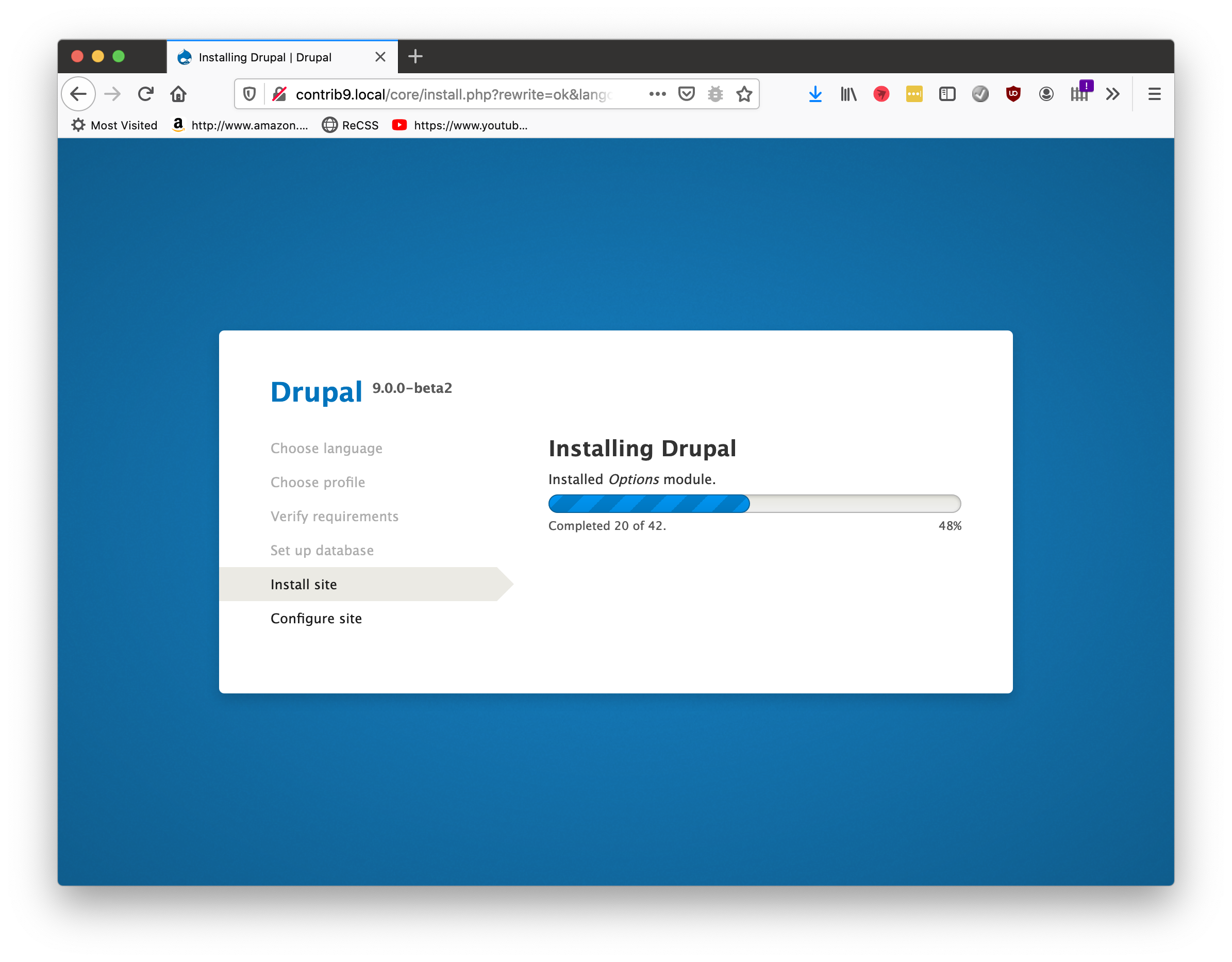
However, after the progress bar reached the end, the expected default page did not appear and the connection reset and failed. I checked the database and all the tables seem to be in there.

I loaded the root page and got this. I then used drush to clear the cache, but there was no change.

A quick check of the Apache error log showed no reported errors and there was nothing informative in the Watchdog table either.
I know there are alternative ways to install Drupal, but I am specifically testing as if I were a newbie installing for the first time, so please hold off on suggestions involving Composer for now.

| Comment | File | Size | Author |
|---|---|---|---|
| #6 | Screen Shot 2020-04-07 at 6.11.15 PM.png | 851.44 KB | ryan osītis |
| #5 | d9_access_log.txt | 9.82 KB | ryan osītis |
| Screen Shot 2020-04-07 at 2.20.12 PM.png | 541.05 KB | ryan osītis | |
| Screen Shot 2020-04-07 at 2.19.31 PM.png | 670.8 KB | ryan osītis | |
| Screen Shot 2020-04-07 at 2.18.52 PM.png | 2.1 MB | ryan osītis |



Comments
Comment #2
cilefen commentedThanks for testing.
It would be interesting to see the web server error log.
Also I'm not sure but the screenshots seem to indicate perhaps bouncing between https and http, because in some there is the shield icon and in others the info icon in the address bar.
Comment #3
cilefen commentedDuh, I just noticed what you wrote about the web server error log. Ignore that please. Sorry! What about the access log? The 404 should be logged somewhere.
Please add the steps to reproduce, in particular where it comes to system requirements, because it installs fine for me.
Comment #4
cilefen commentedAlso, is this something unique to Drupal 9 on the platform you set up, or is Drupal 8 also affected?
Comment #5
ryan osītis commentedThis is a testing environment that I have already running a couple of instances of Drupal 8, though I haven't done a clean install of D8 for a while, at least since 8.7. I'll give it try to make sure.
How to Reproduce?
/sites/default/filesdirectory andchmod 777.chmod 777./core/install.php.Expected behavior: Installation completes and redirects to default opening home page.
Observed behavior: Browser displays "The connection was reset" message.
Comment #6
ryan osītis commentedI double-checked this and clicked on the info icon to see what I could learn. It appears to be Not Secure as I would expect.

Comment #7
ryan osītis commentedI have just done a clean install of Drupal 8 and can confirm similar behavior upon installation. The connection gets reset and I receive the "The website encountered an unexpected error. Please try again later." message upon going to the site root page. The error log is more helpful this time, with the following message:
[Tue Apr 07 18:19:37.759375 2020] [php7:notice] [pid 15510] [client 127.0.0.1:50387] Uncaught PHP Exception Symfony\\Component\\Routing\\Exception\\RouteNotFoundException: "Route "search.view_node_search" does not exist." at /Users/ryanositis/Sites/Contrib/drupal-8/drupal-8.8.5/core/lib/Drupal/Core/Routing/RouteProvider.php line 208Comment #8
cilefen commentedThe 404 is interesting. But I can't reproduce this. On Drupal 8 (what actual version, by the way?), you receive both a connection reset and "The website encountered and unexpected error...". That doesn't seem possible on one request. Or is it a subsequent page reload?
There have been some inconclusive reports of that exception over time. What is the PHP configuration? What is the Apache integration (by that I mean mod_php or FPM)?
You may remove Apache web server from troubleshooting by running the built-in PHP web server by reading instructions in .ht.router.php.
Comment #9
ryan osītis commentedI was able to narrow down the error to being something in PHP. Normally, Drupal loads the configuration page after completing the database installation step, but something in that script is causing Apache to throw a segmentation fault error and quit, causing the Connection Reset message.
To test, I went back to using PHP 7.2.29 and tried the install of Drupal 8 again. SUCCESS.
It looks like there is a bug in PHP 7.3.16 that is causing the segmentation fault on my machine, though I'm not yet sure of what the specific trigger is just yet.
Comment #12
quietone commented@Ryan Osītis, did you discover the root cause?
Comment #15
borisson_It's unclear how to reproduce this issue, and it would be very, very weird that a default php and apache setup would trigger this, there should be sufficient test coverage for this.
I think if this is a problem it would be something that the requirements step of the installation should check. Closing as cannot reproduce.