


AI Powered Search Block answers the questions your visitors type, with content from your own site. An LLM writes the answer from the pages you indexed. Every answer links to the sources it used. You configure it. You do not code it.
The feature needs two blocks: an input block and a response block. Both point at a Search API index that stores your content as vectors. This is RAG search in Drupal. The module retrieves your content, the model writes the answer, and the sources sit under it.
Trusted answers, not invented ones
- The model only sees content from your index. It does not answer from general knowledge.
- Every answer links to the pages it used. You choose the view mode that renders those pages.
- A score threshold and a minimum result count decide when there is enough content for an answer. With less content than that, the block shows your own message instead of a guess.
- You can select a guardrail set from the AI module. You can also block the queries that contain words you list.
- The log submodule stores the prompt and the sources of every answer. Nothing about an answer stays hidden.
What you get
- AI Search block: the question input.
- AI Search Response block: it shows the answer word by word, while the model writes it. This is a separate block, so you decide where the answer appears on the page.
- Settings for the RAG prompt, the retrieval (score threshold, result count, optional reranking), the chat model, and the view mode for the sources.

Submodules
AI Search Block Log
The log stores every question, the answer the visitor received, the prompt behind it, and the sources it used. Visitors can rate an answer and leave feedback. The module keeps that feedback with the log entry.
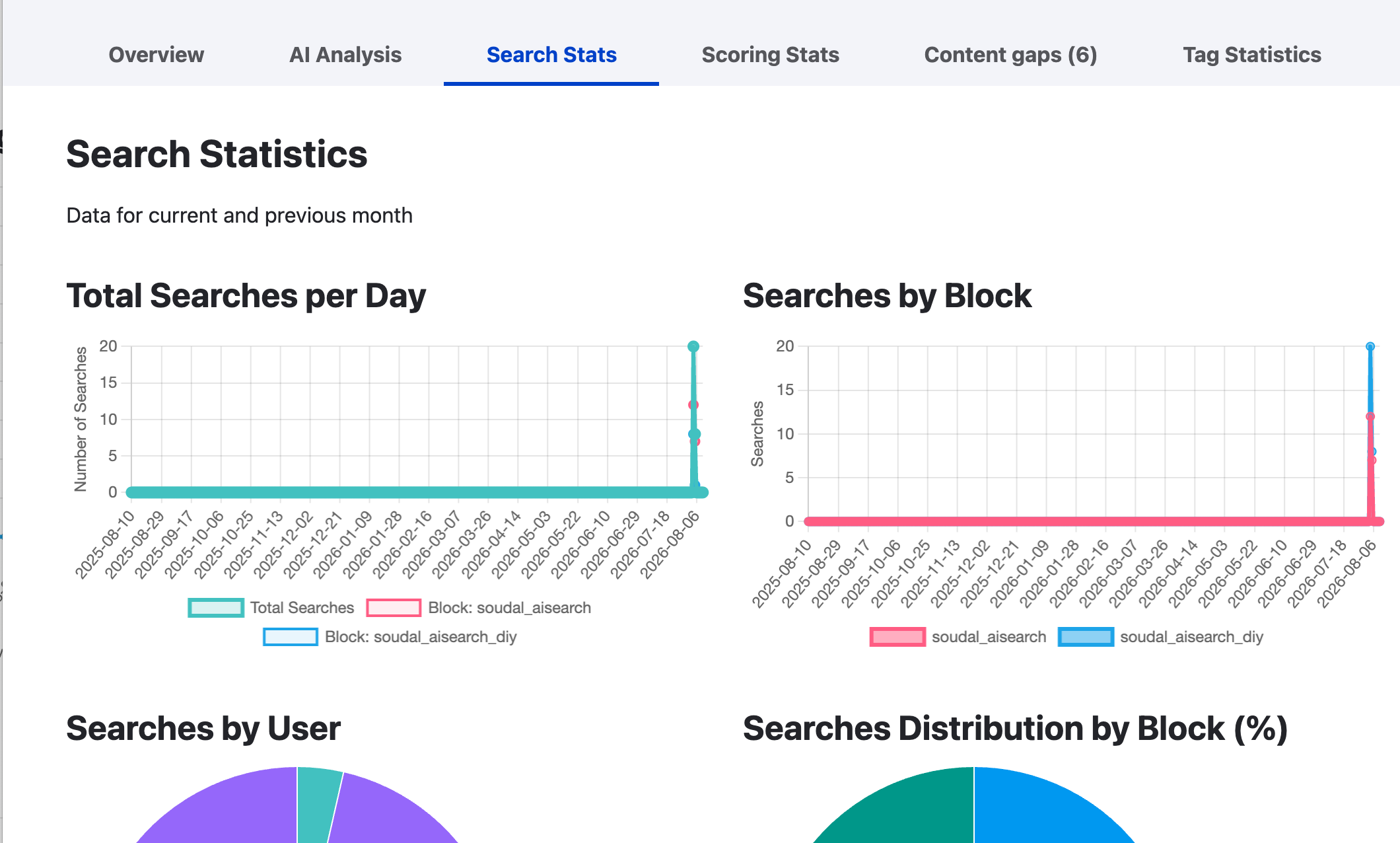
Reports show searches per day, per block and per user, plus the scoring statistics. An AI analysis groups the questions and tells you what people ask most.
AI Search Block Log Tag
The module classifies the logged questions with your own tags. It uses a fast model and a prompt you control. Each block gets its own tag list, so a professional block and a consumer block can use different vocabularies. The prompt supports three tokens:
[user_question], [user_answer] and
[configuration_tags].
Tagging runs in a queue on cron, so a search never waits for it. You can tag the existing logs in bulk. You can repeat that safely, because the module replaces the tags of a log instead of adding duplicates.
The statistics page shows the number of questions, how many of them carry tags, and how often the module applied each tag. A tag that never matches is easy to spot. Each block then has its own page with three charts: searches per day by tag, searches per tag, and the share per tag.

AI Search Block Content Gaps
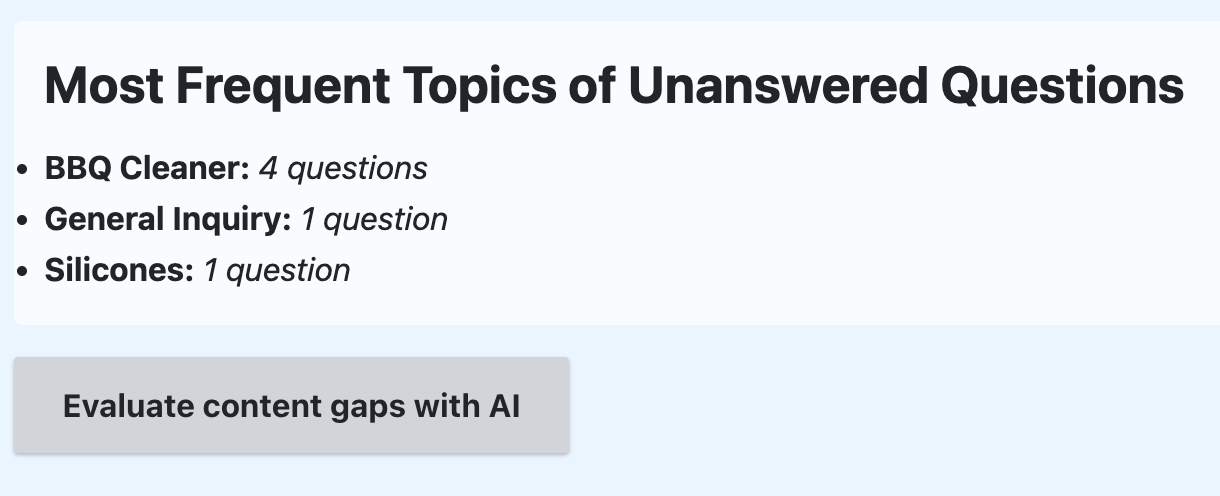
Content gaps are the questions your site did not answer. The submodule collects them, newest first. Each question links to its log entry, so you can read the answer and the sources it found.
Detection is tag-driven. The tagging prompt marks a failed answer with a tag, NO_RELEVANT_CONTENT_FOUND by default. You tick the tags that count as a gap. A question also counts when the search used no content at all. This submodule reads those tags, so it needs AI Search Block Log Tag. A question appears in the list after cron tags it.
One button asks the AI to group the questions into topics. That turns a list of failures into a short content plan: what to write next, in the words your visitors already used.
AI Search Block Contact Centre
The contact centre is a second front end for your support agents, on the same index. An agent pastes an incoming email or question and picks a response type. The draft answer arrives word by word in an editor, with its sources. The agent edits it before they send it.
Response types are plugins, so another module can add one with a single class. Agents need their own permission, so you can give them the tool without the settings.
Smaller submodules
- AI Search Block Header: a search form for your header. It sends the visitor to the page that holds the AI search blocks, and it runs the query there.
- AI Search Block Extras: small interface improvements, such as an input that grows one row at a time while the visitor types.
Requirements
- Drupal
^10.2,^11or^12. - The AI module
^1.4, with an embedding model and a chat model. - A vector database provider, for example Postgres pgvector
or Milvus. - Search API
^1.39, with an index that stores your content in that vector database.
Getting started
- Configure the AI module with an embedding model and a chat model.
- Create a Search API server that uses the AI Search backend.
- Pick a vector database and a collection name.
- Create the index. Mark one field as Main content before you index.
Without that field, indexing reports success and embeds nothing. - Index your content.
- Place the AI Search block and the AI Search Response block on a page.
- Select the index on the search block.
- If you want logging, tagging, content gaps or the contact centre, enable those submodules.
Every admin page of the module is under /admin/config/ai/ai_search_block, in three groups: Insights, Tools and Settings.
| Attachment | Size |
|---|---|
| Screenshot 2025-01-21 at 09.14.43.png | 35.08 KB |
| Screenshot 2025-01-21 at 09.16.18.png | 125.23 KB |
| Screenshot 2025-01-21 at 09.24.27.png | 31.68 KB |
| Screenshot 2025-01-21 at 09.27.20.png | 152.8 KB |
| Tagging of questions by users and stats on them | 96.95 KB |
| Stats on searches on the site. | 353.25 KB |
| Identifying what questions users ask that are not answered. | 69.51 KB |
Project information
- Project categories: Artificial Intelligence (AI), Site search
- Ecosystem: AI (Artificial Intelligence), Search API
 81 sites report using this module
- Created by wouters_f on , updated
 Stable releases for this project are covered by the security advisory policy.
There are currently no supported stable releases.
Releases
Development version: 1.0.x-dev updated 19 Aug 2026 at 10:26 UTC



