Problem/Motivation
Site builders often look for an easy way to create a theme, and sub-theming is a great solution, for example based on Bootstrap.
Please note that there is a distinction between a sub-theme, and a starterkit approach:
Starterkit: A clone of the original theme, totally detached from the original theme.
Sub-theme: A minimalistic approach, using a base theme for the heavy lifting, allowing overrides, with a small effort.
Proposed resolution
It would be nice if a sub-theme based on the new default Drupal front-end theme Olivero could be easily created from the command line, by adding a sub-theme folder in the Olivero theme, to use as a template for sub-theme generation.
API changes
New command for generating an Olivero sub-theme. It requires two parameters, first the machine name, then the human readable name, in quotes:
core/scripts/create-subtheme.sh "my_theme" "My Theme"
... for Composer installations, with a web folder:
web/core/scripts/create-subtheme.sh "my_theme" "My Theme"
Applying the patch
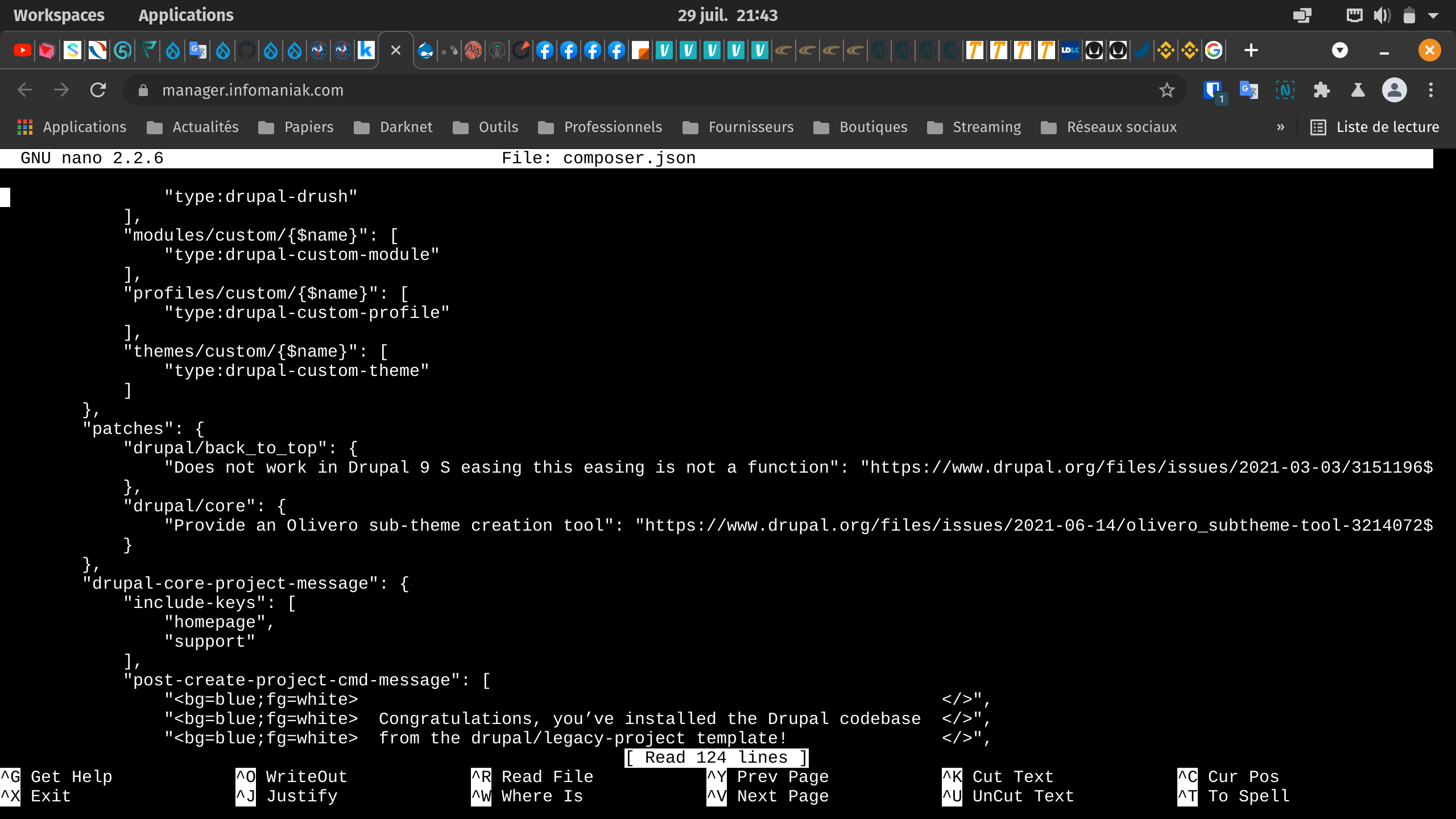
For Composer, add this in composer.json, right after the "extra": { line, like this:
"extra": {
    "composer-exit-on-patch-failure": true,
    "patchLevel": {
        "drupal/core": "-p2"
    },
    "patches": {
        "drupal/core": {
            "3214072: Provide an Olivero sub-theme creation tool": "https://www.drupal.org/files/issues/2022-02-11/olivero_subtheme-tool-3214072-82.patch"
        }
    },
Note: Remember to update the link to the patch you want to test.
Check the documentation for details on Patching projects using Composer.
Configuration (from README.md)
In order to inherit block placement of Olivero, you need to make sure the Olivero theme (the base theme) is installed and set as the site's default theme, before you install your sub theme, and set it as default.
For more, see #2635978: Sub-theme doesn't inherit base theme default block config.
The Drush commands, if your theme machinename is my_theme:
$ drush theme:enable olivero
$ drush config:set system.theme default olivero -y
$ drush theme:enable my_theme
$ drush config:set system.theme default my_theme -y
Remaining tasks
Feel free to try out the tool, and post feedback here if you encounter any errors, or if you have suggestions for improvements.





Comments
Comment #2
ressaHere's the patch.
Comment #3
guilhermevp commentedComment #4
ressaThis should fix
FAILURE core/themes/olivero/sub-themekit/js/scripts.js does not have a corresponding core/themes/olivero/sub-themekit/js/scripts.es6.js.I am not sure how to deal with the
Unknown word (themekit) CSpell: failedissue ...Comment #5
ressaIt's the CSS that is failing, I think. New patch coming up.
Comment #6
ressaUpdates the CSS, adding
.pcss.csswhich might be required, and theCSpell: failednot the issue.Also adds
hidden: trueinMACHINENAME.info.ymlof the template, so it doesn't show up in the theme UI (See #2574975: Allow (base-)themes to be excluded from the UI (e.g. blocks, Appearance).).Comment #7
ressaI have created #3214108: False CSpell positive by core/scripts/dev/commit-code-check.sh for the
CSpell: failederror.Comment #8
ressaRenamed
sub-themekitfolder tosubthemeto pass the CSpell check, based on @quietone's excellent answer in #3214108: False CSpell positive by core/scripts/dev/commit-code-check.sh.Comment #9
ressaTrying with a fresh CSS file, perhaps that's the issue.
Comment #11
ressaThat was better, but still fails ... trying with a simpler CSS and js file structure, since simplicity in a sub-theme is the goal.
Comment #12
ressaComment #13
mitthukumawat commentedI did manually testing of the patch #11. It applied cleanly for me.
The Olivero sub theme is appearing as expected for me.
Testing steps:
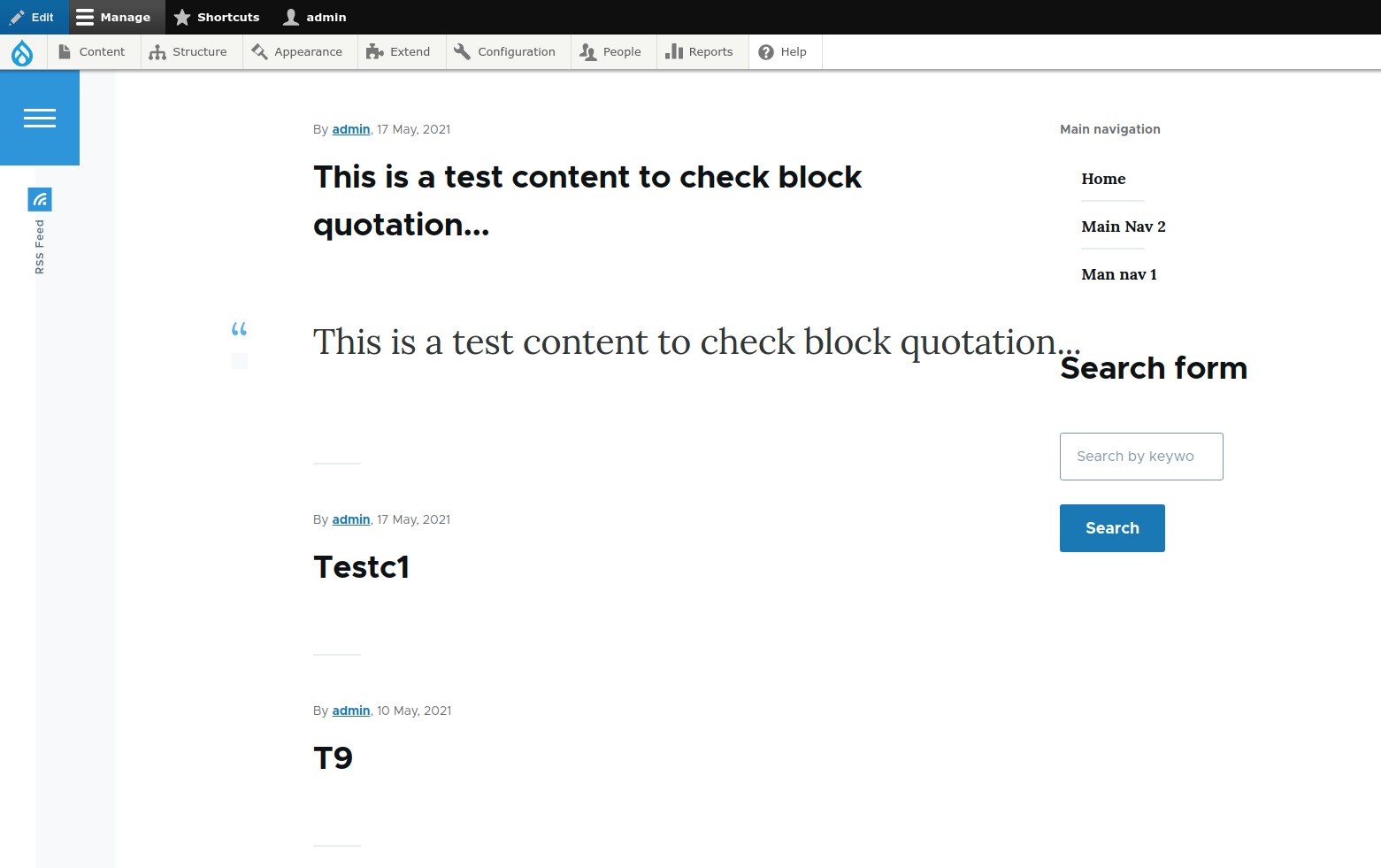
Adding few screenshots of olivero subtheme.
Comment #14
ressaThanks for the thorough testing and images @mitthukumawat. It does look like the logo image is missing in the Homepage screen with navigation menus.png image ...
Perhaps you can check if the
logo.svgimage is present in the theme folder at all, or if it is a permission issue?Comment #15
mitthukumawat commentedYeah, it was the logo image not present in subtheme folder. But it is in base theme (Olivero) folder. So I think it should get the logo from base theme.
As after placing the logo image in subtheme folder, it is appearing now.
Comment #16
ressaThe logo image is included in the
subthemefolder, inside the Olivero folder, so it should just get copied ...Can I ask you to run these commands and paste the result here?
Comment #17
ressaI just re-read your comment, and only now realize you didn't use the command line tool, which probably explains the missing image.
If you want to test without using the command line tool, it is much safer to copy the
subthemefolder from the Olivero theme to the global themes folder, which would guarantee that all important files and folders are included.After that you should rename all relevant folders, files, and names, check the
create-subtheme.shscript for details. I hope that helps?Comment #18
mitthukumawat commented@ressa
You are right. I did not used command line instead I did the subtheme setup manually. After following command line, I can see the files safely copied in subtheme. Thanks for the #16.
Comment #19
ressaThanks for confirming that it works as designed, @mitthukumawat.
Comment #20
ressaAdding a simple check on number of files in origin (
subthemefolder) and destination, which is the created sub-theme, to see if it was created as planned.Comment #21
ressaFixing a few "CSpell: failed" issues.
Comment #22
ressaAdds Configuration in Issue Summary.
Comment #23
ressaI just now see this: https://github.com/mherchel/olivero-subtheme ...
Comment #24
ressaClosing this issue, since another solution already exists.
Comment #25
ressaUpdating Component.
Comment #26
ressaActually, https://github.com/mherchel/olivero-subtheme seems to use a starterkit approach (see #3050384: Provide a starterkit theme in core) or in other words: A cloned and modified Olivero theme, detached from Olivero.
This solution is a more minimal sub-theme approach, allowing a site builder to make small tweaks with minimal effort, not requiring Node and Yarn, or to know how
*.es6.jsworks, so reopening the issue, since it is not a duplicate.Comment #27
ressaComment #28
ressaComment #29
ressaAdds support for running the command from root-folder in both Git-based (all files in root) and Composer-based (scaffolded) installations:
core/scripts/create-subtheme.sh my_themeweb/core/scripts/create-subtheme.sh my_themeComment #30
ressaAdding Remaining tasks section in the Issue Summary, encouraging feedback.
Comment #31
zenimagine commentedI have a site in production with Olivero to activate (Drupal 9.2.2). I need to modify some css. Should I use https://github.com/mherchel/olivero-subtheme or this patch ? Thank you
Comment #32
zenimagine commented@ressa I just tested the patch, but I failed to create the subtheme
Comment #33
ressaI don't see the
core/scripts/create-subtheme.shfile ... I will update the Issue Summary with an example of how to apply the patch, since it's not obvious.Comment #34
ressaAdding patch example.
Comment #35
ressa@zenimagine: This issue is aimed at creating a sub-theme tool in Drupal core for Olivero. My impression is that https://github.com/mherchel/olivero-subtheme is more a starterkit, essentially cloning Olivero, so by definition not a sub-theme ...
Comment #36
ressaComment #37
ressaAdds Drush commands in Issue Summary for enabling Olivero, setting it as default, and the same for the new sub-theme.
Comment #38
zenimagine commentedi dont understand because i added the patch to composer.json
Comment #39
zenimagine commented@rassa I had applied the patch as I usually do, but there is no script in the folder
Comment #40
ressaSorry, but I haven't tried that way ... perhaps you could try patching manually?
https://www.drupal.org/project/drupal/issues/3214072#summary-patching
Comment #41
zenimagine commented@ressa I will test tomorrow because it is late, but a patch is applied normally in the composer.json
This is a good practice explained in the drupal documentation.
Comment #42
ressaSounds good @zenimagine, I need all the help I can get, so please share it here if you figure out why Composer workflow doesn't work ... I tried with this in
composer.json. The patch seems to get applied, but the files are not created:Running Composer:
To force Composer to apply the patch during testing, found in Composer-Patches: The Dependency You Never Knew You Needed:
$ rm -rf web/core && rm -rf vendorComment #43
james.williamsOn projects following the recommended webroot structure for core, applying core patches with cweagans/composer-patches needs to happen using the 'p2' patch level (i.e. to reach inside the webroot directory when the project composer.json is a level above that). Patches that simply add files can technically apply at any level, but that can mean the files get created in the wrong place. To ensure they get applied in the right place, add this to your composer.json, in the 'extra' section, i.e. next to the 'patches' section:
...
    "composer-exit-on-patch-failure": true,
    "patchLevel": {
      "drupal/core": "-p2",
      "drupal/contrib-module1": "-p1",
      "drupal/contrib-module2": "-p1",
    }
    "patches": {
...
It's worth listing any contrib modules that you are patching, to explicitly use 'p1', to help verify that patches are applied correctly.
Comment #44
ressaThanks a lot for helping out @james.williams, that was the missing piece in the puzzle :-)
This works well, and Drupal core gets patched as expected:
I have added your detailed explanation to a new "Patching Drupal core" section on the Using Composer to Install Drupal and Manage Dependencies documentation page, I hope it's all right.
Comment #45
james.williamsYou're very welcome - I'm glad to help! Thanks for adding that to that documentation. What needs to happen to progress this? Any particular kind of reviews of anything in particular, from anyone in particular?
Comment #46
ressaGreat! The Drupal core patch info on the documentation page can hopefully prevent someone else from wasting too much time with that.
I am not sure what the procedure is ... feedback here after trying the tool would certainly be useful: If it worked, suggestions for improvement, etc. Now that we got the patching part fixed thanks to your excellent advice, it should be easier for others to try out.
Do you have any feedback, for example about the script, or if any files could be added or removed from the template structure?
Comment #47
james.williamsI haven't had time to actually have a go myself; the project that I'm interested in this for isn't a paying client so I can only give it so much of my time. Sorry! For me, #3086514: Investigate use of the changing color themes for Olivero is what I'm really after; this sub-theming tool would be a useful alternative if that doesn't progress.
Comment #48
zenimagine commentedThanks, I confirm that the file is now created. However I have this message which prevents using the script. It's probably not a Drupal problem, but what if you have any idea ? I am in a shared hosting, I do not have access to sudo
Comment #49
james.williams@zenimagine If you don't have control over your file permissions / access in your shared hosting, it's best to run the script on a local development copy of your site. Then you can review the changes and upload / push them to your shared hosting. Scripts like this (including composer!) aren't usually recommended to be ran in production environments or on remote hosting that you can't control.
Comment #50
zenimagine commentedok thanks, i succeeded. The sub-theme is in the
themes/my_themefolder, shouldn't it be inthemes/custom/my_theme?Comment #51
ressaFrom what I can tell, #3050384: Provide a starterkit theme in core also places a generated theme in the
/themesfolder. But feel free to update the script and upload a patch.Comment #52
zenimagine commentedok this is different from Drupal 8. One last question, I want to change the color blue all over the website. How to do this ? I want to replace #2494db by #1f71b8
Comment #53
ressaIt's really just a matter of choice ... you are free to place your custom theme in
/themes/custom.You can change the "Header site branding background color" by copying the function from
core/themes/olivero/theme-settings.phpintothemes/my_theme/my_theme.theme, updating the function name tomy_theme_form_system_theme_settings_alterand adding'darkblue' => t('Dark Blue'),:Add this in
themes/my_theme/css/style.css:Clear cache, and switch to "Dark Blue" under "Olivero Utilities" > "Header site branding background color" on
admin/appearance/settings/my_theme.To be able to change more colors see #3086514: Investigate use of the changing color themes for Olivero. As @KarinG writes in comment #22:
Comment #54
zenimagine commentedThank you, but it's complicated to apply a change everywhere on the site, brand, link, button, ...
I wait for a next update with this functionality, as simple as Bootstrap.
Comment #55
zenimagine commentedIs it normal that the responsive images do not work with Olivéro and the sub themes ?
/admin/config/media/responsive-image-style
Comment #56
ressaDo you mean that it works in Olivero, but not a Olivero sub-theme?
Comment #57
zenimagine commentedThe sub-theme does not appear in responsive styles and responsive images does not even work with the base theme.
Comment #58
ressaThanks for clarifying @zenimagine. It looks like a sub-theme needs its own Breakpoint file (
themename.breakpoints.yml). Does this new patch fix it?I don't know if responsive images works or not in Olivero ...
Comment #59
ressaRemoves the Git patch example from the Issue Summary.
Comment #60
zenimagine commented@ressa Thanks for the patch, it works. But the adaptive images are not consistent with the configuration.
Comment #61
ressaSounds good @zenimagine, thanks for confirming that it is a step in the right direction. Perhaps you can list the steps required to make it work in Olivero, and show the expected behavior, and how it fails in an Olivero sub-theme?
Comment #62
zenimagine commented@ressa I just sent you a private message to show you the problem on a clean install.
Comment #63
ressaIt looks like the adaptive image problem is a general Olivero problem, for more see #3222784: Olivero: 'wide-content' utility class breaks layout when placed in 'Hero' region.
The patch from #58 still applies and works fine with the latest dev-release of Drupal 9.3. Just to make sure, I triggered a re-test which passed.
I still think this would be a valuable tool, and the easiest way to get a theme with excellent support and future-proofing, which Olivero will have, since it is the next Drupal front-end theme. So any feedback is still appreciated, even if it is just "it works!" :-)
Comment #64
aangel commentedFabulous. Wish I had seen this earlier.
For others, the build script that copies the core Olivero into a new, custom theme (not a subtheme) described here fails. Some of the differences are outlined in this issue.
The workaround to that is to perform the alternative manual steps. But this is certainly the preferred way, from my point of view.
I'll try this now.
Comment #65
aangel commentedI added the patch from #58 to composer on a 9.2.8 project and it applied successfully. Then, from the project root here's what I saw:
Then I ran the instructions for enabling the theme and pulled up the home page. It gave me the error ".../templates/html.twig.php" file is missing. Sure enough, the entire templates directory is empty except for a README.md.
Comment #66
ressaThanks for testing the patch @aangel. It looks like a known issue with
sedin macOS or zsh: sed command hits “undefined label” error on Mac OS X.I have updated the patch, and added
.bakfiles with thesedcommands, perhaps that fixes it for you?Comment #67
ifrikUsing Drupal 9.2.8: I've applied the patch #66 using composer, but the create-subtheme.sh script is created in a new subdirectory of core:
web/core/core/scripts
But it turns out I had not changed the patchLevel as described in the issue summary above.
Comment #68
ressaGreat that you got it working @ifrik, patching Drupal core with Composer can be tricky. For the same reason, I recently updated the documentation on how to patch Drupal core and modules using Composer. Feel free to review it and clarify or expand any part of it.
Can you confirm whether or not theme was created correctly for you?
Comment #69
ressaUpdating to latest version.
Comment #70
fotidim commentedIn my case the patch was not being applied at all using Composer and I needed to do "composer require cweagans/composer-patches".
Maybe it's worth adding that to the documentation.I just saw that it is already there.
Comment #71
ressaThanks for the feedback @fotidim, I have added a link under the Applying the patch section.
Did you get the sub-theme working?
Comment #72
andypostnot sure new bash script is good idea when there's core's tool https://www.drupal.org/node/3206389
Comment #73
andypostComment #74
fotidim commented@ressa I did! What is the recommended way to customize CSS? I read the instructions here but there is no "package.json" neither in my subtheme or Olivero itself. I can only find a package.json if I clone the theme from its repo.
Comment #75
altrugon commentedI have applied patch from comment #66 and ended up with the same "bad substitution" result from comment #65. Here is the output from my console:
As far as I can see everything works fine, but I'm missing the
*.pcssfiles, the scripts to run the code compilation, and maybe some instruction in the README.md file about how this process should be done. Creating a sub-theme and not being able to adjust the values of the variables doesn't seem right to me, am I missing an step here?Thank you so much to everybody for the hard work.
Comment #76
altrugon commentedI kept working on the theme until I was able to compile the
*.pcss.cssfiles. As I mentioned before a sub-theme loose its value if you are not able to change the values of its parent variable. For clarification I'm going to refer to the parent theme as "olivero" and the sub-theme as "subtheme". Here are all the changes I had to do in order to be able to compile the source code:1. Set node version and yarn version
According to Drupal'spackage.json we need to use Node v12 and Classic Yarn.
The easiest way I found to get this set was via Node Version Manager, go to subtheme's root folder and run the following commands:
2. Bringing files into the subtheme
You are going to need a few files in order to be able to compile the source code, follow these steps:
subtheme/cssfolder witholivero/cssfolder.olivero/layout/html.html.twigfile intosubtheme/layout/and delete line #43{% include '@olivero/includes/preload.twig' with { olivero_path: olivero_path } only %}. This line load a bunch of font files that you may not want to use./core/package.jsonfile intosubtheme/and delete from line #11& yarn build:ckeditor5, and from line #12& yarn watch:ckeditor5./core/scriptsintosubtheme/. You don't need all the scripts but I haven't gone through the clean up process yet at this point.3. Load the right libraries
Now you need to make sure you load the libraries from subtheme and not olivero's libraries, in order to do that
subtheme.info.ymlandsubtheme.libraries.ymlhave to look as follow:subtheme.info.yml
subtheme.libraries.yml
4. Time to compile
You should be set up, go to subtheme's root folder and run the following command:
yarn watchIf I didn't missed anything you should now be able to see something like this in your command line:
I hope this help others, feedback are welcome, and it would be nice to have all these task integrated in the script.
Comment #77
ressaThanks for sharing that @andypost. Since the operations are mostly moving and renaming files, I would think Bash is a better tool for the job than PHP? Of course, if Bash is not acceptable, the tool should be re-written in PHP.
Comment #78
ressa@fotidim: Just edit the
css/style.cssfile :)About https://github.com/mherchel/olivero-subtheme - That is a starterkit, and not a sub-theme. Please read my comment above in #26 for details.
Comment #79
ressa@altrugon: Great that you got it working!
But in my mind, this subtheme tool should be as lean as possible, aimed at site builders to give them an easy way to create a subtheme in seconds, simply by running a single command. After that, they can override the base theme by editing the
css/style.cssfile.To get all the bells and whistles, I think a starterkit approach is the right way, see #3206219: Allow configuring which theme is used as a starterkit theme.
About the
bad substitutionerror, are you using an older Bash version, or perhaps Z shell (Zsh)?https://linuxhint.com/bash_lowercase_uppercase_strings/
I did some testing, and perhaps you can experiment with different options, if we need to create a special solution for Zsh? It would be great though, if it worked for both Bash and Zsh ...
Comment #80
ressaI just tried #3206219: Allow configuring which theme is used as a starterkit theme with Drupal
10.0.x-devand I could create a detached new theme (i.e. not a subtheme) based on Bartik after addingstarterkit: trueinbartik.info.ymlwith this:This approach doesn't yet work for Olivero, but hopefully will at some point, see comments #11-#15 in #3206219: Allow configuring which theme is used as a starterkit theme for the discussion, as well as #3206217: Allow starterkit themes to control how the theme is generated where it looks like Olivero support might be added, which would be awesome.
Comment #81
ressaComment #82
ressaHere's a new patch which adds a second parameter, to define the human readable name, which also avoids the command which gave the
bad substitutionerror in Zsh.Comment #83
ressaMakes Applying the patch section a little clearer.
Comment #84
mglamanThis should leverage the key added in #3206219: Allow configuring which theme is used as a starterkit theme and postponed on #3206217: Allow starterkit themes to control how the theme is generated. Once we have the latter, everything just needs to exist in the StarterKit class.
Comment #85
mglaman#3206217: Allow starterkit themes to control how the theme is generated has landed. Let's create a
Drupal\olivero\StarterKitclass and make this possible!Comment #86
ressaThat's nice! But since the aim of this issue is to create a sub-theme tool, and not fork ("Starterkit") does it still make sense? From the Issue Summary:
Comment #87
mglamanI see. It seems like Drupal core is moving against promoting sub-themes from Drupal core due to backward compatibility requirements. I'm for opening a different ticket for starter kit and letting this one be. I just don't think a script for subtheming will make it.
Comment #88
ressaI agree, a new issue is probably the right way forward. But I am all for having a starterkit option--the more choices, the better!
Comment #90
mherchelClosing this in favor of #3302625: Allow Olivero to be cloned by Starterkit theme generator, so we can focus on the ability to clone Olivero.
Comment #91
ressaAdding issues about phasing out Bash scripts, so a sub-theme tool should probably be written in PHP, as @andypost also wrote in comment #72.