Problem/Motivation
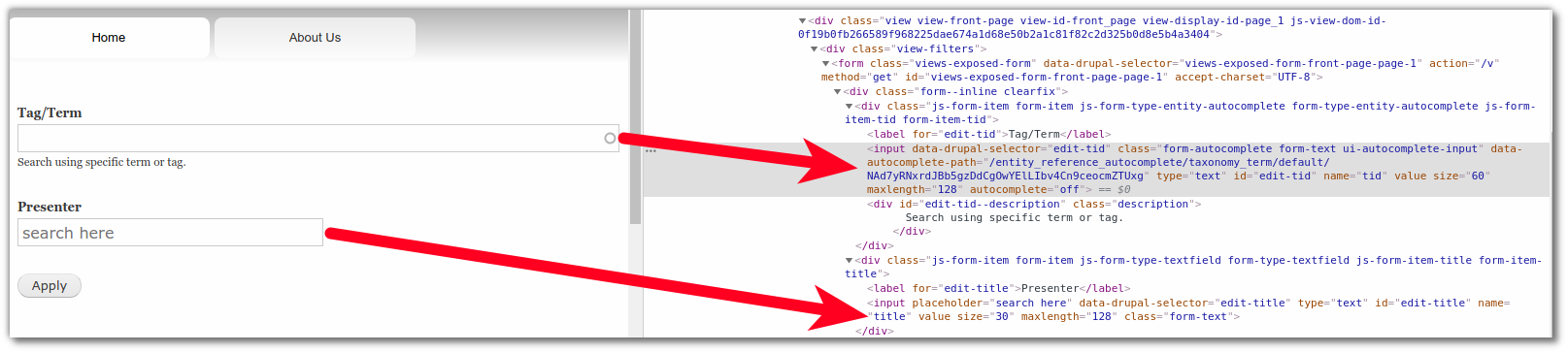
Views exposed filters that use autocomplete are more than twice as wide as plain text filters:

As @larowlan pointed out in #15, autocomplete fields are larger for a reason so you have space to read the results that appear.
Proposed resolution
Set the default size to be smaller?
OR
Make them configurable?
Remaining tasks
Decide what to do.
User interface changes
Original issue summary
---
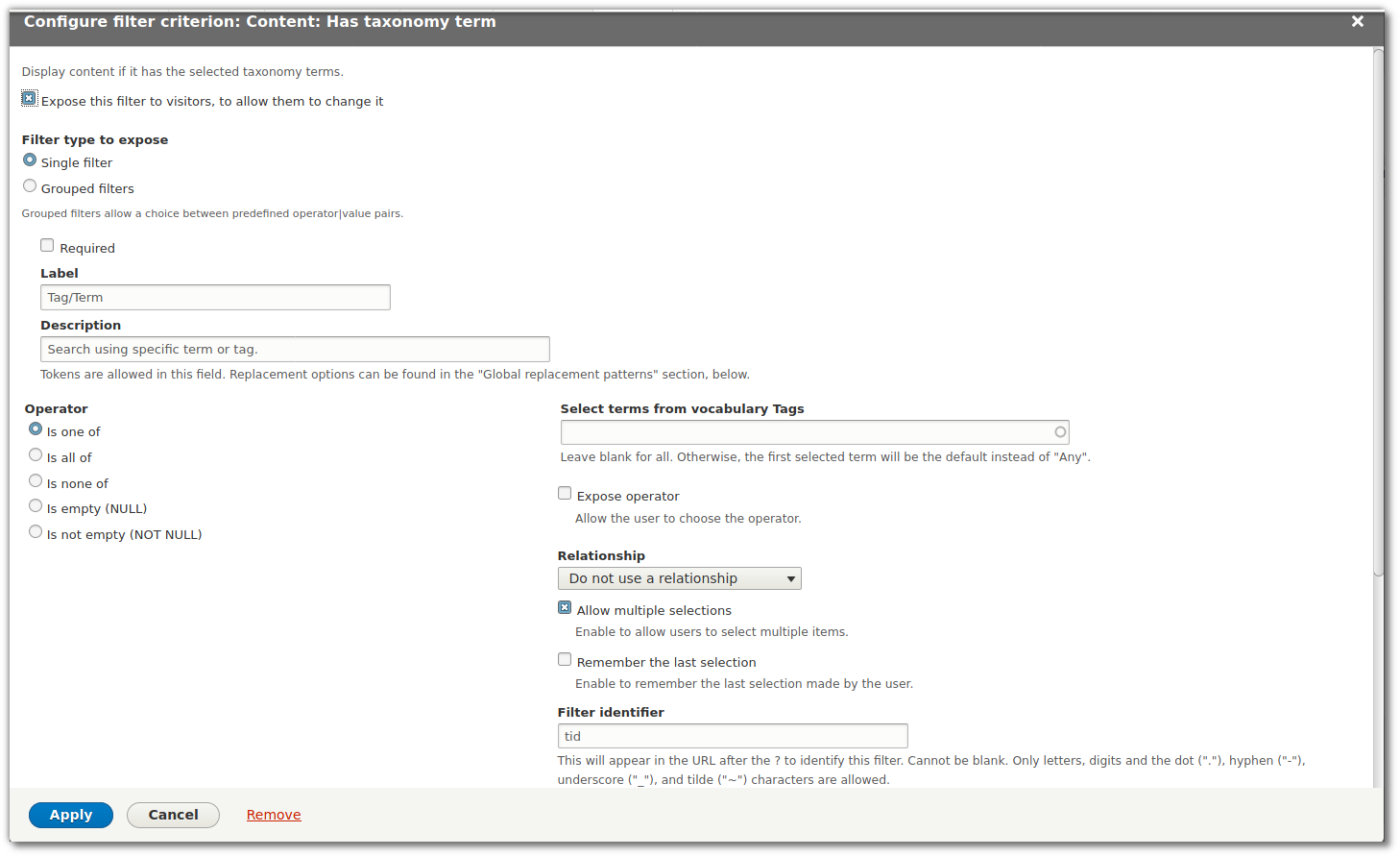
In a fresh install of Drupal 8.8.5, when adding an exposed filter using the criteria of "Has taxonomy term", the field is twice as wide as all other fields that are exposed. I have attached images. The default character length in most text based fields is 30 but in "has taxonomy term" it is set at 60. This makes the filter region look like ... you know.
I know I have to find a way to make a sub theme just to fix that one little item, but the more I thought about it is a minor bug and one that is easily fixed in Core.
See attached files


Comments
Comment #2
joaomachado commentedComment #3
raunak.singh commentedComment #4
raunak.singh commentedHi @joaomachado,
I have added a patch on this ticket and attached screenshot also please take a look and let me know if there is any issue.
Comment #6
raunak.singh commentedComment #7
raunak.singh commentedUpdated test cases in the patch.
Comment #8
sharma.amitt16 commentedpatch applied successfully on my machine.
It looks good now on my local machine.
I feel we can move it to RTBC.
Comment #9
sharma.amitt16 commentedComment #10
joaomachado commentedWell I seem to have an issue with applying the patch using composer see attached images. But I manually ran the patch using "patch -p1" it it say it patched it with no errors, but nothing changes... Don't know what to do.
Comment #11
raunak.singh commentedHi @joaomachado
Please go to your project root folder and run this command: curl https://www.drupal.org/files/issues/2020-05-14/views-exposed-filter-auto... | git apply -v
Let me know if there is any issue
Comment #12
joaomachado commented@Raunak.singh That worked, looks great now! I would say it is a winner.
Comment #15
larowlanReviewed this as part of Bug Smash Initiative.
Can we get a before screenshot of the field, relative to other fields in an exposed form.
Also, this is an autocomplete field, so is larger for a reason.
So perhaps this should be a feature request to make the size configurable?
Comment #16
larowlanCan someone do some git sleuth work 🔎 to work out when this was made 'size => 60' to see if it was by design.
If so, we need to make this a feature request to make it configurable rather than reverse that change.
Comment #17
lendudeChanging this in the base TextField is not the right fix for something in Views....
Comment #18
pameeela commentedAdded a screenshot, and updated title/IS.
It is indeed larger, but this applies to all autocomplete filters, not just taxonomy. The same is true for all autocomplete fields throughout core - when adding a menu link, redirect, URL on link field etc.
I don't know if this is a bug, lots of things in core have defaults that require a theme to override and it's not broken in any way, it's just a bit large.
Not sure whether we could make the change to apply *only* to views exposed filter fields, but certainly I would be opposed to changing it in the other places, like menu links and link fields, where often the extra space is necessary.
Comment #19
rishabhthakur commentedWork on this..
Comment #20
rishabhthakur commented@larowlan as it's a bit wider as compare to title fields
and also if we will give Exposed form option config fields to manage field size, but on its process before rendering fields, and then core #process_default_value will modify as per Render FormElement.
So, we can achieve it by modifying autocomplete field size on before render of expose form fields.
@pameeela I have added code snippet with 'template_preprocess_views_exposed_form' to prevent changes in other places, like menu links and link fields.
I have attached Screenshot after applying patch file on local
Comment #22
rishabhthakur commentedRe check with code fix
Comment #23
rishabhthakur commentedComment #24
lendudeI think I'm -1 on fixing this.
On existing sites this might break the layout they currently have, and adding an opt-in setting for this would add a new setting to Views that we can really do without.
I understand the reasoning behind this, and having a consistent layout is nice, but I don't think this is worth possible BC breaks.
Comment #25
joaomachado commented@Lendude, so your logic is to keep allowing new sites to be broken? I am not understanding this, the layout is already broken.
Comment #26
joaomachado commentedI am wondering what the status is on this issue, is it considered "works as designed"?
At any rate, as @Lendude stated in his comment above, this could potentially brake existing sites that have put in counter-measures for this, and I totally understand his reluctance to make a change and I am not discounting that position at all. But consider this, I chose Drupal because it was a Mobile friendly CMS, I wanted to build a site that had the absolute minimal dev and testing modules, even to use only the Bartik theme, in this way I would make the site more "upgradeable" for the future, including major versions of Drupal itself. The home page was to be a views search page.
So a new site, that adds Taxonomy Terms and exposes the search field to autocomplete will get this when it is viewed on mobile device;

Is this is considered "Working as designed"?
Comment #27
pameeela commented@joaomachado the specific issue you’ve raised that the field is breaking smaller layouts is a genuine bug I think, it’s just not exactly what the original issue was about.
If we are saying the original issue won’t be addressed we can probably update this one to be about the display on smaller screens. Or could make a separate issue for that.
Comment #28
pameeela commentedI've created #3192254: Views autocomplete input is too wide on mobile to address the CSS issue, as it only seems to be occurring in Bartik. The original request of this issue was for a much larger change in how this input displays, I think we can fix the CSS bug much more easily.
Comment #29
joaomachado commentedThanks, then I suppose there are two issues... but they are the same. They both look ugly if not addressed. So why not apply the CSS to the both?
Comment #34
smustgrave commentedThis issue is being reviewed by the kind folks in Slack, #needs-review-queue-initiative. We are working to keep the size of Needs Review queue [2700+ issues] to around 400 (1 month or less), following Review a patch or merge request as a guide.
Confirmed this issue on D10 by adding an authored by field to the content view.
Think we will need test to show this issue (but don't know what that would be)
Readding the screenshot tag for D10 before/after
Also think instead of
$form[$keywe can just use $element.Comment #35
_utsavsharma commentedPatch for 10.1.x.
used $element instead of $form[$key