

 The 2026 Drupal Business Survey is open. Your response will help shape the future of the Drupal business ecosystem.
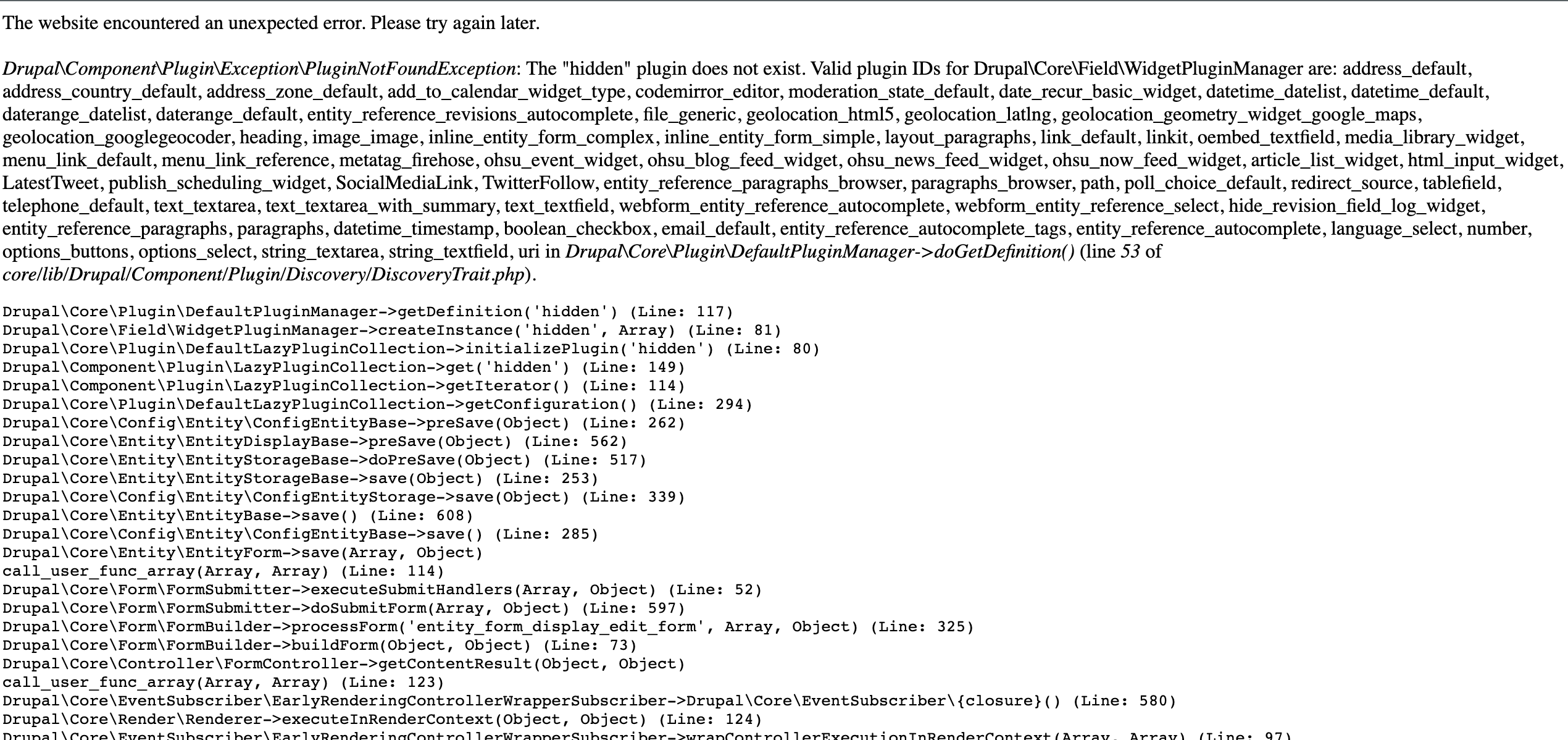
On editing feed item field of a content type we get below error:
Drupal\Component\Plugin\Exception\PluginNotFoundException: The "hidden" plugin does not exist. in Drupal\Core\Plugin\DefaultPluginManager->doGetDefinition() (line 52 of /docroot/core/lib/Drupal/Component/Plugin/Discovery/DiscoveryTrait.php).
Installation specification:
name: Feeds
description: 'Aggregates RSS/Atom/RDF feeds, imports CSV files and more.'
package: Feeds
type: module
core: 8.x
version: 8.0-dev
configure: feeds.overview_types
Also in add field of content type we cannot see option to add feed item field. We have created one feed importer using feeds module on our site.
| Comment | File | Size | Author |
|---|---|---|---|
| #113 | Screen Shot 2023-09-25 at 11.27.59 AM.png | 584.53 KB | jnicola |
| #113 | Screen Shot 2023-09-25 at 11.27.01 AM.png | 72.13 KB | jnicola |
| #108 | interdiff-2799225-107-108.txt | 20.25 KB | megachriz |
| #108 | feeds-feeds-item-formatters-2799225-108.patch | 34.47 KB | megachriz |
| #107 | interdiff_105-107.txt | 2.25 KB | jamesdixon |







Comments
Comment #2
megachrizThe 8.x-2.x version is not supported and heavily out of date. Try the 8.x-3.x version instead.
Comment #3
punamshelkeHi,
"Drupal\Component\Plugin\Exception\PluginNotFoundException: The "hidden" plugin does not exist. in Drupal\Core\Plugin\DefaultPluginManager->doGetDefinition() (line 52 of C:\xampp\htdocs\drupal-current\core\lib\Drupal\Component\Plugin\Discovery\DiscoveryTrait.php)."
I am also getting the same error on drupal 8.3.2 version...
On the content type > faqs > manage fields > feeds Item > edit....
on this page...
you have any idea about this.....
Thanks
Comment #4
vijay.mayilsamy commentedIt happens to me too on 8.3.x. The problem is with Image field. Need to figure out why the image field is causing that issue.
Comment #5
shobhit_juyal commentedusing D 8.5.x and getting the same error for a custom field. Don't know why ?.
Comment #6
nanc2 commentedI am using D 8.5.3, same error.
Under "manage for display", Feeds Item is disabled and can not enable it.
Inspite of this I still can import feeds with no problems. But I can only map the default fields. I can not map the custom fields.
How can I map feed type fields to custom content type fields?
Comment #7
megachrizThere is indeed no display formatter for the feeds_item field nor is there a field widget for it. It isn't meant to be manipulated nor displayed: it only contains import metadata.
@nanc2
What do you mean with "custom fields"? Are these fields from a contrib or custom module?
Comment #8
megachrizComment #9
nanc2 commented"What do you mean with "custom fields"? Are these fields from a contrib or custom "
The custom fields are the fields added to a feed type and need to be mapped to the content type.
Since the field added to feed type does not show from the mapping source dropdown menu, I tried to add "new source..." and put machine name of the feed type field, but didn't work.
What is the right way to use the "New source..."? How to map the added feed type fields to content type fields? I can only map the predefined fields like title and body.
Comment #10
megachriz@nanc2
"New source..." is made for the following purposes:
The feature to use feed type fields as mapping sources is being worked on in #2911491: Provide feeds type fields as mapping sources.
Comment #11
nanc2 commentedThank you very much for the clarification MegaChriz. I need to import rss feed so I guess I will have to wait.
Comment #12
hongpong commentedI also encountered this error on a CSV import related content type field manager. Not a direct problem since we don't need to edit it further in our case.
On 8.5.3, feeds 8.x-3.0-alpha1 . I think that this would be best resolved in the short term by making a message appear suggesting people go to the feeds configuration, or something like that.
Comment #13
m.abdulqader commented+1
Comment #14
megachrizOne way of fixing this is by converting the feeds_item field to a base field in a similar way as the Drupal core module "Path" does. This can be done by implementing
hook_entity_base_field_info().I've been playing around with this (see attached patch), but I'm running into issues by updating existing installs: the previous separate feeds_item field does not get removed and causes PHP errors. Also, the patch adds a feeds_item field to every content entity type, while it should only do that for entity types that you are using in feed types. Plus you need to run
drush entity-updateto install the field as base field. Ideally, this should happen automatically after saving a feed type.Do not install the patch on your site: it might break your site.
Comment #15
megachrizComment #16
tjtj commentedI have this problem. Get error: The node.feeds_item field needs to be uninstalled.
But then, when I try to do it, I get:
How do I fix this? I uninstalled feeds, but apparently the uninstall is not clean.
It will not reinstall either:
Unable to install Feeds, system.action.feeds_feed_delete_action already exists in active configuration.
Comment #17
ankitjain28may commented@MegaChriz Hey, Any update on this issue, I am facing the same issue. It would be great if you can give some insights so i will try to fix it.
Comment #18
megachriz@ankitjain28may
The approach in #14 could be a good one and may also make uninstalling Feeds easier. There are a few things though that will be hard to get right:
I think this issue could take a while to get done. It's likely it won't make it in Feeds 8.x-3.0-alpha3, which I hope to release in early September.
Comment #19
ankitjain28may commentedThanks @MegaChriz
Comment #20
jcnventuraI'm also running into this issue when adding a feed_item field to views. It used to be possible to set a feeds_item field in a view to see the import date, GUID, URL or owner feed nid.
Comment #21
jcnventuraAdding some field formatters to allow the feeds_item field usage in Views. This should also get rid of the PluginNotFoundException.
No interdiff as the BaseFieldDefinition is it's own thing. I'm creating a separate issue for that one.
Comment #22
vijay.mayilsamy commentedApplied the patch. Editing the feed item works fine.. Not getting that error.
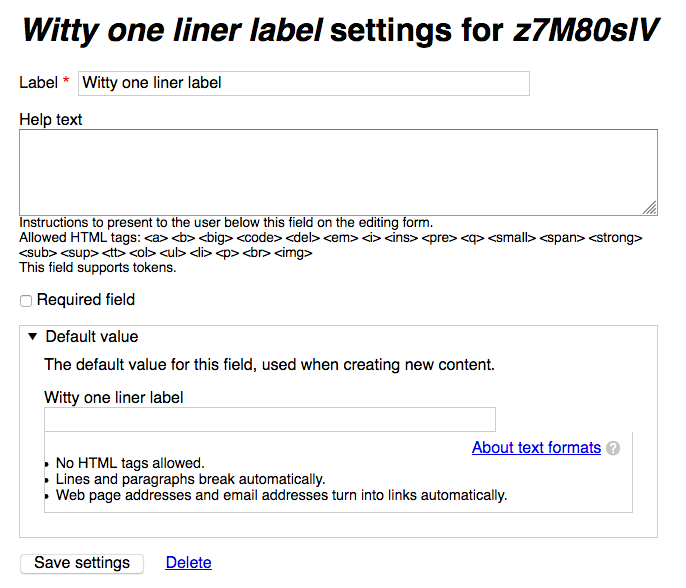
It will be very useful if we develop a test case for this one ?
Thanks
Comment #23
megachriz@vijay.mayilsamy
Yes, tests would be useful for this one. I think we need a functional test for each formatter. A simple example may be the test for the telephone_link formatter in /core/modules/telephone/tests/src/Functional/TelephoneFieldTest.php:
Only difference is that the first few lines of
::testTelephoneFormatter()cannot be used, since there is no widget for the feeds_item field. So instead the feeds_item field need to be filled programmatically. Something like this:Comment #24
vijay.mayilsamy commentedComment #25
vijay.mayilsamy commentedHi MegaChriz,
a) So, What you are saying is we need to have a test case for the following FieldFormatters ?
b) BrowserTestBase should be extended in the test like ::testTelephoneFormatter() ?
c) On the tests we add the test case to check the fields after formatting the text ?
Thanks
Vijay
Comment #26
megachriz@vijay.mayilsamy
a) Yes, we need have a test for every field formatter added by the patch in #21.
testGUIDFormatter()should be calledtestGuidFormatter(). The Drupal coding standards say that you should not uppercase abbreviations in method, class or variable names.b) Extend \Drupal\Tests\feeds\Functional\FeedsBrowserTestBase. This will give you the article node type and helper methods, like a method for creating a field:
::createFieldWithStorage()in FeedsCommonTrait.php.c) Yes, the output of the formatter should be checked. It is important that if a formatter has several ways of outputting something, each way should be at least covered once. For example, the FeedsItemGuidFormatter has three ways of outputting the value: as nothing (value is empty), as an url or as plain text.
Do you want to give implementing the tests a try?
Comment #27
jamesdixon commentedThanks for the direction @MegaChriz I'll take these tests on this week.
Comment #28
jamesdixon commentedHad a chance to explore other functional feeds tests. For my own reference I believe this test is a good example along with some others in the same directory:
That and also what @MegaChriz sugested from core:
Comment #29
jamesdixon commentedUploading a very rough placeholder first test which needs implementing. Good skeleton to work with later.
Comment #30
jamesdixon commentedAdding small progress here.
Right now I'm a bit confused about where these field formatters are outputting what they are returning from viewElement().
When I go to view a feed GUID is not shown for example. We cannot view GUID from a feed type because there is no view for feed type, at least I couldn't figure out how to do this.
So when submitting either form I am not sure where to check for the GUID value in the browser, as the telephone field formatter has for example.
Comment #31
megachrizI think the tests should follow these steps:
::createFieldWithStorage(), which by default adds a field to the article content type).Comment #32
jamesdixon commentedOh man that's where the disconnect was happening. For some reason I thought the field formatters were being applied when viewing a feed or feed type. It is actually being displayed on a node created by a feed. Thanks for the direction @MegaChriz, that makes good sense!
Comment #33
jamesdixon commentedFound a good way to test what shows from frontend. As @MegaChriz mentioned you have to have a Feed Type which imports to the entity for that entity to get a feeds_item field.
Noting that to get Item URL and Item GUID to actually show anything when setting that field formatter you have to map to them like in the screenshot for example.
Comment #34
jamesdixon commentedMade a bit of progress on the FeedsItemGuidFormatter but unable to test my code because of some dependency issue with PHPUnit and my environment:
Will see if I can sort this out tomorrow.
Comment #35
megachriz@jamesdixon
This creates a field of type 'text' (as that is what
::createFieldWithStorage()chooses as the default field type). You'll need to create a field of type 'feeds_item'.We don't need to set filters here. I know these are created in other tests of Feeds, but in these tests specifically formatted text fields are tested (like the body field that Drupal adds by default to content types, for example).
We don't test text fields here, but feed_item fields.
It are the display settings of the article content type that need to be set here instead.
And then display the node:
$this->drupalGet($entity->url());The pro's of this approach are that the test code becomes simpler and that you test the feeds_item field type in isolation.
The con would be that if the import process would change in a way that the the feeds_item properties would change from data type (weird example: if at some point it is decided that feeds_item->guid will hold an array value instead of a string), then this approach will not cover that change.
About the fatal error: did you move classes? Maybe it helps to remove phpunit from the vendor folder and perform a composer install again?
Comment #36
jamesdixon commentedThanks for the direction @MegaChriz!
Right I missed it was setting type to text by default, I'll switch that to feeds_item.
Sounds good I'll configure the display settings of the article instead of creating a formatter.
I like the idea of skipping the import it will make these tests simpler.
Good call on wiping the vendor folder and composer installing again I will try that.
Comment #37
jamesdixon commentedIt's been challenging, mostly because this is my first functional test in D8. Making progress though!
Attached is an example of what I expect these tests might look like based on guidance from @MegaChriz. I haven't tested this yet though.
Still having troubles with my dev environment. Nuking vendor and rebuilding with composer worked well, but I am unable to run any functional tests at all because Lando is having trouble accessing itself while running functional tests:
Looks like I need to add some tooling to Lando or mess with my firewall rules. Still working on this.
Comment #38
megachriz@jamesdixon
It looks like the patch is heading in the right direction! I'm not sure yet if it is needed to create a feed type and feed in the test specifically for the 'guid' property, but maybe it is a good idea to leave it in to have a valid value for the' target_id' property.
I don't know anything about Lando, but I execute tests this way:
./vendor/bin/phpunit -v modules/wip/feeds8/feeds/tests/src/Functional/Feeds/Target/FileTest.phpAttached the phpunit.xml file that I have placed in the drupal root folder.
Comment #39
jamesdixon commentedThis may not belong here, but writing it down so I don't forget. In case anyone else runs into issues running functional tests with Lando here's how I got around it. Tests keep timing out from the testing user interface in Drupal admin and I couldn't fix that issue after trying on multiple machines:
I found a recipe online which lets you run phpunit tests from the command line with Drupal8:
https://github.com/finnef/lando-drupal8-test-debugging
1) Grab the recipe with git and lando start from the lando recipe directory. It will setup the virtual server install drupal etc.
2) Run your test commands like this from the lando recipe directory:
lando phpunit "/app/web/core/modules/telephone/tests/src/Functional/TelephoneFieldTest.php"Yay I can finally test this sucker out!
Comment #40
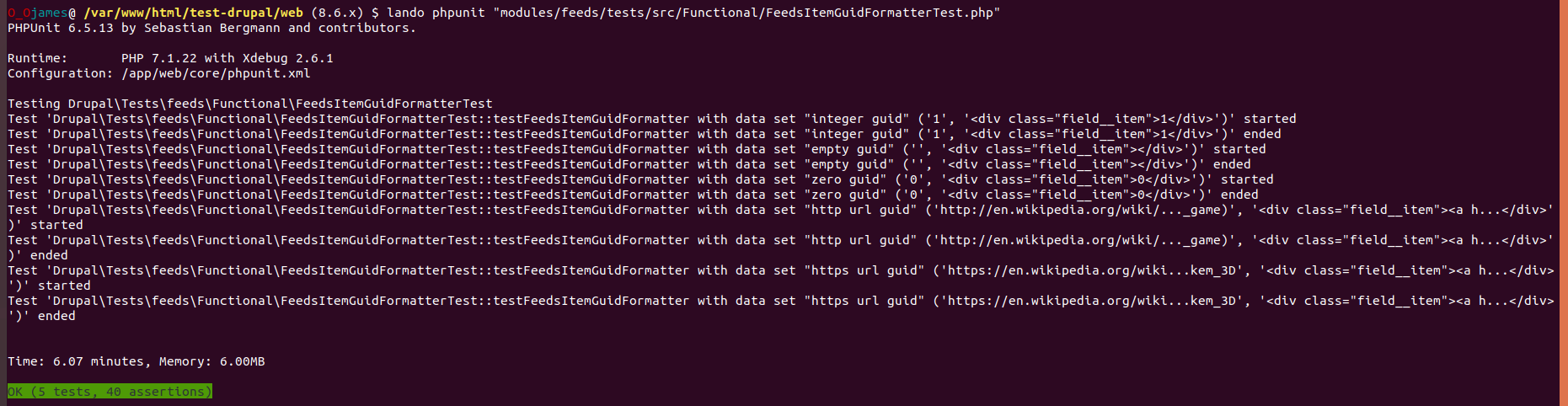
jamesdixon commentedSuccess! The FeedsItemGUIDFormatter test is complete and passes:
3 test left to go, I'll work through those for this Thursday.
Comment #41
jamesdixon commentedFeedsItemUrlFormatter test is complete and passes:
I'm noticing the option to select
modules/feeds/src/Plugin/Field/FieldFormatter/FeedsUriLinkFormatter.phpfrom the feeds_item display options is not appearing. I wonder if there is some issue with that field formatter or if there is something wrong with my development environment. Will revisit this when the other tests are completed.
Comment #42
andypostI bet $guid = $item->guid; should be enough and there's also check for empty item
code duplication better to move to base class
do not use getValue() it returns raw data, field items has properties
Comment #43
jamesdixon commentedThanks for the review @andypost.
For 1. Do you mean just access
$item->guidinstead of$item->get('guid')?For 2. I'm a fan of DRY programming, I'm wondering what I'd call the base class to set up that scheme stuff.
For 3. Are you suggesting we use
$item->urlinstead of$item->get('url')Outside of code review, we're on the home stretch! There are now 4 tests. I'm just figuring out how to properly set the date format, custom date format, and timezone when displaying the imported field formatter. Now I am getting:
FeedsItemTargetFormatterTest is passing strong though!
Comment #44
megachriz$item->guidfor accessing the guid value. I'm actually not sure what object$item->get('guid')gives. I should check that.isUrl()(orlooksLikeUrl()to not confuse it with that it would check for an Url object?) for checking if the value looks like an url andviewUrl()for generating the render array.$item->url.Schema errors
The error message "Schema errors for ... missing schema" means that configuration keys are expected to be defined in feeds.schema.yml, but they aren't. You need to do something similar as what you did for several Tamper plugins here. The formatter FeedsItemImportedFormatter has configuration (inherited from TimestampFormatter). Since the formatter doesn't declare configuration on its own, you would need in the config schema define that the config for this formatter inherits from TimestampFormatter.
I think that would use a pattern like the following:
The first line would be the config key for the feeds item formatter. The type would be the config key from the formatter which config is being inherited, thus the config key from TimestampFormatter.
Comment #45
megachrizForgot one thing: a suggestion about where to place the test classes. If a test class focusses on covering a class in particular, I would use the same folder structure for the test class as for the class being tested. I think that this way the test classes get better organized.
An example: FeedsItemGuidFormatter is in /src/Plugin/Field/FieldFormatter. I would then place FeedsItemGuidFormatterTest in /tests/src/Functional/Plugin/Field/FieldFormatter (and update the namespace accordingly).
Comment #46
jamesdixon commentedGood points there and all will help me wrap this up. Thanks @MegaChriz for the guidance.
Comment #47
jamesdixon commentedFigured out the schema we need. Some work still needed on the tests, but small progress.
Comment #48
jamesdixon commentedGot the final tests passing. Now we just need to refactor the code a little based on feedback.
Comment #49
jamesdixon commentedTests are passing and I've:
1) Stopped using that get function and directly access the property values from the field formatters
2) Moved tests into it's own directory
3) Created a new base class for feeds item field formatters to stop code duplication in a couple field formatters
Included is an interdiff since the last code review.
Comment #50
jamesdixon commentedComment #51
megachrizIt took me some time to go through all the code (about 1.5 hours I think?), but here is my review. Great work by the way!
Case sensitive issue
"HTML" is in uppercase here, while in the method actual method it is "Html". This causes issues on case sensitive systems.
@group feeds
Annotation for
@groupis only needed for tests.Code duplication in tests
There is some code duplication in the tests. I think it is a good idea to create a base class formatter tests called "FeedsItemFormatterTestBase" that would just contain this:
Test code organisation
To reduce code duplication, this code could be added to the base test class "FeedsItemFormatterTestBase" (mentioned earlier) in a separate method. In fact, the mappings do not really matter as the test doesn't perform an actual import. A value is set directly on
$article->feeds_item.Split up
viewUrlOrHtmlElement()?For avoiding code duplication, this is great. However, the complexity of the code could be reduced. I think it would be good idea to split this up into separate methods: one that checks if the value is an URL, one that generates the URL and one that generates plain text.
This has something to do with my thoughts about the url formatter, see further.
Imported formatter
$item->get('imported')->getValue()can be changed to$item->imported. I don't know what exactly the differences are between the two formats, but at least$item->importedis shorter.Target formatter (1)
Same.
$item->get('target_id')->getValue()can be changed to$item->target_id.Target formatter (2)
This label is somewhat misleading. A feed entity is not a node. "Feed ID" would be correct here.
Target formatter (3)
This doesn't look right. Target ID can never be html. It would be more useful if this formatter would give you options for displaying the feed's label, ID or rendered entity. That could be a lot of work to add, so for this issue it would be good enough if it was just be able to display the feed ID. So in that case the formatter should no try to escape html, but just convert the value to an integer.
Url formatter
I'm not sure if we should expect the URL to be plain text. I think we should expect that this property of the feeds_item field should either be an url or be empty. Now I come back at an earlier point: why it is a good idea to split up
viewUrlOrHtmlElement(). The url property should always be expected to contain an url, not HTML. In case the property contains an invalid url, it should display nothing, I think? We should check how the core link module handles this.I think it would also be useful to add a configuration option to render the url as plain text, just as for link fields. This way, in Views you can use the plain url result to turn an other field into an url.
Comment #52
jamesdixon commentedVery thorough review thank you!
Yes felt like a bit of code duplication in the tests. Will be good to create a Base Test class.
Some of those tests with HTML in URLs etc didn't seem right. The only reason I did it was because the URL values were being escaped for HTML. I like the suggestions there.
I plan on wrapping this one up this week.
Comment #53
jamesdixon commentedHere's some progress. Things that remain are testing it out and point 10 from @MegaChriz's last review.
Comment #54
jamesdixon commentedThere were some errors in my last patch.
This one fixes those.
I am still working on configuration from @MegaChriz's last suggestion number 10.
Comment #55
jamesdixon commentedI'm 95% of the way there but am having a hard time figuring out how to programatically set a setting for field formatters in a test FeedsItemUrlFormatterTest.php.
When the url value is https://en.wikipedia.org/wiki/Star_Control_3 my plan is to set that plain text url setting for the formatter to TRUE and make sure it is not turned into an
<a>tag. Should I be submitting the form for that somehow beforehand or manually setting that configuration value somehow?Comment #56
megachriz@jamesdixon
For testing the url to be outputted as plain text, I would create a new test method called something like
testOutputUrlAsPlainText. In there, change the settings of the formatter first by passingsettingstosetComponent(), just as you did in FeedsItemImportedFormatterTest.Then something else. I see that an empty url results into
'<div class="field__item"></div>'. I wonder if it should instead result into''? It would be good to check what the formatter for the core link field does when you give it an empty value. Maybe Drupal skips executing the formatter if it is given an empty value?Comment #57
jamesdixon commentedThanks for the direction, I'll look into the empty results best practices.
Here's the new plain text test but it's not displaying the url properly for some reason. Will debug later on.
Comment #58
jamesdixon commentedSorry for the delay here. I had more work over the holidays than I expected.
I have the plain text URL feature and test working now.
I looked into the LinkFieldTest.php: https://api.drupal.org/api/drupal/core%21modules%21link%21tests%21src%21...
The testLinkFormatter() function doesn't even appear to be testing for an empty URL input.
Maybe we should drop the check for the empty URL?
Comment #59
megachriz@jamesdixon
I have fiddled a bit with the url formatter to get a better idea of what to do with these empty values. It appears to have resulted into a new patch with quite some changes. It could be that the tests need to be updated.
I looked especially at what LinkFormatter did and I made the following changes accordingly:
#plain_textif configured to show as plain text. So I did the same inFeedsItemUrlFormatter::generateLink(). Also did this for FeedsItemGuidFormatter.buildUrl()method for the link field formatter, so I added a method with the same name to FeedsItemUrlFormatter.FeedsItemUrlFormatter::settingsSummary()was missing, so I added that.$feeds_item->urlas url fails, nothing should be displayed. When it fails, an exception is thrown by \Drupal\Core\Url so that one is catched.getUrl()is added to FeedsItem, together with an accompinied interface called FeedsItemInterface.To further improve the url formatter, we could add more options from the link field formatter (trim_length, rel, target). But then these need tests as well.
I have some ideas about improving the FeedsItemTargetFormatter as well. This will follow later today.
Comment #61
megachrizI returned the wrong thing in
FeedsItem::getUrl()and FeedsItemGuidFormatter missed an import. I also changed the FeedsItemUrlFormatterTest a bit. I first thought that::providerUrls()expected that<div class="field__item"></div>was displayed for an empty value, but by further expecting the code, it appears that the opposite was expected. So I hope I made that more clear.Let's see if this works better.
Comment #63
megachriz<strong>SkyNet activated</strong>should result into nothing being displayed for the url formatter.$this->guid, should have been$item->guid.NULLinstead when it is expected that nothing gets rendered. Accordingly,testFeedsItemUrlFormatter()andtestFeedsItemGuidFormatter()check if the feeds_item field is not displayed at all.Comment #65
megachrizI think that a guid of
0should be displayed. Fixed the issue of displaying the field when guid is empty.Comment #66
megachrizFinally, it was about time tests get passing again! Now onto changes for the target_id formatter.
This adds additional formatters for
$feeds_item->target_id. They all extend existing formatters for entityreference fields.Other changes:
assertFeedsItemFieldNotDisplayed()for checking if the feeds_item field is not displayed. The tests for the formatters for guid, url and target_id call this method.\Drupal\Core\Field\EntityReferenceFieldItemList. This is needed becauseEntityReferenceFormatterBase::getEntitiesToView()expect the list class to be an instance of\Drupal\Core\Field\EntityReferenceFieldItemListInterfaceand the default field list class doesn't implement that interface.Let's see if these changes still get the tests on green.
Comment #67
jamesdixon commentedSome great work @MegaChriz!
I love the code reuse for the target formatters.
Also a huge upgrade to the Url formatter, it works much closer to core.
The way you're checking $expected for NULL and reusing the function to ensure nothing was rendered is some awesome DRY code.
We need to create the following tests:
Which test:
I haven't had as much time as I hoped for this in the week: January deadlines are looming. Hope to knock these off shortly. They shouldn't be hard we can duplicate FeedsItemTargetIdFormatterTest.php and tweak them for the expected results from the new formatters.
Comment #68
jamesdixon commentedFeedsItemTargetEntityFormatterTest.php is actually a bit more involved because we're rendering the feeds item associated with the article.
Made a start on it. I think we'll need to set some display configuration for the feed item itself and also set expected values for things like source, items imported, last imported and next import.
FeedsItemTargetLabelFormatterTest.php is just a placeholder for now copied from FeedsItemTargetIdFormatterTest.php, so running tests will likely fail with this patch.
It's a start on these final two tests though!
Comment #69
jamesdixon commentedSome direction from @megachriz in slack:
1) Remove quickedit
2) Drupal\Tests\field\Kernel\EntityReference\EntityReferenceFormatterTest
So we could also just add a field to the feed entity in the test and check if that is displayed.
Comment #70
paulgranted commentedNoob here - I can't apply this patch to the feeds folder.
Currently using 8.5.0 as part of an upgrade path and I have the following error:
Drupal\Component\Plugin\Exception\PluginNotFoundException: The "field_item:feeds_item" plugin does not exist. in Drupal\Core\Plugin\DefaultPluginManager->doGetDefinition() (line 52 of core/lib/Drupal/Component/Plugin/Discovery/DiscoveryTrait.php).
Drupal\Core\Plugin\DefaultPluginManager->doGetDefinition(Array, 'field_item:feeds_item', 1) (Line: 25)
Drupal\Core\Plugin\DefaultPluginManager->getDefinition('field_item:feeds_item') (Line: 795)
Drupal\field\Entity\FieldStorageConfig->getFieldItemClass() (Line: 447)
Drupal\field\Entity\FieldStorageConfig->getSchema() (Line: 485)
Drupal\field\Entity\FieldStorageConfig->getColumns() (Line: 1684)
Drupal\Core\Entity\Sql\SqlContentEntityStorage->countFieldData(Object, 1) (Line: 447)
Drupal\Core\Entity\Sql\SqlContentEntityStorageSchema->onFieldStorageDefinitionDelete(Object) (Line: 1511)
Drupal\Core\Entity\Sql\SqlContentEntityStorage->Drupal\Core\Entity\Sql\{closure}() (Line: 1527)
Drupal\Core\Entity\Sql\SqlContentEntityStorage->wrapSchemaException(Object) (Line: 1512)
Drupal\Core\Entity\Sql\SqlContentEntityStorage->onFieldStorageDefinitionDelete(Object) (Line: 172)
Drupal\Core\Field\FieldStorageDefinitionListener->onFieldStorageDefinitionDelete(Object) (Line: 599)
Drupal\Core\Entity\EntityManager->onFieldStorageDefinitionDelete(Object) (Line: 242)
Drupal\Core\Entity\EntityDefinitionUpdateManager->doFieldUpdate(3, NULL, Object) (Line: 116)
Drupal\Core\Entity\EntityDefinitionUpdateManager->applyUpdates() (Line: 24)
I have installed drupal/feeds using composer:
sudo composer require 'drupal/feeds:^3.0'
Any help greatly appreciated.
**update - applied the patch : feeds_remove_deleted_field_mappings-2969617-10.patch
from:
https://www.drupal.org/project/feeds/issues/2969617#comment-12634392
Now able to edit feed types that were throwing errors when going to mappings.
Running drush updb: FAILS
[error] Update aborted by: feeds_update_8001
[error] Finished performing updates.
Comment #71
jamesdixon commented@paulgranted: Apologies, the more recent patches are a work in progress and not ready for review yet.
I haven't tested it out yet, but here's a proposed test for the FeedsItemTargetEntityFormatterTest.
Will test it out and finish the FeedsItemTargetLabelFormatterTest soon.
Comment #72
jamesdixon commentedmegachriz [10:22 AM]
@jamesdixon I made a method for adding a field in one of the Feeds traits.
That could decrease the amount of the code in the test a bit.
jamesdixon [10:23 AM]
Oh cool
Thanks for the tip
megachriz [10:24 AM]
You do need to read the method and its contents carefully at first.
But is saves at least a class import.
Comment #73
jamesdixon commentedI've included @MegaChriz's suggestions. I'm getting an error I'm confused about testing the latest version of the FeedsItemTargetEntityFormatterTest. It's asking me to include schema for the article's feeds_item settings view_mode, which it hasn't asked for in the past when setting up this kind of test.
Comment #74
jamesdixon commentedSorry had a swp file in the last patch, fixed that now.
Comment #75
jamesdixon commentedFor my own reference this is what the output looks like for the label formatter:
With link setting on:
With link setting off:
Will need to strip quickedit info out of there too.
Comment #76
jamesdixon commentedCreated a test for FeedsItemTargetLabelFormatterTest but it's broken too because of the same type of error the FeedsItemTargetEntityFormatterTest is getting in #73.
It looks like it wants us to create schema for the article view mode feeds_item settings. Not sure how to get around this, or whether we actually need to. This has something to do with us using core formatters.
Comment #77
jamesdixon commentedForgot to attach files.
Comment #78
megachriz@jamesdixon
The field formatters that extend the entity reference field formatters are the ones that needs schema. In /core/config/schema/core.entity.schema.yml, the schema for the entity reference field formatters are defined:
While we could copy-paste these definitions for our field formatters, I believe it is enough to just "extend" the formatters above. That would result into something like this (I hope I got the keys for Feeds right):
Comment #79
jamesdixon commentedThanks that fixed it MegaChriz!
Tests are getting closer. For
FeedsItemTargetEntityFormatterTest.phpthis->createFieldWithStorage()Is set up to create a field on the article node by default. Next step is for me to figure out how to set it on the feeds item instead. Gotta mess with that settings array, shouldn't be too bad.
Comment #80
jamesdixon commentedSorry last patch had a swp file issue.
Comment #81
jamesdixon commentedI'm running into an issue where the new oneliner field I created is not being rendered along with the other feeds item fields of next import, guid, etc.
When I var_dump() the $article->feeds_item, it is not showing the oneliner field anywhere. I added the oneliner field to the feed, and now I'm thinking maybe I need to add it to the feeds_items directly somehow.
Comment #82
megachriz@jamesdixon
$article->feeds_itemonly holds a reference to a feeds_feed entity, it does not contain the oneliner field from your test. That field should live on the feeds_feed entity. The field should not be added to feeds_item.If you don't get the field rendered, could it be that
$feedneeds to be saved after setting the oneliner field?Else, I would try first to - on a real Drupal install - add a text field to a feed type, create a feed, then visit the feed page to see if the field gets displayed there.
Comment #83
megachriz@jamesdixon
I got the following error when running the test:
That's because the feed object doesn't have that field yet at the moment that it is created. This can be fixed by reloading the feed object:
To test if the field was actually created and with a value, I temporary added the following to the test:
This reveals how the field is displayed on - in this case - the feed entity itself.
If you are running tests locally and no HTML is generated, be sure to change the following in phpunit.xml:
printerClass="\Drupal\Tests\Listeners\HtmlOutputPrinter":To test how the field looks like in the admin interface, I temporary added the following code to the test:
And I added 'field_ui' to the
$moduleslist in FeedsItemFormatterTestBase.This revealed that there is no text format 'full_html', only 'plain_text':
Comment #84
mpp commentedSee https://www.drupal.org/project/drupal/issues/1846070 for an improved error message.
Comment #85
jamesdixon commentedThanks for all the support @megachriz! I was able to get the FeedsItemTargetEntityFormatterTest working with your guidance.
Posting the updated test and I've got one test to go (FeedsItemTargetLabelFormatterTest.php).
Comment #86
jamesdixon commentedSo the FeedsItemTargetLabelFormatterTest is giving me some unusual output, but maybe that's how it's supposed to work:
When I set the label to "Witty one liner label" I expected the markup would contain:
Instead it is giving me weird hash inside the link element:
Is this how labels are supposed to be rendered when we use the FeedsItemTargetLabelFormatter?
I wrote the test assuming this is right.
Comment #87
jamesdixon commentedComment #99
andypostComment #100
jamesdixon commentedWow something odd happened there. It submitted all the patches in the issue for testing.
Looks like it doesn't like how I used incomplete markup as an expected result:
Comment #101
megachrizHm, the test
Drupal\Tests\feeds\Functional\Plugin\Field\FieldFormatter\FeedsItemTargetLabelFormatterTest::testFeedsItemTargetLabelFormatterLinkis passing locally.Adding a
htmlOutput()call so we can check the HTML on the dispatcher (Build artifacts > artifacts > run_tests.js > simpletest_html). For the latest patch, see for example https://dispatcher.drupalci.org/job/drupal8_contrib_patches/55092/artifa...I also did some small refactoring.
FeedsItemTargetEntityFormatterTest::addFieldToFeed()andFeedsItemTargetLabelFormatterTest::addFieldToFeed()were exactly the same, so I added that method to FeedsItemFormatterTestBase instead.Comment #102
megachrizRemoving unused use statements.
Comment #104
megachrizThe Drupal testbot uses a Drupal install in a subdirectory and is therefore outputting the following:
<a href="/subdirectory/feed/1" hreflang="und">dZXhZpHI</a>See https://dispatcher.drupalci.org/job/drupal8_contrib_patches/56229/artifa...
So in the test we need to build a link somehow that takes the current install location into account.
Comment #105
megachrizI've modified the test
FeedsItemTargetLabelFormatterTest::testFeedsItemTargetLabelFormatterLink(): generating the expected url is now done in the same way as the testDrupal\Tests\field\Kernel\EntityReference\EntityReferenceFormatterTest::testLabelFormatter()is doing. Passes locally at least.Comment #106
jamesdixon commentedGood call on moving the addFieldtoFeed() method into the FeedsBrowserTestBase.
Ah okay the subdirectory issue was tripping us up. Thanks for fixing that part.
I have run the tests locally and they pass for me also.
Your code updates look good to me! Hopefully we're good to wrap this one up. :)
Comment #107
jamesdixon commentedI've cleaned up some variables which are instantiated and only used once as suggested by @megachriz.
Comment #108
megachrizThanks, James! I went through all the code one more time and did a few cleanups. Hopefully I didn't break the tests. I also corrected docs in FeedCreationTrait.
If this passes, then I'l commit it!
Comment #110
megachrizAlright, committed #108!
Thanks to João for the initial idea and work, James for writing the tests and additional formatters, Andy and Vijay for testing/reviewing.
@jcnventura
It took us a while, but now you can finally continue with #3008991: Migrate feeds content from Drupal 7!
Comment #111
jcnventuraYay! Well done everyone :)
Comment #113
jnicola commentedHey there, so we're using feeds 8.x-3.0-beta4, which should have this code in it... but I get the following error still when trying to drag the widget out of hidden into display so I can try and troubleshoot it.
Drupal\Component\Plugin\Exception\PluginNotFoundException: The "hidden" plugin does not exist.
It appears to me that this issue may not be resolved? This project is also far newer than the 4 years ago that this was resolved (2 years old now) so... not sure what is missing?
NOTE: Just tested with 8.x-3.x-dev. Same issue?
Comment #114
megachriz@jnicola
I think it was only fixed for display formatters (that can be configured on "Manage display" pages) and not for widgets (on "Manage form display" pages). Can you create a new issue for it?