

Closed (fixed)
Project:
Panels
Version:
7.x-3.x-dev
Component:
Code
Priority:
Major
Category:
Bug report
Assigned:
Unassigned
Issue tags:
Reporter:
Created:
18 Aug 2016 at 01:16 UTC
Updated:
18 Dec 2018 at 19:20 UTC
Jump to comment: Most recent, Most recent file

Comments
Comment #2
bkosborneWe ran into this problem as well. Do your panels happen to be defined in code, perhaps via features? If so, that's the problem. The new code that is causing your access denied messages is in panels.module, line 810:
The UPGRADE.txt mentions this:
For any panels that are defined in the database, the update hook in panels.install should have taken care of this, but no such luck for panels defined in code.
This is quite bad for us, since we maintain a ton of sites that have panels defined in code, so we have to find all of them and update them to define values for the storage type / id. I'm not quite sure what values to put there yet, but at least I know the problem now.
Comment #3
sylus commentedI am running into this as well. Also traced it to the described code. Wish I had checked here first.
This is a pretty big deal and I think more then a few distributions like panopoly + open atrium will be affected.
Comment #4
dsnopekI think we could add a backcompat layer to panels_node, panels_mini and panelizer, that adds an alter hook to define a "default" storage type/id for panels displays defined in code that don't have them set. We can't do it in the 'panels' module itself because it has no way of knowing how the storage type/id are meant to be for a particular type of panels display.
If no one beats me to it, I'll put up a proof-of-concept patch after I get Panopoly working with these changes
Comment #5
dsnopekHere's a proof-of-concept patch that should fix any page_manager and panels_mini that have displays exported to code. I've actually tested the page_manager support, but not the panels_mini. Please test this and let me know if it fixes the problem for you!
Next up, I'll post a similar patch for panelizer!
Comment #6
dsnopekOh, just a random note, in #4 I said we'd need to do this for panels_node, but that's not true because it's displays aren't exportable.
Comment #7
sylus commentedThank you so much @dsnopek you are awesome :) I am looking at this now.
Just making a slight adjustment here to $mini_panel->name
Comment #8
dafederYes! This is for the DKAN Distro, and the panels are defined in code. I actually did track the issue down to that storage_type property but neglected to read the UPDATE.txt. Thank you, I'll try both re-exporting the panels and applying your patch.
Comment #9
dsnopekHere's the Panelizer issue #2785945: Access denied when editing a Panelizer default that comes from code
Comment #10
dsnopekThanks, @sylus! Here's an iteration on your patch that fixes a really serious type-o that I made. I need sleep :-)
Comment #11
damienmckennaBumping this to "critical" as it can break functionality on sites that follow the best practice of exporting everything. Lets get it into the next release.
Comment #12
damienmckennaOk, 'major' because it doesn't break everything.
Comment #13
klausiThat patch does not work for me, when the access() method on the display is called then it does not contain the storage_type property for my default exported panels.
We don't care about fine grained panels access control on our sites, so here is a dirty hack to get Panels working again after the 3.6 update.
Comment #14
dsnopek@klausi: What kind of panels have you exported? Page Manager, Mini Panels or Panelizer? This patch only fixes the first two, the last is covered by this Panelizer patch: #2785945: Access denied when editing a Panelizer default that comes from code
Anyway, if these patches aren't working for you, I'd really, really like to debug it so that we can a fix committed and released!
Comment #15
dsnopekI should also point out that the storage type/id change isn't about "fine grained" access control, it's about access control at all.
Without this fix, even anonymous users can get data back from the AJAX routes, which could allow them to view configuration or render the content of any pane on any panel. I could definitely still imagine sites where this was OK (ie. if there were no private panels, or panes that showed private information), but I just wanted to point out that the vulnerability that this change fixed was not just about making access more precise (whereas that's exactly what the other part of the release was doing, which added the
hook_panels_ipe_acess()hook).Comment #16
klausi@dsnopek: Page Manager exports using Features module. Tried to debug but then got lost in the overwhelming ctools export cache code and decided to take the shortcut.
My hack only adds an additional check for the panels permission and grants access to users having that permission immediately. So the protection for anonymous users and what not is still intact.
Comment #17
dsnopek@klausi: Hrm, ok. :-/ I wish I knew why the patch on #10 isn't working for you, because I've tested it with Page Manager pages exported via Features. I'll keep testing that use case and see what I can find! In any case, thanks for the update.
Comment #18
dsnopekOk, apparently Page Manager uses a different default hook when you're exporting only a single handler vs. exporting an entire page manager page. Here's a new version of the patch which also adds the alter hook when exporting an entire page.
@klausi: Can you give this patch a try? You'll have to clear your caches, and maybe save/revert any Page Manager pages you've already started editing to clear the CTools object cache too.
I've also finally tested this with Mini Panels and it appears to be working!
Comment #19
arnested commentedI can confirm that adding @dsnopek's patch from #18 and updating my panels and page_manager faetures works for me.
Am I understanding the issue correct if I assume that I can actually remove the patch again after I have update all my features?
Comment #20
czigor commentedThe patch does not work for me on panelizer-ed node pages. That's what I have tried:
1. Applied the patch.
2. Re-exported the features.
3. Cleared caches.
4. Also applied the latest patch in #2785945: Access denied when editing a Panelizer default that comes from code.
After all this I still get an "You are not authorized" popup.
Comment #21
damienmckennaMaybe writing some tests might help? :-)
Comment #22
dsnopek@arnested: Thanks for testing!
Yes, but since Features can come from many different places (including contrib on Drupal.org), I think it makes sense to get this patch committed so that all Features, including those created in the past by third parties continue working.
Comment #23
mpotter commentedczigor: The patch for Panelizer is over in #2785945: Access denied when editing a Panelizer default that comes from code. Please test that one and report your result in the other issue. In general, sites will need BOTH patches...the one here for Panels and the other issue for Panelizer.
Comment #24
sylus commentedYes completely agreed with @dsnopek that this will need to remain for all other contrib / custom exports.
All my panels page + panels mini seem to be working correctly with latest patch here and associated panelizer queue. So that is awesome :)
I also think my panelizer pages are working correctly now to but haven't explicitly tested those yet.
Comment #25
dsnopek@czigor: Hrm. So, there could be a bug in the patch, or a couple other possibilities:
If you eliminate both those possibilities, then there's probably a bug in my patch from #18 or #2785945-2: Access denied when editing a Panelizer default that comes from code
Comment #26
dsnopekHeh, well, there's no tests for D7 Panels so while that would be a great project, I'm not sure we have enough time given the urgency of this issue...
Comment #27
mpotter commentedJust tested this patch in Open Atrium and confirmed the original issue and that the patch from #18 fixes it for me.
Comment #28
czigor commentedIt might be related that exporting my panels I get these in the features code diff:
Comment #29
czigor commentedThanks for the tips! Unfortunately they don't work for me.
@mpotter:
Yes, I have applied the patch https://www.drupal.org/files/issues/panelizer-panels-storage-backcompat-... as well, but still no results.
@dsnopek
1. I have removed the corresponding line from {ctools_object_cache}.
2. The user has all permissions for that content type, moreover, they have "Bypass content access control" and "Administer content" permissions as well. (They can edit the node via the node edit page.)
I have re-recreated my features , now they seem to be correct:
I still get the "You are not authorized" popup.
Comment #30
dsnopek@czigor: Actually, since we're doing
empty($display->storage_type)the fix should still run even with storage_type/id set to the empty string. One thing to check is if you're using the right Panelizer patch - @mpotter just pointed out to me that people could be applying one of the "test only" patches on #2785945: Access denied when editing a Panelizer default that comes from code, rather than the patch with the actual functional changes (the patch on comment #2). Thanks for your help testing!Comment #31
czigor commented@dsnopek Yes, I'm using the panelizer patch in comment #2.
Comment #32
czigor commentedOK, got it. The user also needs the "Node: My Content Type: Administer Panelizer content" permission. See PanelizerEntityDefault::panelizer_access(). Now it works.
Comment #33
czigor commentedBut with the permission I don't seem to need the patch. Moving to the panelizer issue.
Comment #34
matman476 commentedHi dnsopek, thanks for the efforts! Unfortunately the patch mentioned in #18 doesn't fix my issues, but the one by klausi in #13 does. I understand if you'd like to solve this the 'non hacky' way, so I want to help you debug. But I don't have a lot of experience with it, so if you'd want me to, please walk me through the process.
Comment #35
alphex commentedOk, as some more background info, and I've said some of this in IRC...
1. I updated PANELS and PANELIZER modules yesterday.
2. Immediately any user account below UID1 was no longer able to "Add content" to panelizer regions while on the screen at "/node/NID/panelizer/default/content".
see : http://z.alphex.io/2016-08-18_12-39-54-3ykc5.jpg http://z.alphex.io/2016-08-18_12-39-54-3ykc5.jpg
The user role reporting this does NOT have access to : "admin/structure/[type]/panelizer"
3. I applied the patch (comment #18) and it solved the problem.
let me know if you need more info.
Comment #36
thejimbirch commentedI am having this issue on Panel nodes when I go to /node/add/panel/choose-layout as an administrator, I get "Access Denied". I can access it as User 1.
My Panel node feature is also overridden, and when I try to revert, I get:
Warning in features rebuild of user_roles_and_permissions. No module defines permission "create panel-nodes". [warning]
Warning in features rebuild of user_roles_and_permissions. No module defines permission "delete any panel-nodes". [warning]
Warning in features rebuild of user_roles_and_permissions. No module defines permission "delete own panel-nodes". [warning]
Warning in features rebuild of user_roles_and_permissions. No module defines permission "edit any panel-nodes". [warning]
Warning in features rebuild of user_roles_and_permissions. No module defines permission "edit own panel-nodes". [warning]
The patch in #18 did not help with that.
Comment #37
dsnopek@Caffeinated: there's a different issue for that problem: #2786285: Access denied 403 when trying to add panel nodes
Comment #38
alphex commentedUpdate.
I attempted to "add content" to a panelizer region on a node that was in its "default" state.
UID5 (my content manager user) still gets the "Access deined" error http://z.alphex.io/2016-08-18_12-39-54-3ykc5.jpg on "/node/1567/panelizer/default/content"
I then went to the same URL with my UID1 account, and was able to add content to a region.
Then I went back to the same URL with my UID5 account, and was then able to add content.
Comment #39
broeker commented+1 to patch 18
Comment #40
gold.eagle commented+1 for Patch #18 -- works for me.
Comment #41
cdykstra commentedconfirming that the patch in #18 and this patch for panelizer https://www.drupal.org/node/2785945#comment-11523387 solved the access issues for us.
Comment #42
dafederPatch #18 working for me as well. I've re-exported my panels and they reflect the new storage values.
Comment #43
mingsongThanks for the works you guys have done.
Unfortunately, #18 patch doesn't work for me.
I use panel to manage node template (admin/structure/pages/edit/node_view)
After Panels module upgrade to 7.x-3.6. This is issue came up.
Apply the #18 patch, the 'You are not authorized to access this page.' message still comes up while adding content.
Comment #44
czigor commented@Mingsong Do you have the permission too edit the node?
Comment #45
mingsongHi @czigor, Thanks for your prompt reply.
Yes, I log in as admin who has fully permissions (But not #1 user).
I just inspected the response strings returned by drupal Ajax.
There are some data in the return array looked wired to me. Here is the details:
"autologout":{"timeout":3600000,"timeout_padding":300000,"message":"Your session is about to expire. Do you want to reset it?"
Actually, I have already log in and my session is not expired since I still can access all administer pages and admin things except adding content to panel page.
I did try to logout and log in, then manage the page straight away. but the result is the same.
I am using the autologout (https://www.drupal.org/project/autologout) module for my site. Is this relevant to the issue?
I can confirm that #13 patch works for my case. But that is a temporary workaround solution. We still need the protection working which is the 3.6 update intend to.
Thanks for your help again.
Comment #47
japerrySo #13 is a no go, since its just a hack. But #18 tested good for me. @Mingsong I think you're probably seeing some other related issues, there will be a panels release that should fix those other issues you're seeing.
#18 committed.
Comment #48
matman476 commentedI figured I might have applied the patch wrong since I applied it by manual text editing, but updating to 7.x-3.7 still gives me the access denied warning. My problem is still the same as described in a different topic:
This is specifically for any variant in "/node/%node/edit". Logged in as an administrator. For me the problem was found inside the "panels_ajax_router" function:
Commenting out the return allowed me to manipulate the page like you normally would. The AJAX request was sent to "http://localhost/panels/ajax/editor/select-content/panel_context:node_ed...", which returned:
I flushed caches, checked if I really did have all administrator permissions and rebuild them, deleted my .htaccess and cleared my tmp folders, but nothing worked.
Comment #49
matman476 commentedI decided to do some debugging. Very exciting, since this is the first Drupal bug I tried solving on my own. I discovered where in the code stuff goes wong, but I don't know how to write a patch, so please forgive me and assist me :)
In comment #48 I described my scenario, but I found out my problems were bigger than that. After upgrading from 7.x-3.5 to 7.x-3.6, trying to manage newly added page manager variants of type node_view and node_edit results in an access denied error.
This error finds its roots inside the "panel_context.inc" file.
During the variant creation process the function "panels_panel_context_edit_choose" is called. This function determines the initial values of the "storage_type" and "storage_id" variables.
When I create new variants, no matter what I try, the type will always be "unknown" and the id will always be "new". The Watchdog will file a report about the type being unknown. This is the first issue, because the "access" function inside the "panels.module" will return FALSE when ($this->storage_type == 'unknown').
http://i.imgur.com/yKfCrkY.png
This was the first issue, the second issue takes place inside the "panels_panel_context_edit_content_submit" function of "panel_context.inc". Inside we will find:
When also taking a look in the first code snipper, we can observe that we set the id to "new" if the "handler_id" is empty, but in the second code snippet, we disregard that situation and set it to "handler_id" anyway. Now I don't have experience with Drupal coding, so the situation in between might as well have changed, making the handler_id available. But not for me.
The result of this is that the submitted variant has a storage_type with value "unknown" and the storage_id will be an empty string. We can observe this in the database:
http://i.imgur.com/d8lIn0X.png
The "access" function inside the "panels.module" returns FALSE when empty($this->storage_type) || empty($this->storage_id).
I've been trying some things and I'd like to propose the following. Please feel free to change things, I have no idea if my code is any good. But it does solve the issue for me.
Proposal #1: Replace the first code snippet with this:
I replaced the 'unknown' with 'page_manager' and changed the watchdog message and error level to be less confusing. ("Unable to find the storage type for specified storage. Read 'Upgrading task handlers' in CHANGELOG.txt" is nowhere to be found inside the changelog.)
Proposal #2: Replace the second code snipped with this:
I check again if the handler_id is empty, if this is the case, I use my own auto generated machine name, else I use the handler_id. I don't know if it's necessary to check for the handler_id again, feel free to remove if unnecessary.
I hope this was helpful.
Comment #50
matman476 commentedI just noticed the previous priority was major, so I'm gonna switch it back to major. Sorry for the spam.
Comment #51
dsnopek@matman476: Thanks for the extra debugging! Can you make a new issue? This issue was about page manager pages in code, and it sounds like your issue is about new page manager pages in the database.
Comment #52
mlhess commentedComment #53
matman476 commentedHi dsnopek, no problem! Created a new issue @ https://www.drupal.org/node/2787637. Closing this issue.
Comment #54
mingsongI worked out why #18 patch didn't work for me.
It is my fault. I didn't add following new files from 7.x-3.6:
sites/all/modules/contrib/panels/panels_ipe/panels_ipe.api.php
sites/all/modules/contrib/panels/panels_mini/plugins/panels_storage/
sites/all/modules/contrib/panels/panels_node/plugins/
sites/all/modules/contrib/panels/plugins/panels_storage/
After adding above files, #18 patch is working for me.
To those who facing the same issue like me, please check if you have added all new files from update 3.6.
Sorry for the confusing caused.
Cheers,
Comment #55
damienmckenna@Mingsong: Thanks for letting us know you were able to fix the problem, I'm happy to hear it's working correctly for you now.
Comment #56
deanflory commentedI've uploaded Panels 7.x-3.7 patch with #18's panels-storage-backcompat-2785915-18.patch, and when trying to load update.php (not even getting to run it), I'm getting this error on two separate sites:
Loading update.php with panels-7.x-3.7 without the patch does not produce this error.
Comment #57
deanflory commentedComment #58
damienmckenna@deanflory: There's no need to apply the patch to 7.x-3.7, the fix is already included.
Comment #59
dsnopekUpdating issue title for the direction this issue ended up taking
Comment #60
dsnopekComment #61
thegentleman commentedI was having this issue as well. As for people running into this issue with panelizer, know that Panels released a security update last week. To coincide with that, Panelizer had a security update as well. Our organization updated the panels module but not the panelizer and we were running into that access denied issue. Once the panelizer update was installed, I was able to get passed the access denied issue. Just a good reminder to check any available updates. Updating both modules might be a solution for some. It helped us get passed this problem.
Best,
TG
Comment #62
Nikhil Srivastava commentedWe are using panels module (version 3.5) with Page manager (7.x-1.9) on our sites

we tried upgrading the Panels module with 3.7 version - Getting "Access denied" while editing panels ,applied the patch #6 -didnt worked.
We reverted back to the earlier version ie 3.5 and that worked as earlier.
Should we wait for another fix or a new stable release. ?
Comment #63
dsnopek@Nikhil Srivastava: This particular issue (access denied when editing page manager pages exported to code) should be fix in Panels 3.7. If you're having problems, it's either because (1) something went wrong with the update (didn't update Panelizer or other Panels module, didn't run update.php, etc) or (2) you're having a problem different than the one in this issue.
The only other similar issue that's still open is #2787637: Page manager gives access denied when managing newly added variants to tasks other than 'page'. So, if that's not your problem, and everything with the update was done correctly, then you're having a problem that we haven't identified yet, in which case please open a new issue with the details of your setup and how you're using Panels.
Thanks!
Comment #64
tylergbass commentedI am in the same boat as #64. I am on Panopoly 1.40. I went directly from 1.38 to 1.40.
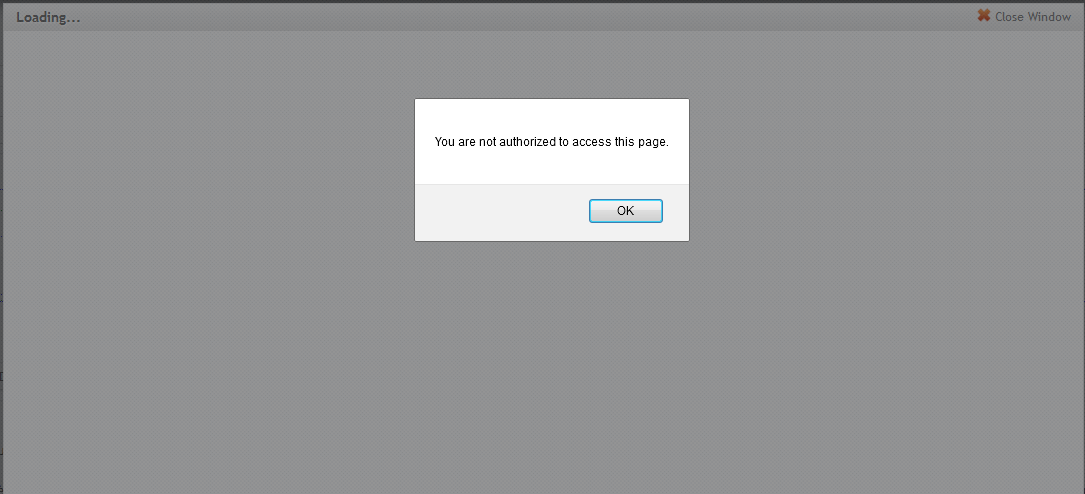
When anyone browses to a page that is using the default (i.e. not saved with a custom layout or panels) and clicks on the IPE (Customize this page or Change layout) buttons it brings up a pop-up saying:
"You are not authorized to access this page."
Clicking ok makes the IPE menu go away... but if you hit refresh, it comes back. There are no permissions pop-ups or issues on pages where the default has been overridden and the layout has been customized.
Comment #65
miklos.vekony commentedI had the same issue as it is described above, but it turned out that my case was a bit special.
The panels_node_update_7302() and the panels_mini_update_7301() hooks are failed to update the database because of a special case.
The updates are expecting the query results ordered by pd.did but in our case the firs result had the max pd.did value.
To fix this I added the
ORDER BY pd.didto the query and after a successful update it solved my problem.(If you already updated, then you have manage to run the updates manually again)
Also I think because these updates are supposed to be multi-pass updates they are missing the
&$sandboxargument.Comment #66
damienmckennaYes, the updates need the $sandbox argument, otherwise the function would only ever run once. Whoops. Could you please open a new issue and upload this patch there so we can push it for the next release? Also, there would need to be two additional update scripts to re-run the previous scripts. Thanks.
Comment #67
lwalley commentedLooks like a new ticket was created for the issue with the update hooks: #2798739: Database update fails in a special case
Comment #68
couloir007 commentedAm I missing something? I downloaded the latest dev, applied the patch in #65, but I still get "You are not authorized to access this page." I have checked the roles and permissions, and I should be able to edit the panel. So then I patched features to import my panels back into the DB with https://www.drupal.org/node/663136#comment-11621501, and then reran updates with 'drush sqlq "UPDATE system SET schema_version = 7300 WHERE name = 'panels'" && drush -y updb'. I really need to be able to modify my panels without user 1 and I'm running out of ideas.
Thank you,
Sean
Comment #69
markabur commented@couloir007 this one worked for me: #2787637: Page manager gives access denied when managing newly added variants to tasks other than 'page'
Comment #70
couloir007 commented@markabur, that did it. Thank you.
Comment #72
Kuàilè de xīn commentedI still keep getting this pop up, after the 7.x-3.9 version update of the panels module. Can somebody help me the way out? #65 dint work for me.
Comment #73
sloyer807 commentedI too am getting this issue now.