

 The 2026 Drupal Business Survey is open. Your response will help shape the future of the Drupal business ecosystem.
This effect provides the distorting of the proportions and shape of the image in visual perception.
We have developed a module that demonstrate the Perspective effect https://www.drupal.org/sandbox/lebster/2758393. We also provide a patch for ImageCache Actions module for Drupal 7.
| Comment | File | Size | Author |
|---|---|---|---|
| #15 | image_effects-add-perspective-effect-2762627-15.patch | 32.86 KB | ugolek |
| #15 | interdiff-2762627-13-15.txt | 852 bytes | ugolek |
| #13 | test-sample_canvas_im.png | 46.04 KB | ugolek |
| #13 | test-sample_canvas_im.jpg | 8.37 KB | ugolek |
| #13 | test-sample_canvas_im.gif | 19.09 KB | ugolek |








Comments
Comment #2
ugolek commentedComment #3
mondraketagging
Comment #4
ugolek commentedWe have finished the patch. The initial issue was started for D7 at this page https://www.drupal.org/node/2760121
Comment #5
mondrakeVery very nice.
Some comments:
'integer' instead of 'float'? Same for 'opposite_distortion'. In the effect form the step is 1 so there won't be decimals.
This is a memory killer :(
My suggestion would be at least to get the new resource via the 'create_new' toolkit op (see below copied from SetCanvas), instead of using
imagecreatetruecolor():This would have the benefit of (a) get proper transparency support for GIF, and (b) memory availability check once #2583041: GD toolkit & operations should catch \Throwable to fail gracefully in case of errors will be committed. Same for other instances of calling that
imagecreatetruecolor()- maybe not all need to go through 'create_new', though.aren't you testing with GD instead with Imagemagick here?
Comment #6
ugolek commentedHi mondrake,
We have considered issues:
1) aspect_coefficient now set as a percentage
2) we create the option of adding a background image, similar as "set canvas" effect
3) rewrite code for gd in accordance with the methods of image_effects module
4) fixed the bugs in tests
Comment #7
fietserwinI am not sure about this effect adding a background image. effects should be simple and do 1 thing. Rotate also doesn't allow for a background image. So I would propose to only allow for a backgrond color (like rotate) but including a transparency factor (thus an RGBA value, not only an RGB value). So the background can be set to fully transparent. Another effect in the image style can then add a background image.
Note: even simpler and better would be to always use fully transparent to allow for a succeeding canvas effect to add a background color or image. This would also be better for rotate but as that is in core it cannot depend on an effect in contrib.
Comment #8
mondrakeThanks!
All floats should be integer.
Please make sure that if we return early because of any failure, we are not left over with orphaned resources that will take up memory. Unfortunately PHP is not helping much here, we need to do the tidying up ourselves - we enter in the operation with one resource and we should leave with one resource, otherwise they will not be cleaned up. See in core, the Convert, Crop andResize operations. Examples:
If it fails here, we should restore the $original_resource at this point and destroy $increasing_resource
Same here, restore the original resource and destroy any temp one before returning
same here.
I'll do a round of manual testing later.
Comment #9
mondrake#7: in fact @lebster added option for background color, not image. It's just incorrectly stated in #6.
EDIT - and in fact the background color is just an option, background will be transparent by default.
Comment #10
mondrakeTested manually with an image style with the following effects:
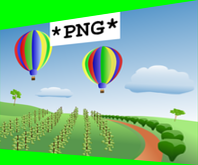
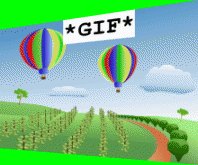
See results on different toolkit/image type:
GD
PNG
JPG
GIF
ImageMagick
PNG
JPG
GIF
Looking at results, it seems that asymmetrical perspective is reversed in GD vs ImageMagick. Also, background color in ImageMagick GIF derivative is not present (?).
EDIT - also, dimensions differ in GD vs Imagemagick - is this a sign of the test failing to capture that?
Comment #11
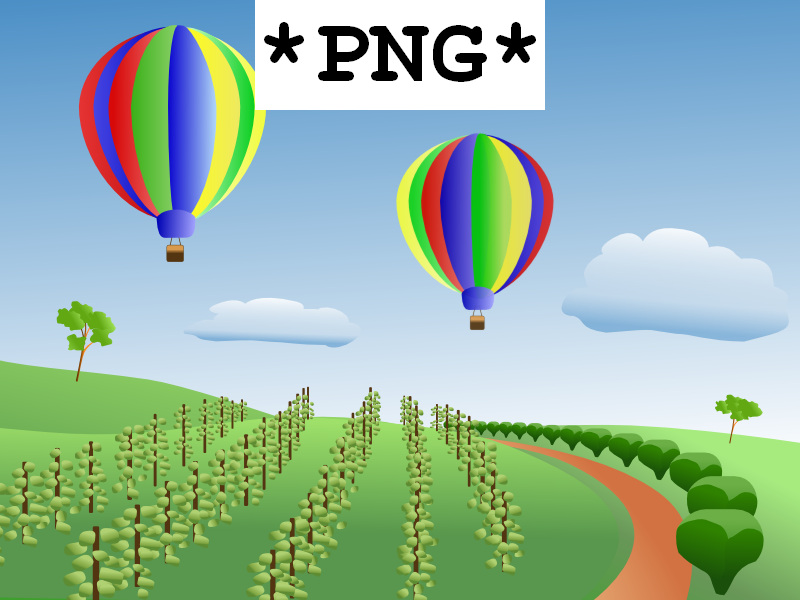
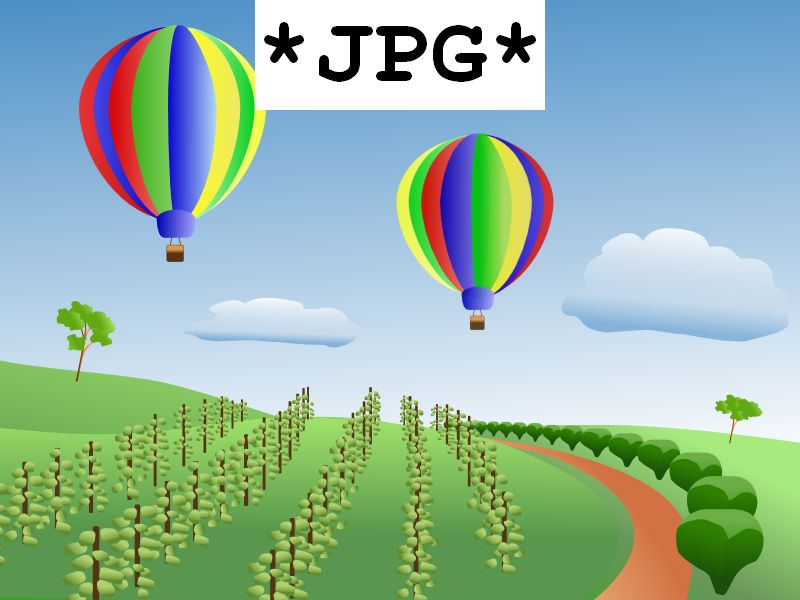
mondrakeFor reference and testing, I am attaching the three different image files used as source.
Comment #12
fietserwinAdded related issue in imagecache_actions queue.
Comment #13
ugolek commentedWe used the images from a comment https://www.drupal.org/node/2762627#comment-11431001
Apply the follow effects:
Scale 220×220, Perspective transform - asymmetrical, Vanishing point position: left, Top distortion: 18%, Bottom distortion: 10%, Aspect coefficient: 90%, Color: #00ff00Results for GD:



Results for ImageMagic:



From the comments to the previous patch:
There was an error in the naming of the variables for the GD for the left perspective, we reversed the variables and now should be ok.
For ImageMagic for resizing images after applying the effect, we used the follow code that we grad from "set canvas" effect:
But the image does not change the size and we try to use "resize" effect, this approach is used in the ImageMagick module for the standard "rotate" effect:
$this->getToolkit()->apply('resize', ['width' => $arguments['derivative_width'], 'height' => $arguments['derivative_height']]);From now the result images are the same size.
We also changed the method of adding the background for the images. Before we used "canvas_color" that was an element of 'image_effects_color', the allows you to specify the color and opacity for the background (this item is used to set canvas effect). Now we just specify a background color in hex format, or leave blank for a transparent background (this item is used to rotate the effect). Reason to change the element - ambiguous behavior for different types of images and various toolkits.
Apply the follow effects:
Scale 220×220, Set canvas - Relative size: left: 20px right: 20px top: 20px bottom: 20px - Color: #00FF00 opacity: 20%Results for GD:


Results for ImageMagic:


Comment #15
ugolek commentedFixed validation errors.
Comment #16
mondrakeGetting close, thanks.
I think we can still use the 'image_effects_color' form element here instead - this is just about selecting the color, not about its processing in the image toolkit operations.
This is the real problem I think, and a bug in the 'Set canvas' effect. I will open an issue for this. When we have that solved I think we can apply the same concept here.
Comment #17
mondrakeCreated issue #2772619: Set canvas: inconsistent behaviour with different image types/toolkits when background color is partially transparent.
Comment #18
mondrakeBy mistake, I removed reference to the similar issue in ImageCache Actions module, #2760121: Add a "Perspective" effect. Adding back.
Comment #19
fietserwinIn the D7 issue queue we are still discussing details of the effect, what parameters are really necessary, better help texts, etc. Let's wait for the final result over there and then port the resulting effect to here.
Comment #20
mondrakeIt's a pity that this issue got stalled.
I think most of the concern is based on defining a background color for the outer part of the transformed image.
Can we revert the part that introduces the background color, leave that always transparent as suggested by @fietserwin in #7, and leave the background color setting to the Set Canvas effect and its issue #2772619: Set canvas: inconsistent behaviour with different image types/toolkits when background color is partially transparent?
Most probably #15 needs a reroll anyway.
Comment #21
fietserwinIt is not only the background, in D7 it is also the resize part. In other words it is coming down to what should constitute an effect and what should be done by chaining effects. IMO an effect should be as atomic as possible, thus this effect should not contain the resize nor the background.
Comment #22
mondrakeAh OK then, let's fix in Imagecache Actions first. Thanks.
Comment #23
ipwa commentedIt's a real shame this issue got postponed. If this module doesn't like the way this is done, then I'd be happy to download an additional module. I suggest promoting the Image Effects: Perspective to an official module.
Comment #24
fietserwinCoincidence or not, but today I finally got an answer from @lebster about the imagecache_actions version of this effect and I plan to commit that in the coming days. After that adding it over here - with the same feature set - shouldn't be to difficult anymore.
Comment #25
ipwa commented@fietserwin good to know, thanks guys for all the hard work on this.
Comment #26
mondrakeClosing any stale issue with latest comment over 5 years old.