

Closed (fixed)
Project:
Drupal core
Version:
8.0.x-dev
Component:
system.module
Priority:
Major
Category:
Task
Assigned:
Unassigned
Issue tags:
Reporter:
Created:
15 Dec 2014 at 15:34 UTC
Updated:
2 May 2016 at 20:38 UTC
Jump to comment: Most recent, Most recent file


Comments
Comment #1
catchPlease try again after raising xdebug.max_nesting_level to 500 or so.
And/or please try with xdebug disabled altogether.
Depending on the results, this might be not a bug, a major bug, or stay critical.
Comment #2
wim leersYou have xdebug enabled and are doing a
var_dump()orprint_r(). Disable xdebug or reconfigure xdebug to either allow deeper nesting, or to not override the output of those functions.Comment #3
rpayanmThank you! Fixed!
The errors were on a clean install, I raising xdebug.max_nesting_level to 500 and problems solved!
Comment #4
elijah lynnFor those who want more specific instructions, https://www.drupal.org/node/2158467#comment-9473799
Comment #5
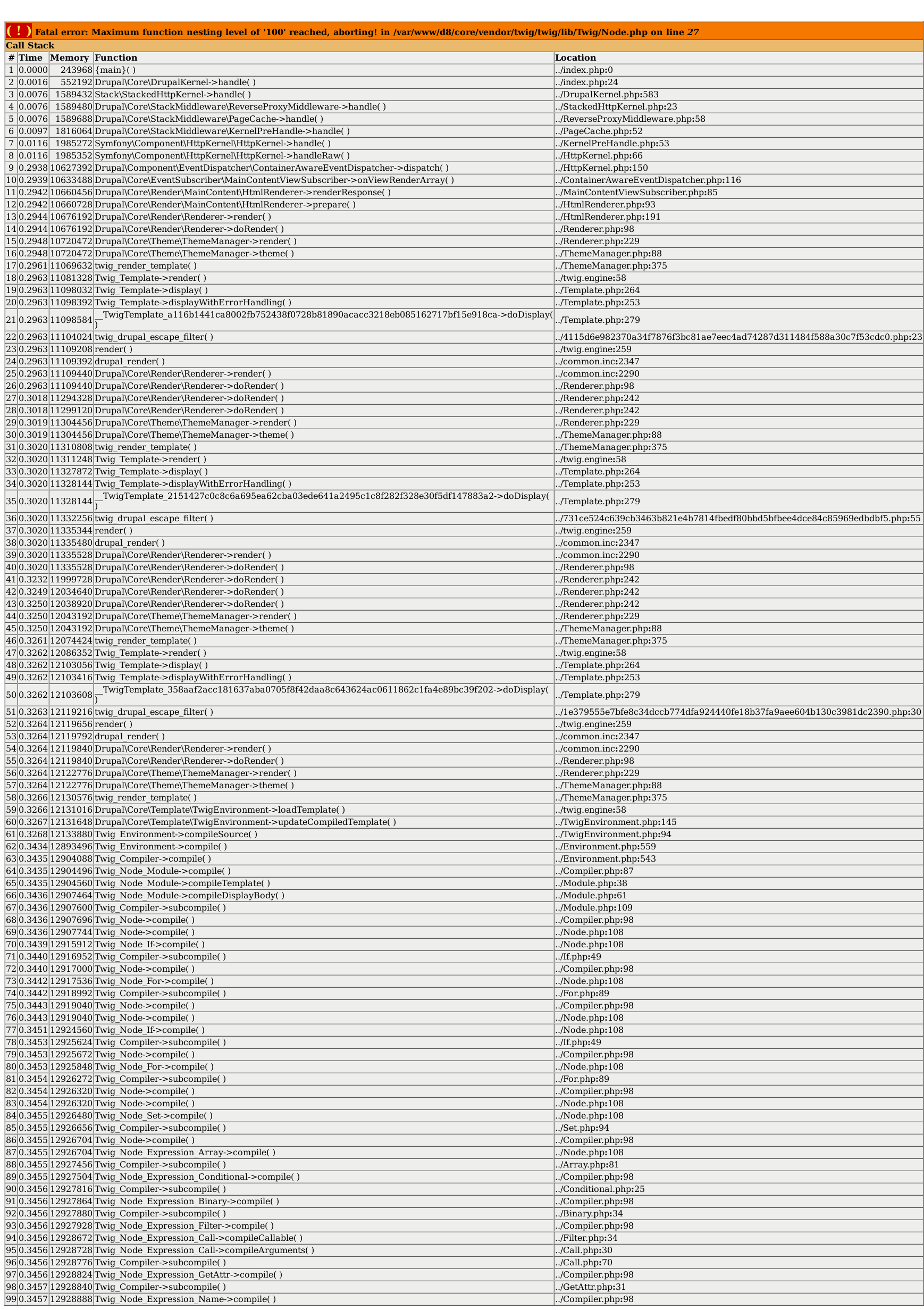
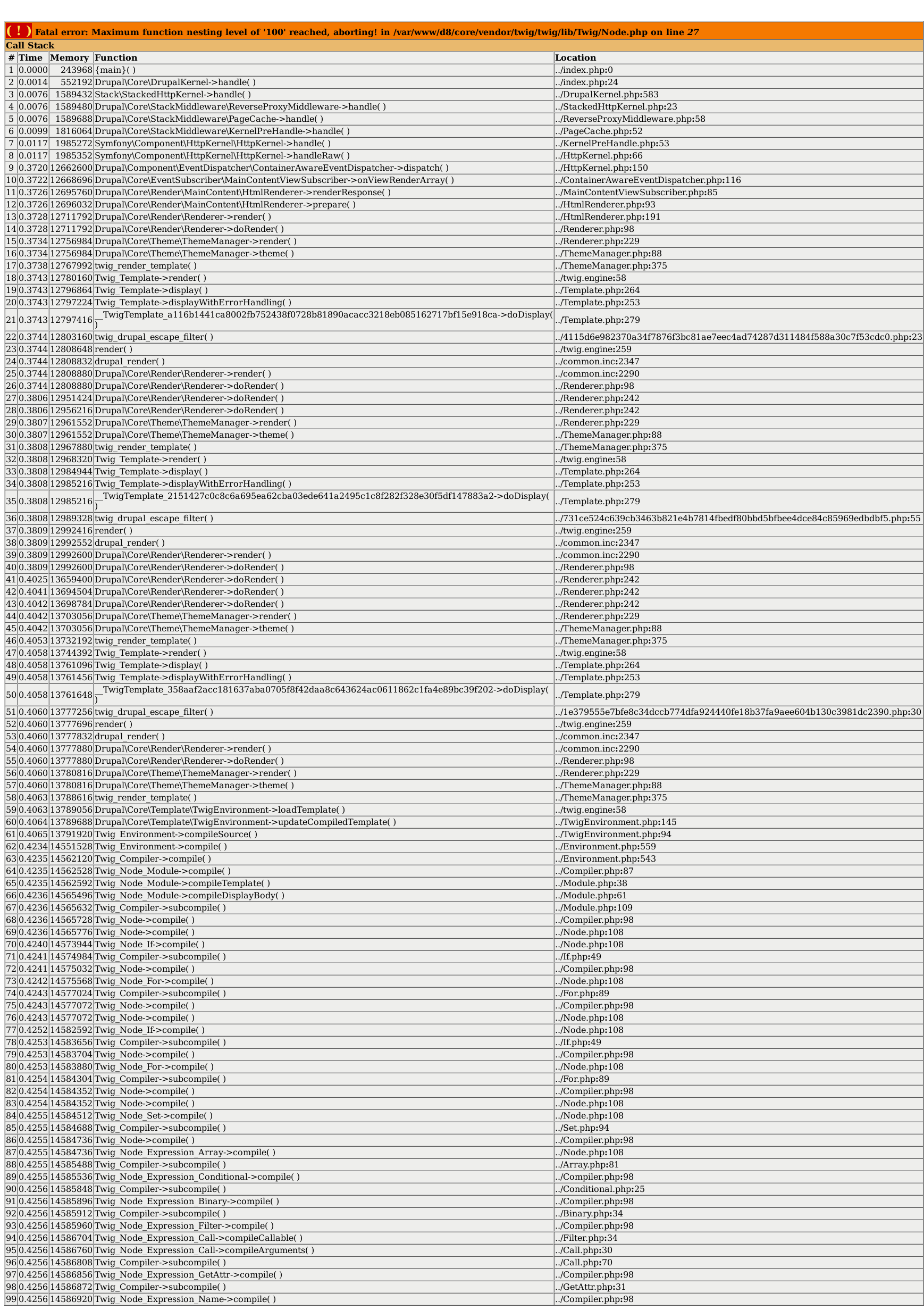
David_Rothstein commentedJust to be clear, this happens during regular site operation (no need to have a var_dump or print_r). Simply enable xdebug with the default nesting value (100) and visit node/add/article on a fresh installation of Drupal 8 using the standard install profile and you'll run into this.
Comment #6
dawehnerNote: xdebug 2.3 got released, which changed the default value to 256, see http://xdebug.org/index.php
Comment #7
alexpottLooking at this I think we need to at least do something. How about adding something to the system report page to help users if xdebug is enabled.
Comment #8
dawehnerI like the idea. Given that this page should be quite small, it should be able to access that page.
Comment #9
simonrjones commentedAfter discussing this with alexpott I've created a patch to report on this on the system report page.
I think this is important since many first time users are likely to hit this issue, xdebug is enabled by default on MAMP for example, but doesn't yet use 2.3 which has a decent limit of 256. It's best to guide users on how to resolve this rather than let them google it. This fix will also report on where that ini file is. Admittedly that doesn't work for MAMP which you need to edit the php.ini in a different way (I can add a note on this if it's felt to be important).
This is the first time I've contributed a patch, so I tried to follow the instructions on drupal.org, please do let me know if I've got anything wrong :)
For example, when I ran:
git diff 8.0.0-beta7 > patchfile.txt
It included things I haven't changed such as the composer.lock file.
So I created the patch based on
git diff 46ff3d51c58cd78e31c708cb1290446094fb0bdc > patchfile.txt
That was the last commit before my commit. I hope this is correct.
It also wasn't totally clear how to name the patch from the instructions on point 11 at https://www.drupal.org/node/707484 - however, the dreditor plugin was very helpful and I used its suggestion!
Comment #10
simonrjones commentedchanging status to needs review
Comment #11
dawehnerYou had luck, your patch worked, but usually you should checkout 8.0.x and compare the code against that.
Feel free to use http://php.net/manual/en/function.extension-loaded.php instead, seems to be a bit more specific of what is going on.
Nice idea to show the correct php.ini. Note: We don't use camel case for local variables, see https://www.drupal.org/coding-standards
Note: In order to allow Potx to scan the available strings we can't use variables as part of a t() string. As a result you could hardcode the $description into the two different t() calls.
The text is a bit misleading, its not required to have a limit of 256, its just higher than 100.
Comment #12
simonrjones commentedmany thanks for the feedback, will amend and will repost a patch.
The suggested limit of 256 is simply because that is the new default in Xdebug 2.3. From this thread (and my initial testing) its not apparent what the ideal value really is, but anything above 200 seems to work just fine and seems a more sensible, practical suggestion. I could note this value is the recommended setting.
Thanks for the coding standard tips. I'll assign this to me while working on it
Comment #13
simonrjones commentedUploaded new patch with suggested fixes.
As suggested patch created with:
git diff 8.0.x > maximum_function-2393531-13.patch
Comment #14
mrjmd commentedFunctionally this works perfectly. I like it. I've made a couple of minor fixes to the comments to keep them in line with Drupal coding standards:
This line is over 80 characters long, and doesn't end with a full stop.
This comment needs to end in a full stop.
New patch attached.
Comment #15
simonrjones commentedthanks for the feedback mrjmd, very helpful for someone new to contributing to Drupal. Will make sure I use Codesniffer in future!
Comment #16
mrjmd commentedComment #17
alexpottCould set this to php_ini_loaded_file() instead of false (btw the Drupal coding standard is FALSE) and remove the
ifcompletely.!== FALSEIf the placeholder is
%ini_locationthen you don't need the<em>tag around@iniLocationShould use the %value since this will wrap it with an
<em>. Also this is a sentence so should end with a fullstop.Comment #18
David_Rothstein commented"Xdebug Settings" => "Xdebug settings"
Also, should this really be a REQUIREMENT_ERROR, rather than just a REQUIREMENT_WARNING? I'm not sure we want to prevent people from, say, installing Drupal just because of this (especially because I strongly suspect that you don't need to go all the way up to 256 for most sites to work in practice).
It's not a sentence currently (would be if the word "is" gets added).
A better way might be to just make the title "Xdebug maximum nesting level" rather than "Xdebug settings", and then just use the actual number for the 'value', no words necessary....
Might be useful to expand a bit on what "issues with Drupal" means. Basically we are saying that certain pages on the site might crash/whitescreen if the max_nesting_level setting is too low.
Comment #19
mrjmd commentedUpdated patch with all the fixes from #17, and most of #18.
A few things may remain:
1. REQUIREMENT_ERROR or REQUIREMENT_WARNING, I agree with @David_Rothstein that a warning is sufficient, let's see what others think.
2. Regarding this:
A better way might be to just make the title "Xdebug maximum nesting level" rather than "Xdebug settings", and then just use the actual number for the 'value', no words necessary....I tried it the way suggested here, but it does not really look good or stay consistent with other such errors (screenshots attached). So I've added the "is" and full stop to make it a proper sentence.
3. I've expanded the "will cause issues with Drupal" part, but I'm still not sure if this is the best wording. Thoughts?
Screenshot with proposed fix from #18:
Screenshot of the warning the way this patch does it:
Comment #21
mrjmd commentedOops, errant string in there (interdiff above is correct).
Comment #22
David_Rothstein commentedLooks better to me now, although still needs "Xdebug Settings" => "Xdebug settings" and "false" => "FALSE".
I am curious what others think about REQUIREMENT_ERROR vs. REQUIREMENT_WARNING also.
Just noticed this; I'm not sure the @see is correct there according to documentation standards (I think it might be reserved for PHPDoc at the top of a function only). Could change it to "See", or maybe just remove? (Not sure there's a whole lot of useful information in this issue that isn't contained in the patch/code itself.)
Comment #23
alexpottThe REQUIREMENT_ERROR vs REQUIREMENT_WARNING is tricky. If it is set to the default 100 then with standard installed certain pages are be broken. Given that this requirement only exists when xdebug is on I think I prefer REQUIREMENT_ERROR.
Comment #24
mrjmd commentedOkay, I think this resolves the remaining issues. I got rid of the reference in the comment back to this issue, and updated the comment itself to reflect the changes made in the last patch.
Comment #25
jcnventuraWhat about adding the following line to Drupal's default .htaccess:
php_value xdebug.max_nesting_level 256
It also fixes the problem for 99.9% of the users that have xdebug enabled, and it's harmless to the 99.9% that don't.
Comment #26
chx commentedThis happened to me today as well.
Comment #27
pranavpathak commentedI also faced the same issue.
Below is the solution.
xdebug.max_nesting_level = 1000After this please restart your apache server.
Note I faced this problem while working in Drupal 8.
It solved my problem, hope this will helps.
Comment #28
akalata commentedPatch works for a warning on install. Can we also add a warning on admin/reports/status?
I've updated the docs at https://www.drupal.org/requirements/php to hopefully help others find this workaround.
Comment #29
akalata commentedComment #30
jcnventuraakalata. I don't understand. The patch does add a warning in admin/reports/status as wel..
Comment #31
jcnventuraUpgrading the patch a little bit with the following enhancements:
1. Solving the problem to the 99% by configuring the max nesting level in .htaccess
2. Making it easier for translators in the future by removing the text duplication and by moving the '256' value to a variable that can easily be modified without invalidating the translation.
Comment #32
jcnventuraI'd like to also bump this to major as this severely breaks Drupal the moment that someone installs Xdebug.
Comment #33
jcnventuraInstructions to reviewers (running Apache, if you run nginx, you'll need to modify the xdebug.ini file instead of the .htaccess):
1. Apply the patch. Make sure your D8 site works.
2. Enable Xdebug (see http://wylbur.us/2014-06-17-add-xdebug-to-ubuntu-1404 if you're running Ubuntu)
3. Modify the .htaccess file and comment the xdebug.max_nesting_level line. Your D8 site may now be broken.
4. Uncomment the line and set the value to something usable, but less than 256, I suggest 200. Verify that your D8 site works, and that an error message appears correctly in admin/reports/status
5. Finally, set the value again to 256. Verify that the error message disappears.
Comment #34
akalata commentedSteps to review 1-3 may vary, depending on which version of xdebug you're running. I recommend using node/add/page as the indicator of whether the "D8 site works" or not. After modifying the .htaccess in Drupal's root (not other .htaccess files that Drupal adds), be sure to clear caches.
Overall, I think this works well - changes the value automatically, intermediate values (200-ish) result in an error message in admin/reports/status, and setting to the default 100 triggers the error we're looking to fix.
My only question is whether it's acceptable to automatically override xdebug.max_nesting_level in .htaccess? This would be a question for a core maintainer.
Comment #35
jcnventuraComment #36
alexpott@akalata i think you're right - I'm not convinced it is. I think it's great to have the warning but setting the value means that people can't set it to be higher.
Comment #37
akalata commented@alexpott they can set the variable in the .htaccess configuration; then again, thinking about other warnings (PHP memory_limit for image toolkits, for example) don't change values, but recommend that values be changed. Perhaps we should go with that standard approach?
@jcnventura, I like your idea of coding for the 99%, but I don't know how many "regular" users would have xdebug enabled?
Comment #38
jcnventura@alexpott honestly, if people do need more than 256 levels of recursion, they're simply doing something really wrong.. The fact that Drupal 8 breaks with the default value (100), is already a sign that we need to take a look if this huge call stack is justified.
Anyway, it seems the consensus is that changing .htaccess should not be done, so I'm re-rolling the patch without that change.
Comment #39
jcnventuraComment #40
alexpott@jcnventura the xdebug author has recently raised the default to 256.
Comment #41
star-szrSome minor standards, docs, and UI text points below, otherwise I would have RTBC'd.
This could probably use some more words, it's pretty terse. "Report on where the correct ini file is to the user." would be more friendly :)
Minor: This should be FALSE per https://www.drupal.org/coding-standards#naming.
I don't want to get caught up on this but isn't it possible that this will just give the path to "php.ini" if it doesn't find a specific file for Xdebug?
$ini_location = php_ini_loaded_file();In which case wording along the lines of "Your Xdebug configuration can be modified in @iniLocation" might make more sense?Comment #42
jcnventuraThanks @Cottser for the detailed review.
Comment #43
eiriksmPatch works great and as expected. I would RTBC, but just 2 extremely minor things (that might actually be just my taste, please chime in):
@lvl => @level? These texts are translated by a lot of translators, I feel it is polite to make it as easy to read and type as possible,
Should we not use the same casing of variables inside translatable strings as php variables casing? Like use @ini_location also there?
Other thoughs?
Comment #44
akalata commentedI agree with #43.
Comment #45
star-szrYeah, I wasn't sure about those either, and if it's not just me then let's change 'em.
Comment #46
rpayanmPlease review.
Comment #47
eiriksmNice!
Comment #51
star-szrI call BS, Drupal\page_cache\Tests\PageCacheTest.
Comment #52
xiantaott commentedSee friends solution still didn't solve the problem, so I will go to the directory below the module views folder deleted, directly to the page can display properly。
Comment #53
xjmLet's add an inline comment above this explaining why we picked 256 (explained earlier on the issue), with a link to a reference if available. (See #6 and #13.)
How about:
Minor, but we're calling the same
ini_get()twice. Store it to a variable?This hunk isn't actually reporting anything to the user. Maybe:
I had to parse this code in my head to understand it. Maybe add an inline comment above this line:
We're burying the lead here as to what a max_nesting_level is, and there are some unneeded words in this that make it harder to read. ("To fix this it is recommended to..." in particular.) Also "crash" is a bit dramatic. Maybe as little as:
Or something; maybe someone else can come up with a better wording that is more concise. :)
FWIW @alexpott's reason for making this a
REQUIREMENT_ERRORmakes sense to me, so +1.I also updated the summary as "Fix it" is not really informative. :)
Comment #54
jcnventuraWith xjm's suggestions..
Comment #55
eiriksmSince I already RTBCd this, I think it still looks good. :)
Good points from xjm and I see the new patch takes them all into account.
Comment #56
amateescu commentedLooks like a stray underscore got into the setting name: 'xdebug_.max_nesting_level' :)
Comment #57
star-szrIndeed, great catch @amateescu :)
Comment #58
alexpottThis doesn't really match the existing php.ini related requirements. For example:
and
I guess it could be viewed as helpful to add the ini location but I also think it might be quite fragile. For example, I use http://php-osx.liip.ch/ to manage multiple PHP versions. It has the following ini file structure...
It is possible that I (or they) could have overridden
xdebug.max_nesting_levelin/usr/local/php5/php.d/99-liip-developer.iniand then adding the value to/usr/local/php5/php.d/50-extension-xdebug.iniwould make no difference. Personally I'm not sure that the complexity is worth it.Comment #59
alexpottxdebug.max_nesting_level=@levelshould be wrapped withComment #60
jcnventuraOK. Removing the ini file guess, and adding
<code>tags as per file_requirements().I've also changed to short array syntax, which is why the interdiff has a few more changes.
Comment #61
jcnventuraComment #62
disasm commentedI've tested and reviewed this patch. I've confirmed when set to 256 installation works and when lower, requirements alert below shows up:
I'm marking this RTBC. The only thing this won't resolve though is if Drupal is already installed when xdebug is configured. Then it throws the same error, but I think this is sufficient to warn on install.
Comment #63
jcnventuraWhy, oh why does everyone think this only works on install? See my reply in #30:
Thanks for the RTBC...
Comment #64
alexpottCommitted 1199955 and pushed to 8.0.x. Thanks!
Comment #67
jeetendrasingh commentedAdd these lines in php.ini under path \wamp\bin\apache\apache2.4.9\bin and restart the Wamp
[xdebug]
xdebug.remote_enable = Off
xdebug.profiler_enable = off
xdebug.profiler_enable_trigger = Off
xdebug.profiler_output_name = cachegrind.out.%t.%p
xdebug.profiler_output_dir = "C:/wamp/tmp"
xdebug.show_local_vars=0
xdebug.max_nesting_level=256
Comment #68
Stefan Peeters commentedThanks,
Worked for me
Comment #69
xanoIf you are still experiencing this error with a maximum nesting level of 100, you are running a version of Xdebug that is over a year old and that should be upgraded to a newer version.