I'm not totally sure where this issue should be filed, but I come across it with several different media upload scenarios.
The screenshots show it best, but there are widgets that work fine when editing a node or when editing a Fieldable Panels Pane on it's own page, but when editing with the standard Panels editor or IPE, they are broken. Generally rather than a button to add more files, there is just a text area or some other field with a button and it breaks the file upload.
Examples include
- Media Browser
- Media Multiselect sandbox project
- Filefield Sources Plupload
Counter examples are
- the standard Image and File upload
Setup
- Panels 7.x-3.4
- CTools 7.x-1.4 or 1.4+9dev
- Fieldable Panel Panes 7.x-1.5+18-dev
- Media 7.x-2.0-alpha+98dev and +108dev (Aug 19, 2014) both unpatched and patched to restore the edit button #2192981: Restore media field widget edit button
- Media Multiselect Sandbox project with the patch to update it to the latest version of Media - #2216273: Latest media changes break the multiselect
- Filefield Sources 7.x-1.9 + Plupload 7.x-1.6 + Filefield Sources Plupload 7.x-1.1
But neither the standard Media Browser widget nor the Media Multiselect work when I'm editing a Fieldable Panel Pane or a Panel in a CTools modal. I can open the Fieldable Panel Pane in it's own page and edit it just fine.
However, if I use the Panels IPE or the standard Panels editor, instead of the "Browse" button, I get a text field and an "Attach" button.
Media Browser in a Fieldable Panels Pane edited on it's own page

Media Browser in a Fieldable Panels Pane edited via Panels IPE
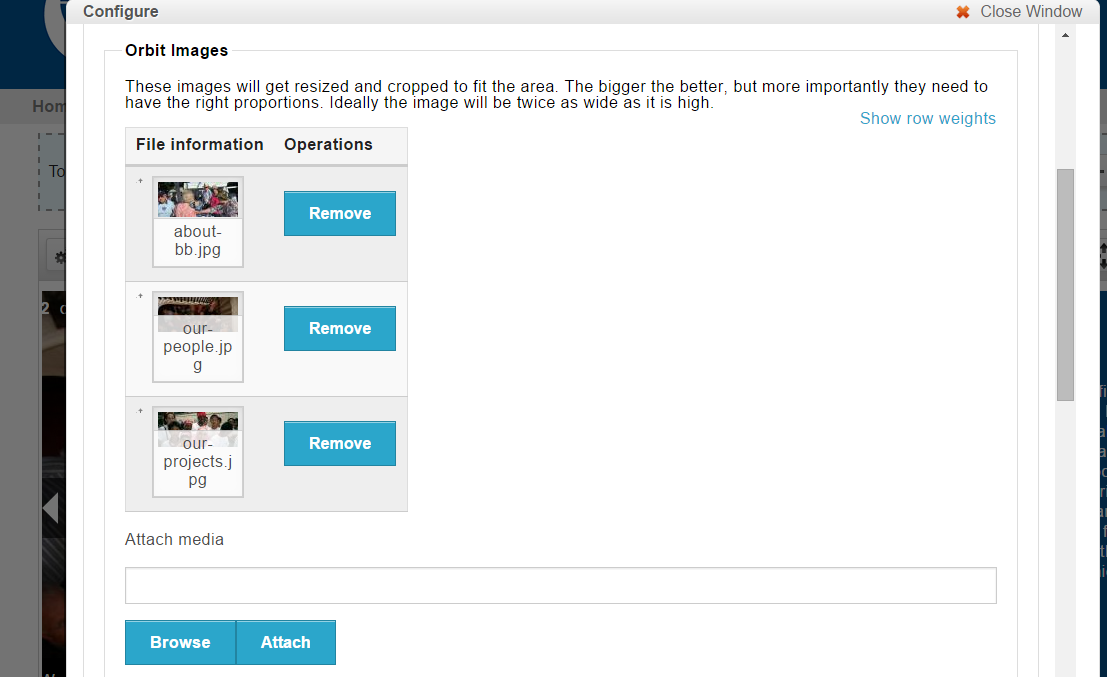
Media Browser in a Fieldable Panels Pane edited via Panels Standard Editor

Filefield Sources in a Fieldable Panels Pane edited on it's own edit page
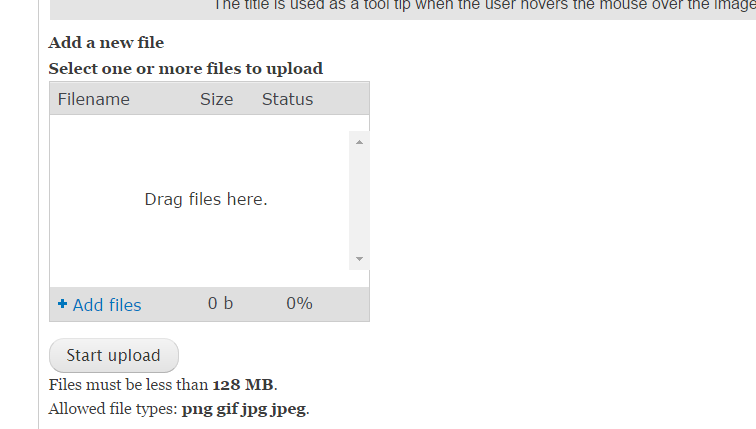
Filefield Sources in a Fieldable Panels Pane edited via IPE
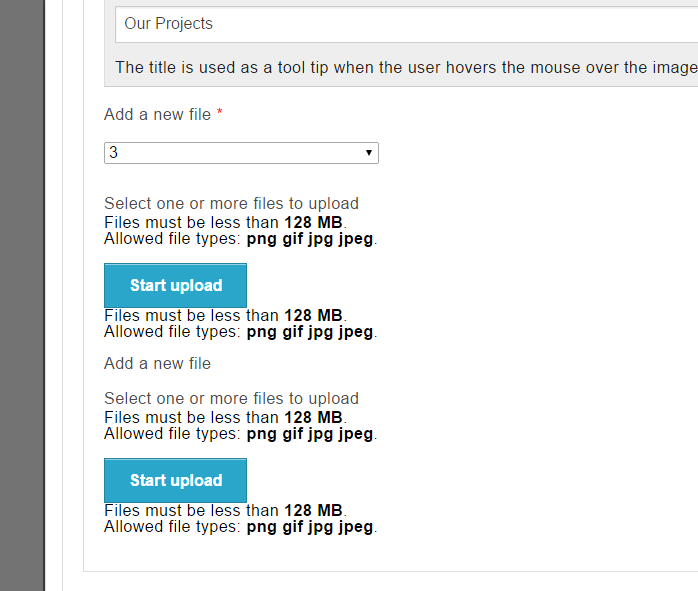


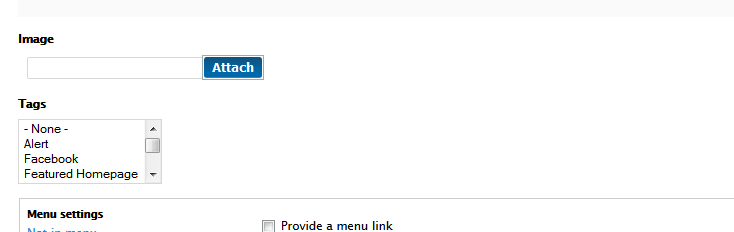






Comments
Comment #1
ergophobe commentedComment #2
ladew222 commentedI am experiencing a similar issue except I do not have Fieldable Panel Panes installed. I am using media brower plus as well. Also, and I am not sure if it is the same issue, but the issue is arising when attempting to add media to a panelized page. The first image or document has the browse button, but after the upload via media the non-functional attach appears for subsequent items. After I save, the browse button reappears. Seems the issues must be linked
Comment #3
ergophobe commentedMaybe. I originally thought this was a Media Browser issue, but I was experiencing it with other input widgets and I would expect that Fieldable Panel Panes would not be the only place you would see it.
I think it's more of a "modal in a modal" problem that could crop up whereever you have that.
Feel free to move this issue to a more appropriate issue queue if you think it makes more sense elsewhere. It's been here for four months and there hasn't exactly been a storm of commenters seeing the same issue, so it's probably some complex set of interactions.
Comment #4
seycom commentedI have same problem.
Comment #5
ergophobe commented@ladew222 and @seycom - what is your setup?
Are you using Media? Are you using Plupload? Are you using Fieldable Panel Panes? Filefield Sources?
When exactly does this happen? What exactly are you doing when it happens (like how I mention that if I'm on the FPP edit page it's fine, but if I'm accessing it through Panels or IPE it's not).
Almost by definition if you are seeing this you have a complex setup (Panels at least). If there's any chance of narrowing it down we need to know which modules are common between us and which circumstances.
Comment #6
ladew222 commentedSorry, I will provide more detail. I do have a somewhat complex setup involving panels 7.x-3.4 and other modules. I am using Media 7.x-2.0, Plupuload 7.x 1.6. I am not using Fieldable Panel Panes or Filefield sources. We are using Media through CKEditor and a Image field. The issue arises in the image field when I remove an item. I am returned to a screen with the attach button. It can be resolved by a save which then returns me to a browse... It also appears when I add more than 1 item to the field. After I add one image, I am returned to a browse button. Again, saving allows me to return to regular functionality. I will attach a full list of my modules if you think that might help
Comment #7
ergophobe commentedI wonder if this should be an issue in Media instead of Panels
Comment #8
ladew222 commentedI was thinking the same thing as well, although I havent dug into too deep I am also using media browser +, but I do not think that is related, but....
Comment #9
ladew222 commentedThrere is some disscussion of a similar issue here:https://www.drupal.org/node/951004 . A similar behavior arises in commenter 102 related to multiple image upload and media.
Comment #10
ladew222 commentedThere is more here:https://www.drupal.org/node/2192981
Comment #11
ergophobe commentedOn those two issues
1. #2192981: Restore media field widget edit button
I've been using that patch for a while. It may be that a patch to that patch is needed. I added this one as a related issue.
2. #951004: Allow selecting of multiple media items for a multi value media field in the same dialog
I am using that patch, but I have seen this problem with and without.
I have not yet tested with the latest releases of Media 2.0 dev, Panels 3.5 and Ctools 1.6, though I am running the RC1 for CTools and fairly recent versions of Panels and Media.
Before I move this, I need to find some time to start with a clean install and enable modules one-by-one to see when the issue first appears.
Comment #12
ergophobe commentedI just updated to the latest distro releases of Panels and CTools and dev releases of Fieldable Panel Panes, File Entity, and Panelizer.
This now works!
I'm going to close the issue. If you're still having the issue, I can give you exact versions of all components, but I updated a ton of stuff so I'm not sure which update did it. I wasn't expecting this issue to be fixed but I'll take it!
Comment #13
Themosthigh1 commentedI had the same issue as stated above. Everytime I added an image from the media widget I received an error. There was an
internal error about the file being larger than the 20MB server limit. I fixed it by adding the "node form buttons" found under
"Add content / form /Node form submit buttons. After adding the submit buttons which have to be there for form submission
anyway.. it works! I haven't been able to duplicate the error since. No need for any special configuration or additional modules.
Comment #14
coreteamvn commented#13 solved the image upload problem in panels for me (adding the Node form submit buttons)