

 Come together with the global Drupal community in Rotterdam, 28 Sept – 1 Oct 2026. Sessions, contribution, connection, and Early Bird savings until 8 June.
I am trying to import my blogs from WordPress using this module but doing the second option which is:
"WordPress exported (WXR) file to import into Drupal" upload function.
The title and body pulled over perfectly, but the categories, tags, and comments did not import. We have multiple WordPress blogs which we want to no longer use (we're going to use Drupal blog type) and for one of our blogs we have 145 published with multiple categories and tags associated with each post that we need to convert/import into Drupal.
HELP Please!!
| Comment | File | Size | Author |
|---|---|---|---|
| #23 | 00000058.png | 68.75 KB | vacholino |
| #7 | import_results.jpg | 331.14 KB | essenceofginger |
| #7 | migrate_overview.jpg | 252.18 KB | essenceofginger |
| #7 | brightpearlblogcategory_destination.jpg | 282.62 KB | essenceofginger |
| #7 | brightpearlblogcategory_source.jpg | 282.2 KB | essenceofginger |



Comments
Comment #1
addisj commentedI am experiencing the same issue, except that the comments imported fine.
Comment #2
ptillman commentedI'm also having the same issue reported here, but comments are being imported fine. I'm using WP 3.2.1 and the latest Drupal release 7.9. I do have some custom content types setup in WP, but I've chose to only export posts in the WXR file. Categories and Tags are visible in the export file, but they don't get imported. This is a clean install of D7 with just a few modules enabled.
Could this be related to the way the categories/tags are being matched with a parent category/tag that may not yet exist at the time of import? I haven't traced the code fully, but I have noticed some references to parent categories, but I do not see any parent/child mappings in the WP export file. If you can point me in the right direction I may be able to resolve this issue and submit a patch.
Comment #3
mikeryanI can't reproduce this in my environment, tags/categories/comments import fine. Do you have term reference fields on your page and blog entry types, for the vocabularies you've mapped on the configuration page?
Comment #4
mikeryanAlso, please try the latest 7.x-2.x-dev release. I did fix one issue where category hierarchy wasn't coming through (e.g., the Jazz category, a subcategory of Music, was coming through at the top level - it's now properly parented).
Comment #5
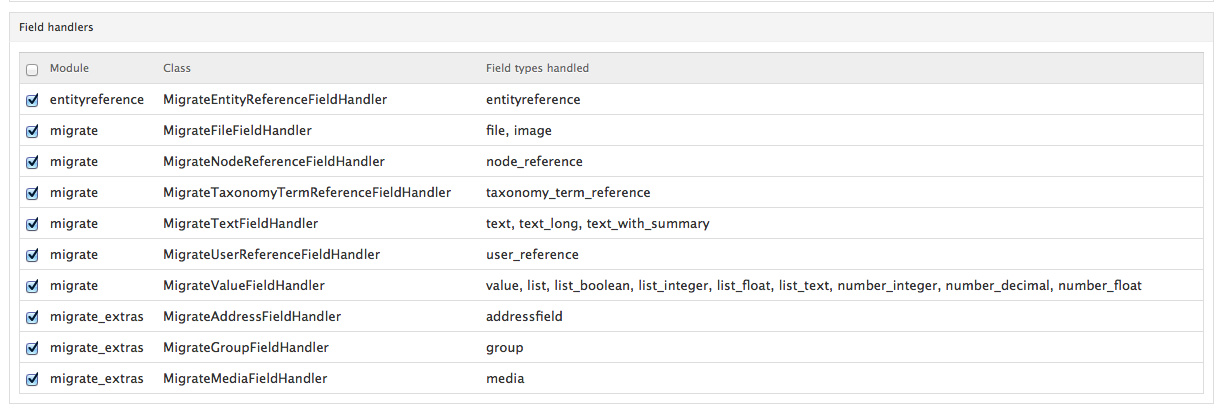
nuezive used the latest dev versions of migrate and wordpress_migrate and experiencing the same issue.
my drupal node type has a term field (autocomplete) called field_tag, the wordpress file has for example
Comment #6
mikeryanFor people seeing this problem, are the categories and tags themselves failing to migrate (i.e., not showing up in the vocabularies you assigned on the Configuration page), or are they getting created but just not assigned to the nodes?
Thanks.
Comment #7
essenceofginger commentedHey Mike,
I'm seeing it. Using latest versions of Migrate, Migrate Extras, Wordpress Migrate.
XML file definitely includes tags and categories, I've uploaded the sample I'm using (one blog post in the file, with five comments) here.
Results: attached.
[edited: didn't realise how wide the images were when included inline!]
Comment #8
nuezsame here, the log says:
Processed 0 (0 created, 0 updated, 0 failed, 0 ignored) in 0.1 sec (0/min) - done with 'ElPartoEsNuestroCategory'
thanks!
Comment #9
mikeryanAh, the categories and tags aren't defined in your export file. Something like this is in the files I've worked with, before the first <item> tag:
Did you choose to exclude categories and tags when you exported?
Comment #10
essenceofginger commentedAha. Gotcha. I chose to export only Posts - that were Published (as opposed to 'All content' on /wp-admin/export.php). Looking at the XML file that produces, those terms are now included.
However, I'm not sure I want to export all content... I only want published posts! ;) Or does Wordpress Migrate respect WP's published status? I don't particularly want Menu Items either...
Looks like it's a WP bug rather than this module; the 'export posts only' option should include the terms.
One other point - I don't understand how to use the Drush command... and if I try to import the XML file produced by the 'all content' export function in WP without it, Wordpress Migrate crashes out halfway through...
Comment #11
mikeryanwordpress_migrate does set the Drupal status appropriately based on the WP value.
Actually, it should be a simple matter to enabling "lazy-creation" of tags and categories - i.e., have any that are referenced by the content get created if they're not already there. I'll look into that.
As for the drush command, I've made a lot of changes regarding arguments to the migrations, I don't doubt I've broken that. A matter for a separate issue...
Comment #12
vacholino commentedI am having the same problem. This worked in the past but stopped working for some reason. I don't know if it's related to any module upgrades or not. Also, the wordpress migrate panel does not load when I have "migrate extras" enabled. I just get a blank page.
The import runs sucessfully and imports all blog posts and tags, but it does not map it. I can find the tags but they are not mapped to the posts.
Is this because I have migrate extras disabled?
Any suggestions on how I can get this working? Thanks!
Comment #13
mikeryan@vacholino: Please read all comments above. Are your categories and tags defined at the top of the export file? If not, per comment 11, we need to implement "lazy-creation" of categories and tags, and that is not yet done (it turns out to be a bit trickier than expected).
Comment #14
mikeryanSorry, I didn't notice at first that you said the tags are actually being created, but just not added to your posts. You have verified that on the Wordpress configuration page that you are assigning the tags and categories to vocabularies that are attached to the destination node types?
Thanks.
Comment #15
dmb2168 commentedI'm having the same problem here. All my tags are being created and imported, and my content type has been assigned the vocabularies that my wordpress tags are being dumped into, but none of them are mapping.
Also, my wordpress categories are being imported, but only mapping some of the time. Only about 75% of posts get mapped to their corresponding category, and none of them are being mapped to tags.
Does it have anything to with the fact that in the WXR the tags are wrapped in CDATA[[]] brackets?
thanks
Comment #16
mikeryanThanks @vacholino for the sample, it's fixed now...
Comment #17
dmb2168 commentedI've just downloaded the update version of the module and for me my tags are not being mapped to any posts still..
Comment #18
dmb2168 commentedSorry to keep spamming everyone but I really am hoping to get this issue with tagging sorted out! Here is a sample post from my WXR file:
Comment #19
mikeryanThe problem was that WXR version 1.0 used a domain of "tag", rather than 1.1's "post_tag", to identify tags within articles. Committed a fix.
Leaving open - I still want to implement lazy-creation of terms when the tags and categories aren't defined up top.
Comment #20
hekele commentedI was having the same problem :-) But I have just downloaded the latest dev version without any effect.
I changed this line in the file wordpress_source.inc
from:
else if ($domain == 'post_tag') {
to:
else if ($domain == 'post_tag' || $domain == 'tag') {
Mike, thanks a million for your work on all the incredible migration modules :-)
Comment #21
vacholino commenteddid that fix it?
Comment #22
vacholino commentedYes, check this out: http://content.screencast.com/users/vachik/folders/Jing/media/de66e77e-5...
They are getting imported, just not mapped. Any idea? Really want to get this working. Thanks!!
Comment #23
vacholino commentedCheck this screen dump. Can it be that I am missing modules that migrate and migrate wordpress uses to port over the tags?
This is my migrate config page: http://screencast.com/t/qC2gWoQUuHr
Comment #24
mikeryan@vacholino: The extract from your dump I'm working from imports fine using the current wordpress_migrate code - the tags and categories are assigned to the blog entries. Looking at your configuration screen, the one thing I would ask is if you're positive you have taxonomy term fields for your Tags and Category vocabularies on the Article content type?
Comment #25
vacholino commented@Mikeryan: After uninstalling all the related modules and re-installing... I am no longer having that issue.
Thanks for the support!
Comment #26
mikeryanGlad you got it going!
Comment #27
nuezI hate to be the one reopening this issue, but it seems that its still not fixed. Tried to import part of a blog, everything importing fine, with latest dev versions of all modules, except for the categories and tags.
I´ve created the fields and the taxonomy terms, tried it on a clean D7 install.
Thanks!
Log:
This is part of the file.
Comment #28
mikeryanThe key would appear to be here:
First off, it's pretty funky that there are two copies of the wxr_version element, that might be messing things up. Secondly, this is the first I've seen of wxr_version 1.2, I'll open a separate issue for handling that.
Thanks.
Comment #30
narcissus921 commentedI also hate to reopen this issue, but I've been attempting an import, with limited success.
I've got the posts and comments to carry over correctly, but no term data is being imported in. I'm using WXR version 1.1, and can provide a sample of the import.
I've got the vocabularies created, with no terms in there, and the proper vocabularies pathed correctly in the import, Tags to my Tag vocabulary, Categories to my Category vocabulary.
Do I need to create the terms in the vocabularies prior to the import?
Thanks for the help!