

"Webform Promotion Code" will expose a new field type called "Promotion code". This "Promotion code" will be rendered as a text field for your users. The user will use this field to insert a "Promotion code". When the user submits the form, the information inserted on this field will be validated against a code list registered by Drupal admin when the Webform was configured (see the screenshots below for more details).
You can use "Webform Promotion Code" in order to add passwords to your Webforms.
Only users that has one valid code will be able to submit the form. You can use this module when you want to create a Webform for anonymous users but you want to control who is able to submit it.
Step 1 Add a new element to the Webform

Step 2 Configure a list of valid codes
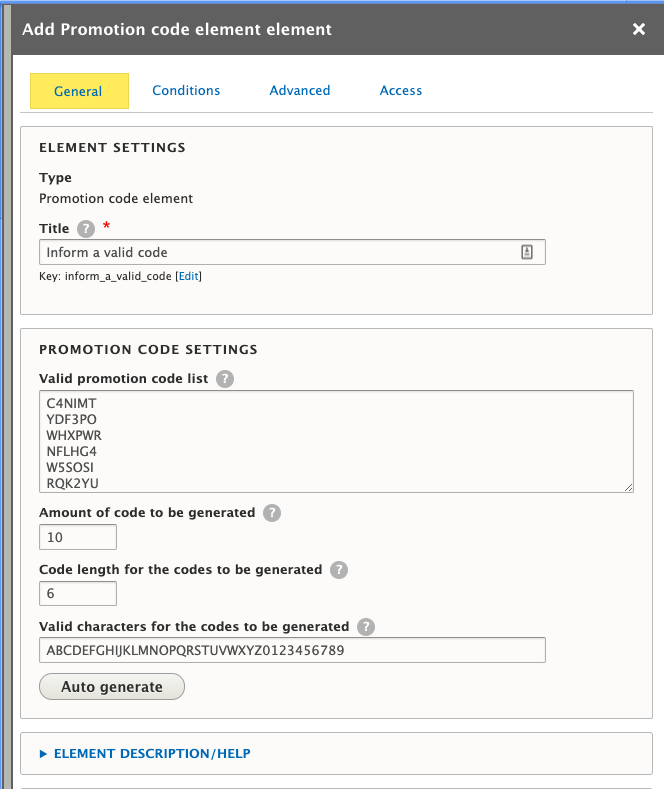
Step 3 A text field will be added to your form. The user must provide a valid code from the registered list.
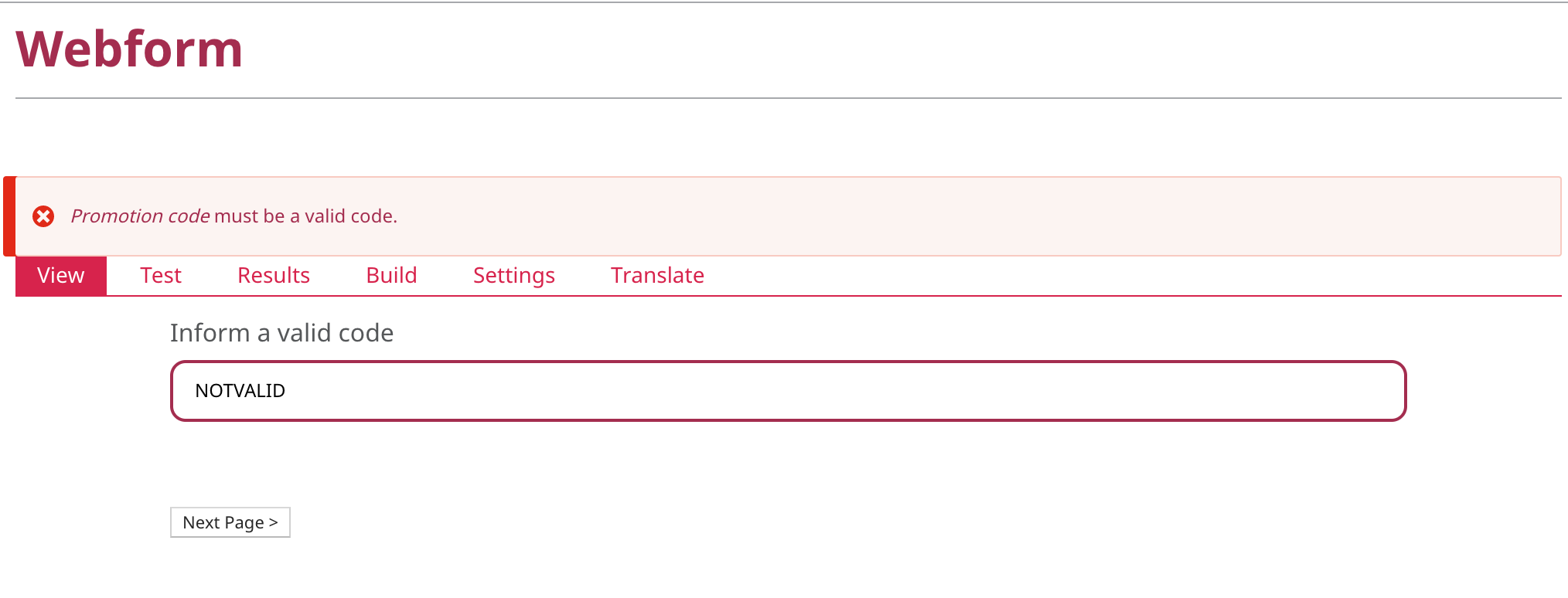
IMPORTANT NOTICE:
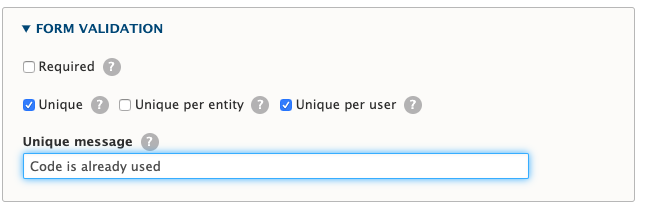
If you want avoid users to use the same code again, please make sure that you are using the "Unique" configuration provided by Webform as shown below:
Project information
 Minimally maintained
Maintainers monitor issues, but fast responses are not guaranteed.- Maintenance fixes only
Considered feature-complete by its maintainers. - Project categories: Developer tools, E-commerce, Site structure
 169 sites report using this module
- Created by bertonha on , updated
 Stable releases for this project are covered by the security advisory policy.
Look for the shield icon below.
Releases
released 16 May 2024
Development version: 8.x-1.x-dev updated 18 Dec 2025 at 11:30 UTC


