

Closed (cannot reproduce)
Project:
Webform
Version:
8.x-5.x-dev
Component:
Code
Priority:
Normal
Category:
Bug report
Assigned:
Unassigned
Issue tags:
Reporter:
Created:
22 Nov 2018 at 05:54 UTC
Updated:
16 Apr 2019 at 21:31 UTC
Jump to comment: Most recent, Most recent file



Comments
Comment #2
pasan.gamage commentedComment #3
pasan.gamage commentedI have tested with https://www.drupal.org/project/webform/issues/2886173#comment-12130462 setting as well.
But no luck with getting the empty option field to display.
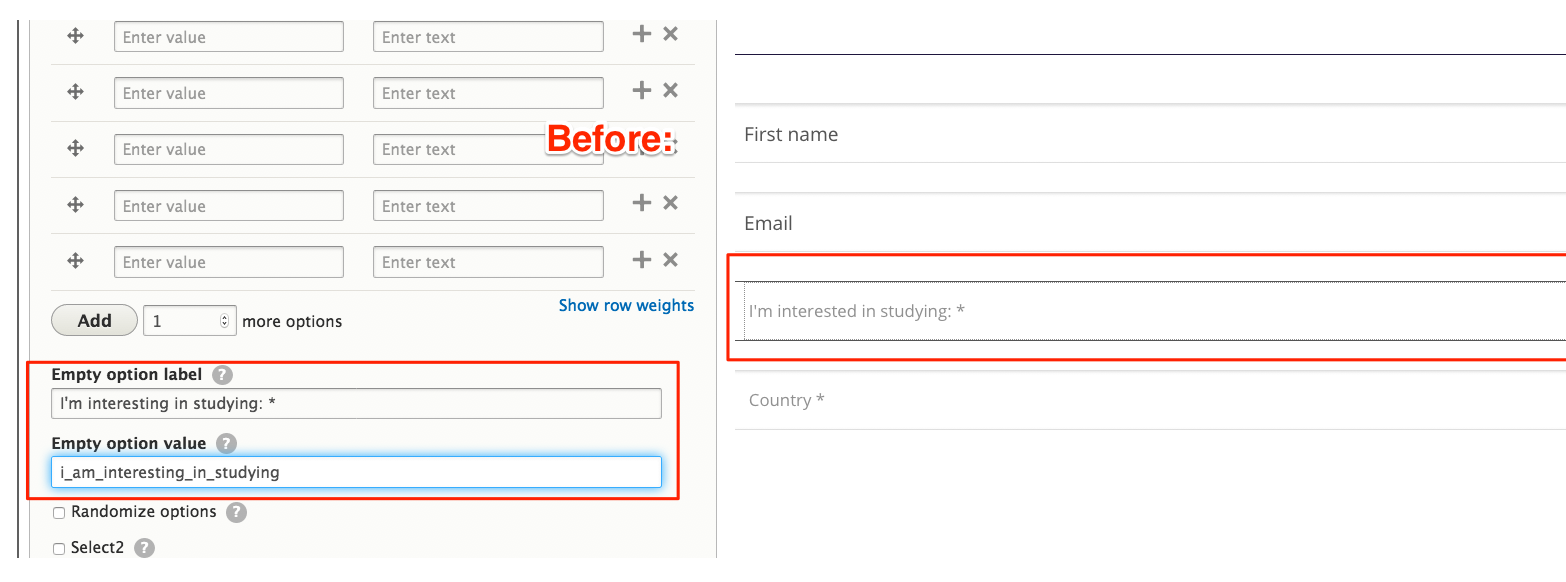
I have also attached screenshot of how it used to behave.
Thanks.
Comment #4
jrockowitz commentedI am not able to replicate this issue using the attached webform and the Bartik theme.
What base theme are you using?
Comment #5
pasan.gamage commentedHi Jacob,
I'm using stable as base theme.
Thanks
Comment #6
pasan.gamage commentedComment #7
jrockowitz commentedI can't reproduce this issue using the Test Stable theme.
Where exactly are you setting this option?
/admin/structure/webform/config/elements?
Are you able to reproduce this issue using https://simplytest.me?
Comment #8
jrockowitz commentedComment #9
jrockowitz commentedSince this issue can't be reproduced using the Bartik or Stable theme. I am willing to bet that this is a custom theme related issues.
Comment #10
bwoods commentedThis exact same thing happened to me. I have two sites with what I thought were identical base webform installs, but one shows the fields while the other does not. I thought the issue might be the webform version, so I upgraded to the latest, and it still does not show. I will investigate more closely but wanted to make a note here so I did not forget the issue in the queue already since it was closed.
Comment #11
bwoods commentedIt appears that this issue is/was related to Drupal core. I could not see these fields when running 8.6.2, but they are there with 8.6.14 (and also 8.6.13).