

 The 2026 Drupal Business Survey is open. Your response will help shape the future of the Drupal business ecosystem.
This project is not covered by Drupal’s security advisory policy.
This module allows you to turn on Drupal page caching but exclude certain paths.
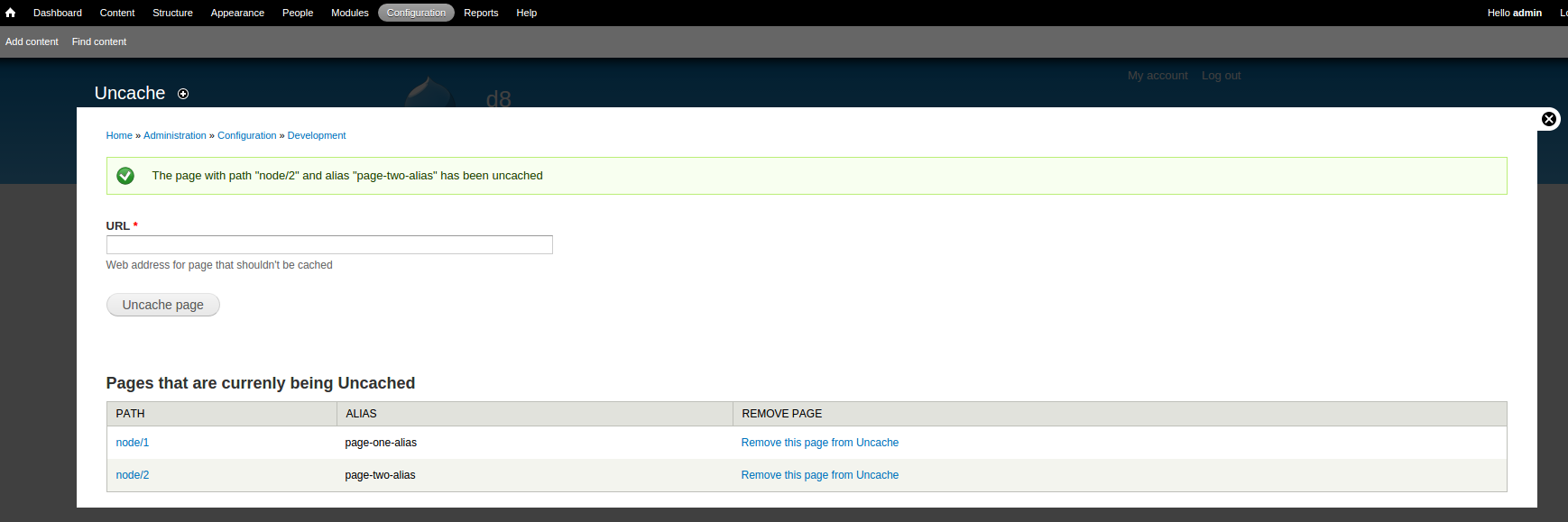
To use, enable the module (drush en uncache) then navigate to "Administration » Configuration » Development » Uncache" in the admin menu. Note that you will need to allow the lifetime of previously cached pages to expire (or clear your cache, drush cc all) based on your current settings in "Administration » Configuration » Development » Performance."
Example Scenario: You have a voting page that needs to be updated in real time for anonymous users, but you want caching to still be available for the other pages of your website. Use Uncache to remove the path for the voting page, while still enjoying higher performance on other pages due to caching.
Uncache is similar to CacheExclude (https://www.drupal.org/project/cacheexclude) except this project:
- Validates if the path or alias actually exists
- Validates if the path/alias has already been removed from cache
- Displays both the path and alias via an intuitive UI that allows you to quickly add or remove paths
Supporting organizations:
Sponsored development effort
Project information
 Minimally maintained
Maintainers monitor issues, but fast responses are not guaranteed.- Project categories: Performance
- Created by jimafisk on , updated
 This project is not covered by the security advisory policy.
Use at your own risk! It may have publicly disclosed vulnerabilities.

