

Needs work
Project:
Toolbar
Version:
1.x-dev
Component:
Code
Priority:
Normal
Category:
Feature request
Assigned:
Unassigned
Issue tags:
Reporter:
Created:
23 Jun 2016 at 14:40 UTC
Updated:
21 Sep 2026 at 11:14 UTC
Jump to comment: Most recent, Most recent file








Comments
Comment #3
xjmComment #4
tkoleary commentedComment #5
tkoleary commentedSince we can't change this css in Stable I also added it to Bartik. Other themes that inherit stable but want this will need to override stable.
Comment #6
tkoleary commentedAdded to seven also.
Comment #7
yoroy commentedLooking good but:
Comment #8
tkoleary commentedWeird. It's targeting those specific items, not a generic class.
Comment #9
tkoleary commented@yoroy
My code's not doing that. That's already the built-in behavior, for some reason.
It's coming from shortcut module, which I didn't touch.
Comment #10
yoroy commentedDoh, you're right, it's by design. Disregard!
Comment #12
aaronchristian commentedLooks good on my end @tkoleary.
Was having an issue applying to drupal 8.4.x-dev.
error: patch failed: core/themes/seven/seven.libraries.yml:25
Rerolled the patched.
Comment #13
krina.addweb commented@AaronChristian, Your patch seems working correctly, I checked it by changing the Administration theme's ( Bartik,Seven & Default theme)
PFA
Comment #14
xjmThanks for the manual testing!
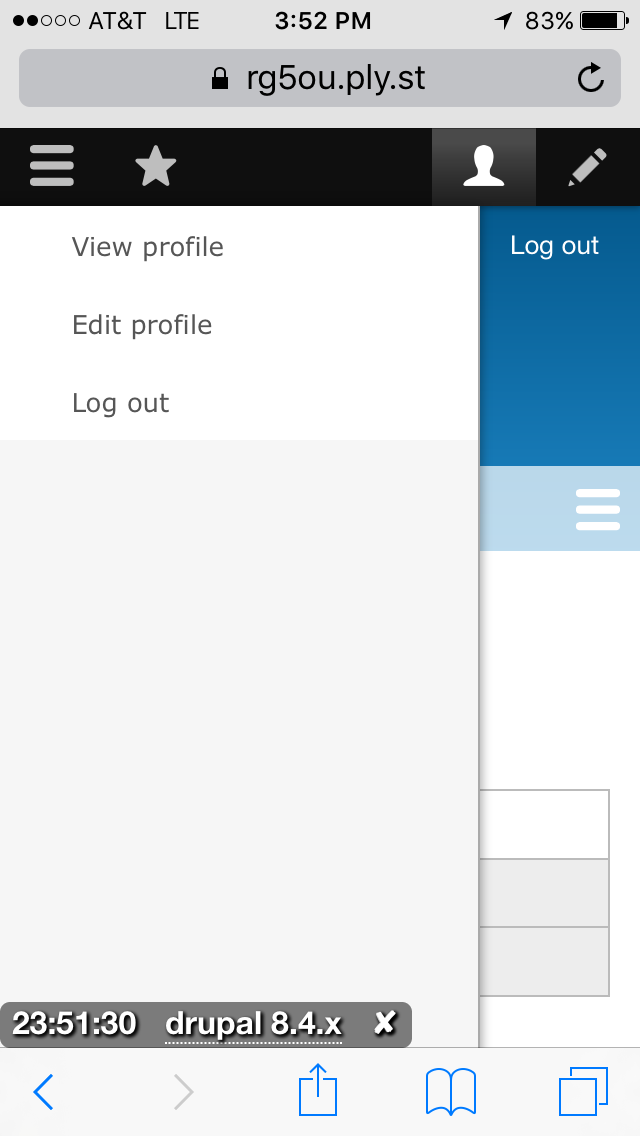
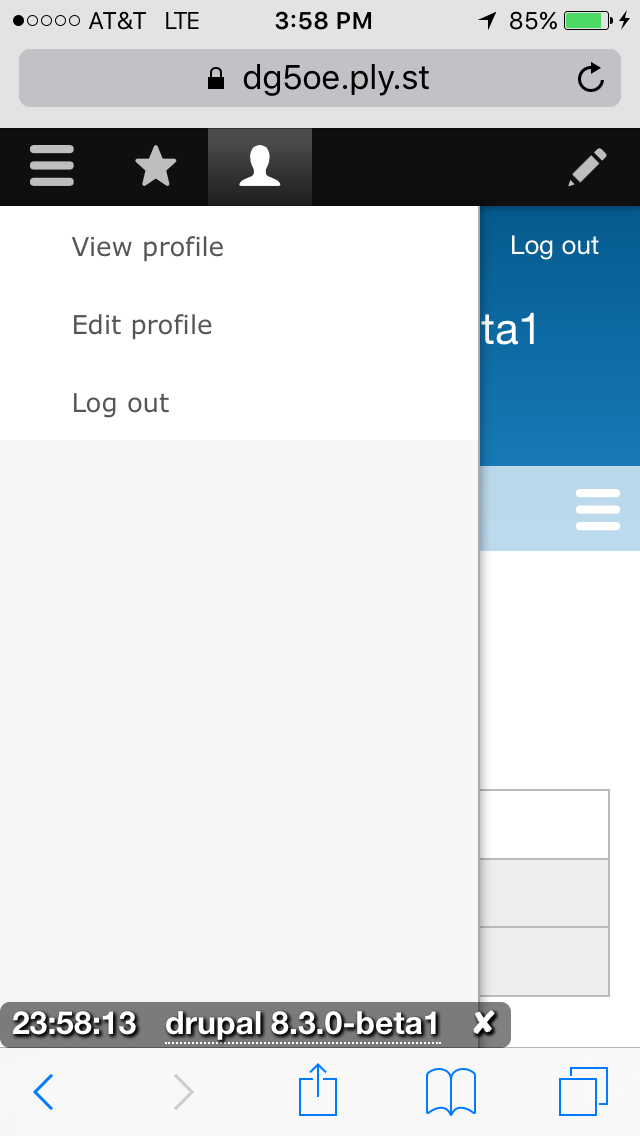
I tested this on mobile. It mostly works as expected. However, there is a small UX regression IMO. The design behavior in HEAD is that when I click on the menu button in the toolbar, this expands and collapses the vertical toolbar which is over the page. In HEAD this is also true of the user button and it looks visually connected to the vertical toolbar it is expanding or collapsing:

However, with the patch, it is visually disconnected, and I did not initially understand that clicking on the user icon was the way to make the menu go away so I could use the page:

This actually also applies to the vertical toolbar mode on a desktop width, with the user link being visually disconnected (and actually very far away from) from the thing it opens and closes. On a desktop you're maybe less likely to want to close the menu, whereas on mobile it's essential.
Setting NR for usability feedback on that part of the change, and to weigh whether the user enhancement of moving the link to the expected place is worth the regression of the disconnect, or whether there is a third solution. Thanks!
Comment #15
yoroy commentedQuick video to show that the disconnect is indeed very big on desktop: https://youtu.be/4V56YSOD_6M
Could we special case the subs for this user account menu and float the vertical toolbar to the right as well?
Comment #16
mahtoankit77 commentedTested and verified in Desktop & Mobile.
Comment #17
mahtoankit77 commentedTested and verified in Desktop & mobile.
Comment #18
yoroy commentedComment #19
tkoleary commented@yoroy
On it's face that looks like a good idea but I'm concerned about how it works with the settings tray.
If you recall, in responsive preview we had a similar scenario and we addressed it with a separate dropdown. I think that might be a better solution here.
Comment #20
yoroy commentedHmm, I don't recall :-)
A separate dropdown would be even better, having those account sub menu items in the toolbar always looked a bit contrived to me. Seems that you agree that we *do* have to do something about the current disconnect between main menu item and its subs, yes?
Comment #21
tkoleary commentedYes. That disconnect is very problematic.
Comment #22
yoroy commentedThen this needs work :)
Comment #23
tkoleary commentedHere is the implementation of a right-side dropdown from the toolbar.
https://www.drupal.org/files/project-images/screenshot-2_5.png
Comment #24
Bojhan commentedCan we continue with comment #20 here?
Comment #33
lendudeThis came up as a daily triage target of the Bug Smash Initiative.
We discussed this and feel like it is more a feature request than a bug, so changing it.
Also, is this something we still think needs fixing? After the discussion about this leading to a disconnect between the link and the subs, this sort of stalled.
Comment #39
quietone commentedThe Toolbar Module was approved for removal in #3476882: [Policy] Move Toolbar module to contrib.
This is Postponed. The status is set according to two policies. The Remove a core extension and move it to a contributed project and the Extensions approved for removal policies.
The deprecation work is in #3484850: [meta] Tasks to deprecate Toolbar module and the removal work in #3488828: [meta] Tasks to remove Toolbar module.
Toolbar will be moved to a contributed project before Drupal 12.0.0 is released.
Comment #40
quietone commentedComment #41
quietone commentedToolbar module has moved to contrib.