


This project is not covered by Drupal’s security advisory policy.
This module allows you to send HTML emails that are properly styled through the email template.
Dependencies
The Simple HTML mail module requires:
Installation
Install the module as you would normally install a contributed Drupal module. After installing the module you need to configure required modules:
Mail system
- Go to "admin/config/system/mailsystem"
- Set "Swift Mailer" as Formatter and Sender.
Swift mailer
- Go to "admin/config/swiftmailer/messages"
- Set HTML as Message format.
Configuration
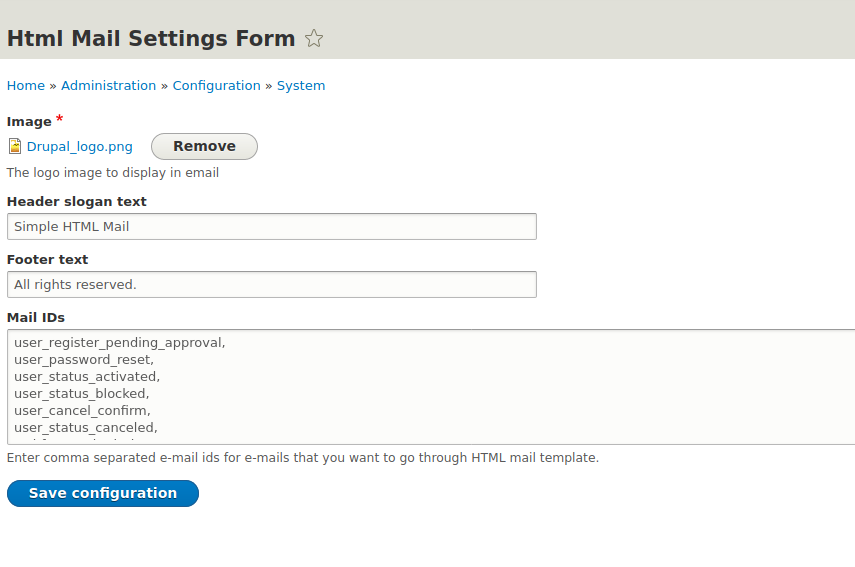
Go to "admin/config/system/html-mail-settings" for the configuration screen. The available configurations are:
- The logo image to display in email
- Header slogan text
- Footer text
- Enter e-mail id for e-mails that you want to go through HTML mail template to alter them.
Supporting organizations:
Project information
 Minimally maintained
Maintainers monitor issues, but fast responses are not guaranteed.- Maintenance fixes only
Considered feature-complete by its maintainers. - Project categories: Integrations
 36 sites report using this module
- Created by darko zaric on , updated
 This project is not covered by the security advisory policy.
Use at your own risk! It may have publicly disclosed vulnerabilities.

