

Closed (fixed)
Project:
Quick Tabs
Version:
6.x-2.x-dev
Component:
User interface
Priority:
Normal
Category:
Feature request
Assigned:
Reporter:
Created:
26 Jun 2008 at 12:21 UTC
Updated:
20 Dec 2014 at 03:33 UTC
Jump to comment: Most recent, Most recent file

Comments
Comment #1
katbailey commentedThis feature is in the pipeline, it will be some time before it's available though
Comment #2
katbailey commentedComment #3
jaydub commentedI looked at this for a moment or two...Seems to me that the
problem is that currently the CSS styles are such that they
target all quicktabs (via the 'quicktabs_tabs' class) so even
if you could setup multiple quicktabs blocks to be configured
with different tab styles and have multiple stylesheets for the
the multiple quicktabs blocks loaded, the last stylesheet
would essentially set the rules for all quicktabs since there
is only a single quicktabs CSS class target.
Have you guys come up with an alternative idea?
Comment #4
jaydub commentedok well i've got this working via wrapping each quicktabs block
with a CSS class name corresponding to the tab style. Then
each tab style CSS file just needs to have the relevant CSS class
name added to all the rules in order for the selectors to work.
http://drupal.qoolio.org/quicktabs-test
Katherine note this is based on the modified quicktabs that
I've been working on in my (minimal) spare time although the
changes for multiple tab styles is something that can be done
outside of the other work I've done.
Comment #5
katbailey commentedHey jaydub,
nice! can you send me a patch file of the diff against your version and then I can implement it fairly easily on the 1.x version... if that makes sense.
thanks,
Katherine
Comment #6
najibx commentedHi,
jaydub, the demo looks great.
Katherine, did you get anywhere with this?
TQ
Comment #7
panji commentedWow, that's look great? but why don't you make it available on admin option? It would be nice!
Comment #8
pasqualleComment #9
pasquallehttp://drupal.org/cvs?commit=157476
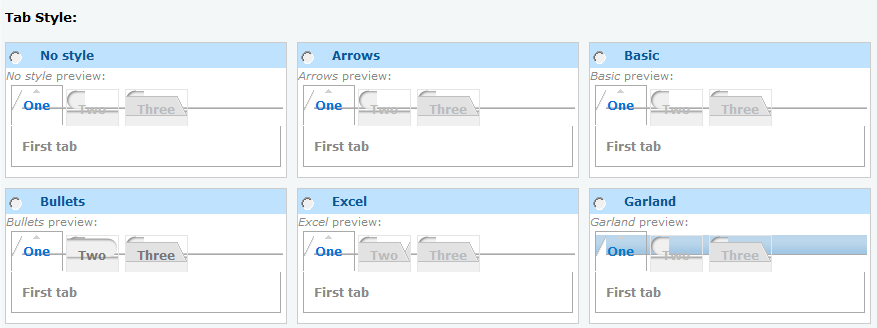
It is now possible to set style per Qtabs.
Zen and Excel style modified to be able to mix these styles within the same page. Other styles to come..
run update.php
Comment #10
pasquallehttp://drupal.org/cvs?commit=157484
fixed
Comment #11
pasquallehttp://drupal.org/cvs?commit=157540
The admin/settings/quicktabs page does not use iframes any more, it uses different styles for the qtabs. So it is now a perfect example for this functionality..
Comment #12
panji commented(just update QT Module) admin/settings/quicktabs multiple QT Style didn't work for me, nor on my frontpage
attached sample
Comment #13
pasquallerefresh the page
Comment #14
panji commentedno,... it's still the same.. I've clear the cache, change to other browser,.. it's still looks the same,..
Comment #15
pasqualleThis is a css issue, I have seen the page like you seeing it, but a simple page refresh was enough for me. It can be your browser, it can be the site theme cache, or you are using old css files.. I don't know about any other possibilities..
Did you tried to clear the theme cache, by visiting admin/build/themes and clicking on 'Save configuration' button, or on admin/settings/performance page clicking on 'clear cache'?
Comment #16
panji commentedI do clear the all the cache.... and I've try the other themes, it's still looks the same for me.. :( anyone with the same problem?
Comment #17
najibx commentedworks fine with me.
maybe try disable and uninstall the old QT module ?
then remove the whole folder locally and in the server.
throw in the new dev?
Comment #18
pasqualleThe issue is without response and this should not be a problem in the latest release. Closing..
Feel free to reopen the issue if the problem still exists.
Comment #19
drupalusering commentedIt works when i set the ajax to NO for both the main parent quicktabs and the sub qt. However if i set Ajax to yes on Parent and NO on children it fails to load the different style and uses no styling/ default
Comment #20
drupalusering commentedthe reason i would like to use Ajax on parent is because there's quite a bit of content in children so i use it to reduce the initial page load
Comment #21
drupalusering commentedneeds work
Comment #22
pasqualle@viktor.denischik: #345175-1: what could be inside ajax quicktabs
Comment #23
netw3rker commented