

 The 2026 Drupal Business Survey is open. Your response will help shape the future of the Drupal business ecosystem.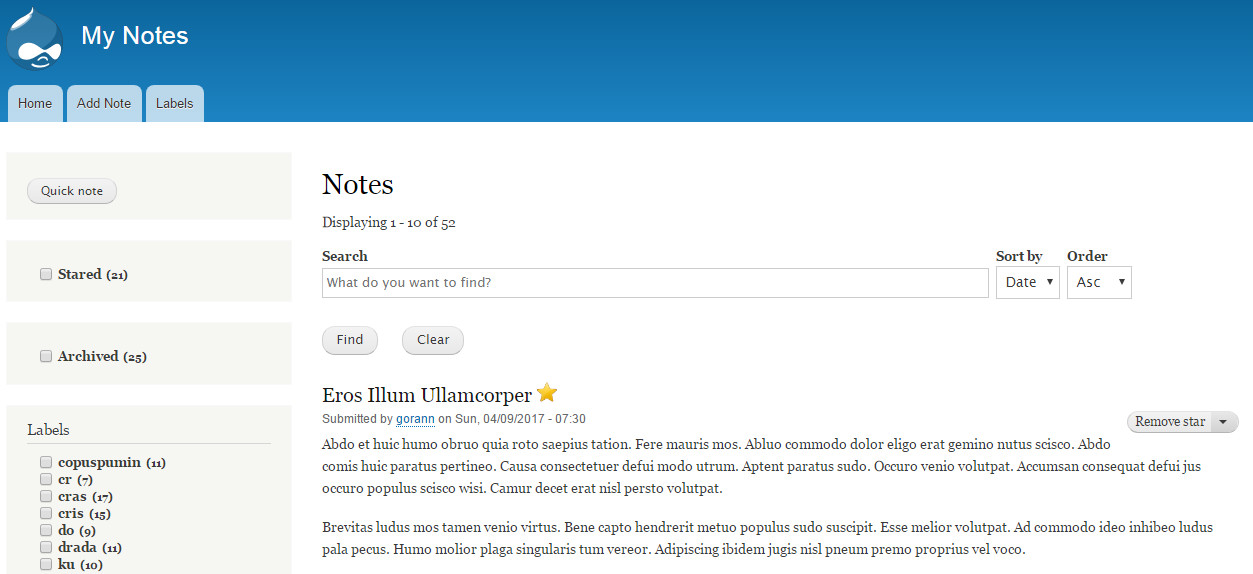
Use this module to create a self-hosted note-taking app. Benefits of using this module instead of some external services like Google Keep or Evernote:
- Keep your private notes to yourself
- Ability to change and extend the app according to your needs
- External services come and go, but with this module, you are in control
When you install this module, you will automatically get 'Note' content type, 'Labels' taxonomy vocabulary, search API all set up, search view, facets, and all blocks placed. You don't have to do anything, just start creating notes.
Requirements
My Notes depend on two other Drupal 8 modules:
Search API: https://www.drupal.org/project/search_api
Facets: https://www.drupal.org/project/facets
Installation
It is recommended that you install the My Notes module on a clean Drupal 8 instance. So, after you have installed Drupal 8, choose one of the following methods to install My Notes:
1. Composer (recommended):
composer require drupal/mynotes
2. Drush:
drush en mynotes -y
3. Manual installation:
If you are an old-fashioned kind of person, or you don't have SSH access to the server or you just hate the command line, you can manually download and install My Notes. Just remember that you also need to download the following modules first: Search API and Facets.
*** My Notes assumes that the default theme is Bartik. If that is not the case, then you will have to add blocks yourself.
Supporting organizations:
sponsored development
Project information
 Minimally maintained
Maintainers monitor issues, but fast responses are not guaranteed.- Maintenance fixes only
Considered feature-complete by its maintainers. - Project categories: Content editing experience
 4 sites report using this module
- Created by gnikolovski on , updated
 Stable releases for this project are covered by the security advisory policy.
There are currently no supported stable releases.

