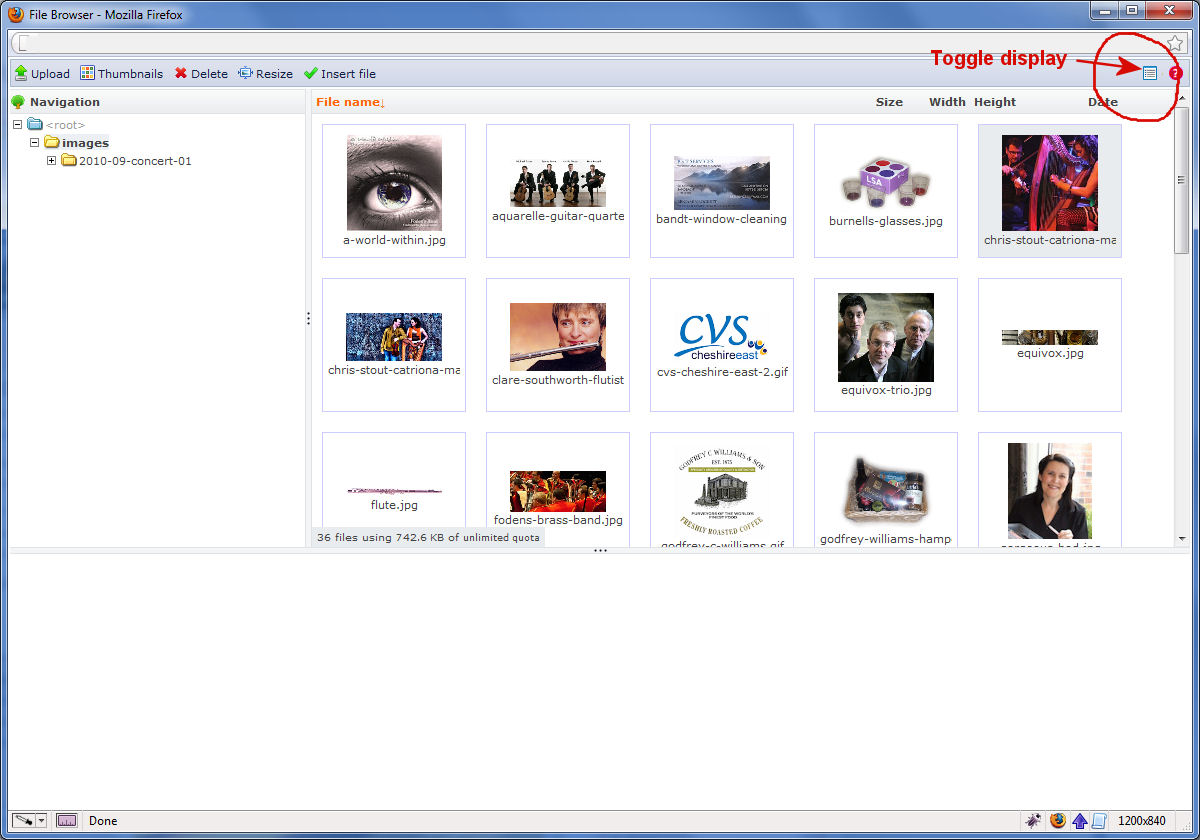
IMCE RC2 mentions a "New box view for file list" which shows thumbnails, instead of a list of filenames. This is very useful.
1. But I find that not all my images are showing as thumbnails (see attached screenshot). It seems these are determined by these figures hard-wired in imce-content.tpl.php. Be much better if these could be configured in the IMCE admin screen.
  imce.hooks.list.push(imce.thumbRow);
  imce.vars.tMaxW = 120; //maximum width of an image to be previewed inline
  imce.vars.tMaxH = 120; //maximum height of an image to be previewed inline
  imce.vars.prvW = 40; //maximum width of the thumbnail used in inline preview.
  imce.vars.prvH = 40; //maximum height of the thumbnail used in inline preview.
2. It would also be better if "Box view" could be selected by the click of a button. At the moment, I have to remove the // rem statements from the file imce-content.tpl.php.
  //enable box view for file list. set box dimensions = preview dimensions + 30 or more
  /imce.vars.boxW = 100; //width of a file info box
  //imce.vars.boxH = 100; //height of a file info box

  //imce.vars.previewImages = 0; //disable click previewing of images.
  //imce.vars.cache = 0; //disable directory caching. File lists will always refresh.
  //imce.vars.absurls = 1; //make IMCE return absolute file URLs to external applications.
Images:

-------x-------

-------x-------
-------x-------





Comments
Comment #1
iantresman commentedFor reference, these are the values I have set in imce-content.tpl.php, to display thumbails of all images not larger than 640x640, as thumbnails at 96x96 (see attached screenshot):
Hoping that (a) all these can be configured in IMCE admin (b) The thumbnail could show the actual images size dimensions.
Comment #2
iantresman commentedIt seems that the new thumbnail "Box view" display has a toggle button in the top-right corner (next to the Help icon) to switch between the filename list mode. See attachment.
Comment #3
ufku commentedIt is an experimental feature. Let it stay in theme layer for now.
You should enable prvstyle feature for large images. Create an imagecache preset that scales to (imce.vars.prvW, imce.vars.prvH) and it will handle images larger than (imce.vars.tMaxW, imce.vars.tMaxW). Otherwise, it's an overkill to load tens of high res images.
Comment #4
iantresman commentedA very welcome experimental feature!
For the benefit of others, imce.vars.prvstyle is also set in tpl/imce-content.tpl.php, as can be seen in the code snippet in message #1 above.
Comment #5
ufku commentedComment #7
pixelsweatshop commentedLoving this feature. Can't wait for it to be easily configurable in the UI
Comment #8
fugazi commentedSubscribe
Comment #9
shaneonabike commented+1 This has been implemented but it's not really documented anywhere. Couldn't this just be turned on by default I think it's a pretty useful tool?
Comment #10
iantresman commentedI've had this working on several sites now, and enable it by default on all new ones. Any chance it can be made mainstream by providing an IMCE configuration options (per those in tpl/imce-content.tpl.php.) to:
Comment #11
chunty commented+1 Great stuff For best practice enable this in your theme js and not the template file
Comment #12
marcoka commentedis this also avaliable in d7?
Comment #13
Anonymous (not verified) commentedSame question here ... How to in D7 ?
Woops, sorry, if other people are looking for this to in drupal 7:
Go to imce-content.tpl.php
you have to set it there by uncomment the code
These are my settings:
Be shure that the imce.vars.tMaxW and the imce.vars.tMaxH is the same as your max image size in IMCE settings...
Comment #14
Anonymous (not verified) commentedStill a problem:
when enabling this feature I get the error:
The selected file could not be used because the file does not exist in the database.Anyone knows what to do.
Comment #15
Anonymous (not verified) commentedSolution:
in the imce-content.tpl.php file:
Comment #16
vchen commentedThis may be a dumb question, but if you edit the imce-content.tpl.php file, wouldn't the next upgrade wipe out your settings? How do you keep your settings saved?
Comment #17
thalles