

This project is not covered by Drupal’s security advisory policy.
Module that allows you to connect to a Microsoft Graph API for your tenant(s), and import users from Microsoft Entra ID (prev. Azure AD) to Drupal entities.
Drupal entities to map to are plugins, and per now user and node entities are available and shipped with the core module.
Features
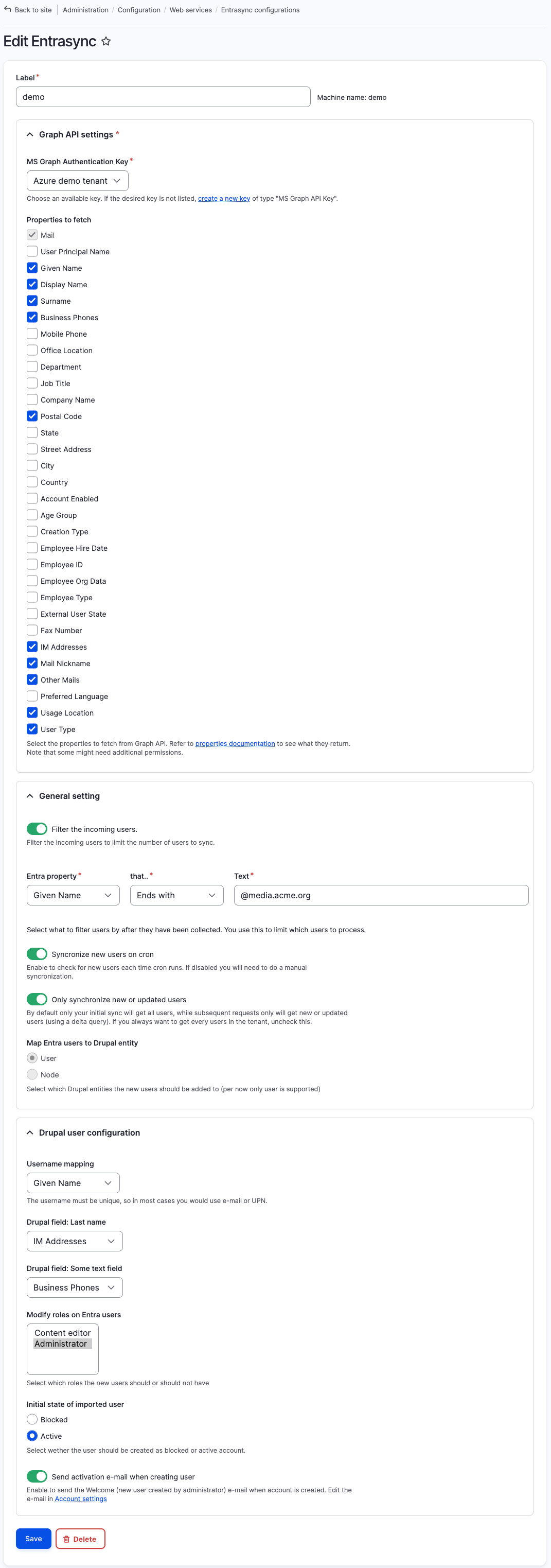
The module will connect to one or more tenants and fetch your chosen properties from the users, and queue these up for importing in Drupal (using the Queue API).
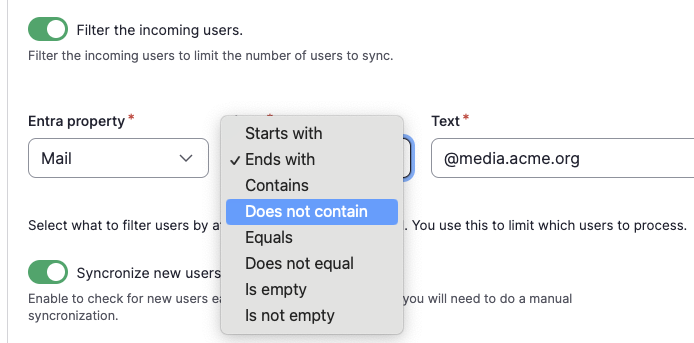
When you have received the users from Entra you can filter the result by all fetched properties, with a number of operators, to reduce the number that should be imported. For example to only import users from a certain department, within a certain e-mail domain etc. This can be useful if you need to map different user groups to different roles in Drupal.
You are able to map your fetched properties from Entra to your own Drupal (text) fields on the entity.
If you map to users you decide which roles the incoming users should get, wether they should be active or not, and wether you want to send welcome e-mail to the users, if they are set to active.
For nodes you can decide published or not, and decide if you want to make a new revision on each update.
Managed entities are stored in Drupal, so we can detect changes (typically to unpublish / block a user that has been deactivated in Entra).
First import will get all users from the tenant, while subsequent requests will only get new or updated users (using delta queries), which will drastically reduce the time and resources used to sync. Users that has new data in Entra will be updated in Drupal when syncing.
Delta queries can be disabled if needed, in which case all users will be updated. This is useful if you need to change the fetched properties or the mapping.
You can set up sync to run on cron, so your user list always keeps up to date.
Additional Requirements
The module is dependent on and uses the Microsoft Graph API module for the SDK and the Graph API Key, which again is dependent on the Key module. You do not need to configure this module manually.
It is also dependent on having an Azure app configured with the right permissions (User.Read.All is the only permission the module needs).
If you want to test it a good way to start is to sign up for the Microsoft 365 Developer Program. This is free, and will give you a free tenant with demo users to test with.
Post-Installation
Give the desired role(s) the permission to administer the module. Be restrictive, as the module works directly with users and can also grant them roles, so it can be used to escalate permissions.
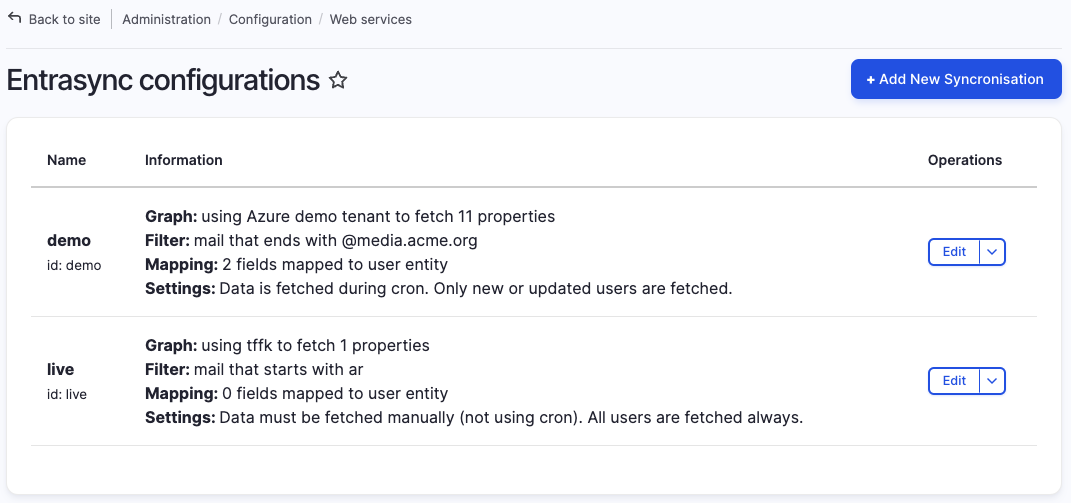
Add key(s) to your tenant(s) through the key module, then go add as many syncronisations as you need using these keys.
Recommended modules/libraries
It's recommended to install Queue UI module, as this will give you a UI to this modules queues, and also the possibility to process queues on demand, and not only via cron. You might also want Ultimate Cron to set up more granular control of the update schedule.
It is also likely you would use OpenID Connect to allow the imported users to log in with their Entra ID.
For developers
There are two events exposed, one for altering the incoming users, and one for altering the user before saving to Drupal. See documentation.
For everything, use cases input and merge requests are welcome.
Project information
- Project categories: Access control, Administration tools, Integrations
 47 sites report using this module
- Created by vegardjo on , updated
 This project is not covered by the security advisory policy.
Use at your own risk! It may have publicly disclosed vulnerabilities.
Releases
Development version: 3.0.x-dev updated 11 Jun 2026 at 14:24 UTC

