

 Come together with the global Drupal community in Rotterdam, 28 Sept – 1 Oct 2026. Sessions, contribution, connection, and Early Bird savings until 8 June.
This project is not covered by Drupal’s security advisory policy.
This extension adds rich language support for the Drupal Hooks API and Drupal Form and render elements to VS Code.
Usage & Features
Type part of a snippet, press enter and/Or tab, and the snippet unfolds.
Built from Drupal Core
Hooks gathered by scraping the codebase of the latest minor versions of Drupal 9. This includes those that are marked as deprecated.
Smart hook replacement
Snippets will automatically replace the leading hook with the current file's name.

Smart element replacement
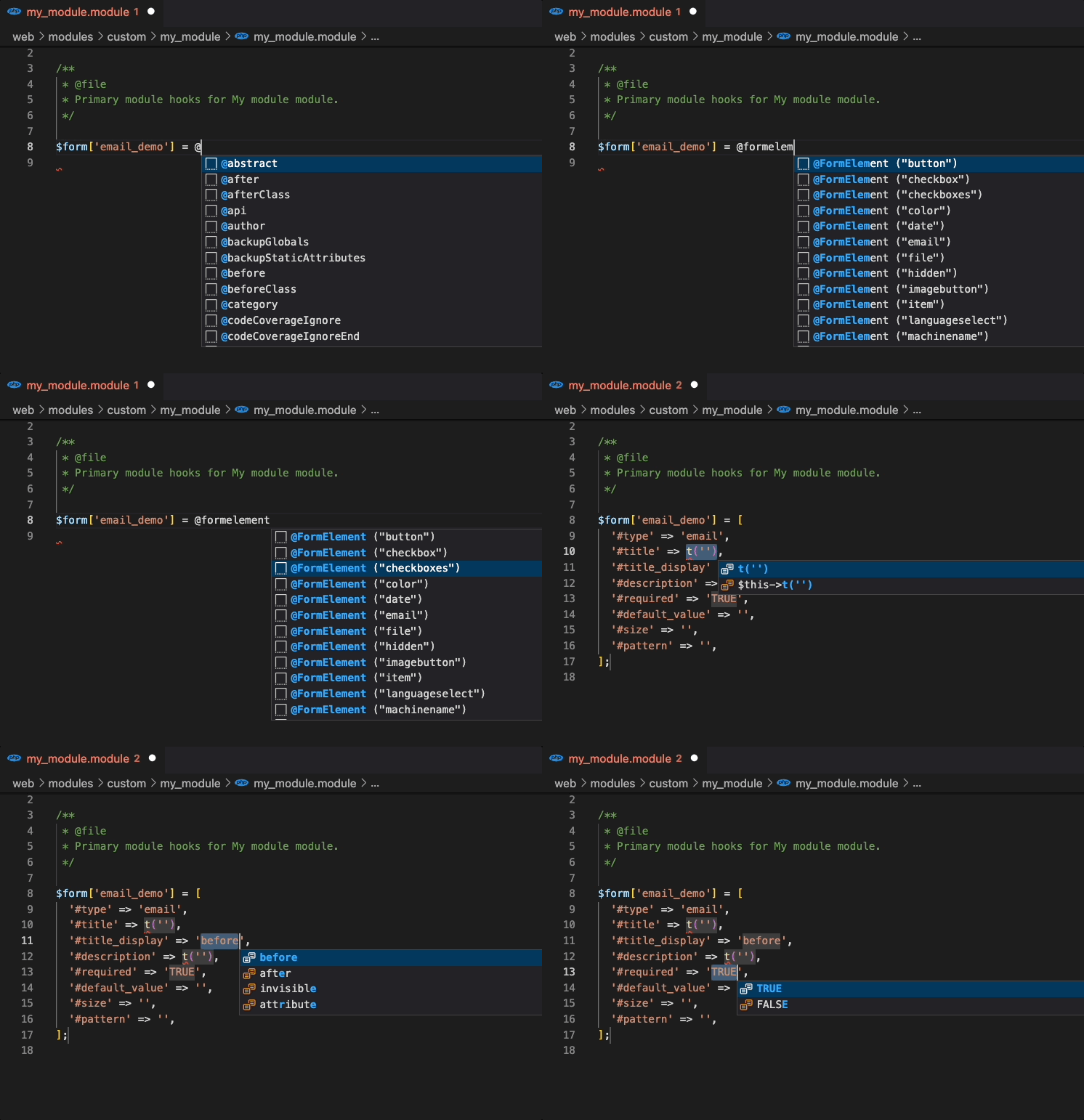
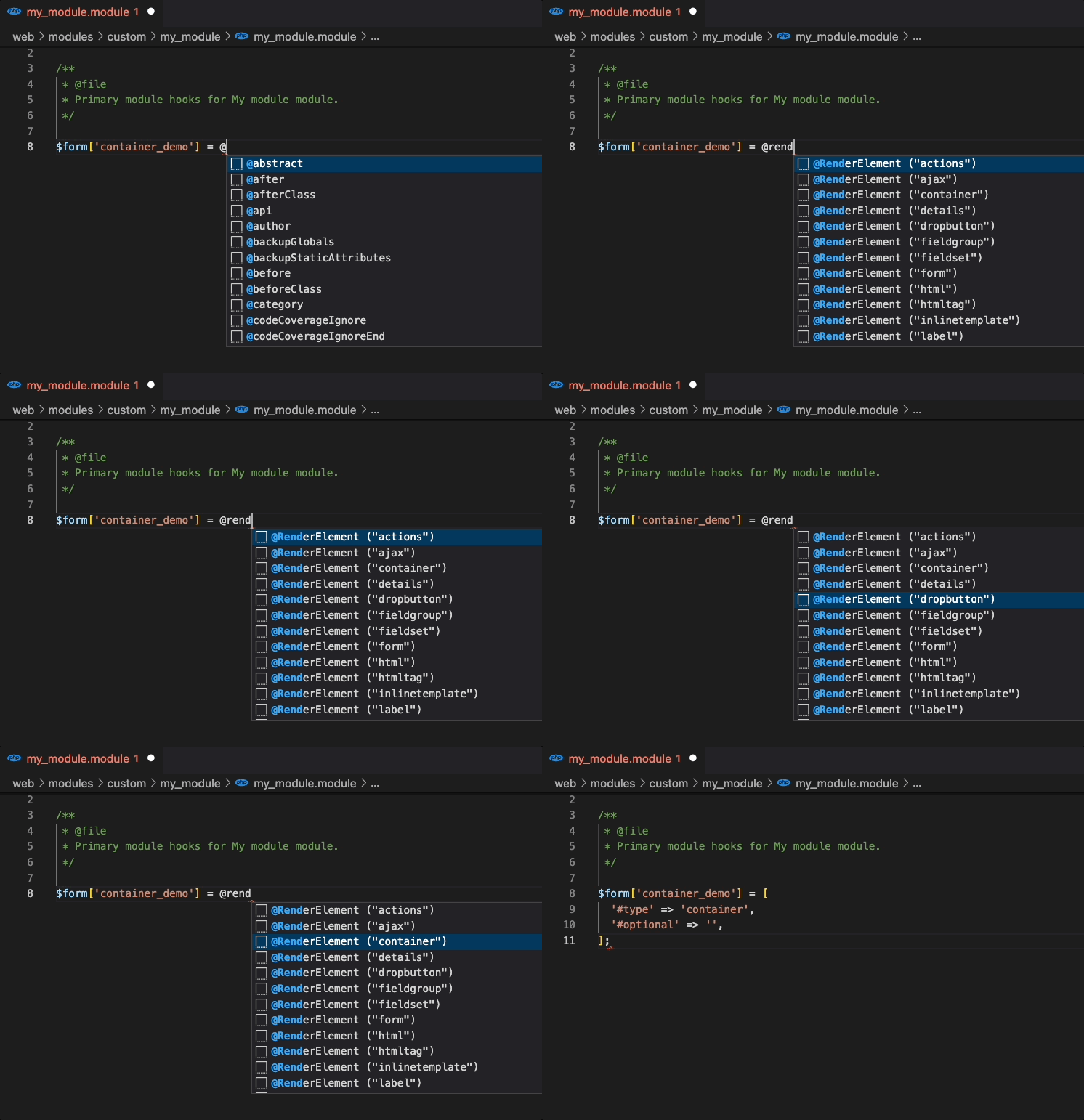
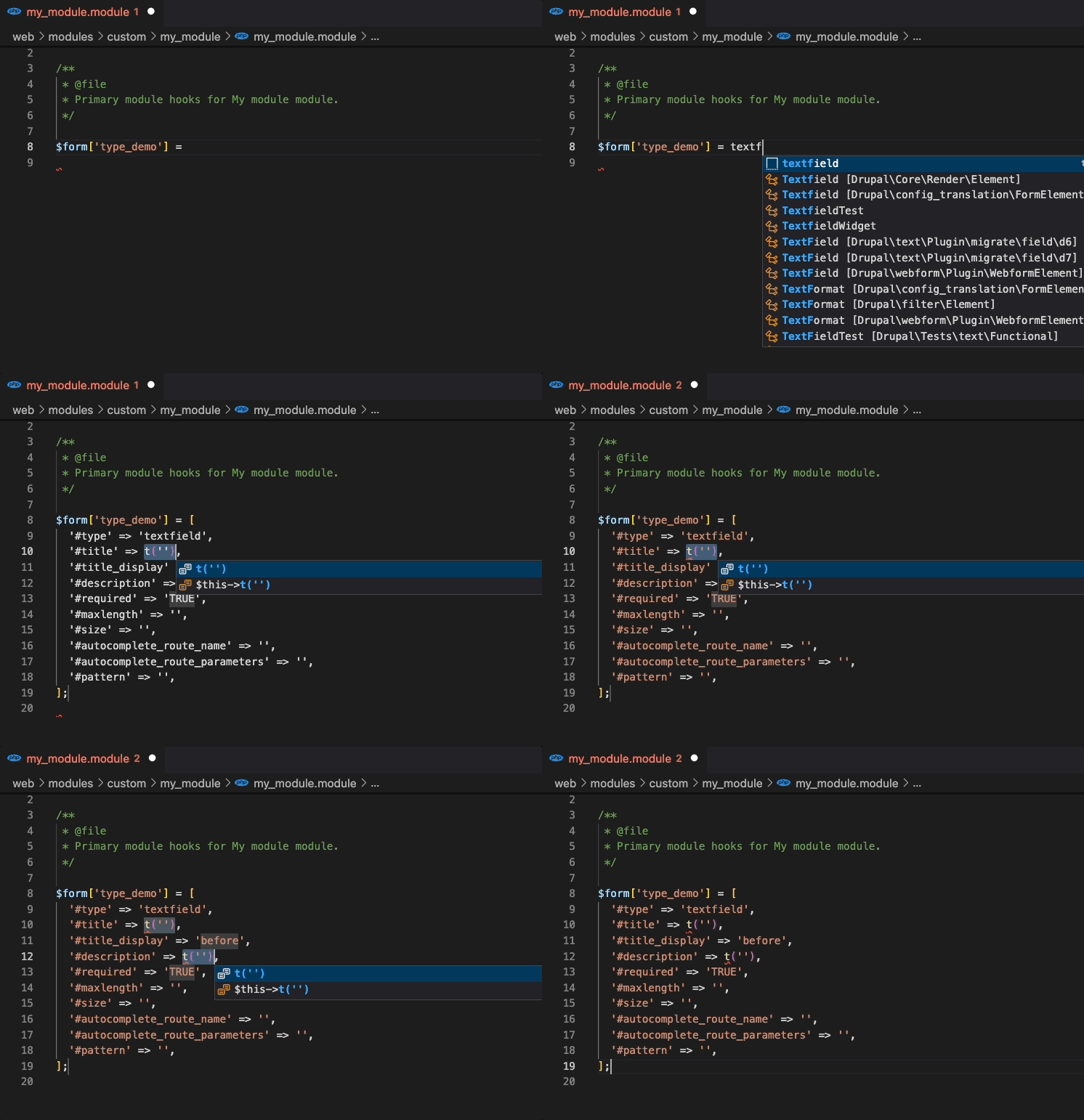
Snippets will automatically render the element array base on RenderElement or FormElement. Start by typing '@RenderElement', '@FormElement' or the [type_name] itself.
FormElement will have #title, #title_display, #description and #required properties by default. Additional properties listed on docblock is generated automatically.
@FormElement
@RenderElement
@Element

Typing [type_name]
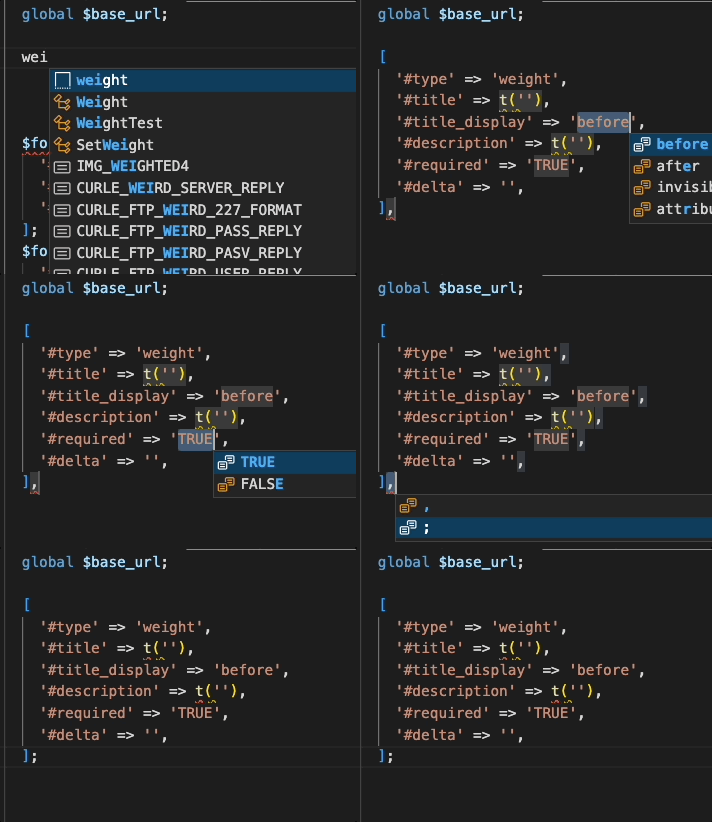
Tab Stops
Snippets are formatted to have tab stops on values that need replaced like HOOK,
ENTITY_TYPE, BASE_FORM_ID, etc.
Hook Replacement

Element Replacement
FormElements have #title, #title_display, #description, #required and final ending option of (comma ',' or semi-colon ';') as default tab stops.
Installation
- Open VS Code
- From the command palette
Ctrl-Shift-P(Windows, Linux) orCmd-Shift-P(OSX) - Select Install Extension
- Search by
Drupal Smart Snippets - Click install
- Reload Visual Studio Code
Contributions
This project is maintained on Github.
Your bugs, feature requests, and pull requests are welcome.
Project information
- Ecosystem: Snippets, IDE Helper
- Created by andy-blum on , updated
 This project is not covered by the security advisory policy.
Use at your own risk! It may have publicly disclosed vulnerabilities.
