

 Come together with the global Drupal community in Rotterdam, 28 Sept – 1 Oct 2026. Sessions, contribution, connection, and Early Bird savings until 8 June.
Starting this issue, as a placeholder for accessibility review. Leave this open until Claro is marked as stable in Drupal core.
Scope
Assess how well Claro performs when a Windows High Contrast theme is in place.
This is not intended as an implementation issue. Create child issues to fix any problems that are discovered.
Issues found
Must haves
- #3171728: Claro Select form element needs Windows High Contrast mode improvements
- #3130305: Ensure all of Claro's background images are visible in forced colors mode.
- #3269341: Claro <details> element not rendering properly in forced colors
- #3271305: Claro's radio buttons and checkboxes are unusable in high-contrast / forced colors mode
Uncategorized
Claro currently uses theReviewed and filed issues where needed here-ms-high-contrast: activemedia query in a lot of components (I counted 16 files). The style rules included here will NOT work in Firefox. It would be a good idea to review whether these are necessary, and find alternative approaches if possible.- In
css/src/components/pager.css, I found a white border:
@media (-ms-high-contrast: active) {
  .pager__link.is-active {
    border: var(--pager-border-width) solid var(--color-white);
  }
}
This won't work when a user has chosen the "High Contrast White" preset HC scheme, or has specified their own light background. You should probably useborder-color: currentColor;, or avoid specifying a colour at all inside a this media query.
Solved in #3194669: Misuse of explicit colour for active pager item in -ms-high-contrast media query
Should haves
- #3269417: Claro: Breadcrumb divider icon not always visible in forced colors
- #3269419: Claro: Boundary of modals are difficult to discern in forced colors
Should haves that need to be fixed outside of Claro
These issues also occur in other themes (including Seven) and need to be fixed within their core components.
- #3269420: Toolbar icons may not meet contrast when in forced colors mode - This is under the toolbar module.
- #3269342: "Edit" cog icon for Field UI does not meet contrast minimums when in forced colors This is under the field UI module
- #3227431: Tabledrag icon doesn't adapt to forced-colors mode - this is categorized under the system module
- #3277262: Dialog close icon has poor contrast with forced-colors (even worse in Seven, btw)
- #3277285: Firefox WHCM messages don't have a border
- #3277287: Improve vertical tabs in forced colors mode
- #3277284: Firefox WHCM has a slightly broken border in views UI filter config
- #3277286: Edge in Windows high contrast mode creates a horizontal scroll in the media library dialog
Testing approach, and useful implementation tips
- Test with more than one high-contrast theme. Windows has 4 preset high-contrast colour schemes.
- Be aware that users can specify their own high-contrast theme colours. Don't assume that are using one of the 4 preset high contrast themes. They might want deep purple on pale orange, say.
- The
-ms-high-contrastmedia query does not work in Firefox, even though the browser has some reasonable support for Windows High Contrast mode. Don't rely on this media query to convey any essential information. - Avoid using the
black-on-whiteorwhite-on-blackvalues for the-ms-high-contrastmedia query. These aren't matched by user-specified high-contrast colour schemes. - Avoid using the
-ms-high-contrast-adjustproperty. - Avoid using CSS background image to convey essential information. These are stripped out in Internet Explorer and Firefox.
Background reading
Triage plan for high-contrast support
For Claro as an experimental theme in Drupal core:
- Alpha: Windows high contrast support is NOT a blocker to adding Claro to Drupal core as an experimental theme. Aim for a first-pass assessment, to get an idea of how well it performs, and a rough plan of what needs to be addressed.
- Beta: Complete a detailed assessment of Claro with Windows High Contrast. We don't have to fix all of the issues for beta. At this stage we aim to identify the issues in detail, along with an idea of how they will be addressed.
- Stable: Fix issues found here. The exact must/should/could triage will be decided for each child issue individually, as different theme components can fall under different WCAG success criteria. Aim to maximize support for Windows high contrast, across Edge, Internet Explorer, and Firefox.
- Enabled in Standard profile as the default admin theme: Aim to fix all of the outstanding should-haves discovered here.
Browser support
3 browsers currently respond to Windows High Contrast mode.
- Edge - displays CSS background images.
- Internet Explorer - strips out CSS background images.
- Firefox - doesn't respond to the
-ms-high-contrastmedia query. Strips out CSS background images.
We don't have to achieve exactly the same appearance in all of these, and aesthetics is low priority. Rather, we should make sure there isn't any functionality/information which which works in one browser, but not another. For example:
- Edge shows CSS background images, but Internet Explorer and Firefox strip them out. So if any icon conveys important information, this would be a problem.
- Firefox doesn't respond to the
-ms-high-contrastmedia query. Relying on this to fix issues may result in a WCAG failure in Firefox.
| Comment | File | Size | Author |
|---|---|---|---|
| #30 | Screen Shot 2021-04-15 at 12.58.01 AM.jpg | 207.91 KB | shaal |
| #25 | firefox-high-contrast-details.png | 156.5 KB | bnjmnm |
| #22 | chrome-high-contrast-extension.png | 545.95 KB | bskibinski |
| #22 | firefox-no-high-contrast-queries.png | 757.02 KB | bskibinski |
| #21 | ie11-no-high-contrast-query.png | 56.03 KB | bskibinski |


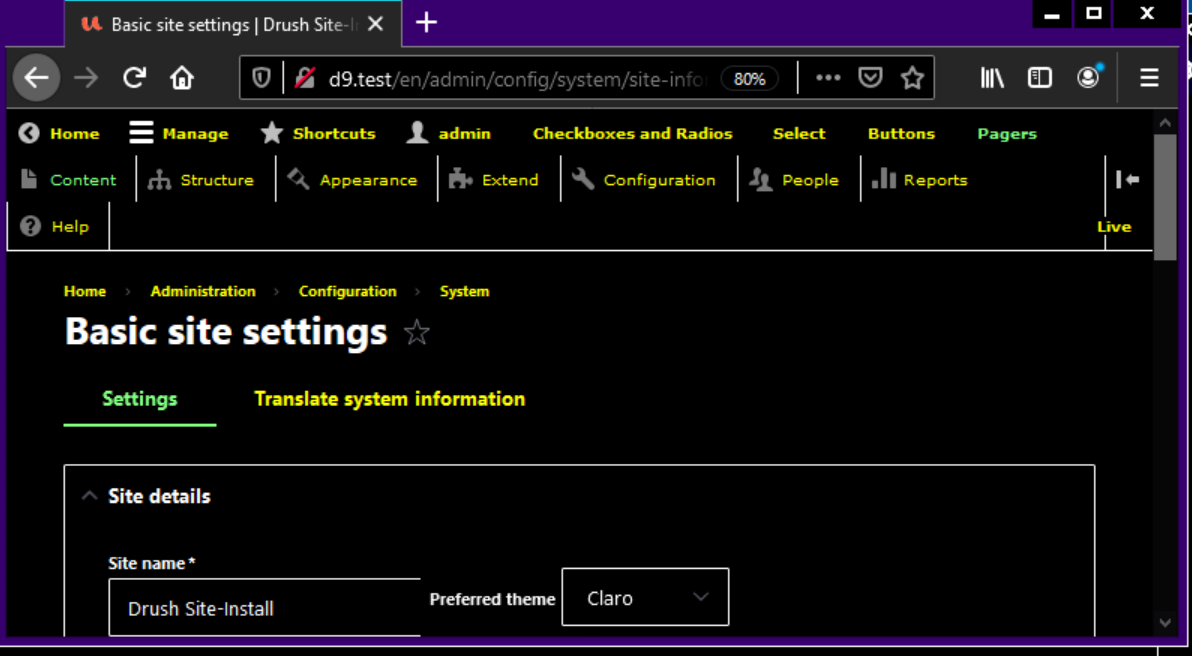


Comments
Comment #2
andrewmacpherson commentedIt's great to see that Claro implementers are already addressing Windows high-contrast mode. It's already doing better than Seven in some places.
Early observations:
-ms-high-contrast: activemedia query in a lot of components (I counted 16 files). The style rules included here will not work in Firefox. It would be a good idea to review whether these are necessary, and find alternative approaches if possible.-ms-high-contrast: white-on-blackor-ms-high-contrast: black-on-white. Great, let's keep it that way.-ms-high-contrast-adjustproperty. Great, let's keep it that way.content: url()instead of background images. In the latter case, you loose the ability to use the related background properties like size, repeat, and attachment. It's possible to control the size of SVG in CSS content using font-size, but the lack of background-attachment means that sprite files aren't a good technique.css/src/components/pager.css, I found a white border:This won't work when a user has chosen the "High Contrast White" preset HC scheme, or has specified their own light background. You should probably use
border-color: currentColor;, or avoid specifying a colour at all inside this media query.Comment #3
andrewmacpherson commentedComment #4
andrewmacpherson commentedComment #5
andrewmacpherson commentedComment #6
andrewmacpherson commentedComment #7
andrewmacpherson commentedComment #8
huzookaSubtask #3083048: Provide a tabledrag-handle that is visible in Windows high-contrast mode added as related issue.
Comment #9
fhaeberleFor the issues found in the issue summary, should there be follow-ups to fix those issues?
Comment #10
andrewmacpherson commented#8: the best way to make it visible is to avoid using CSS background images. Using CSS generated content is OK.
#9: Yes, follow-ups for those. This issue started as a brain-dump.
Comment #11
andrewmacpherson commentedComment #12
huzookaComment #13
bskibinskiI would propose to remove all the -ms-high-contrast media queries because of one main upcoming reason:
It's not supported anymore in the upcoming version of Edge (see screenshot).
Edge is moving to chromium, and I just tested this with their latest build (I believe it's a RC-build).
The high contrast mode is not supported there at all (just as it's not supported in chromium).
Firefox does do 'high contrast' but ignores the media query.
This means that this (unofficial) spec will only work for IE11 in the very near future (probably end of this year, at most spring 2020).
I do not think this is worth the effort (because the spec in the current state is very unreliable, and you just can't assure good design with it).
So my proposal is: remove the -ms-high-contrast media query, in favor of modern and official mediaqueries.
They are working on a "prefers-contrast" media query: https://drafts.csswg.org/mediaqueries-5/#prefers-contrast
I think it would be better to keep an eye out on that spec, and implement that as soon as browsers start implementing it.
Comment #14
huzookaWe still have to support Internet Explorer 11.
Comment #15
bskibinskiRemoving this media query doesn't necessarily mean we break IE11: The high contrast will still apply, we just won't be able to define what the colors should be if they have this enabled.
And another argument is, that this spec is just not 'complete' enough to be able to support this well. People can choose their own contrast colors, there are just too many variables to reliably test our adjusted high-contrast theme.
I think a better way to go forward is to test the high contrast with the 'normal' CSS, and make sure no functionality is broken.
I'll try to do some tests, but i'm expecting we can fix any issues without the use of the -ms-high-contrast media query.
Comment #16
huzookaA good starting point would be #3083048: Provide a tabledrag-handle that is visible in Windows high-contrast mode.
Comment #17
bnjmnmComment #19
rainbreaw commentedConfirming that this is a critical issue for stable because it falls under WCAG 2.1 Level A - 3.3.2 Labels or Instructions.
Much of this may have already been addressed, so at this point we need to do an audit to see what remains.
There is an older issue that has been open for some time that may also provide insight if there are still elements that need to be fixed in relation to this particular issue, logging here for the record: #2921627 Drupal should not use full CSS required marker in forms according to WCAG 2.0
Comment #20
rainbreaw commentedI went through the process of adding fields to a content type, creating content (with required fields and different types of fields), sorting content, and looking at other admin screens in windows high contrast mode.
Tested with:
Here is what I found:
Structure page in high contrast mode
This view came out pretty well. The arrows next to each section are visible. There is clear differentiation between visited links and new links, and the lines between each section are clear.
One problem is the outline of the star icon to turn the page into a shortcut is very faint and hard to see. This is described again in the next section under item 1.
More good stuff can be seen in this next screenshot, but we also find a couple of issues that need to be addressed.
Create Article form in high contrast mode
For the most part, everything is relatively visible, including the * (asterisks) to indicate "required."
A few things are very hard to see:
I also found it really hard to tell what I was focused on when navigating through with a keyboard in high contrast mode. For example, in this screenshot:
Content form with various fields, focused on a checkbox
my focus in on the checkbox for "yellow" in the "Checkboxes" field, but the difference is so subtle that it is really hard to see. The focused checkbox has a dotted line and the other two have solid lines, which are nearly thin enough to look like the dotted line.
Additionally, looking above the "Checkboxes" field at the "Radios" field, you'll notice that I've selected red, which has caused the other two radios to become unavailable, and they are rendered with the same thin dotted line that is being used to show me which field I'm focused on in "Checkboxes."
Even more problematic, when I focus on a text field, I get this:
Content form with various fields, focused on a text field
In this screenshot, my focus is on the "Short text" field, but you have no way of seeing this if you don't have the benefit of noticing the flashing cursor.
Another example of problem 3 identified above:
Content types screen in high contrast mode
In this screenshot, the operations menus for each content type have an arrow indicating that they can be expanded, but we cannot see the arrow because it is a pale white on a very light gray button.
Comment #21
bskibinskiLooking good!
I think a lot of these issues will be fixed as soon as we switch to using inline SVG (using the embed/sprite technique), as it also supports aria-tags, etc.
Using
fill: currentColor;(or anywhere else that uses colors inside the svg) will enable you to change the colors through CSS, even when you use the "sprite / embed technique".
I'm currently working on municipality sites, and didn't implement any -ms-high-contrast media queries yet, but to my surprise, the new Edge (based on chromium) works well with high-contrast setting enabled in my windows theme.
I wanted to test in the legacy Edge based on "edgeHTML", but I have to figure out how to reinstall them both in a proper manner, so If anyone could check it out if it works at all in the 'old Edge'. Perhaps we could simplify the CSS by removing the deprecated -ms-high-contrast media queries, because I suspect they don't do anything anymore.
I was able to test IE11, and it did apply a high contrast theme, without the use of the -ms-high-contrast. (ignore the broken CSS, i'll have to look into that, it's because high-contrast is enabled :)
But that depends if the 'old Edge' still renders a high-contrast theme without the queries, i suspect so, if even IE11 works with it.
https://montferland.info/
And maybe also a good idea to update the description of the ticket to include that only IE11 looks at those -high-contrast media queries, I don't think even the 'old Edge' supports it at this moment not 100% about that, but it ignores the
@media screen and (-ms-high-contrast: none) {}query.'chromium Edge' definitely doesn't support it anymore.
Hope this helps!
Comment #22
bskibinskiTo my surprise even Firefox supports the windows high contrast mode these days!
Only chrome doesn't support it out of the box but when you have high-contrast enabled, it asks you to install the "high-contrast" extension made by chrome themselves:
https://chrome.google.com/webstore/detail/high-contrast/djcfdncoelnlbldj...
Then the site looks like this (They seem to even account for color blindness).
Wait, maybe the description is ok, i'm assuming some things here, i'll test the media query in the newest edge just to be sure.
Comment #23
dyannenovaWe reviewed Claro in high contrast mode during the Claro Sprint and identified these issues:
IE11
Edge
Firefox
Comment #24
bnjmnmIt looks like some items in #23 are related to contextual links or the modules page, both of which have issues and patches that are quite far along #3072772: Initial Claro design for the modules page #3023322: Contextual Links Style Update. Is is possible that some of the problems reported are already fixed in the patches for those issues. Any high contrast issues not addressed by those patches-in-progress should get mentioned in those issues so they can be incorporated into the implementation.
It then may be worth editing #23 so there isn't a risk of anyone attempting to fix an item that is already fixed as part of a broader component scoped issue.
Comment #25
bnjmnmSince

-ms-high-contrastis not applicable to Firefox, the default details icon still loads and results in a very insufficient 2.84:1 contrast ratio.Comment #27
mgiffordLinking open issues from the CivicActions Accessibility - VPAT.
Comment #28
andrewmacpherson commentedThere's an important point about manual testing. Most of the Windows high-contrast screenshots I've seen in Claro issues are using a yellow-on-black colour scheme. I assume this is the "High Contrast #1" preset scheme which ships with Windows, which I think it's the default.
There are other preset colour schemes (e.g. white-on-black), and users can specify ANY custom colour combinations they want. Despite the "high-contrast" name, some people actually use a low-contrast palette.
The bug in #3194669: Misuse of explicit colour for active pager item in -ms-high-contrast media query is a good example of why it's important to test with several colour schemes. A high-constrast media query was used to force a white border, but that's bad behaviour because it doesn't respect the user's colour choices. It's also a good example of something that didn't need a media query at all.
Meanwhile, some nice progress in #3171726: Claro Shortcuts star fails WCAG Use of Color and Non-text contrast. There's a new design direction which needs to be implemented.
Comment #29
mgiffordLink to help folks test this
https://marcus.io/blog/checking-whcm-on-mac
Comment #30
shaal(Using https://shadow.tech, which is a paid service to run a PC in the cloud)
On latest Windows 10:
I tested Umami with Claro as admin theme.
I tested IE11, Firefox, Edge chromium.
I tested the various High Contrast #1, High Contrast #2, High Contrast Black, High Contrast White.
I looked at various content pages, as well as admin pages.
Actually, I think the chevron-down icon for the dropdown appears in grey color, which is lacking contrast.

Other than that, I couldn't find more accessibility contrast issues. Am I missing something? Are there specific known issues, or we should go through all pages and look for issues?
Comment #31
bnjmnmThis issue is getting a bit unwieldy. For next steps it would be good to go through each of the high-contrast bugs reported in this issue, confirm they are still a problem (some were reported over a year ago) and file child issues for them. New issues can be created here: https://www.drupal.org/node/add/project-issue/drupal, the issue metadata can match this issue's metadata, and you can specify this as a parent issue by typing this issue's title into the "parent issue" field and autocomplete should do the rest.
As the issues get filed, leave a comment along the lines of
I can get the issue summary here cleaned up once the child issues are created.
Comment #33
andrewmacpherson commentedRe. #31:
Yes, perfect. The original purpose of this issue was to track how well Claro performs in Windows high-contrast mode.
The only slight difference is that Windows is no longer the only forced-color platform, so I've updated the title. (Firefox activates forced colours when a high-contrast GTK3 theme is used in Linux, and Firefox can also use forced colours even when the OS isn't. It makes little difference for us.)
Indeed, much information is duplicated between this one, #3167032: [Meta] Track CSS forced-color standardization and browser support, and #2894237: Make core themes more robust in Windows High-Contrast mode. All three have outdated information in their issue summaries to some degree.
I'd suggest:
This nugget in #21 intrigued me...
What's the latest news on this? To clarify, does this mean SVG elements inside the HTML source, or SVG inside the CSS source? (Olivero uses a mixture of both, I noticed.)
I don't have a strong opinion in on which one is best, however it does make a difference to the next steps for making the icons respond to forced colours.
background-imagein using a forced-colors media query.background-imagewith a the forced-colors media query, and just override thefillproperty.Either is feasible given the current state of forced-colors support in browsers.
Re. #13:
We're committed to supporting IE11 in Drupal 9 until the end of 2023, regardless of how long Microsoft want to support it. There are still plenty of Windows 7 installations out there, and Windows high-contrast is a very popular feature. The behaviour of IE11 in high-contrast mode differs from modern browsers, but it's not too far removed and the legacy media query does work. I see no reason why we can't support IE11 for as long as we have committed to. IE11 holds various frustrations, but high-contrast mode isn't chief among them. The legacy high-contrast media queries can all be removed in D10 easily enough. I'm not worried about pixel-perfect design in our IE11 support, but it should remain functional in high-contrast mode.
Also re. #13:
This information is out of date. The latest working draft of media-queries-5 describes
prefers-contrast: forcedand says thatforced-colors: activeis a legacy alias for this.However since then, the CSS working group has bikeshedded on this, and
prefers-contrast: forcedwas seen as a mistake. The resolution was to revert to treatingforced-colorsandprefers-contrastas separate concerns. Mozilla and Chromium have both implementedforced-colors: active, and to the best of my knowledgeprefers-contrast: forcedwasn't ever implemented in a stable browser release. These changes have been committed in the editor drafts, but a new public working draft hasn't been tagged yet.Comment #35
mherchelUpdating summary to note that Firefox does display background images in forced-colors mode. IE is the lone holdout.
Comment #36
mherchelAdded #3269341: Claro <details> element not rendering properly in forced colors to summary
Comment #37
mherchelLinking existing issue #3171728: Claro Select form element needs Windows High Contrast mode improvements
Comment #38
mherchelOpened #3269342: "Edit" cog icon for Field UI does not meet contrast minimums when in forced colors under the field UI module.
Comment #39
mherchelOpened and linked #3269343: Icons in Claro do not properly adapt to forced colors mode
Comment #40
mherchelLinking existing issue #3227431: Tabledrag icon doesn't adapt to forced-colors mode
Comment #41
mherchelCreated and linked #3269417: Claro: Breadcrumb divider icon not always visible in forced colors
Comment #42
mherchelCreated and linked #3269419: Claro: Boundary of modals are difficult to discern in forced colors
Comment #43
mherchelCreated and linked #3269420: Toolbar icons may not meet contrast when in forced colors mode
Comment #44
ckrinaThank you for creating all these issue! Would it be possible to sort them out as Must haves/Should haves/Could haves? So this we can prioritize.
Comment #45
mherchelDone!
Comment #46
effulgentsia commentedThank you!
Are the three "Needs to be fixed outside of Claro" issues must-have, should-have, or some of each? I don't think that them needing to be fixed outside of Claro automatically determines that. If Seven suffers from the same problem, then I think the issue would not be a must, but if it's a regression from Seven, then I think that if it's a big enough accessibility problem, it might need to be a must-have for Claro to become the default admin theme even if the fix needs to be made outside of Claro.
Comment #47
mherchelGood question.
All of the "Needs to be fixed outside of Claro" issues occur in Seven (and Bartik and Olivero). So, I agree that none of them are a "must" for Claro.
That being said, they all should be fairly high priority from an accessibility standpoint.
I updated the summary.
Comment #48
mherchelAdding #3271305: Claro's radio buttons and checkboxes are unusable in high-contrast / forced colors mode as a must have
Comment #49
effulgentsia commentedMoved the must-have list to the top of the summary.
Comment #50
mherchelRe-saving to update summary issues statuses
Comment #51
mherchelI went through and extensively tested Claro in Windows 11 high contrast, including both Edge, and Firefox. With the issues above marked as fixed, Claro is great and highly usable in forced colors including icons, focus states, and borders.
Comment #52
bnjmnmJust completed this step from the issue summary and filed some issues:
The uses in action-link.pcss.css are either specific to IE11 or are accompanied by forced-colors styling
👉 #3130305: Ensure all of Claro's background images are visible in forced colors mode.
The use in ajax-progress.module is specific to IE11
The uses in details.pcss.css are accompanied by forced-colors styling
👉 #3269341: Claro <details> element not rendering properly in forced colors
dialog.pcss.css uses the media query for styling the close icon. This is fine in Edge but not in FF/Chrome
Filed this 👉#3277262: Dialog close icon has poor contrast with forced-colors
dropbutton.pcss.css has forced-colors styling too
added in 👉#3130305: Ensure all of Claro's background images are visible in forced colors mode.
form--checkbox-radio.pcss.css has forced colors styling
added in 👉 #3271305: Claro's radio buttons and checkboxes are unusable in high-contrast / forced colors mode
form--managed-file.pcss.css is IE11 specific styling
form---password-confirm.pcss.css manual tests confirm the password strength bar looks fine
image-preview.pcss.css manual tests confirm
.image-preview imglooks finemessages.pcss.css I found an issue
filed 👉 #3277285: Firefox WHCM messages don't have a border
pager.pcss.css has forced-colors support
addessed in 👉 #3194669: Misuse of explicit colour for active pager item in -ms-high-contrast media query and #3130305: Ensure all of Claro's background images are visible in forced colors mode.
progress.pcss.css manual tests confirm
.progress__barlooks finetabledrag.pcss.css has forced colors support
added in #3130305: Ensure all of Claro's background images are visible in forced colors mode.
vertical-tabs.pcss.css found issues with FF/Chrome
filed 👉 #3277287: Improve vertical tabs in forced colors mode
views-ui.pcss.css has forced colors support, but did find a minor issue:
#3277284: Firefox WHCM has a slightly broken border in views UI filter config
media-library.pcss.css does not have forced colors support and the styles used likely mean it's unnecessary
however, I did find another issue. 👉 #3277286: Edge in Windows high contrast mode creates a horizontal scroll in the media library dialog
form--select.pcss.css discovered a Firefox issue
filed 👉 #3277290: Select elements missing chevron in FF WCHM
Comment #53
bnjmnmBased on the reviews by me and the many other contributors in this issue and some the already-fixed must-have issues discovered here, I feel like it's safe to say that Claro easily provides as good a WCHM experience as Seven (arguably much better). The due diligence has been done and additional WCHM bugs can be filed in the issue queue like a regular civilian bug.
I'm removing the needs accessibility review tag but holding off on the switch to fixed as there should be one more check of the issue summary and some of the issues discovered here should get added to related issues and potentially the Claro roadmap (as should haves).
After that bit of housekeeping I think a switch to fixed is warranted.
Comment #54
ckrina@bnjmnm assigning this to you meanwhile. Thanks!
Comment #56
lauriiiMoving to needs work to make it clear that @bnjmnm intended to work on this.
Comment #59
kentr commentedWhat's the status of this issue?
Comment #60
bnjmnmComment #61
bnjmnm