

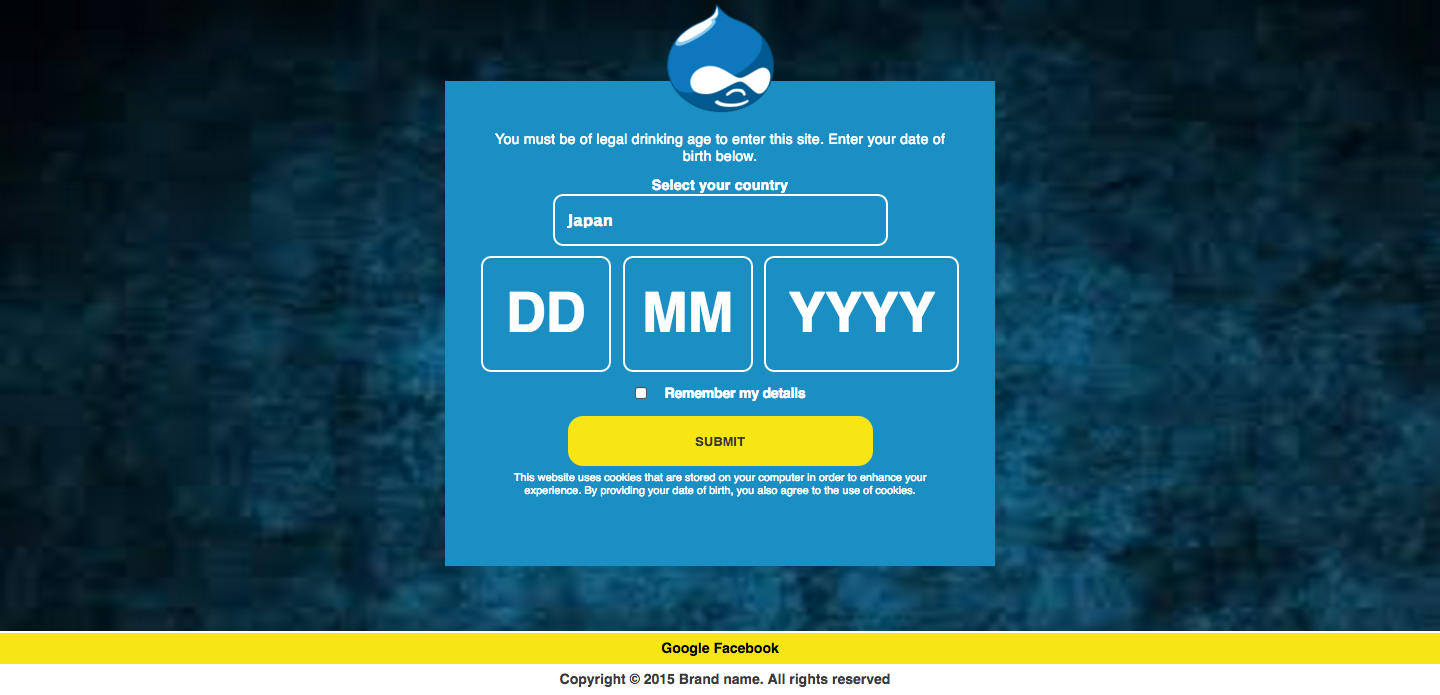
Age Gate is a simple module that restricts users to access the pages on the site once he passes the age Gate page of the site.
Installation
- Download the module and place it with other contributed modules (e.g. sites/all/modules/).
- Enable the Age Checker module from Modules list page.
- Follow the below configuration steps and configure the Age Gate Module.
- Once everything is configured properly, we would be able to see the Age Gate page for Anonymous user.
What a user has to do
- Navigate to the site.
- User would be redirected to /agegate page and would have to pass the Age Gate page by filling up the Date of birth.
- If the user's age is greater than the legal age, then he would be able to navigate to the site and access the content on the site.
- If the user is under aged, user would be redirected to the Under age page.
Configuration pages
- Settings configuration for adding list of Languages and Countries:
- Page that lists the basic configuration of the module.
- URL of the configuration page : /admin/config/people/age_checker
- Configurable Fields:
- Would you like to display remember me check box - A checkbox field for displaying the Remember me checkbox on the Age Gate page.
- URL for fetching the country code - Enter the API for fetching the country code of the user.
- Age Checker Languages - List of all the languages. It should be in key|value format.
- Age Checker Countries - List of all the countries that would be visible on the . It should be in key|value format.
- Cookie expiration days - Text field for adding cookie expiration time.
- Enter underage page url - Text field for adding the underage url.
- Add Background image - Adding the background image for the Age Gate.
- Add logo image - Adding the logo image for the Age Gate.
- Mapping and configuring Languages with Countries:
- Page that handles translation of the text appearing on the Age Gate page.
- Configurable on the basis of Language and Country added in the previous configuration page.
- Shows the fieldset of the languages and ability to map country with languages.
- URL of the configuration page - /admin/config/people/age_checker/mapping
- Configirable Fields:
- Label for selecting country : Text field for adding label for asking users to select the country.
- Select country : Select list type of field which is used to select country for a specific language.
- Header text for the form : Textarea for adding header text of the form.
- Cookie statement : textarea for adding cookie statement.
- Blank Error Message : Message that gets displayed when the form is directly submitted without filling in the age Gate form.
- Incorrect Date Format Message : Message when that gets displayed when the format of the date is not proper while filling in the Age Gate form.
- Date Out Of Range Message : Message when that gets displayed when the date entered is out of range.
- Under Age Validation Message : Message that gets displayed when a user is under aged.
- Remember Me Text : Remember text configuration.
- Label of submit button : Label of the submit button of the Age Gate.
- Footer text and link : Ability to add a separate footer text and links. It should be added in key|value format. If one of the label of the footer is Google and the url of it is http://google.com, then we should add it in Google|http://google.com.
- Copyright text : Textarea for the copyright text.
- Country specific configurations:
- Page that handles county specific configuration.
- URL of the page : /admin/config/people/age_checker/country_configuration
- Configurable Fields :
- Default Country Configuration: Select list to select the default country of the Age Gate.
- Threshold ages of the country : Add the threshold ages of the country. If the user's age is under these threshold ages, he would be redirected to Underage page.
- Changing the order of the date field : Ability to change the order of the date field. In case if we want the order to be dd/yyyy/mm the weights of the field would be Day - 1, Year - 2 and Month - 3.
- Changing the placeholder of the date field : Ability to change the placeholders of the date fields. For eg for day field we can have either dd or DD as the placeholder of the day field.
- Redirect Link : Only when locale module is enabled, a new configuration comes up giving admin an option to configure the redirect link after the user has passed the Age Gate.
Advantage of this module
- Supports Multilingual.
- All the texts that comes on the site is configurable.
- Fetches the country code of the user on the basis of the IP of the user.
Supporting organizations:
Project information
- Project categories: Multilingual, Security
 3 sites report using this module
- Created by nitesh sethia on , updated
 Stable releases for this project are covered by the security advisory policy.
There are currently no supported stable releases.


