

By ckrina on
Change record status:
Published (View all published change records)
Project:
Introduced in branch:
10.3.x
Introduced in version:
10.3.0
Description:
The Navigation module provides a redesigned left-aligned, collapsible, vertical sidebar navigation for the administration UI. Sub-menus open on a full height drawer that accommodate deeper navigation levels. On smaller viewports, the toolbar is placed on top of the content, and opens with an overlay.
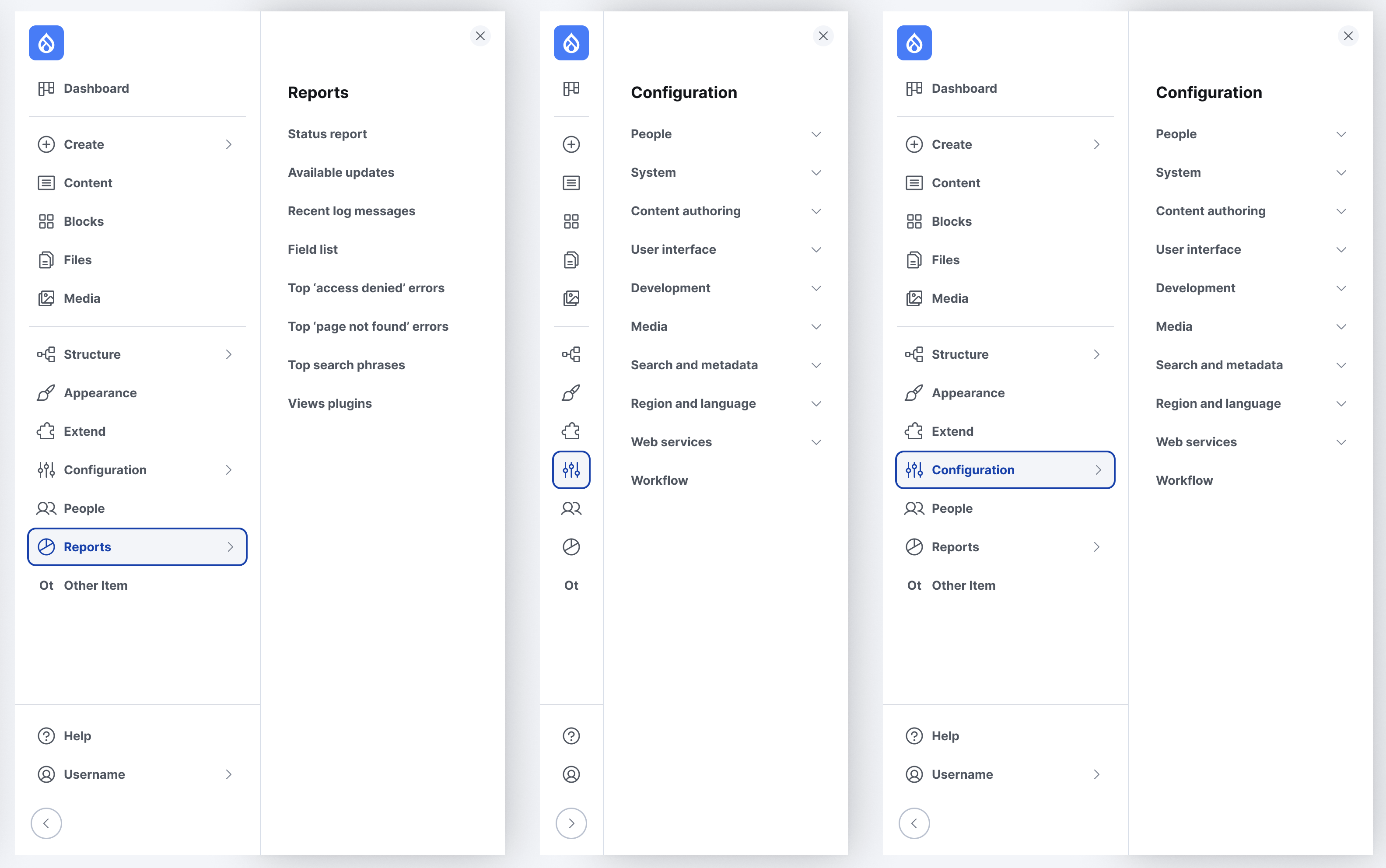
The Navigation module provides multiple customization options like adding new custom menus or chaging the default Drupal logo provided.
The menu blocks can be added and reordered through the UI thanks to Layout Builder, so site builders can easily customize their administration. The navigation module ships with a new Content creation and management menu that allows quick access to content-related tasks to increase usability for content users.
| Attachment | Size |
|---|---|
| New admin navigation designs | 905.83 KB |
Impacts:
Site builders, administrators, editors
Module developers
Themers
Site templates, recipes and distribution developers


Comments
Good overdue improvements
Looks much inspired by Gin theme
Like it
I've never used Gin before until the other week when trialing the StarShot initiative and I really like it using it. Not once did the menu close because I went out of the boundaries like they do on Vertical menus.
Also, anything that means I don't have to battle with overlaps with fixed/sticky front-end menus has to be a good thing.
Is there a way of making it disappear altogether like Drupal admin menu of old with shortcut keys?
Dropdown not working on submenu level 2
Auto Dropdown only work on submenu 1, but below that need to click.
Looks nicer, but the old
Looks nicer, but the old (horizontal) admin_toolbar is faster. I would like an horizontal option.