

 Come together with the global Drupal community in Rotterdam, 28 Sept – 1 Oct 2026. Sessions, contribution, connection, and Early Bird savings until 8 June.
Problem/Motivation
Now, the punctuation action just have remove, replace by separator and do nothing.
But we have a case about '&' to 'and', means Replace by custom string, not separator.
Steps to reproduce
1) go to /admin/config/search/path/settings;
2) uncollapse "Punctuation" section and set:
- Ampersand (&) for "Replace by custom string" with "e";
- Less-than sign (<) for "Replace by custom string" with "lt";
- Greater-than sign (>) for "Replace by custom string" with "rt";
3) add a new pattern in /admin/config/search/path/patterns/add:
- Pattern type: Content
- Path pattern: articles/[node:title]
- Content type: Article
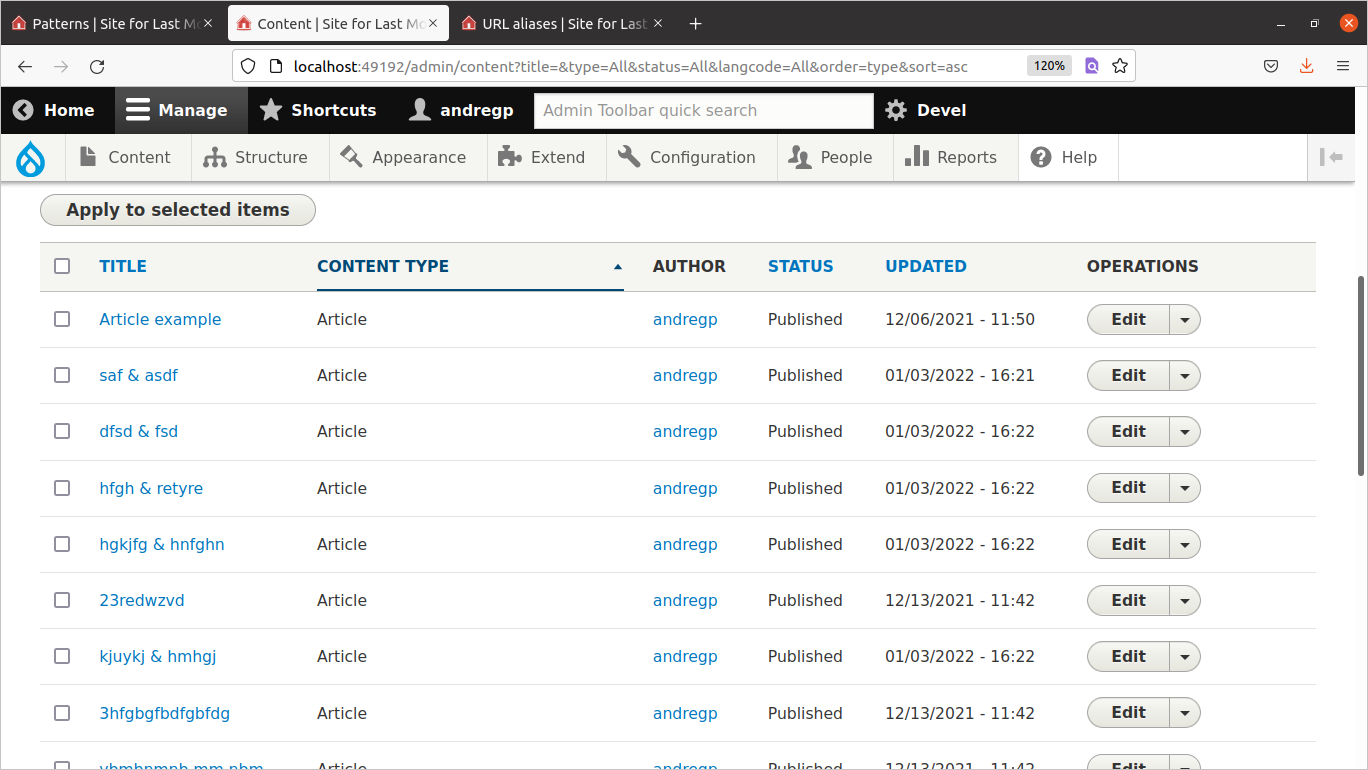
4) create the articles and check its paths:
article name: bom dia & cia
generated path: /articles/bom-dia-e-cia
article name: <span> yay > nay </span>
generated path: /articles/yay-rt-nay
article name: foo<input>< bar
generated path: /articles/foolt-bar
article name: foo<input><bar
generated path: /articles/fooltbar
Proposed resolution
Add a new action about 'Replace by custom string' to support it.
Remaining tasks
- Review.
User interface changes
Before:

After:

API changes
Data model changes
| Comment | File | Size | Author |
|---|---|---|---|
| #29 | tests-with-patch.png | 144.83 KB | gquisini |
| #29 | test-3.png | 115.62 KB | gquisini |
| #29 | test-2.png | 114.57 KB | gquisini |
| #29 | test-1.png | 119.27 KB | gquisini |
| #29 | 3256303-29.patch | 551 bytes | gquisini |
Issue fork pathauto-3256303
 Show commands
Start within a Git clone of the project using the version control instructions.
Or, if you do not have SSH keys set up on git.drupalcode.org:
 changes



Comments
Comment #2
Oscaner commentedComment #3
Oscaner commentedFix schema errors.
Comment #4
andregp commentedI applied the patch #3 and ran some tests on my Drupal 9.4.x site and everything went fine.
Before patch:

After patch:

As you can see bellow the aliases were correctly created:



+1 RTBC
Comment #5
andregp commentedComment #6
andregp commentedSorry, changing to correct status
Comment #7
berdirSeems like a useful feature, but to be able to ensure this continues to work in the future, it needs tests.
Comment #8
aspilicious commentedReroll, needs this for a client who wants to replace '+' with 'plus'.
Comment #9
aspilicious commentedStill needs work for the tests
Comment #10
jobsons commentedHi, I will try to work on the tests!
Comment #11
jobsons commentedI worked on the tests, all the punctuation test are working fine but the less than (<) sign test. I also made a manual test of the custom replacement of the less than sign (<) and it's not working as it should, this is the reason I changed the issue to needs work. Here's the patch with the tests.
Comment #13
beatrizramos commentedI'll try to work on this issue
Comment #14
paulocsComment #15
NewZeal commentedThis patch no longer works due to new 'replace with underscore' option in pathauto. When applied, the options that are meant for custom punctuation are displayed as 'replace with underscore'.
Comment #16
ngkoutsaik commentedI tested this patch and the code. The solution still works. If you set the separator to empty it works without any issues.
Comment #17
ngkoutsaik commentedI have found why the test fails. I am going to see if I can find a workaround to it
Comment #18
ngkoutsaik commentedI, unfortunately, don't have any more time to work on this. I have moved the patches to a branch. I refactored the tests to be in a loop, so it can be easier/automatic to test new symbols.
Regarding the failing tests. The issue is the last 4 elements. If you remove those the test passes. I checked with the debugger. It seems after less_than character the page is not found. That is because the alias is not generated.
The things I tried were cleaning the cache at every
checkAlias. After that, I tried deleting the newly created node every time.Last was add special character escaping to each and every character but that also failed.
Last note, the provided solution works well (without the tests in mind). Maybe someone with a better knowledge of the module will be luckier!
If I missed anything let me know.
Thanks.
Comment #19
pflora commentedI'll see if i can come up with a fix for the tests!
Comment #20
pflora commentedI found the problem that caused the tests to fail. Inside the AliasCleaner.php, at line 237, the PlainTextOutput::renderFromHtml() method was removing HTML tags from the string, but not only the tags. Even if there is only a single "<", it was being removed from the original string (that is due to the strip_tags() method). Since the tests used only a single character ("<"), it was being removed and turned into "", and an empty string couldn't be used to generate the alias. I added the following check to ensure that there aren't HTML tags on the URL, and if that's the case, the module will replace the special characters inside the string. If there are HTML tags, then the mentioned method will remove them.
I have ran all the tests again and every test seems to be passing. I don't know if the regex that i came up with is the best solution for this problem, so feel free to give any feedback on how to improve it!
Comment #22
ngkoutsaik commentedHi,
I tested your solution and the tests pass. Additionally, I created some nodes and I tried some combinations like
<span> yay > nay </span>for title. The alias was generated correctly.I will move this to needs review, as I committed some work and cannot also review it.
Comment #24
mpauloReviewing this.
Comment #25
mpauloHaving an HTML tag on the node title won't make it fall into the special case (#20) to early replace the
$outputbefore callingPlainTextOutput::renderFromHtml($output);, which doesn't handle replacing partial or broken HTML code correctly.Consider the following case, of enabling the replacement of the '<' char to 'lt', for a node with the title
foo<input><bar:- Expected: "fooltbar"
- Actual: "foo"
I think it's agreeable, that
<barshouldn't be identified as an HTML tag and be removed.Also, on a sidenote, PlainTextOutput::renderFromHtml seems to doesn't consider a tag opener part of a tag if it precedes a space (e.g.
foo<input>< barresults in "foolt-bar")Comment #26
mpauloComment #27
mpauloHere is the issue that considered this sanitization in the first place. #167786
Maybe we can come up with a less strict HTML parser, with a regex (e.g.
/<[^ ].*?>/), and ditch PlainTextOutput::renderFromHtml altogether, so it still solves the original problem, which seemed to be to increase the readability of URLs generated from tokens containing HTML.Comment #28
gquisini commentedI'll try to work on this
Comment #29
gquisini commentedUsing part of the suggestion made in comment #27, I have made a change that does not use
PlainTextOutput::renderFromHtmlto clear the tags.Since I don't know if this is a "good" thing to do, I generated a patch so that it doesn't cause a problem in MR.
Steps:
- Install pathauto
- Switch to MR
- Apply the patch
- Go to /admin/config/search/path/patterns/add and create a path with the value "articles/[node:title]".
- Go to /admin/config/search/path/settings#edit-punctuation and replace "less-than/greater-than" with a custom string
Use cases:
- Create an article with title
<span> yay > nay </span>- Create an article with title
foo<input>< bar- Create an article with title
foo<input><barI'll attach some screenshots with the manual tests I did.
Again, I don't know if this is a good thing to do, it's just a try.
Comment #30
sophiavs commentedI'll do this review
Comment #31
sophiavs commentedI think the method is ok and it worked fine on my local. For me is ok to pass to RTBC.
Comment #32
lucasscComment #33
lucasscI think we can move forward with this approach since
preg_replacewith/<[^>]*>/fits well in this case and works as expected, other thanPlainTextOutput::renderFromHtmlmethod which removes not only HTML tags but also anything that looks like this (e.g.<bar).I applied @gquisini patch in the MR's branch, removed the checker in #20 and fix some CS problems introduced by the issue.
Automated tests are passing now and I tested it manually once more and everything works well. Steps to reproduce:
1) go to /admin/config/search/path/settings;
2) uncollapse "Punctuation" section and set:
- Ampersand (&) for "Replace by custom string" with "e";
- Less-than sign (<) for "Replace by custom string" with "lt";
- Greater-than sign (>) for "Replace by custom string" with "rt";
3) add a new pattern in /admin/config/search/path/patterns/add:
- Pattern type: Content
- Path pattern: articles/[node:title]
- Content type: Article
4) create the articles and check its paths:
article name:
bom dia & ciagenerated path: /articles/bom-dia-e-cia
article name:
<span> yay > nay </span>generated path: /articles/yay-rt-nay
article name:
foo<input>< bargenerated path: /articles/foolt-bar
article name:
foo<input><bargenerated path: /articles/fooltbar
Please review this properly, as I've committed some work and can't review.
Comment #34
lucasscAdded "Steps to reproduce" and "UI changes" in the IS.
Comment #35
lucasscFormatting adjusted.
Comment #36
sophiavs commentedI'll review
Comment #37
sophiavs commentedI reproduce both tests commented on #29 and #33 and the path changed just as expected. I also tried with others pontuations and worked fine. Passing to rtbc.
Comment #39
mably commentedCode review of MR #3256303
The four commits add support for replacing punctuation characters with custom strings in URL aliases, instead of only being able to remove them, replace them with the separator, or leave them as-is.
Changes
PathautoGeneratorInterface — New constant
PUNCTUATION_REPLACE_CUSTOM = 3.AliasCleaner — Three changes:
PUNCTUATION_REPLACE_CUSTOMcase incleanString()that looks up the custom replacement string from thepunctuation_replace_custom.<name>config key.getPunctuationArray()method, used by both the cleaner and the tests/settings form.PlainTextOutput::renderFromHtml()to a regex-basedpreg_replace('/<[^>]*>/', '', $output). This is necessary because the previous approach usesstrip_tags()which consumes<and>characters even when they are not part of real HTML tags. The regex only strips complete tags, leaving standalone<or>characters intact for the custom replacement viastrtr()that runs next.PathautoSettingsForm — Adds a "Replace by custom string" option to each punctuation select, with a conditionally visible textfield (via
#states) for entering the custom replacement. Empty values are filtered on save.Config schema — New
punctuation_replace_customsequence of strings.Tests:
testCleanStringPunctuationReplaceCustom): tests each punctuation character individually with a custom replacement string and verifiescleanString()applies it correctly.testPunctuationReplaceSettings): verifies the settings form saves and persists custom replacement values.