

 The 2026 Drupal Business Survey is open. Your response will help shape the future of the Drupal business ecosystem.
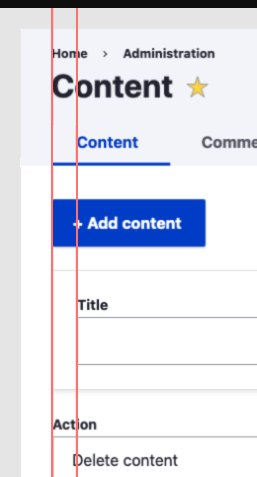
Improve horizontal alignment so that elements are aligned on a vertical line.
Currently the alignment is a bit mixed but should be nicely aligned.
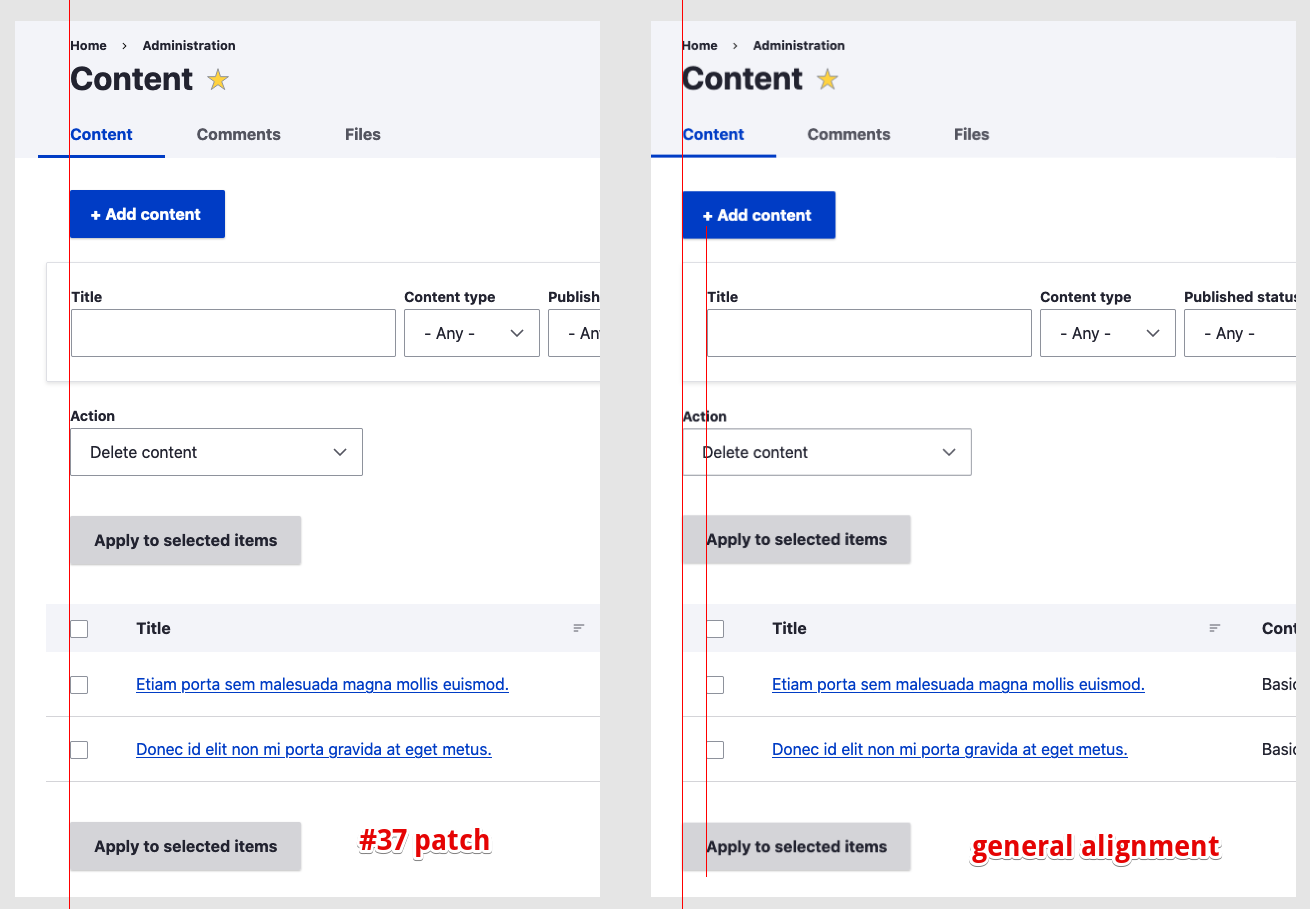
Current

Possible alignement fix

See also a related issue #3086710: Primary tabs visually not aligned on left with other element


| Comment | File | Size | Author |
|---|---|---|---|
| #65 | AfterFixIssue.png | 96.06 KB | divya.sejekan |
| #65 | BeforeFix.png | 94.36 KB | divya.sejekan |
| #59 | 3086780-nr-bot.txt | 150 bytes | needs-review-queue-bot |
| #55 | issue3086780_2.png | 39.62 KB | laisbonafe |
| #55 | issue3086780_1.png | 38.69 KB | laisbonafe |
Issue fork drupal-3086780
 Show commands
Start within a Git clone of the project using the version control instructions.
Or, if you do not have SSH keys set up on git.drupalcode.org:
 changes







Comments
Comment #2
saschaeggiComment #3
lauriiiComment #4
huzookaComment #6
asmita26 commentedComment #7
asmita26 commented@saschaeggi Are you talking about alignment of inner elements?
Comment #8
asmita26 commentedFixed horizontal alignment of inner elements. Please refer following screenshots as well.
Comment #9
hansa11 commentedComment #10
indrajithkb commentedHi @asmita26 please update the patch with pcss.css file.
Comment #11
asmita26 commentedComment #12
asmita26 commentedUpdated the patch with pcss.css files.
Comment #13
asmita26 commentedComment #14
kiran.kadam911Comment #15
kiran.kadam911Patch #12 applies successfully and It's working as expected. Here I have attached some screenshots of tested pages.
Before:

After:

Thanks!
Comment #16
saschaeggiThanks all for your work! Now that I review this (also with the bigger padding then in the version I initially used) it would look way cleaner with aligning the following items to the left baseline:
One thing I noticed in the screenshots is that in the table the "Title" is not aligned with the other items on the left. Maybe this is due to missing data. But this should be also aligned with the other items like the breadcrumb and Input fields.
The rest of the alignment is perfect now!
Comment #17
kiran.kadam911@saschaeggi SS after adding content and in table alignment of select box column is aligned with the other items.
If is there anything I missed please add.
Thanks!
Comment #18
deepalij commentedComment #19
saschaeggi@kiran.kadam911 perfect! didn't think of the checkbox at this point ;)
Comment #20
deepalij commentedVerified and tested by applying patch #12. Patch applied successfully but the issue still exists.
Testing Result:
All the content is aligned to left except:
1. Bottom 'Apply to Selected Items' button on the 'Content' tab
2. Action dropdown and Apply button on the 'Comments' tab
See attached screenshots
Comment #21
asmita26 commentedComment #22
komalk commentedPlease review the patch #22 attached the screenshot for the reference.
Comment #23
KondratievaS commentedTested patch from #22 and result is OK
But how we should align
Show all columnslink for mobile?Comment #24
KondratievaS commentedComment #25
komalk commentedTested the patch on mobile attached the screenshot for the reference and the result is OK.
Comment #27
komalk commented#23 failed to apply on 9.2.x
Re-rolled the patch.
Comment #28
komalk commentedFixed the issue mentioned in #23
https://www.drupal.org/project/drupal/issues/3086780#comment-13735031
Attached screenshot for the reference.
Comment #30
komalk commentedWorked on the failed test cases.
Comment #31
komalk commentedWorked on the failed test cases.
Comment #33
ranjith_kumar_k_u commentedThe above patch works fine.
Before patch
After patch
Comment #35
sakthivel m commented#31 Patch failed
Comment #36
sakthivel m commentedComment #37
sakthivel m commented#37 Please review the patch
Comment #38
chetanbharambe commentedComment #39
chetanbharambe commentedVerified and tested patch #37.
Patch applied successfully and looks good to me.
Testing Steps:
# Goto: Appearance -> Apply Claro theme
# Goto: admin/content
# Horizontal alignment elements not in the correct way
Expected Results:
# Improve horizontal alignment so that elements are aligned on a vertical line
Actual Results:
# Currently the alignment is a bit mixed and going outside
Please check the attached screenshots.
Can be a move to RTBC.
Comment #40
ckrinaWe better do not introduce new variables that can be calculated just using calc() or we'll have troubles naming them in the future.
This could be better defined with negative calc:
margin-left: calc(var(--space-m) * -2);We should avoid the usage of IDs. The class "block-local-tasks-block" is available to use here.
Design comments

Also, on a design perspective, this looks a bit awkward with the details and table standing out on the left. As @saschaeggi mentioned on #16 Here is a visual explanation of what I mean: on the left, the current changes, on the right what I think that would make more sense:
Anyway, thanks all for all this work! It is great seeing this moving forward :)
Comment #41
ckrinaI forgot to upload an screenshot of what I mean so it's easier to understand. Updating previous comment with it.
Comment #42
saschaeggiI agree with @ckrina here. Already looks quite good, but table and details looks off. They should be aligned with other elements on the left.
Also another thing which still needs adjustment though: the tabs.
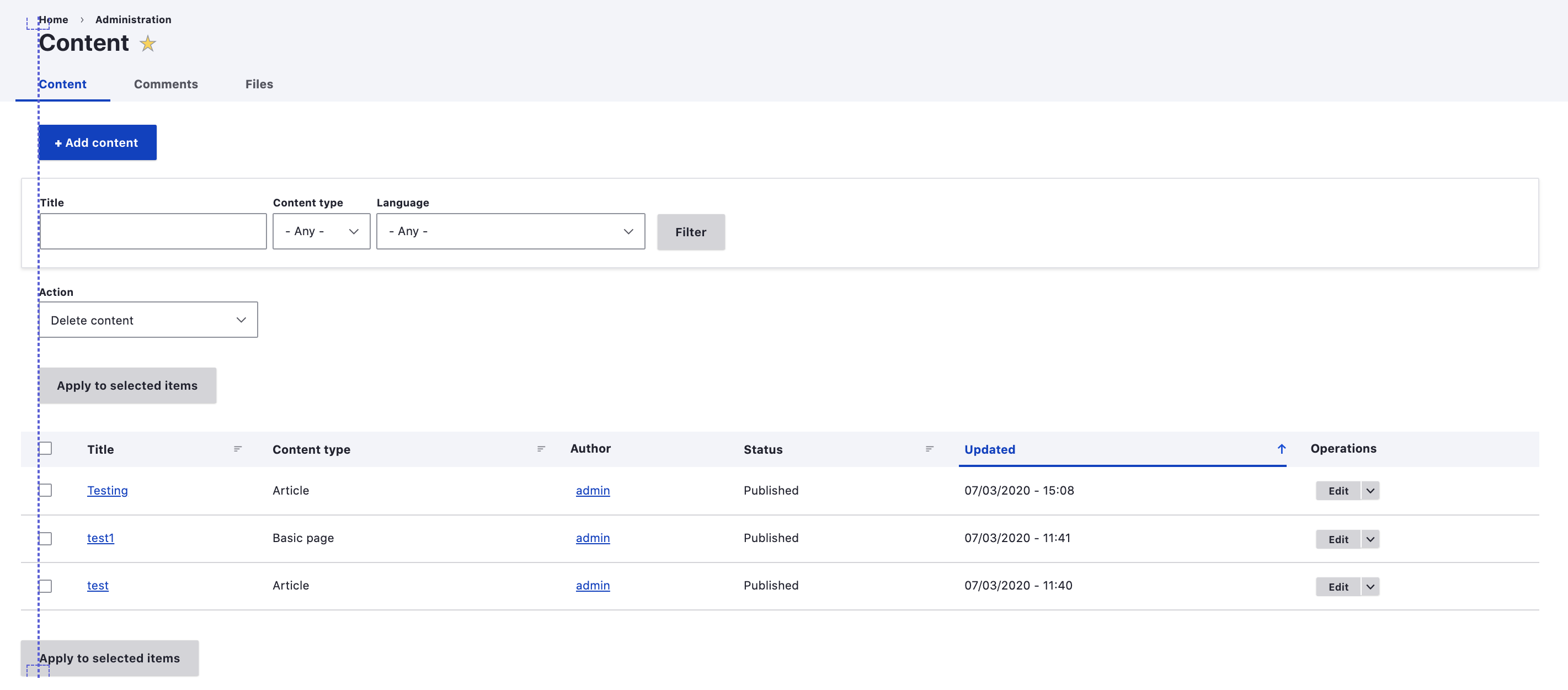
Comment #43
saschaeggiHere is an updated screenshot:

Comment #44
volkswagenchickTagging for Design4Drupal 2021. Contributions are Friday, July 22
https://design4drupal.org/
Comment #45
volkswagenchickCorrecting tag Design4Drupal2021
Comment #46
volkswagenchickTagging for DrupalCamp Colorado
DCCO2021which is Sunday August 8.https://2021.drupalcampcolorado.org/contrib-day
This patch can be re-rolled into a Merge Request to make maintainer review easier, thanks!
Comment #47
gauravvvv commentedRe-rolled patch #37, Attached interdiff for same. Addressed #40, suggestions.
Comment #48
gauravvvv commentedComment #52
marcusvsouza commentedComment #54
marcusvsouza commentedI changed the approach as asked in comment #46
Comment #55
laisbonafe commentedshould these details be like this?
the menu box "Content" is not aligned with the rest, it is bigger than the others..

When dont have nothing is listed, the title make misaligned

Comment #59
needs-review-queue-bot commentedThe Needs Review Queue Bot tested this issue. It either no longer applies to Drupal core, or fails the Drupal core commit checks. Therefore, this issue status is now "Needs work".
Apart from a re-roll or rebase, this issue may need more work to address feedback in the issue or MR comments. To progress an issue, incorporate this feedback as part of the process of updating the issue. This helps other contributors to know what is outstanding.
Consult the Drupal Contributor Guide to find step-by-step guides for working with issues.
Comment #64
gauravvvv commentedI have created a MR with updated changes, please review
Comment #65
divya.sejekan commentedTested using MR 7817 : 3086780-improve-alignment
The issue is not resolved
Tested on D11
(Patch is not applicable for drupal 10.2)
Comment #67
quietone commentedThe Claro theme was approved for removal in #3576460: [policy, no patch] Deprecate and remove Claro.
This is Postponed. The status is set according to two policies. The Remove a core extension and move it to a contributed project and the Extensions approved for removal policies.
The deprecation work is in #3576668: [meta] Tasks to deprecate Claro and the removal work in #3584638: [meta] Tasks to remove the Claro theme.