

Closed (fixed)
Project:
Feeds
Version:
8.x-3.x-dev
Component:
Code
Priority:
Normal
Category:
Support request
Assigned:
Unassigned
Reporter:
Created:
3 Sep 2018 at 18:01 UTC
Updated:
18 Sep 2018 at 11:04 UTC
Jump to comment: Most recent, Most recent file

Comments
Comment #2
megachrizIn order to make targets for these fields appear, you'll need to write FeedsTarget plugins for them. To do that:
Step 1: Figure out the field type
First, figure out what the type is of the field that you want to map to. Look into the module's folder at src/Plugin/Field/FieldType to see what field types the module defines.
For Ubercart's price field this is: "uc_price", look at the value for "id":
If the field is a "base field" - which means the field is tight to the entity and cannot be deleted or renamed - you can also look for
BaseFieldDefinition::createin the module's code to get a clue of what the type of field is that you want to map to. For Ubercart's price field you can find the following, which confirms that the field type is indeed "uc_price":Step 2: Create a FeedsTarget plugin
Secondly, you'll need to write a FeedsTarget plugin for your field. For a FeedsTarget plugin for a field, you'll need to extend \Drupal\feeds\Plugin\Type\Target\FieldTargetBase or one of the existing FeedsTarget plugins deriving from that class.
UcPriceItem extends NumericItemBase, so I'm assuming here that the price field is similar to a regular numeric field, therefore your FeedsTarget plugin could extend \Drupal\feeds\Feeds\Target\Number.
So your initial FeedsTarget plugin would look like this:
This could just suffice enough for this field. Some fields though would require some extra handling, explained in the next step.
Step 3: Expand the code of the FeedsTarget plugin
Some fields for example have multiple properties or they have a single property that is not named "value". Other fields may require that the value to import is converted first, to fit the format that the field expects.
Support fields with multiple properties
Ubercart's "Dimensions" field for example consists of four properties: "length", "width", "height" and "units", which you can see in the field's
propertyDefinitions()method:For such FeedsTarget plugins, you'll need to implement the static
prepareTarget()method, which is for example done for the link field:Converting values
You also may need to implement the method
prepareValue()for converting values to a format that the field expects. A simple example is the target for the boolean field, which converts the value to either a '1' or a '0':Predefined values for properties
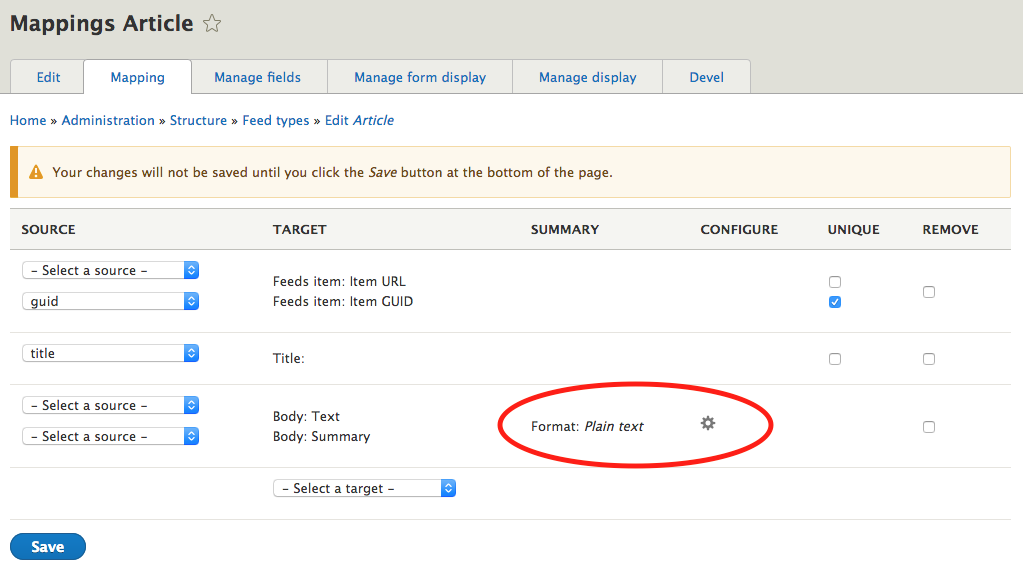
For some properties, you don't want the source to provide a value for it. This is for example the case for formatted text fields. These fields have a property in which it saves the field's text format. Text format is usually something site specific, you don't want to need to specify that in your CSV file (or XML, JSON, etc.), especially if it should be the same for all entries.
These FeedsTarget plugins need to implement the interface \Drupal\feeds\Plugin\Type\Target\ConfigurableTargetInterface so you can provide a configuration form for the target at the mapping page:
You can see how the FeedsTarget plugin "text" does that by implementing the methods
defaultConfiguration(),buildConfigurationForm()andgetSummary():So hopefully, this helps you further with coding the FeedsTarget plugins that you need!
Comment #3
enlightenedmonk commented@MegaChriz Thanks for your detailed guidance and prompt response.
I am afraid my coding skills are not at a level where I can develop plugins also I am new to Drupal 8.
My use case is for digital products with each product having 3 attributes. These attributes doesn't need to contain weight and cost information as the product is not shippable due to it's digital nature. I only need to set prices for 2 out of 3 attributes as default price is set for default attribute option.
In D7 using uc_feeds module I was able to set targets easily. Should I check with maintainers of uc_feeds if they can upgrade that module to D8 using your instructions?
Comment #4
megachriz@enlightenedmonk
Yes, you can try to contact the maintainers of the uc_feeds module to see if they have time to port their module to D8, as these target plugins should be written in that project. Feeds only aims to supports targets for fields in Drupal core.