I have a problem to create site which satisfies the two basic requirements:
1. Having a product page preview (on url product/1) which should contain injected product variation fields and add cart form button
2. Custom product view (list of products) which should not contain injected product variation fields and should contain only add cart form button (and teaser image of product)
Seems like trivial thing, but it's actually impossible to achieve this without additional hacking/tweaking. Because:
- if you want to satisfy point 1 you need to Inject product variation fields AND render product default display mode with Variations field as "Add to cart form".
- if you want to satisfy point 2, then you need to disable option about injecting fields, because if view is using rendered product (and if that option is on) it will inject the fields
And that's a conflict. I can satisfy point 1 or point 2, but not both. If only I could tell the view to use custom display view mode for those injected fields, then I could hide them all, but it's not the case, it's always using Default display for Product variation
The functionality was introduced here: #2716417: Allow rendering of variation fields on the product entity.


Comments
Comment #2
hideaway commentedComment #3
hideaway commentedJust if anybody interested, here is a piece of code showing how I achieved to remove injected product variation for my custom product view:
Comment #4
bojanz commentedI am not yet convinced there is an API problem here.
You can use different twig templates for different view modes. One can print the injected fields, the other can omit them, no?
You also have access to the full data in preprocess hooks, to be unset at will.
Comment #5
websiteworkspace commented@hideaway
Is the problem you are reporting related to the fact that Drupal Commerce 2.x does not render fields in the order set at the "manage display" tab for the product type and/or product variation type as I've described at the following link?
https://www.drupal.org/node/2910391
Also, since Commerce 2.x Product entities do not have the standard node style and "teaser" View Mode, have you tried creating Drupal Views of the Product entities instead, using fields output style, with just the desired fields (views relationship to variation needed)? Notably of course, the foregoing would require that the product and its variation be configured so that the desired fields in the variation are available at all, based on the configuration in the Product Type and Product Variation Type View Mode "manage display" settings.
Comment #6
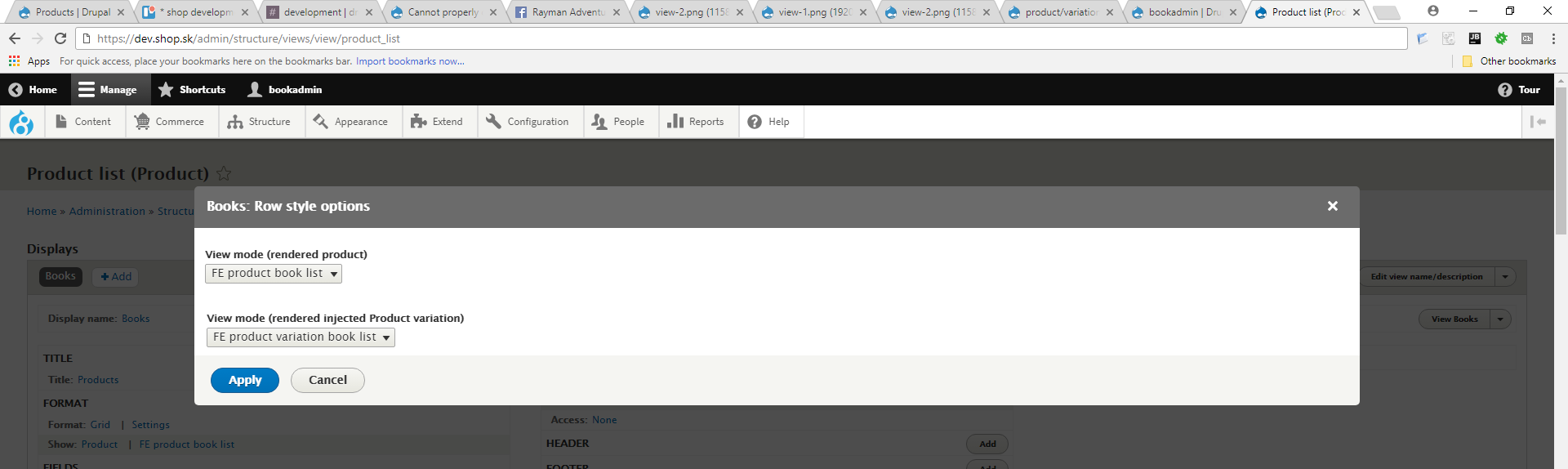
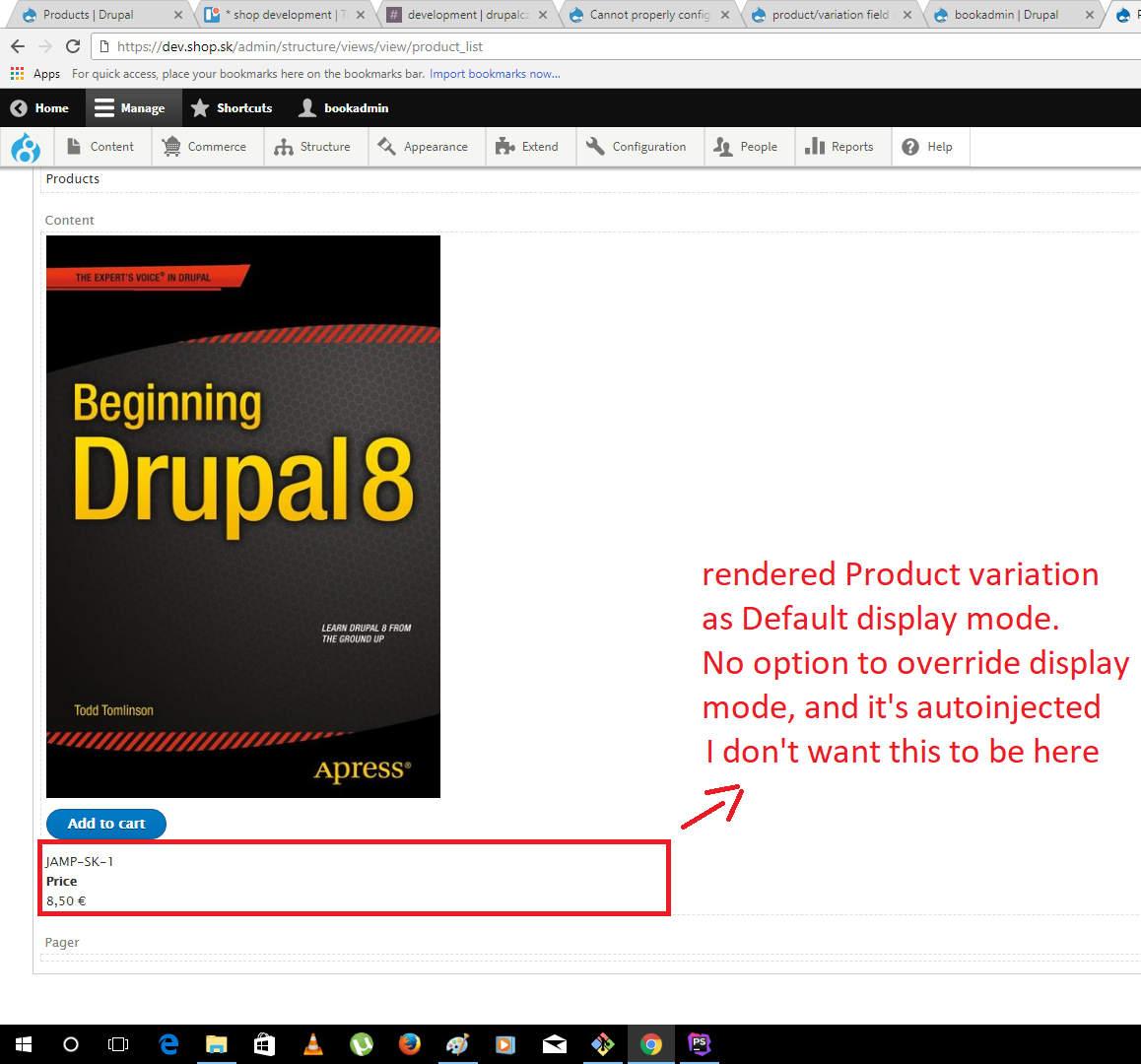
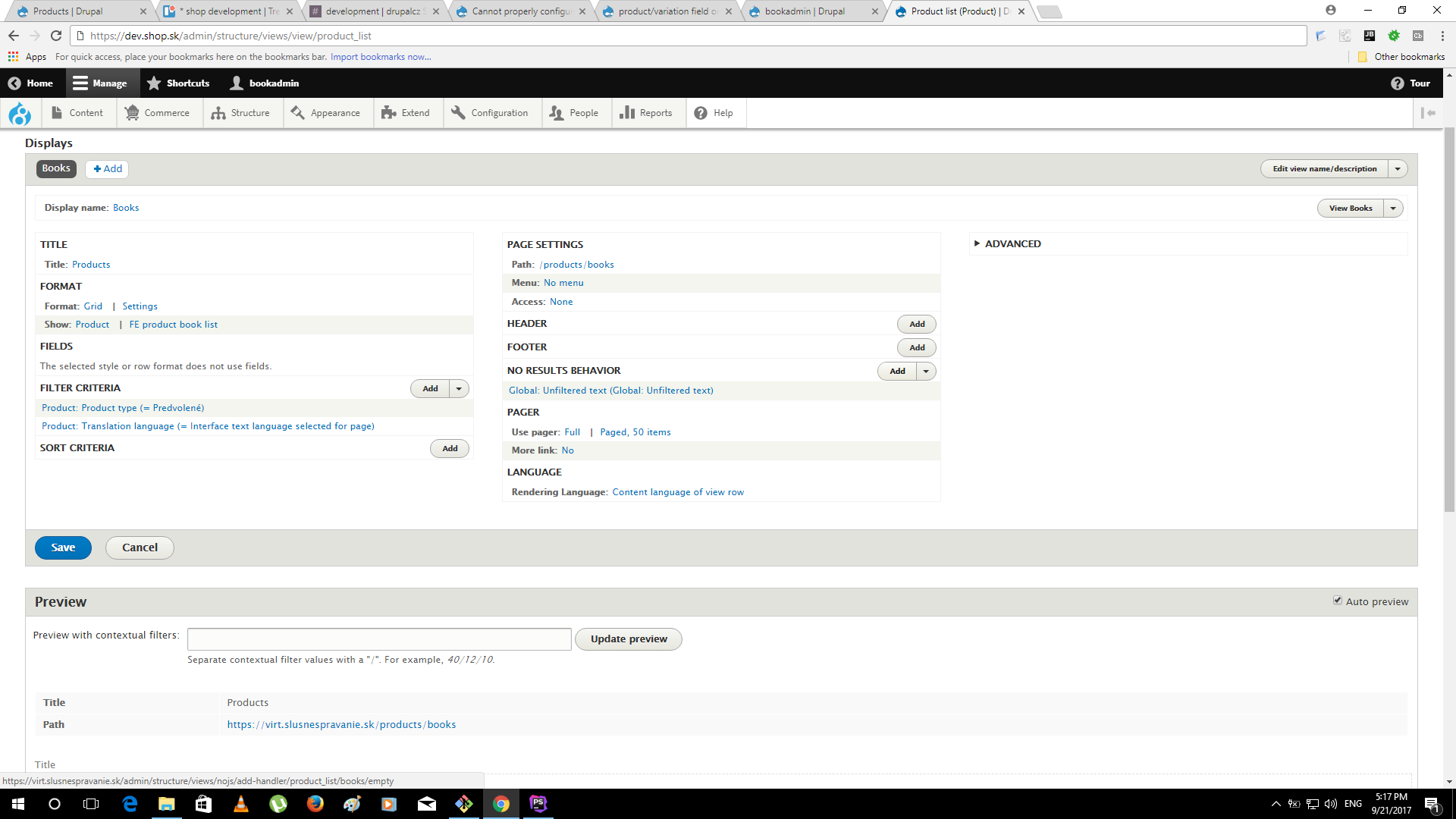
hideaway commented@bojanz Actually I cannot use view mode templates since when showing product on a product page (product/1), the injected product variation is using Default display view mode. And if rendering product in a view, it's using again Default display view mode for product variation. I just don't want to inject fields when rendering product in a view (or just having possibility to tell which view mode should be used for injected product variation, since atm it's always Default). That's it. And I cannot prevent this just by some easy configuration. As shown in picture view-1 and view-2. I just think I should be able to tell in a view that I want to inject product variation fields for rendered product or not. Or even better, to tell the view which display mode should be used for injected product variation, and not using always Default one, But if it's intended it's ok for me, since for me it's working atm, I just thought if some regular user will encounter this, he might having problems.
Comment #7
hideaway commented@DrupalWebsiteBuilder Using fields in a view is a solution of course, I just wanted to use rendered product, because why not?
Comment #8
hideaway commentedSo when thinking now about this, it's basically a feature request to support choosing display view mode for injected product variation in views, and not using always Default view mode for injected product variation rendering. Like in the attached picture.
Comment #9
hideaway commentedComment #10
scottsawyerI just ran into an issue when using fields in views to render products + variations. Following the example in the docs I created a Search API view product catalog. I have 9 products, some with many variations ( most < 10, but one with ~70 variations). With the view display set to fields, when I add the variations, the number of queries skyrockets, and rendering the view takes approximately 15 seconds. Obviously this is a non-starter for a simple product page with 9 products, so using Views fields is not going to be a universal solution.
Comment #11
santerref commentedIf you look at this file: commerce/modules/product/src/ProductViewBuilder.php
The line:
Use the view mode of the product and if it doesn't exist, it seems to fall back to default.
A quick fix is to create a Product Variation view mode with the same machine name as the product.
Hope that helps you :)
Comment #12
danharper commentedHi
I tried the above but it didn't work for me, the only only thing I'm trying to change is the order of the list price and price fields. Even thought I have the order set in the default view as list first and then price it's not reflected in the parent product view.
Thanks Dan
Comment #13
danharper commentedJust to add further information to this issue I have narrowed down where my issue is and I'll try and explain my scenario.
I have a default product type setup called default and a default product variation called default (all standard). The default product has inject product variations checked.
The default product has two display modes
I have a basic view to display products in a gird based on taxonomy that renders products (not product variations) using the default product view mode product list.
When the default product is rendered with the view mode product list it seems to inherit the injected product variation field settings from the layout builder on the product default display mode.
I have tried creating a product variation view mode with the same name (machine name) as the product view mode "product list" but changing the field settings in this variation view mode makes no difference to how the variation displays on the product when the product is rendered as "product list" display mode in the view.
By turning the label on and off of the price field in the layout builder I found out that the default product view using layout builder was affecting the display of variations in the other view mode that doesn't use layout builder.
I would have expected that if I render the product in a view with a specific view mode that doesn't use layout builder then I would be able control how the variations are displayed in that view mode but that doesn't seem possible.
I don't know what the solution here is, perhaps a select list on the product display mode that allows you to select the product variation view mode?
Cheers Dan
Comment #14
basvredelingThe global product variation injection setting should IMHO be a single property on the display mode of the product. Not unlike adding meta tags to a node. It just outputs the variation fields to the product template, if you specify something that isn't the default display mode, you can enable/disable it there. Injecting it on all product display modes if you only use it for a single display just is additional load and unnecessary clutter when rendering stuff.
Comment #15
anybody+1 on #14 that's the only correct implementation!
Comment #16
anybodyComment #17
anybody@Maintainers: Do you also agree with #14? Then we could proceed here for 3.0.x!
Another alternative would be to have all fields as pseudo-fields on the product, if the option is selected. That would be even more flexible and would put these even at the display configuration level for all display modes!
A further option, which I'd like most is to turn around the logic an inherit all product fields into the product variation, as in most cases you may want to render the product variation together with the values from the product. Focusing on product variations would make things conceptually better and easier in most situations.
I think one of these ways should be chosen for the future.
Comment #18
newaytech commentedFor anyone else landing here - I worked around this by:
This allowed me to then use a calculated price formatter for the product on the PDP - but bypassing the PriceResolvers for the cross sells that are present on the same page.
Comment #19
anybodyThanks @newaytech - that shows there's still demand for this. I'd love to get some maintainer feedback i #14 to proceed here.
Comment #20
loze commentedFor the record I would love to see this too.
Comment #21
chrisolof commentedI found that what's outlined in comment 11 works to achieve something similar to what I think the OP was trying to do. In my case I needed to render the product full/default view with most product variation fields showing, and in product lists I needed a "teaser" type of output where only some fields were shown, sometimes with different output settings.
To achieve this I:
1. Set up same-named "Teaser" view modes (
/admin/structure/display-modes/view) for both the Product and Product variation (enabled for the sub-types that needed it).2. Configured the display settings for each, reducing and changing how certain fields were rendered in the teaser view modes via each Product/Product variation field's display settings.
3. Created both
commerce-product.html.twigandcommerce-product--teaser.html.twigtemplate files with statements like{{- product.variation_field_foo -}}and{{- product.variation_field_bar -}}to render the fields where needed. It sounds like layout builder could be employed here as an alternative to this template-based approach (see #2716417-22: Allow rendering of variation fields on the product entity.).4. Selected the "Teaser" view mode for products in views-driven product lists.
Seems to work great.
I agree with comment 14 that it would certainly be nice if we did not have to rely on this same-name magic and could instead select the desired product variation view mode from the product view mode's display settings (defaulting to current behavior).