When creating a condition for a non-required field and changing it to required based on a set of conditions, the required field isn't actually evaluating in the form presentation or validation.
Steps to reproduce:
1. Create 2 non-required fields
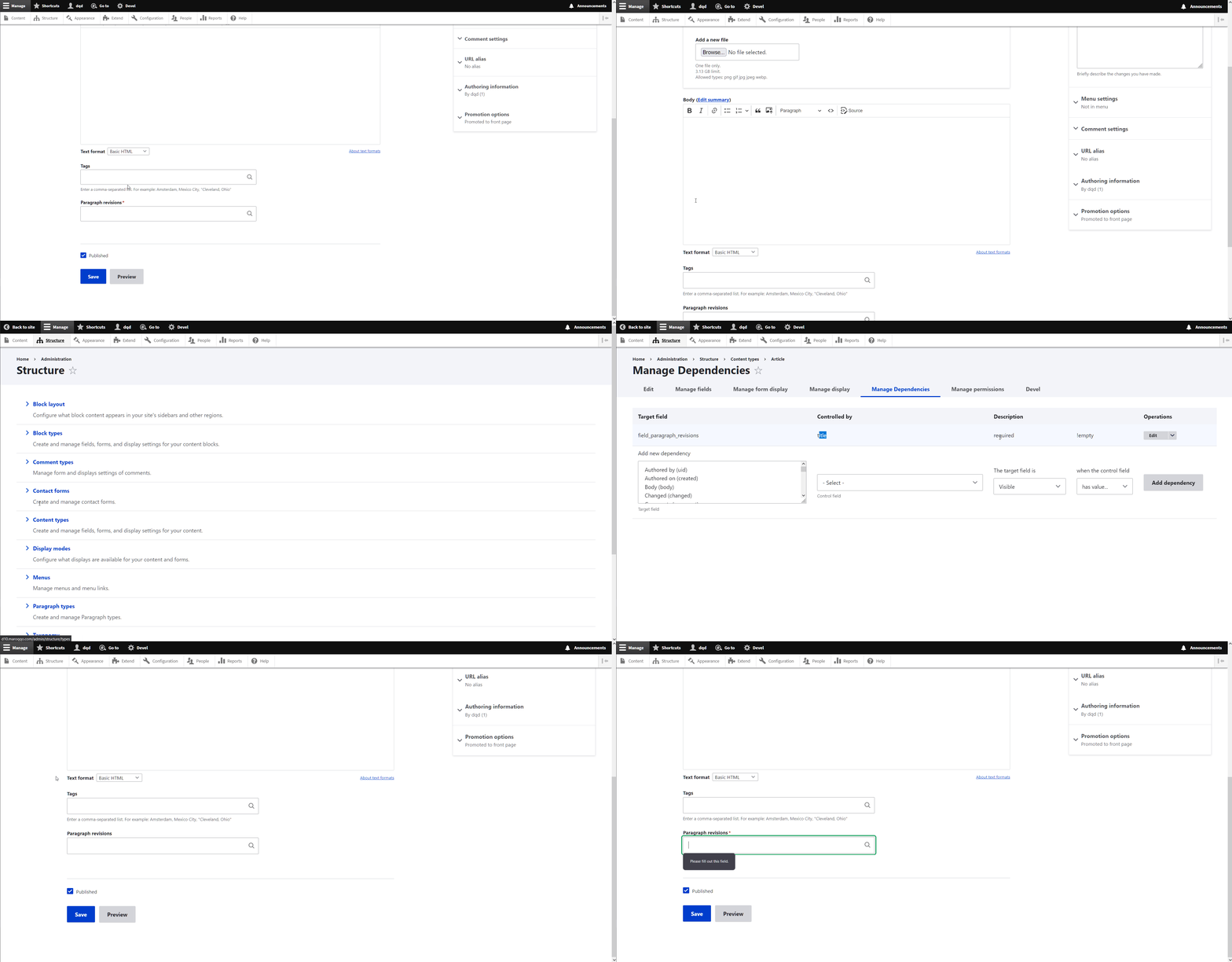
2. Make "Target field" required when for a certain value of the "Controlled by" field
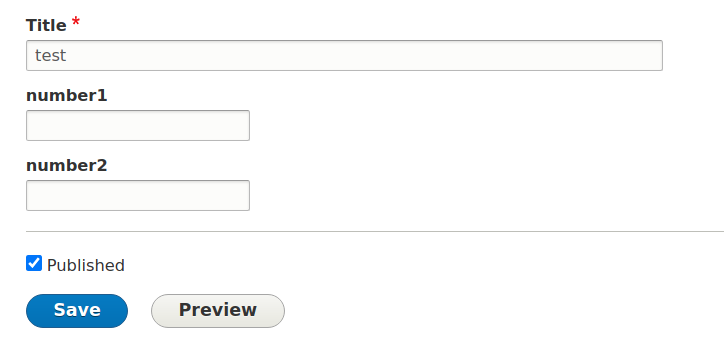
3. Try creating a new node filling the "Controlled by" field with the needed value and keeping Target field empty.
4. You might need to remove the required parameter from the field, if you're using Chrome/Firefox/Safari
Settings:

Adding node:
How it should work:
When making a field required in dependence of another field, the form shouldn't be able to be submitted without the required field being filled.




Comments
Comment #2
cslevy commentedComment #3
cslevy commentedRecreated the patch. I messed up the first patch.
Comment #4
cslevy commentedComment #5
zerolab commentedPlease set the issue status to "Needs review" when adding a patch. This triggers tests (if any) and is a flag for others to look at the issue.
Comment #6
nwom commentedAfter this gets solved, it'd be great for this to be ported to the D7 module as well, since this exact problem is reproducible even when the patch from #1561272: Conditionally required fields are not required has been applied.
Comment #7
oresh commentedI've tested the issue with the #4 patch.
I've created the fields, and one of them becomes required when the value of other is changed. Because of HTML5 require check, i'm not able to submit the form. Though, if I remove the required parameter from the field (
required=required), I get this error:Comment #8
oresh commentedComment #9
Grayside commentedNote that even if this is fixed in a way savvy to the Form system, as a data model requirement instead of "just" a visual effect, whether a field is required should really be using the Entity Validation API system. Without that, Drupal REST and other API-first modules will completely sidestep the intention of a Conditional Field required configuration.
https://www.drupal.org/docs/8/api/entity-validation-api/entity-validatio...
https://www.drupal.org/docs/8/api/entity-validation-api/providing-a-cust...
Comment #10
kris77 commentedHi @cslevy,
I have tried your patch in #4 and its same to work.
I use Drupal 8.4.2 and Conditional_Fileds 8.x-1.0-alpha2.
Thanks.
Comment #11
colanUpdating status based on #9.
Comment #12
cslevy commented@Grayside
The whole module is based on States api. so all validations are done on the form level. Feel free to tackle this issue. I don’t have time to work on this. I had an issue on a project, I created a patch that works for me, but I didn’t have time to test every scenario.
@oresh that this issue about. make a field required based on other field. it is normal to not be able to submit the form when the field is empty and required. I’m not sure if i understood the issue described by you
Comment #13
colan#12: Are you saying #9 isn't something we need to worry about? You might be right; I don't know enough about this issue.
Comment #14
colanI'm still interested in discussing #9, whether we should do that or not (comments welcome), but let's also solve the problem of that code being impenetrable before adding onto it.
Comment #15
colanPostponing on #2926132: OOify contents of conditional_fields.api.inc and then delete it.
Comment #16
colanAs some of the refactoring is now done, please carry on here by re-rolling, etc., but make sure to split up big methods instead of adding to them so we don't make things worse; this hasn't been done yet. Thanks.
Comment #17
philltran commentedI was about to re-roll this patch, but was not able to recreate the issue on aplha6. I disabled the HTML5 form validation. I will do some more testing.
Did anyone else re-create the issue using alpha6?
Comment #18
visualnotion commentedI have #4 working on a website now, but was curious if a CSS class ("error") could be added at all. Currently, there is no way to style newly-required fields like the rest of normal, required fields.
UPDATE: I am using alpha6. See this issue for a patch for alpha6.
Comment #19
ultrabob commentedvisualnotion are these two issues duplicates?
Comment #20
visualnotion commented@ultrabob
When I originally submitted my comment, there were two separate patches (alpha4 vs. alpha 6, I believe).
Unfortunately, we couldn't get things working like we needed and had to move on to hit deadlines.
Comment #21
z0ran commentedHi Drupal Community,
I am not much of a developer and don't post much in the forums, but usually support the Community with monetary donations. So you will excuse me if I didn't get something right here.
Anyway, I noticed that if you install "disable_html5_validation" module which removes default HTML5 validation it also solves a few issues. My workflow was:
Step 1 - Create one control drop-down field in order to control the appearance of the next few fields.
Step 2 - Create a number of target fields (MAKE ALL OF THEM COMPULSORY/REQUIRED)
Step 3 - Do the logic with the control and target fields by adding a simple VISIBILITY rule, i.e. make target visible if the control field has a particular value
The result is that the form will only require those fields that are visible and those that are not (even defined as compulsory) will not be required.
I hope this helps!
Have a great day!
Comment #22
hmendes commentedHello!
I'm trying to reproduce the error on Drupal 9.1.6 and Conditional field 8.x-1.x-dev and the error is not happening, can anyone confirm if this is still a problem?
I've created 2 number field (both non-required) and added a condition, to the second field to be required when the value of the first is equal to '42', and it seems to be working fine ( look before_triggering.png and after_triggering.png).
Also, patch from #4 is no longer being applied ( patch_error.png ).
Maybe we should close this issue with Closed (outdated).
Comment #23
liquidcms commentedi am using 8.x-1.0-alpha10 with none of the patches from here, yet, and setting something as required makes the red star show up; but isn't being validated.
Comment #24
liquidcms commentedno longer an 8.x release so upgraded to 4.x latest; same issue. tried patch above, doesn't apply
Comment #25
liquidcms commentedbtw, i have this patch https://www.drupal.org/files/issues/2020-05-05/1797438-165.patch removing client side validation.
Comment #26
ressaIt seems to works as expected in 4.0.0-alpha1, and I can't reproduce this error, same as @hmendes in May 2021.
As soon as I enter the trigger value in the Control field, the target field gets the red asterisk, and I cannot submit the form, until I enter a value.
Comment #27
liquidcms commentedDoesn't work for me with 4.0.0-alpha1.
Comment #28
rishi.kulshreshthaAs far as I can observe, the problem persists with the radio button's widget.
I have included a brief screencast demonstrating this issue.
Comment #29
dqd#28 your example video does not show the CF configuration and your required radio select field list includes N/A which can cause issues too since nothing selected can be also be an accepted state then. We need more user reports on this. #26 and #22 report that they cannot reproduce the issue.
Comment #30
dqdAfter rethinking: For now I set it as "Closed cannot reprocude" because this shouldn't be a BETA release blocker at all. Feel free to reopen with more details to reproduce this issue.
Comment #31
dqdAnd after testing on multiple installations (Drupal 10.1, 10,2, 9) I cannot find any point where CF is not working in the scope of this issue as expected. So after rethinking twice I mark it as "Closed (works as designed)" until somebody can clearly show me how this error occurs and which version of Drupal is running and which other modules and fields are set up to investigate which other project maybe causes this misbehavior injection.
But Thanks for the reports and all the efforts +1 in here though.
Comment #32
kp2eworx commentedHello Dqd thank you for your work. I repeated what you illustrate in the animated gif and confirm the behavior when the widget is set to autocomplete. I was able to reproduce the problem however when i changed the widget to Select list. Could have a look to repeat your actions on a select list as well? thank you
Comment #33
coaston commented+1 - It works fine with select list widget. However when you change widget to autocomplete - it does not work. It does not matter if it is required field, or visibility or anything else - it looks like autocomplete widget does not work at all!
@dqd - your gif is referenced to TEXT and if TITLE is populated, autocomplete field is required - that works fine. however vice versa does not work, when you try to hide text field (or any other) and you use autocomplete field as trigger (instead of select list)
Example :
1. Create Taxonomy with values Open/Closed
2. Create entity content type and field status with entity reference > taxonomy > vocabulary where values are open/closed
3. Create any other field which needs to be visible or required once the status is CLOSED, lets called it Age
4. Go to manage Manage Dependencies > Age is visible when Status has value 2 (from widget or use Values input mode) where 1 = Open and 2 is taxonomy CLOSED.
5. Create new content and use status 2 (Closed) with autocomplete widget > Nothing happens.
6. Change widget from autocomplete to select list and repeat step 5 > everything works as expected.
So select list works, autocomplete is not!
Comment #34
coaston commentedComment #35
orkutmuratyilmazAny updates?