
11.1. Finding Modules
- Go to Drupal.org, and navigate to Download & Extend > Modules (https://www.drupal.org/project/project_module).
Filter your search using the categories on the module search page. Fill in the fields as shown below.
Field name Explanation Example value Maintenance status
How actively should the module be maintained?
Actively maintained
Development status
What kind of development should the module undergo?
Any
Module categories
The module’s topic area.
Administration
Core compatibility
The version of the core software the module is compatible with.
8.x
Status
Project status: Sandbox projects are experimental projects. Full projects have already gone through an approval process, but they can still be in development.
Full projects
Search Modules
Search for Admin Toolbar, a module that will be covered in detail later. Alternatively, you can also leave the field blank if you are not sure which module to search for.
Admin Toolbar
Sort by
Order your search results by criteria like Most installed (popular modules that many sites use) or Last release (date of latest version released).
Most installed

Click Search. Search results will appear.

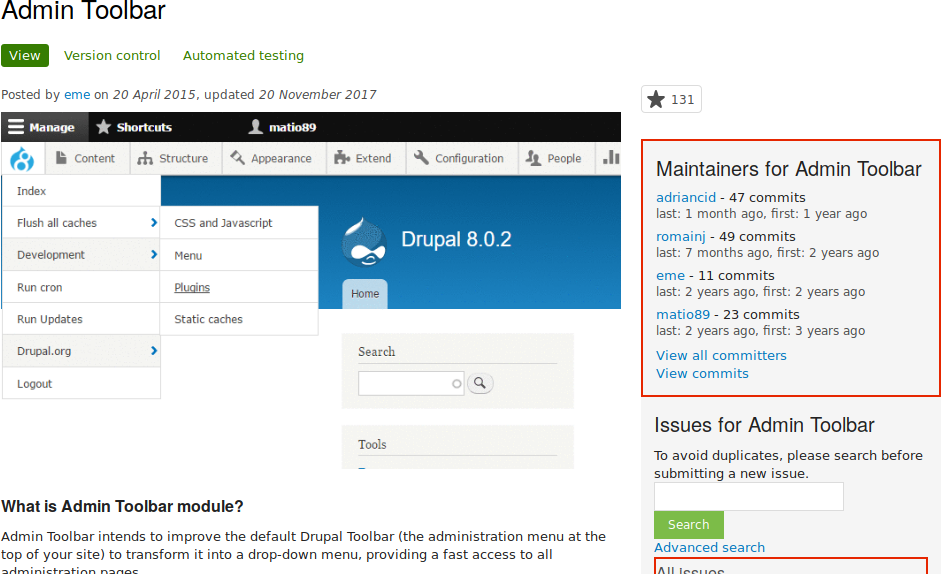
- To further evaluate a module, click its title in the list of search results to visit its project page.
Some aspects to pay attention to when evaluating modules:
- Project description: The description of the module on its project page should be clear and useful. You should get an idea of its features and requirements.
- Maintenance status: If a module is Actively maintained, you can be sure that there will be security updates, bug fixes and feature improvements provided on a regular basis. However, if the module is unmaintained or abandoned, you shouldn’t use it.
- Development status: Under active development means you can expect new features to be added to the project, but some aspects (for example, API) may still change. Maintenance fixes only means that the project is considered feature complete.
- Reported installs, downloads: You can see how many people have downloaded and how many sites use the module. If it’s only used by a few sites, it might be a unique solution that not many people need, or it might be a warning sign that you shouldn’t use it either.
- Maintainers: When was the last commit (the last time someone updated something on the module) or last release (new version)? If the project has few open issues, a long time since commits/releases might be appropriate, but if it has a lot of open issues and there are no commits/releases, that would be a clue that it might be abandoned.
- Issues: See if there are any open issues, potential problems with the module. Check the Statistics to see how regularly issues are responded to.
Resources: Check if the module has documentation or a README file, that can help you install, configure, explore, and test it.
第 11.3 节 “Downloading and Installing a Module from Drupal.org”
Attributions
Written by Diána Lakatos at Pronovix.
Source file: extend-module-find.asciidoc
Help improve this page
You can:
- Log in, click Edit, and edit this page
- Log in, click Discuss, update the Page status value, and suggest an improvement
- Log in and create a Documentation issue with your suggestion
