
Media Vimeo Uploader
This is documentation for Drupal 7, which is no longer supported. Learn more and find resources for Drupal 7 sites
In this doc you can find information how to start using Media Vimeo Uploader module.
Installation
1) Download and enable Media Vimeo Uploader module with his dependencies
2) Download vimeo.php library and place it in libraries folder
Library should be available at sites/all/libraries/vimeo.php/autoload.php
Vimeo application configuration
1) Login/Sign up to Vimeo site
2) Create new Vimeo application at API Apps page
3) Request upload access for new application in order to be able upload video through Vimeo API
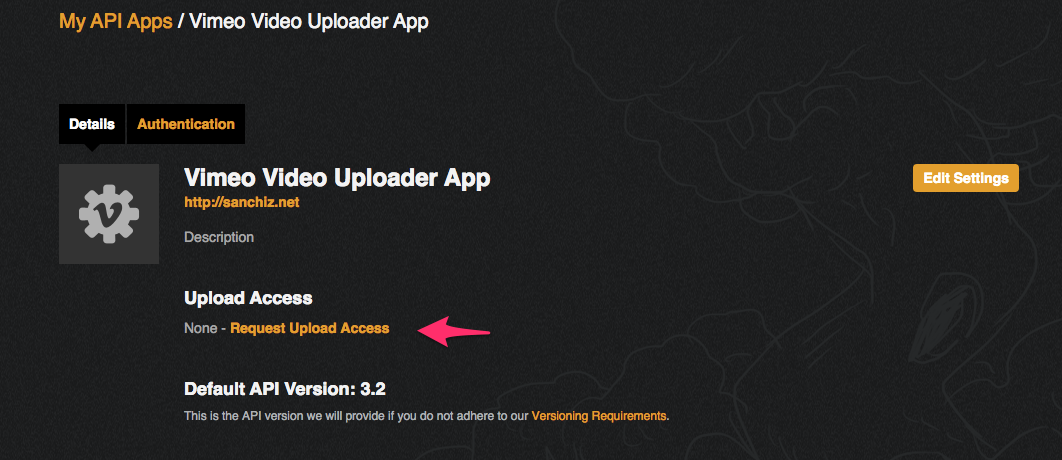
4) Once you get upload access generate access token for your application on "Authentication" tab with following permissions:
- Public
- Private
- Edit
- Upload
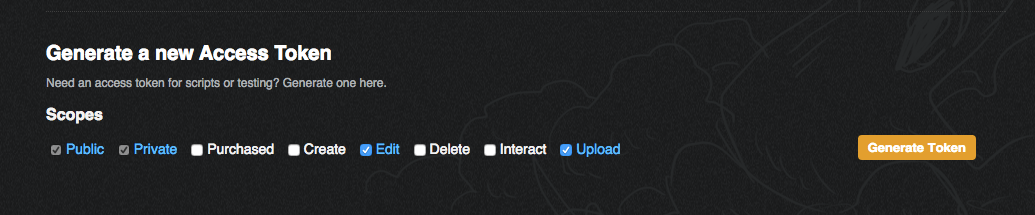
5) Now make sure you have following data for your application:
- Client Identifier
- Client Secrets
- Access token
Drupal configuration
1) Go to admin/config/services/vimeouploader and put there "Client ID", "Client Secret", "Access Token" and save form.
2) Configure your file field and enable "Vimeo" browser plugin
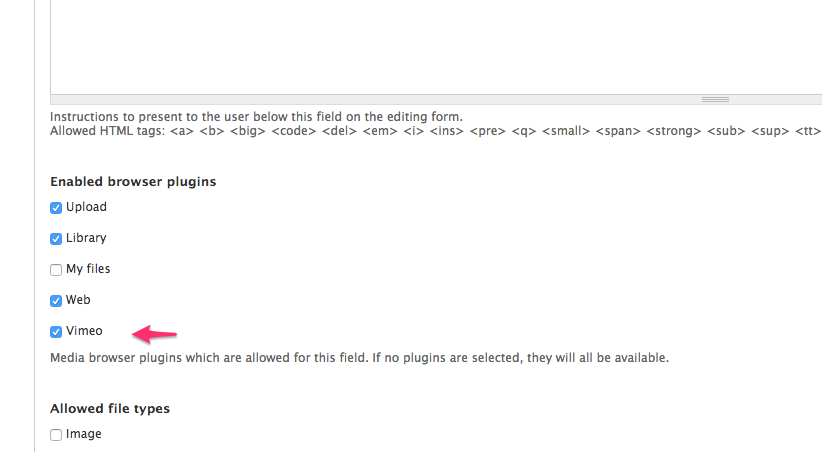
3) Go to node form and use new tab in media browser.
Help improve this page
You can:
- Log in, click Edit, and edit this page
- Log in, click Discuss, update the Page status value, and suggest an improvement
- Log in and create a Documentation issue with your suggestion
