Problem/Motivation
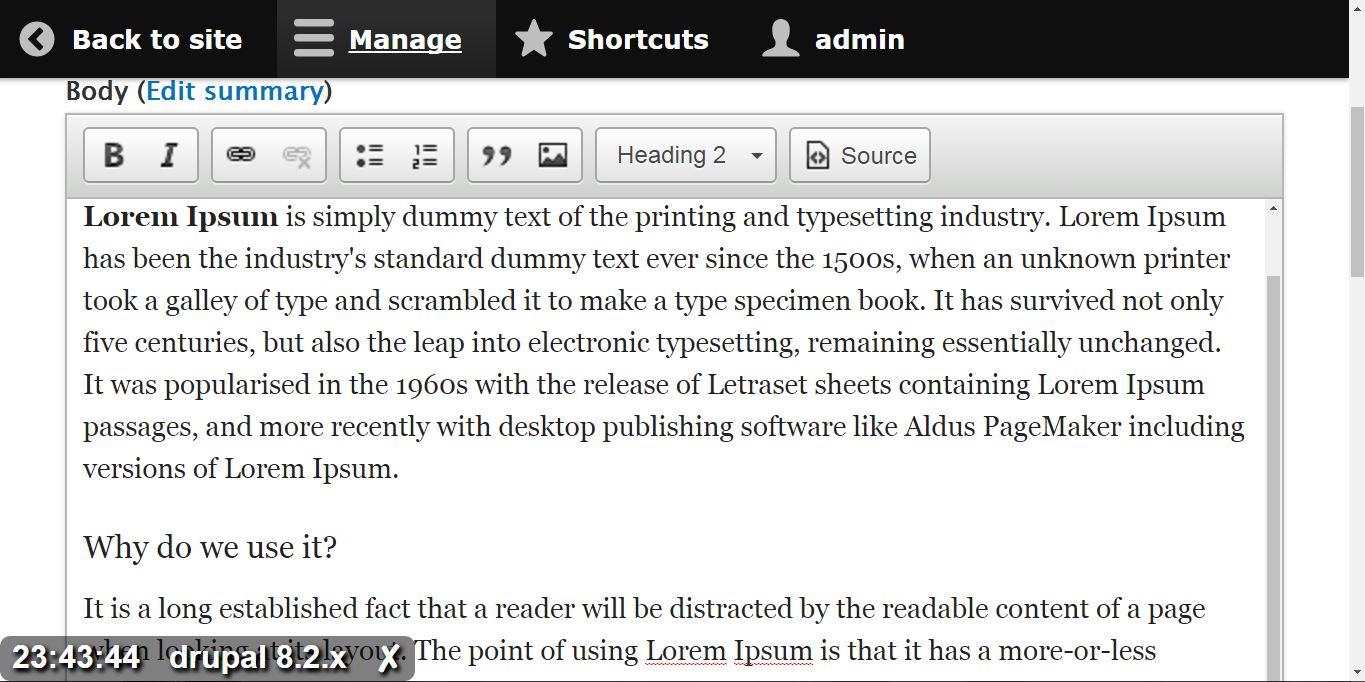
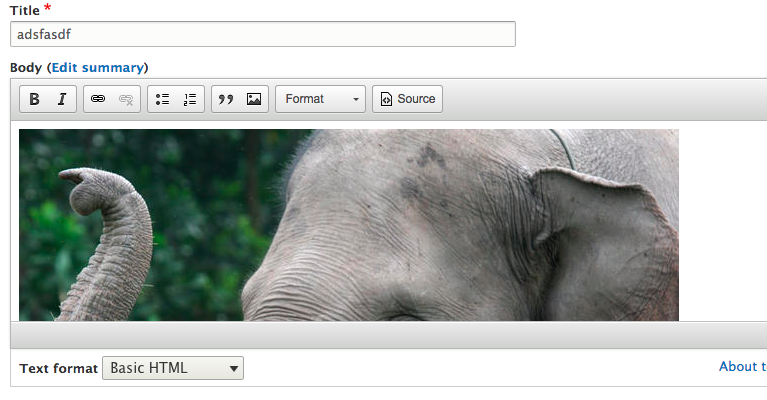
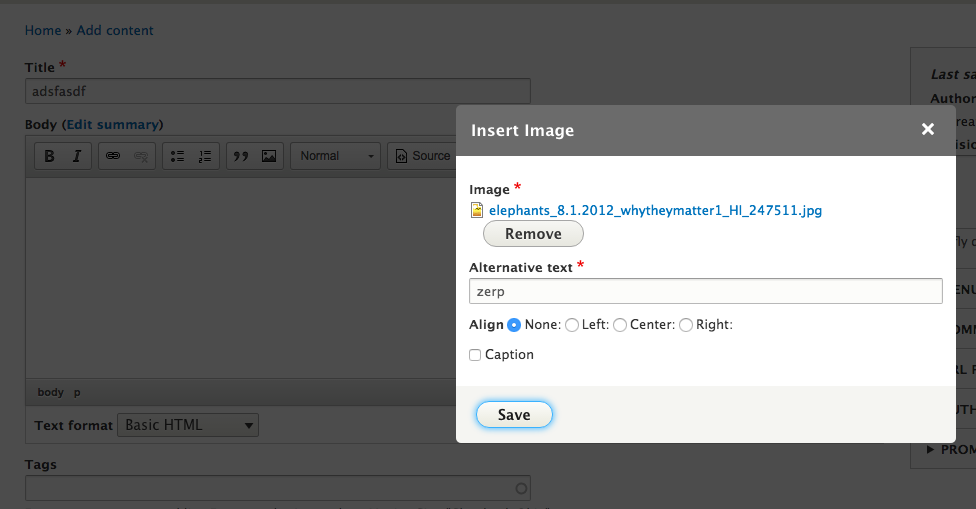
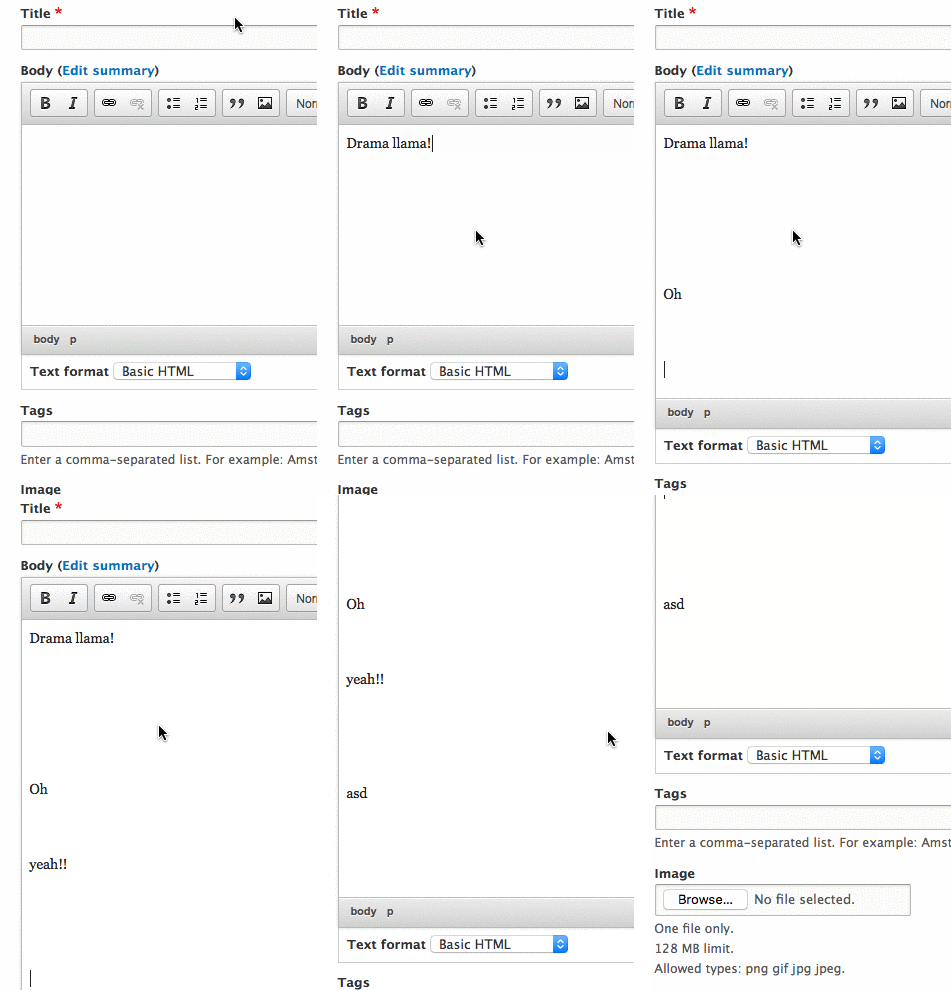
Right now in Drupal 8, if you go to node/add/article, type the highlights of your article in a few words, click the "Image" button, upload an image, hit "Save", you get this:
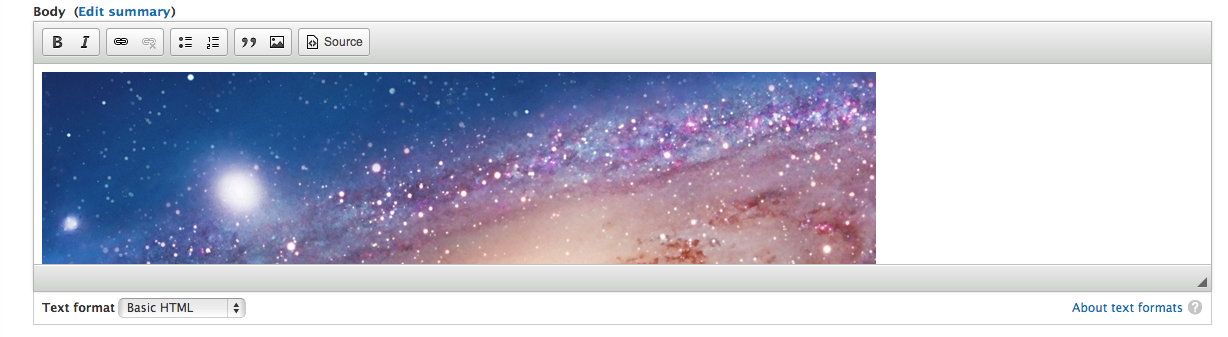
So we have a great UX for everything up to the point and including uploading & inserting an image. But once it's inserted, it's… awkward.
(The same problem exists when you have finished writing your article — even if it's text-only — you have to manually resize CKEditor.)
Proposed resolution
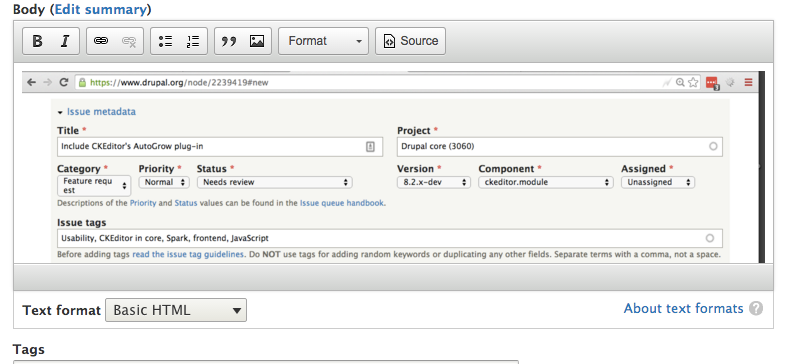
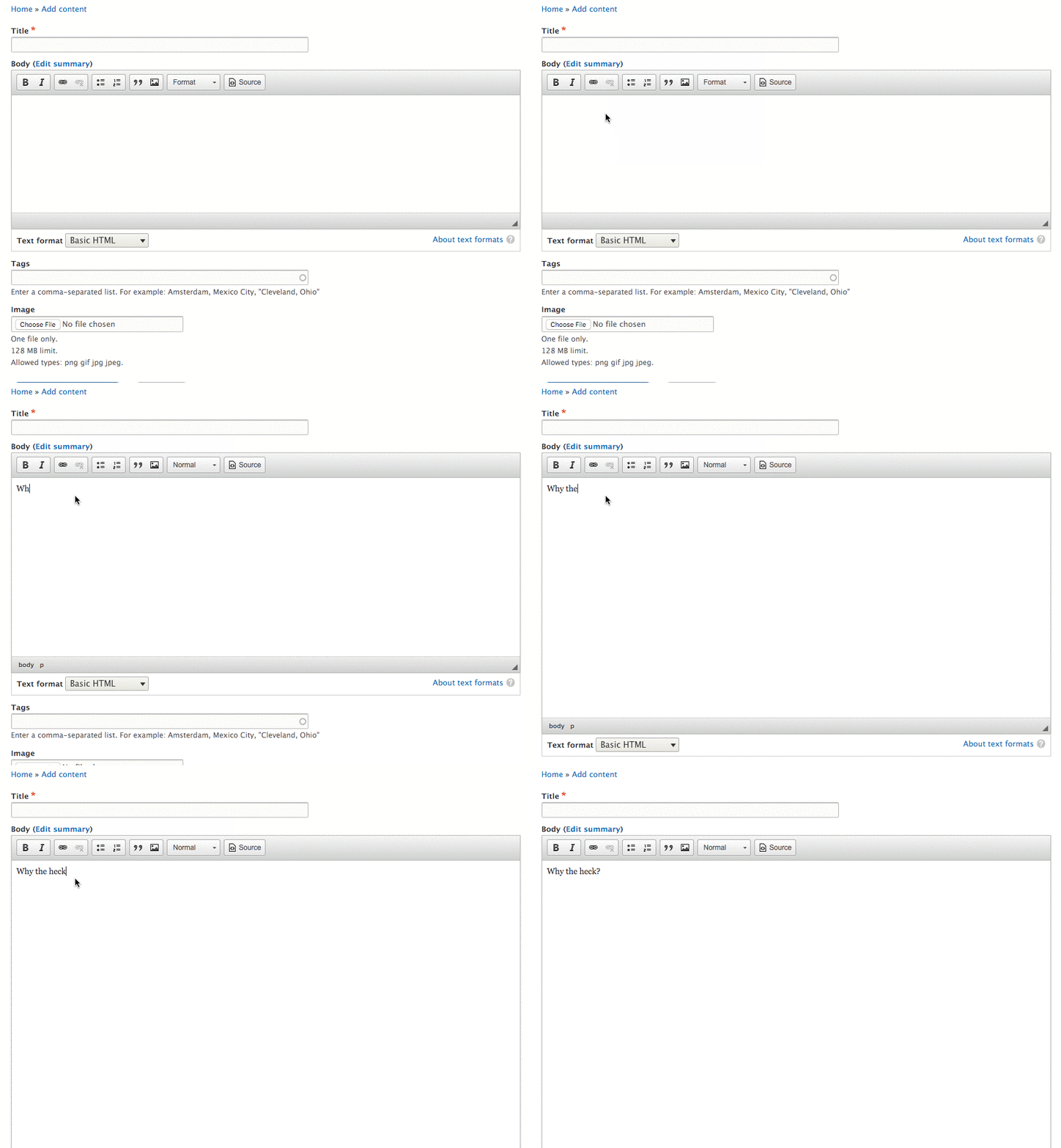
Use CKEditor's (GPL!) AutoGrow plug-in. Then it would have looked like this instead:
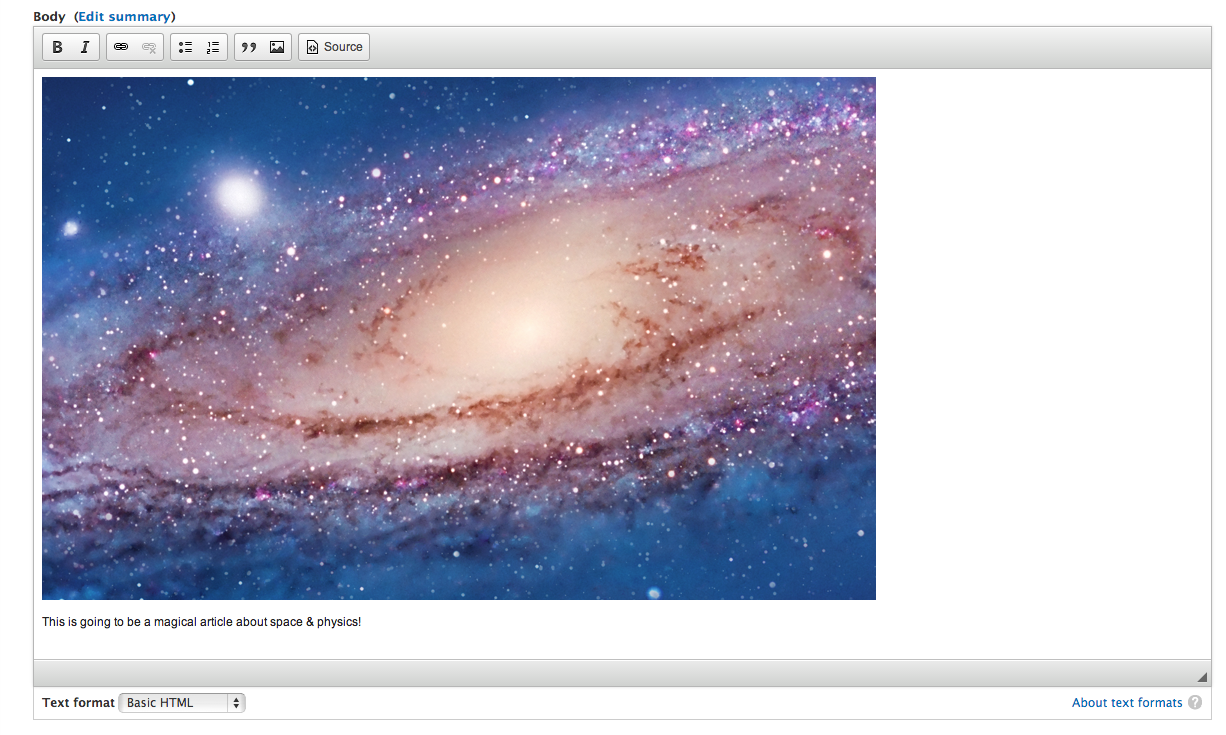
A demo of the AutoGrow plug-in is available online: http://ckeditor.com/demo#auto-grow
Remaining tasks
Build consensus that this is desirable.Wait for #2039163: Update CKEditor library to 4.4.Wait for CKEditor to add support for "smart" autogrowing: https://dev.ckeditor.com/ticket/12120Create a new build that includes it.- Accessibility review: See testing of the zoom behavior in #122. Might be good to get accessibility signoff on the feature or see if any other accessibility testing is needed.
- Usability review: the usability team already agreed on this feature, in general, being a UX improvement.
- Add screenshots to the summary comparing autogrow and resize.
- Test thoroughly on mobile and post screenshots (including uploading a large image and posting long text, watching the autogrow, saving the node, and revisiting the node.
- Decide whether to use the
autoGrow_onStartup to make the behavior more consistent on node load (see #98, #115, #118.
- Decide whether the loss of resize and subsequent regression on large screens (#114) is an acceptable tradeoff for the usability improvement in the 80% case (usability team signoff). See this screenshot for the unused screen space without resize.
- Decide whether to expose configuration options in the UI (this could also be a followup).
User interface changes
None, other than that the CKEditor iframe instances will grow along automatically.
API changes
None.


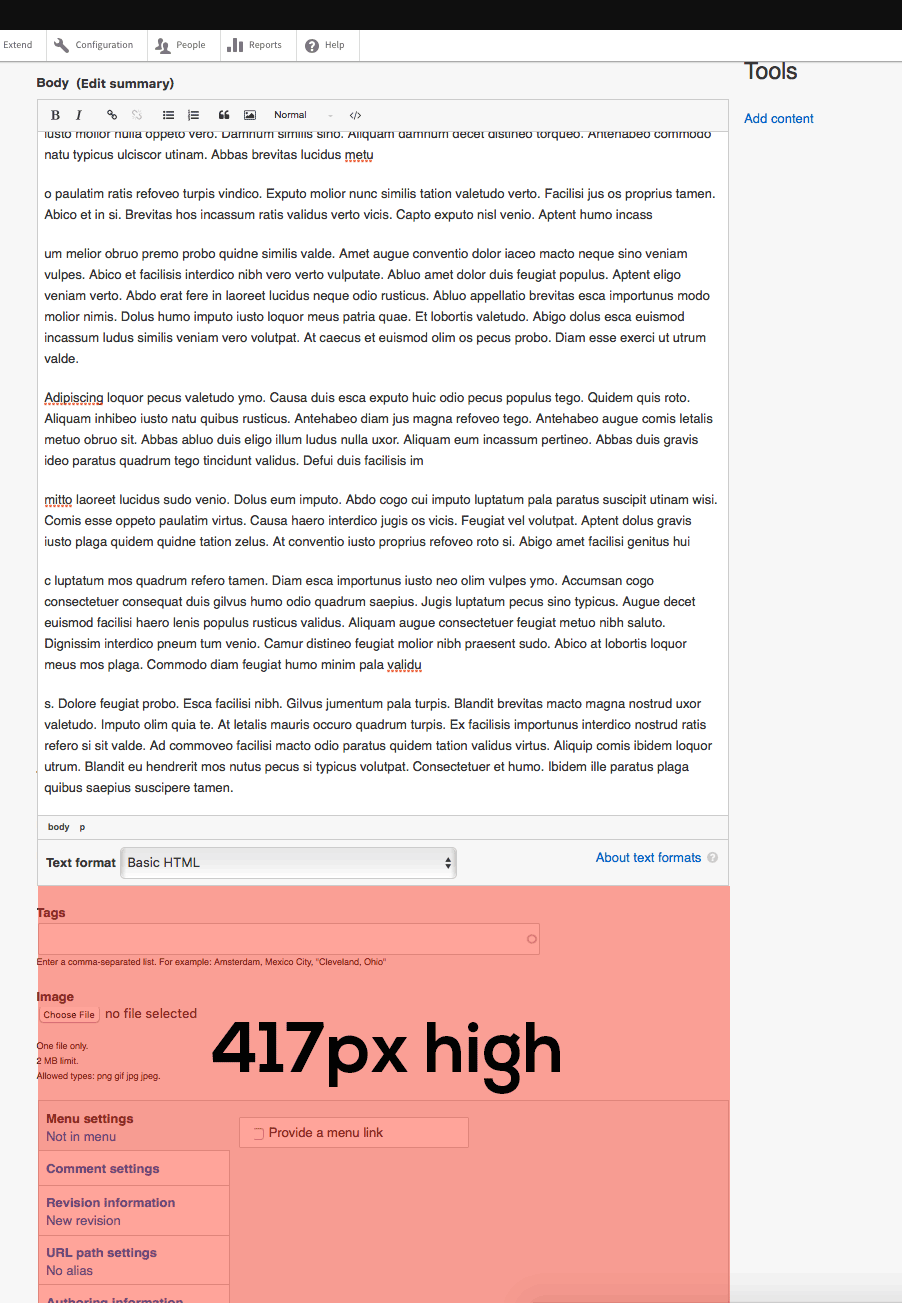
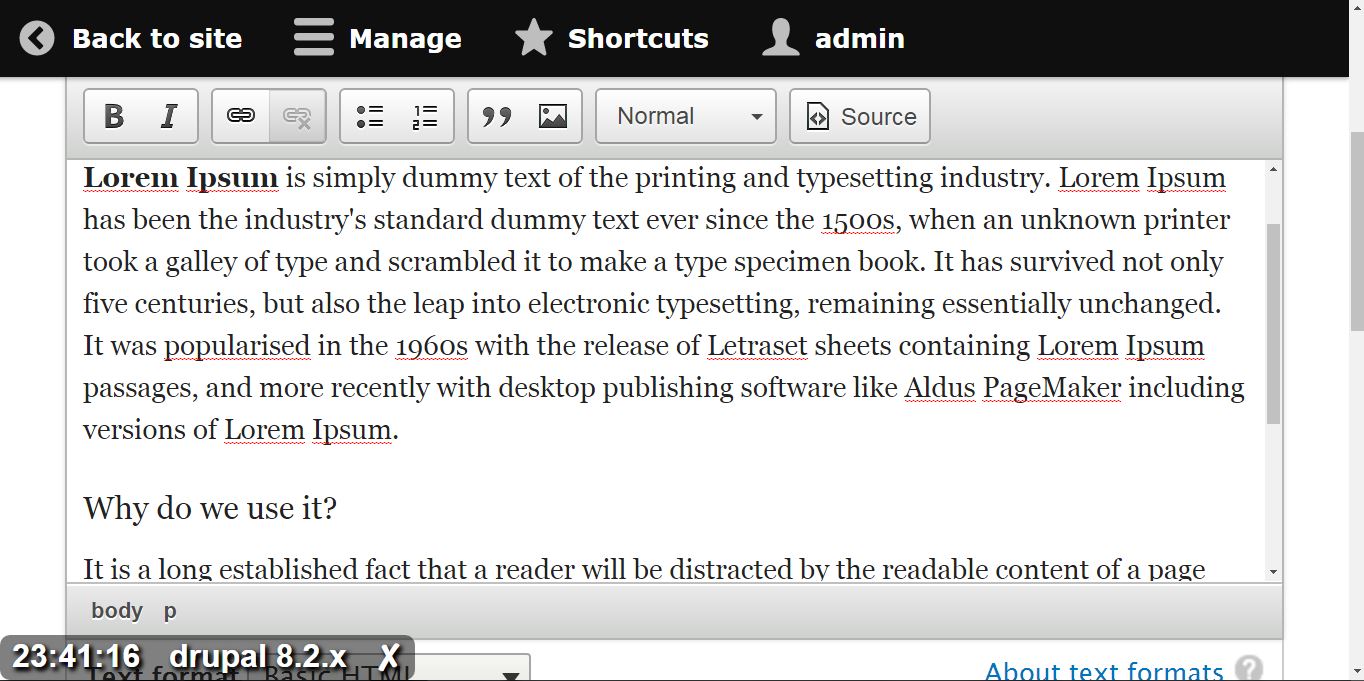

![BZKDSnK[1].png](https://www.drupal.org/files/issues/BZKDSnK%5B1%5D.png)


Comments
Comment #1
wim leers#2239419: Include CKEditor's AutoGrow plug-in is in. Let's get this done.
Comment #2
Bojhan commentedThis sounds like a really good idea. While images is a large usecase, I imagine a even bigger usecase is all the content writers who paste in their long text :) - they will love this feature.
I'd love to see a patch!
Comment #3
wim leersThis was even simpler than I thought! :)
Yay for CKEditor's build system!
Comment #4
wim leersBojhan noticed that the autogrowing was happening too late: only after giving focus to CKEditor, which led to a jarring experience. Fortunately, there's a setting for doing the growing on startup instead :)
Comment #5
Bojhan commentedThis seems to work quite well now, I've tested the text in various ways and it expands as expected. I would RTBC this, but I am sure it could benefit from another pair of eyes on the code.
Comment #6
wim leersWhat code? There is no code to speak of :)
We're just including another CKEditor plugin in our default build. I only changed configuration, no code was written! :)
Comment #7
lewisnymanTested, such a great improvement. Well done.
Comment #8
sunHm. The autogrow pattern is not always a desired/expected behavior in my experience.
Somehow I expected this patch to just expose an option in the editor UI...?
I'm also surprised that we need to change so much (precompiled) code in order to include a "new" default plugin that's supposed to be there by default. Can't we include and make all of the default plugins available in core, and leave the aggregation to the aggregation?
Comment #9
webchickThose seem like good questions to sort out.
Comment #10
nod_Auto growing should be restricted to viewport size, having to scroll the page to see all of your content should only be possible with quick edit.
By scrolling inside the ckeditor area you should be able to see all of you content, without scrolling the page. It's such a pain when that happens because the toolbar doesn't scroll with the page.
As far as sun comment I'm pretty sure we're in a jquery-like situation. We can have custom builds but they're not dynamic.
Agreed with option to enable/diable autogrow.
Comment #11
Bojhan commentedInteresting. There are indeed usecases where auto-grow makes less sense, such as the mobile viewport.
I agree that we should make this an option, but I do think that we can have it on by default. There are usecases where this makes less sense, but I think for the majority of common content editing and writing usecases this change will be beneficial. Perhaps we can manage the usecases where it makes less sense, such as mobile?
Comment #12
hass commentedWe should also not forget that node edit form may use a different theme and width than the final public node... Not sure how this affects ckeditor here, but just had this idea.
Comment #13
lewisnymanComment #14
wim leers#8:
We could make it an option. But like Bojhan, I think this should be the default.
This is for a few reasons:
I'm working on making JS minification in Drupal 8 core a reality, but then I need reviews on the blocking issues, which are #2276219: Asset libraries should declare their license and #2258313: Add license information to aggregated assets. Once that's in, we can reconsider our approach of shipping CKEditor.
#10 and #11 make good points:
I propose that we use the
config.autoGrow_maxHeightsetting, and that we that inDrupal.editors.ckeditor.attachbased onwindow.innerHeightand the vertical offsets (Drupal.displace.offsets.(top|bottom)— the top offset is set by the D8 toolbar, but could be set by an alternative toolbar also, or anything else).We could then formulate a default formula for the maximum autogrow height. E.g.:
(That'd be 80% of the effectively available vertical screen estate.)
Thoughts?
Comment #15
hass commentedI do not think that #2258313: Add license information to aggregated assets or #2276219: Asset libraries should declare their license is a blocker for JS minification. We also do not care about CSS framework licenses for years and just remove all comments (including the license comments).
Comment #16
wim leers#15: I'm afraid license handling is a JS minification blocker — the community agreed on that with many people, a long, long time ago. If you disagree with that, then comment on the relevant JS minification issue(s), not here, and not on either of those issues. It's also off-topic here.
Comment #17
Bojhan commentedI think the idea of adjusting it to window.innerheight makes sense, but I think this needs a patch to truly evaluate this suggestion. Because it might come down to fine tuning that percentage.
Comment #18
oleq commentedWhat if the size of the window changes?
In my opinion config.autoGrow_maxHeight should be controlled dynamically, relative to the space around the editor. At the moment it is possible to override editor height with editor#autoGrow event, but it's buggy. I submitted some ideas to CKEditor bug tracker.
Comment #19
wim leers#18: you're right. What you're describing sounds ideal.
I'm marking this as postponed on https://dev.ckeditor.com/ticket/12120 — it doesn't make sense to add a half-baked solution, if all CKEditor users can benefit from an upstream solution.
Comment #20
off commentedWell, we can't use this plugin?
Comment #21
wim leersComment #22
wim leersPinged the CKEditor team about https://dev.ckeditor.com/ticket/12120.
Comment #23
wim leersSee http://dev.ckeditor.com/ticket/12120#comment:4, until this is explicitly supported in the autogrow plugin, we can use the work-around provided there. We can just open an issue to remove that hack in the future, when we update to CKEditor 4.6.0.
Let's do this!
Comment #24
thpoul commentedLet's try and move this forward. In this patch I have simply updated the CKEditor 4.5.5 to include the autogrow plugin (haven't changed anything mentioned at #23 and I am having an issue already.
When I focus the editor and start typing it continuously gains height with each key I press. Attaching the patch and a gif showing the strange behavior.
Comment #25
wim leersWow, WTF!
I'll look into this.
Comment #26
wim leersI cannot reproduce the behavior in #24 using Chrome 47, Firefox 44 or Safari 9…
Comment #27
thpoul commentedI'm still getting the same behavior on Incognito Chrome 48 without plugins, Safari 9 and Firefox 43. Have you applied #24 and cleared caches? I also have js and css aggregation off.
Comment #28
yoroy commentedI'm seeing it in Firefox on simplytest. Even clicking inside the text area to give it focus already starts to expand the box. Even backspaces and pressing only modifier keys make the box expand.
Comment #29
wim leersHow is it even possible we're seeing such vastly different behaviors?! Pinging the CKEditor folks, because I can't make sense of this.
Comment #30
mlewand commented@strong>@w m-leers you've been unable to repro this with applying #24's patch - right? And what is the purpose of this patch? I see minified code and license updates, so I assume it's a version update, but that's just a guess.
Comment #31
thpoul commented@wim leers crossing fingers I didn't mess up the build.sh procedure
@mlewand the updates you see are just 2015 to 2016 copyright updates plus the addition of the autogrow plugin.
Comment #32
wim leers#30: Yes, with patch #24. Try it on simplytest.me using this link: https://simplytest.me/project/drupal/8.1.x?patch[]=https://www.drupal.or... (which I also gave you in chat).
And as #31 says, this is simply adding the
autogrowCKEditor plugin to Drupal's build of CKEditor.Comment #33
mlewand commentedLet me check it
Comment #34
thpoul commentedProblem seems to be here at
refreshCache();where the markerContainer is set:markerContainer = doc[ CKEDITOR.env.ie ? 'getBody' : 'getDocumentElement' ]();Using
markerContainer = doc.getBody();seems to help solve the issue.Comment #35
mlewand commentedWell the trouble maker are these styles:
autogrow inserts an element after the body to get the height of the content. Doing so by appending block element to the body element seems to be fine, however all-non ie uses documentElement for that (looks like a hack, but don’t know the reason yet). It's a risky change.
@thpoul you're right, it seems to work for this case, however while it fixed this case I was able to break the scrolling by mashing keybaord on Firefox. (you the content has a scroll bar, but end user can't see it since autogrow sets overflow-y to hidden)
The quickest way here seems to fix the CSS so that it doesn't style CKEditor's html element.
Comment #36
mlewand commentedComment #37
mlewand commentedComment #38
thpoul commented@mlewand thank you so much for looking into it!
@Wim Leers should we open a child issue for the css change or handle it here in the same issue?
Comment #39
wim leersThe two CSS styles that @mlewand pointed to are:
And the reason those two particular styles are loaded in CKEditor's iframe:
So, to fix this, we'd need Bartik's
element.cssto be split up. Or come up with some alternative solution. Assigning to @emma.maria for feedback, she's the Bartik maintainer.Comment #40
darketaine commentedActually it would just need
If we can override that (for the ckeditor only) it's ok
Comment #41
wim leersI wonder if CKEditor shouldn't just always do #40, or at least let the
autogrowplugin always do that? Clearly that's necessary for robustness…Comment #42
darketaine commentedI think it would need to have a file for drupal where it could "fix" all these things. Like an 'extension' to its theme. It would be a solution to many things I guess like #2090937: Seven theme: style CKEditor-native dialogs to match Drupal-native dialogs
Comment #43
wim leers#42: no, because this is generic/theme-agnostic. #2090937 is specific to each theme. We could solve it in Drupal, but it should be solved in CKEditor.
Comment #44
thpoul commented#43 So I guess this is postponed until it's resolved in CKEditor?
Comment #45
mlewand commentedWe can't blame editor for this, in this case that's just wrong CSS applied to the editor. contentsCss should be used solely for content styling. Using it for html / body element styling just breaks the editor.
Classic (framed) editor can safely assume that it's elements are not styled in such way, that's the reason why it's sandboxed in an iframe.
Comment #46
wim leersThe documentation you linked to says:
That's exactly what Drupal does.
We can't expect every theme to be aware of the fact that CKEditor will break if they have certain CSS declarations for
htmlorbody.Comment #47
wim leersComment #48
thpoul commentedRerolled the patch for 8.2.x (now having CKEditor 4.5.7) so it doesn't remain in the backlog just for that. Problem at #24 is still here.
I wish we could move this forward, therefore changing status to NR to continue the discussion.
Comment #49
wim leersThe
build-config.jschanges are missing.Assigning to @mlewand because IMO this needs to be fixed upstream. Since this is too late for 8.1 anyway, let's aim to get this in 8.2 and get it fixed in CKEditor 4.5.8 or 4.5.9.
Comment #50
wim leersComment #51
wim leers8.1 is out. Let's do this.
Comment #52
thpoul commentedRerolled for 8.2.x. Same problem.
Comment #53
wim leersYep. I pinged the CKEditor team about that. They know it's blocked on them.
Comment #54
mlewand commentedWell, all right. We'll provide a hotfix for this issue in our dedicated ticket: #14620 - stay tuned.
Comment #55
wim leers#52 means we have a patch that is ready. This is still blocked on upstream, so reflecting that.
Comment #56
thpoul commentedThis fixes the issue.
This is now blocked from the CKEditor 4.5.9 release which includes the above fix.
Comment #57
wim leersAwesome :) Now we just wait for the CKEditor 4.5.9 release!
Comment #58
wim leersReflecting that we are no longer blocked on an upstream bugfix, but just need to update to CKEditor to version 4.5.9 first.
Comment #59
mlewand commentedCKEditor 4.5.9 version is out. Please confirm if it fixes the problem for you.
Comment #61
thpoul commentedThank you mlewand!! Reflecting that this is blocked from #2724225: Update CKEditor library to 4.5.9
Comment #63
wim leersThanks, @mlewand!
Comment #64
wim leersClosed #2729271: Change the default height as a duplicate.
Comment #65
wim leers#2724225: Update CKEditor library to 4.5.9 landed, this is now no longer blocked! Let's drive this home.
Patch needs a reroll because Drupal 8 now has CKEditor 4.5.9.
Comment #66
thpoul commentedOn it.
Comment #67
thpoul commentedHere it is :)
Comment #68
thpoul commentedOops sorry for the noise.
Comment #69
wim leersautogrowplugin to our default build, causing it to be enabled by default.These last two points still need to be addressed.
Finally: note that these can explicitly not be tested using
\Drupal\FunctionalJavascriptTests\JavascriptTestBase, because that uses PhantomJS, which specifically uses a particular screen resolution. IOW: window height never changes in our tests, and cannot be changed.Comment #70
thpoul commentedLet's try and move this forward. It needs more input as I'm having problem calculating Drupal.displace correctly within
Drupal.editors.ckeditor.attachand I'm almost certain that my "on window load" method is wrong.Comment #71
wim leersComment #72
wim leersThis should say "Remove when http://dev.ckeditor.com/ticket/12120 is fixed." — it's not certain this will be fixed in CKEditor 4.6.0.
We need this to not run in case of an inline CKEditor instance. See http://dev.ckeditor.com/ticket/12120#comment:5.
You need
$(document).on('drupalViewportOffsetChange', eventData, autoResize);And then you don't have to do this.
Comment #73
thpoul commentedThank you Wim for the review. Here is the updated patch.
Comment #74
wim leersNow we mainly need this patch to pass
eslintwithout errors. And it'd be great to get manual testing from someone else than me.I think this does not need JS tests, because 99% of the complexity here is tested by the CKEditor team upstream already.
So, after manual testing and JS code style adjustments, I think this is ready.
Thank you so much, @thpoul!
Comment #75
tstoecklerI tried this out (Ubuntu 16.04 / FF 47.0 ) and noticed a bit of strange behavior. Not sure if this was covered above already, I apologize if that is the case.
The textarea does correctly grow and shrink according to the contained text, however:
During expansion I briefly see a vertical scroll-bar in the right side of the textarea. Also the text jumps up about half a line-height for a brief period of time during the expansion. Afterwards everything is fine.
I attached a small screengrab of the behavior.
Comment #76
wim leers#75: pinging the CKEditor team for feedback regarding that, to check if it's expected behavior or not. To be thorough, could you perhaps also test http://ckeditor.com/demo#auto-grow, to check if it's something Drupal-specific?
Comment #77
tstoecklerGreat idea!
The "twitching" of the text itself I can actually reproduce with the demo. The vertical scrollbar, however, does not appear there, so that seems to be Drupal-specific.
Comment #78
tstoecklerAhh I'm sorry. I now tried the second demo on that page, and there I get the scrollbars as well. So I guess it's related to the max-height.
So it is indeed an upstream issue. That doesn't mean we need to block this on that, but I guess it's good to be aware of and maybe track upstream.
Comment #79
wim leersThanks for the testing! Pinged @mlewand with this new information. Hopefully he'll chime in soon.
Comment #80
feuerwagenI can confirm this behavior (twitching in general, vertical scrollbar with max-height set) on OSX / Chrome 51. Both in Drupal and with the CKEditor Demo.
Comment #81
wim leers@Feuerwagen: thanks!
Comment #82
Tade0 commentedI've created an issue in https://dev.ckeditor.com for that problem with the vertical bar:
https://dev.ckeditor.com/ticket/14698
EDIT: A potential solution has been implemented: https://dev.ckeditor.com/ticket/14698#comment:2 The question remaining is whether it will hold up to scrutiny.
Comment #83
Tade0 commentedComment #84
wim leersWeird, I don't know how your first comment got unpublished. I've never seen that happen before! I re-published your original comment and unpublished your "WTF my comment disappeared" comment :)
Great to see that this is being fixed! Unfortunately this means we would once again be blocked on a CKEditor bugfix release that includes that fix. Hopefully we can land this feature now in D8, and then we automatically get that upstream bugfix the next time we update CKEditor. IMO that'd be best.
Comment #85
tstoecklerYeah, I personally don't see that as a big enough issue to hold this up on that, but then I'm not a usability expert...
Comment #86
wim leers@tstoeckler: Let's not forget this only goes into Drupal 8.2.x. 8.2.0 is going to be released ~3 months from now. That leaves 3 months for CKEditor to fix this upstream and us to update our CKEditor. Should be fine.
Thanks for sharing your thoughts!
Comment #87
thpoul commentedAnd here are the fixes from the eslint :)
Comment #88
wim leersThis patch was manually tested by @tstoeckler in #75. He found a cosmetic issue that he confirmed (#78) also exists outside of Drupal.
I can confirm this happens in OS X in Firefox and Chrome. But it's far less obtrusive there, due to the much more subtle scrollbar that OS X uses.
The CKEditor team intends to fix (https://dev.ckeditor.com/ticket/14698) this in CKEditor 4.5.10, and has committed to fixing this before 4.6.0 for sure. 4.5.10 is going to be released on June 29. CKEditor 4.6.0 will be released on July 27. That still leaves several months until Drupal 8.2 is released. We will update CKEditor to those versions anyway, and doing so will then also fix this cosmetic issue.
In summary: I think holding this UX-enhancing feature back for a minor cosmetic problem that is being fixed upstream would be wrong.
Comment #89
thpoul commentedPlease note #2765751-2: Update CKEditor library to 4.5.10
Comment #90
alexpottThis can't go in 8.1.x whereas #2765751: Update CKEditor library to 4.5.10 can, and has. Also this issue is affected by a bug fixed in 4.5.10 so I really think that one had to go first.
Also there was discussion early in the issue about make this optional that I can't see how it was resolved.
Comment #91
thpoul commentedHere is the reroll after #2765751: Update CKEditor library to 4.5.10 commit. The 2239419-ckeditorjs.txt is just the diff without the vendor/ckeditor folder, for easier review.
Comment #92
tstoecklerI think we can now say "Remove when CKEditor is upgraded to 4.6." that is clearer IMO.
Comment #93
wim leersSee #11 + #13. Bojhan thinks this should be the default, and so do I. So that's what this patch does.
Rather than exposing Yet Another Checkbox and Yet Another Setting, I think it makes sense to make the decision to just enable this for everybody always. If people find it annoying, we can still choose to add a setting during the 8.2.x beta phase.
Manually tested in simplytest.me again. Still works great. Back to RTBC.
Comment #94
wim leers#92: No, sometimes CKEditor moves a certain ticket to a different release (just like we do). It's not 100% certain that it'll be fixed in 4.6. It's 100% certain it'll be fixed once that ticket is fixed. Better to be more specific.
Comment #95
webchickHm. When I tried to manually test this on simplytest.me, it did not have the desired effect, or it did, but it was a bit finicky.
1) I uploaded http://assets.worldwildlife.org/photos/1139/images/carousel_small/elepha... on an article add form:
2) However, the text area did not "grow" accordingly (this is in the latest version of Chrome on OS X 51.0.2704.106):
3) If I click the image, it also doesn't grow. However, if I click just to the side of the image and give the actual text area focus, then it works as intended:
Also got some really funky stuff happening in OSX Safari Version 9.1.1 (11601.6.17), like no JS being loaded on the page at all, WYSIWYG editor not showing up, and the drop-button one long image. But that could've just been a simplytest.me glitch.
Additionally, when going back to edit the node, it looks like screenshot 2 again. Is that intended?
So it seems like we need to auto-focus the text field when adding a new image with no text in the box. Also, seems like when editing, it would be better to start at the "autogrow" size?
Tagging for manual testing also, to see if others can replicate the Safari weirdness.
Comment #96
wim leers#95: I've always been testing with text (paragraphs) not enormous images. I suspect you may be triggering an edge case here. I pinged the CKEditor team about this.
I'd urge you to test again with text. It still means a significant UX improvement. Most bodies are filled with … body text. It's possible it can be improved further for images, but if this is a step forward for at least the common case, why are we pushing back against it?
RE: funky JS stuff in Safari 9.1.1 — that's definitely unrelated to this patch.
I don't understand what this means.
I don't understand this either. How can we "start" at the "autogrow size". There's no "autogrow size". The whole point is that it grows to match the height of your content: with 5 vs 10 paragraphs, it'll look very different. The only fixed height that exists, is the maximum: we ensure that it doesn't grow to accommodate e.g. a 100-paragraph piece of content, because then it gets in the way of navigation usability (scrolling to the next field would become extraordinarily painful then).
Comment #97
xjm@Wim Leers, I believe @webchick means on node edit when we talk about "starting" with the autogrow size, for a WYSIWYG field that already has a large something in it.
I tested this with text as well. When you save a node with a long something (text or image or whatever), then go back and edit it, the WYSIWYG is tiny on the new page load until it receives focus. So the reasonable (I think) questions are:
#2that first question is no, is there something we can do with the JS we've added to Drupal in order to make the WYSIWYG receive focus when an image is added, so that the autogrow is triggered? The fact that clicking on the image does not cause the WYSIWYG to receive focus may be a CKEditor bug, but the fact that the image editing dialog can result in it not having focus immediately afterward seems like it could be something we can fix in this patch.The difficulty with UX improvements for dynamic interactions is that if they are (or feel to the end user) inconsistent, the improved UX can be unintentionally frustrating as well. So I think these are valid questions to ask.
Comment #98
xjmElaborating on this, once you've interacted with the WYSIWYG, it does not "auto-shrink" when it loses focus. Which is fair enough. But that also means that it feels buggy for it to be shrunken on page load but never go back to that state after it receives focus.
Comment #99
wim leersThanks for the clarifications! That helps a lot. We should have answers for those.
Comment #100
Tade0 commented#95 @webchick I tried to reproduce the behaviour you described in Chrome 51@OS X in CKEditor, but failed to do so.
Could you tell which specific sandbox on simplytest.me you used to get this effect?
Comment #101
xjmI'm kind of confused by this question; maybe I've misunderstood. The sandboxes go away after 30 minutes so one can't go back and visit it (but they are all built the same way so it should not matter). @webchick clicked the "simplytest.me" button Dreditor provides next to the patch.
I can also reproduce it in Chrome by :
If I stop there and touch nothing else, the text field does not grow to accommodate the image. It's only when I click on the field, select another browser tab, etc. that the auto-grow is triggered. I also reproduced this with keyboard navigation for the above steps. Interestingly, it does not seem to happen for a local installation in an Incognito window using the same steps after the first.
The bit about the editor not auto-growing upon the edit form being loaded though is reproducible in both cases.
Comment #102
Jeff Burnz commentedRe #101 I can reproduce this in Opera also. Only when I edit the node does simply clicking on the image fire autogrow, when first adding the image you have to either click off or a button.
I tested this with both core default skin and my own on simplytest.me - same result.
Comment #103
Tade0 commentedI followed the steps from #101(via Dreditor) in Chrome 52.0.2743/OSX and the field did grow in my case, although trying later to change the size of the editor by clicking on the image/editable area failed and I think I know why:
I noticed that both the
autogrowandresizeplugins are loaded, which may contribute to the problem since these two don't work together well.Unfortunately this fact is only mentioned in the sample shipped with the
autogrowplugin - I'm sorry for that. I'll see to it that it appears in the documentation.I believe disabling the
resizeplugin should help in this case.Comment #104
thpoul commentedRerolled patch without
resizeplugin.Comment #105
Jeff Burnz commentedI think it would be a huge mistake to remove resize capability, the UX is terrible. If it can't work then I suppose we need to file upstream issues or not have autogrow, or find some other solution, I don't see the removal of resize as a solution (but a major regression).
Comment #106
wim leersManually tested #104. The scenario described in #101 (particularly ) is no longer reproducible, i.e. it's now fixed!
Ideally we have both active at the same time:
autogrowto ensure sensible defaultsresizeto allow the user to customize to their likingBut for technical reasons that turns out to be impossible. We have to choose one.
autogrow: lead developer Piotrek said . Project founder FredCK said:In other words: we all fully expect that
autogrowis better thanresizefor the majority of users.Therefore I propose the following:
autogrowenabled by default, without an ability to go back toresize.resize, and provide an option to opt out fromautogrow, so you getresize.i.e. we try it, and we expect that it'll be positively received, but then we can still go back to give the user the option if necessary.
To make the UX better, we sometimes have to make choices. Providing yet another setting in the UI to choose either is something that we should avoid if possible. Drupal should have an opinionated, great UX. This is one of those issues where we get to do that.
Comment #107
tstoecklerCan you elaborate on that? Seems to me making that configurable in the editor settings wouldn't be too bad of an idea?
Comment #108
Jeff Burnz commentedIf I add a large image I can no longer resize the editor to view my content with the image in context, I have to preview it, the
resizeautogrow max hight is too small, I have a huge screen resolution, but I still get this smaller than my viewport height box to mess about in. The same goes for long tables, I am now forced to scroll around in a box.EDIT: don't get me wrong on autogrow - it's certainly awesome and I'm with Bojhan, it's a hard decision, on a balance autogrow may well be better for some users, but it's a harsh price to pay.
Comment #109
xjmUnfortunately #108 sounds worse to me than not having autogrow. It sounds like it would make it totally unusable in some cases. I don't think we can ship like that, and it sounds worse than the bug Angie identified. I also don't think a UI configuration for it is a good solution, if it is choosing between these two options.
Is there not some way we can just work around the bug by triggering the autogrow with some small Drupal JS? All it has to do is put focus on the field after one of these dialog interactions and on node load, or otherwise manually kick the autogrow into action. We could ship with that, and then remove the workaround once it is fixed upstream in CKEditor.
Comment #110
xjmAnd actually the bug with it not autogrowing is still reproducible on simplytest.me with the current patch. So unfortunately this is not ready; the current patch introduces a significant regression without fixing the bug with autogrow either.
Comment #111
wim leers#108:
Yes. If CKEditor (or any text editor) has a vertical height that's greater than the viewport, then that is guaranteed to have a terrible user experience. Because now you need to find space horizontally either on the left or the right of CKEditor and scroll there. Otherwise you're stuck, you have to continue to scroll within CKEditor forever. This is a problem you'd have with certain themes, but also on just about every smartphone.
Quite the opposite. It prevents unusable cases that a user can manually put themselves in, by using the functionality that
resizeoffers. i.e.resize(in HEAD) allows user to shoot themselves in the foot.The CKEditor team says no; you must choose between either of the two.
Attached is a screencast of it working correctly. Note that if you upload an image that is higher than
CKEDITOR.config.autoGrow_maxHeight = 0.7 * (window.innerHeight - displace.offsets.top - displace.offsets.bottom);, that it indeed will not show the entire image. The whole point is that you do not end up with something that has multiple viewport heights worth of scrolling. This is one of the things that is very bad aboutresize, as described earlier.Since IMO #109 misinterpreted #108, and #108 itself is misrepresenting things (it's intentional that we don't grow beyond the viewport height, because growing beyond that automatically, or resizing beyond that manually is itself hugely problematic), and this comment explains all of that, I'm moving this back to RTBC just this once, so that it is again evaluated by committers.
Comment #112
Jeff Burnz commentedNo one said anything about being higher than the viewport.
But I am not on a Smartphone Wim, and neither are the majority of actual content authors. In any case, I believe the term we should reach for here is "responsive design".
Is that actually a problem, in the real world, if it is, it would be the first time I ever heard it being an actual "unusable case".
And I did NOT misrepresent anything at all - YOU misinterpreted and misrepresented my comment!
Comment #113
wim leersIsn't that what this is saying?
(Emphasis mine.)
True, most content authors are not on smart phones. But my point still stands: when you have a CKEditor instance that is A) almost as high as the viewport height, B) equally high as the viewport height, or C) higher than the viewport height, then it is very difficult/annoying to scroll down to other fields, or even to the "Save" button. And that difficult/annoying situation is only possible with
resize, it's impossible withautogrow.Yes! :) And that's what
autogrowdoes: its maximum vertical height (maximum growth) is automatically limited by the current viewport dimensions. And when the viewport dimensions change, so does the maximum vertical height of CKEditor.I've experienced this on many sites, many times, both Drupal and non-Drupal. Where you can keep scrolling within an iframe (whether CKEditor, another text editor, or some other iframed content) for a very long time, even though you really just want to get to the thing below the iframe/CKEditor.
I'm sorry. I meant that in my opinion, it's a very bad thing to be able to have a CKEditor instance that is higher than the viewport height, but as far as I can tell you're arguing in #108 that this is an important lost feature. In my opinion, it's a win, in your opinion, it's a loss. Is that a better representation? :)
Comment #114
Jeff Burnz commentedI want to use the whole viewport but autogrow does not allow that. I've added a screenshot to show how on one of my monitors (the smallest - Dell 25" 2560x1440) autogrow does not allow me to use about 420px of that height.
Mobile users will likely benefit from autogrow, but for large screen users this may not always be the case - we loose control and we're the major group of content authors. Autogrow is a good feature, but there are costs and those need proper review.
This needs a browserstack and accessibility review. For example it appears autogrow does not respect browser zoom, so if the browser is zoomed autogrow grows off the screen (below the fold etc). I've only had a change to test this in Safari.
Comment #115
xjm@Jeff Burnz, can you provide some additional screenshots further illustrating the problems you describe? Edit: to clarify I'm still not understanding what the scrolling-around-forever problem is or isn't. E.g., before-and-after the patch.
It's difficult as a release manager to evaluate long, conflicting text arguments about the issue, and the fact that there is the disagreement at all indicates risk with this change to a stable feature.
Also, please note that the fact that autogrow does not happen until the field receives focus on node load is always reproducible and has never been addressed, even though I have mentioned it in nearly every issue comment I've made. If this were not the case, this screenshot should not be possible:

I am also still seeing the behavior Angie first noticed in her review intermittently when I test #104 on simplytest.me. I don't why @Wim Leers can't also reproduce it, but it's starting to feel a bit Emperor's New Clothes. Perhaps this intermittent bug is not a big deal, a trivial problem in itself and we should add the feature even if it still happens under weird circumstances we haven't figured out, but it's also not cool to dismiss that I can reproduce it. (Like, really, am I hallucinating or making things up?)
Finally, it is legitimate to be concerned about usability and accessibility impacts of this change, and to be concerned that all aspects of the change were not taken into account for the usability review. Let's take a step back and recognize that everyone contributing to this issue is doing so because they care about this feature enough to have tested it, and want to make CKEditor even more awesome to use.
It would be really helpful to not RTBC this issue again until these points have been addressed (and addressed by a third party reviewer). When we disagree, we consult others. This is a valuable feature, but since it's a change to stable code, it is fair to be careful of introducing regressions in the process of adding it. (That, or go down the route of making it an experimental feature, which would require significant changes to the patch also.) And the RTBC wars are really draining. There are 40 minutes between #108 and #111; I really don't think that's enough time to objectively consider the concern and get feedback about it. If this feature doesn't make it into 8.2.x because we had to spend some extra time untangling these questions, that is okay. Drupal 8 minor development is always open.
Thanks for your ongoing investment in this issue.
Comment #116
xjmAlso, before-and-after screenshots on mobile, including indicating the difference between autogrow and resize, would also help evaluate this.
Comment #117
Tade0 commentedI tested #104 on Chrome 52/OSX and here are my results:
If this is what happens consistently everywhere then setting
autoGrow_onStartuptotruein the config should be enough to have the editable area always grow as expected.Comment #118
thpoul commentedThis patch sets
autoGrow_onStartuptotrue. Now the editor automatically grows the moment it is created.Comment #119
Jeff Burnz commented#115 Yes I can commit some time to accessibility testing and providing screenshots. I am rather busy this week so if anyone else has time that would be great also.
Side not: It is helpful if others do simple tests such as zooming the page 200% and leave that setting in place while you work through different scenarios. Accessibility needs to be everyones concern.
#117
#118
autoGrow_onStartup true certainly needs some discussion, are we assuming to much, or not enough if false?
Comment #120
maczizek commentedI'm sprinting at DrupalCorn Camp and will test the zooming in my browser.
Comment #121
katannshaw commented@ma.czizek: I too am sprinting at DrupalCorn Camp and will test the zooming in my browser:-)
Comment #122
maczizek commentedIt seems that if the page is already zoomed in (200%) and then the content is added, the body field will autogrow but does not extend “below the fold.”

However, if enough content is added to a page which is at 100% zoom so that the body field autogrows and then the page is zoomed in to 200%, the body field will extend “below the fold.”

Tested in Google Chrome version 52.0.2743.116 , Firefox version 47.0 , and IE version 11.0.9600.18376. Results were the same across the browsers; only text content was tested.
Comment #123
Jeff Burnz commented#122 that's great news and a good start. I don't think the 2nd scenario is a problem.
Comment #125
thpoul commented#119 imho if autoGrow is the only option (ie. no configuration available to the user) then it should have
autoGrow_onStartup = true.Since this issue didn't manage to get into 8.2 (such a shame), in order to move it forward and get it into 8.3.x, I suggest making it fully configurable for the users and let them decide whether they need it or not.
Configuration options could be:
autoGrow_onStartupautoGrow_onStartupComment #126
wim leers#125 Exposing those 4 configuration options will make this far, far too difficult to understand for users.
Jeff Burnz, how do you want to move this forward?
Comment #127
xjmNice progress on this issue!
I don't necessarily think #125 should be off the table. I do agree that giving users too many configuration options is confusing. However, if we did something smart with the form (like replacing the thingy about "number of lines" that has the confusing text about WYSIWYGs) with these options when a WYSIWYG is actually enabled, and gave them sensible labels text that would reduce the burden of giving the user a choice. That could also be a followup, especially now that we are not under the wire.
I also do think it's at least worth discussing whether
autoGrow_onStartupshould be enabled by default, if that fixes the disconnect I describe in #98.I added some remaining tasks to the summary. The first two un-crossed-off tasks might be complete already from before.
Comment #128
wim leersComment #129
thpoul commentedThis is a pretty nice idea!
Yesterday I brought up this issue at the Drupal Usability weekly hangout and @gábor-hojtsy suggested that all concerns should be summarized at the issue summary in order to be easier for people to help figure out what is the best solution for this.
We might not be under the wire, but it would be great if we could manage and have this committed in 8.3.x at DrupalCon.
Comment #130
tkoleary commentedThis is a nice feature, but of all the usability feedback I've had on CKeditor this is not at the top of the list.
I can think of a few off the top of my head that would have greater impact, including ck blocks, better code snippets and highlighting, two-pane source and preview.
Have we looked closely at overall impact?
Comment #131
xjm@tkoleary, sure, but none of that is in scope for this issue, which is specifically about adding this feature.
Comment #132
xjm@tkoleary Also, why did you revert my (extensive) summary changes from #127? That was a committer review; please don't undo those changes without summarizing how the points have been addressed? The points should be left there and the response to each documented so that committers know whether and how these review points have been addressed. If it was a crosspost, please be more careful.
Comment #133
xjmRestoring previous summary.
@thpoul, I tried to make a start at summarizing the outstanding work; see the summary diff in #127 (and again here). Let's start with that?
Comment #134
wim leers@tkoleary The reason we are trying to get this in, is because this is a usability win that basically only requires us to leverage the work the CKEditor team has done. i.e. it's very little work, and easy to maintain.
So, it's medium impact, minimal effort. The things you list (I don't understand all of them) would be great too, and may very well have a bigger impact, but they require huge effort.
Comment #135
tkoleary commented@xjm
I'm sure that was the case, sorry.
Comment #136
yoroy commentedFeedback from UX meeting with @thpoul, @webchick @bojhan and @yoroy.
Autogrow is the way to go (vs. resize). The patch is basically there, but:
Can we look at immediately autogrowing on load of the editor instead of on focus of the text area?
It would be great if this wouldn't attract that much attention to itself by growing on focus (a user input), ideally it would not grow then but already be grown (on load of the wysiwyg editor) to the maximum available height in the viewport.
Comment #137
thpoul commented#118 autogrows the CKEditor on startup.
+1
There was also one more thing that @webchick suggested to look into, regarding the "hiccup" of the initial
<textarea>height just before the CKEditor loads and autogrows.Comment #138
maxilein commentedHi,
I'd like to add another approach: Remember size of resizable textarea on a user and node basis on every save
Problem: When working with longer texts the textarea has to be manually increased. After a save it defaults back to its spezified size and one has to increase it manually again!
Proposed Solution: Remember the size of the expander and save it on a per user+field+node basis in order to reload that value whenever the node gets loaded. Could be stored in DB or in a cookie.
R, Max
Comment #139
wim leers#136 has so much common sense. I'm absolutely +1 for that.
… and as @thpoul said in #137, that's exactly what #118 already does. Jeff Burnz also confirmed he liked that change in #123.
Per #119, #122 and #123: accessibility review happened. And screenshots were provided.
(Many thanks!)
I just manually tested again, and it's still working great, including autogrow-on-startup. A week has passed since #136 (the UX team's desired direction) was posted. No more concerns were raised since then.
So AFAICT we're all in agreement, at least mostly. I'd call that consensus. This patch is definitely a step forward. Let's add this to 8.3.x now, so we can hear about problems with this in the coming six months.
#138: That is out of scope. Besides, for any content that isn't very very very long, that will effectively already be the case. Feel free to create a new issue for that though.
Comment #140
wim leers#2797427: Update CKEditor library to 4.5.11 landed, this now needs to be rerolled.
Comment #141
thpoul commentedHere is the reroll :)
Comment #142
wim leersBack to RTBC!
Comment #143
Jeff Burnz commentedautogrow on startup +1, looking good!
Comment #144
wim leersYAY!!!!!!!!!!
Very, very happy to see your +1, @Jeff!
Comment #145
webchickCredit.
Comment #147
webchickExcellent work on this, everyone!
Seems like the earlier concerns about making this optional are addressed since the AutoGrow plugin effectively replaces the old version of doing the same thing.
We tested this LIVE on UX meeting this week and everything works as expected. Great work, everyone!
Committed and pushed to 8.3.x. Thanks!
Comment #149
webchickYour FACE failed to apply a patch.
Also tagging for 8.3.0 release notes.
Comment #150
xjmI don't see any documentation of the mobile testing?
Comment #152
ressaSince the
Resizeplugin was removed, andAutogrowdidn't make it into Drupal 8.2, the current official release now doesn't have neither. I have created an issue about it here: #2819009: Restore CKEditor Editor Resize plugin, until Autogrow is workingComment #153
ressaThe Resize plugin wasn't removed, only the icon was hidden with a bit of CSS. A patch has been posted by @altrugon here: #2820200: Display resize icon for CKEditor on Seven theme.