

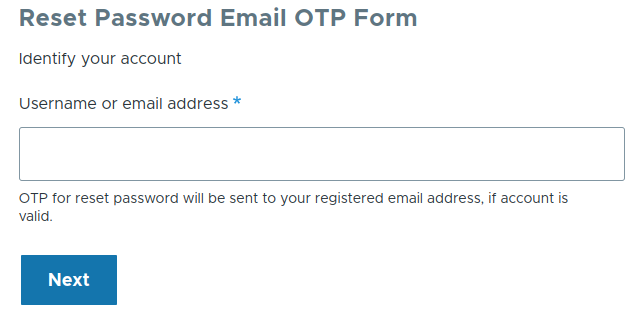


Drupal by default sends Password Reset URL by email to user's email id in password recovery mail, but Reset Password Email/SMS OTP module sends random generated one time passcode by email or SMS instead of the reset URL to the user.
How does it work for the user?
So the process is as follows for the user:
- Go to reset password, enter email address, and choose SMS or Email to recieve OTP*
- Retrieve OTP from SMS or Email
- Enter it in the validate OTP field and submit
- Update password and submit
* If SMS is configured. Additionally the default choice is selected via the configuration of this module.
Module Configuration Steps
Set up the module
- Optionally install the SMS dependencies (
composer require drupal/key twilio/sdk) - After enabling the module, manage configuration at "/admin/config/people/reset-password-email-otp"
- Set the configuration for the one time passcode, the email, and various labels in the form process.
Add the reset password OTP block
- Go to the "Block layout" page (under Structure) and use any of the "Place block" buttons to create a Reset Password Email OTP Form block.
- Or use Twig Tweak to render the block anywhere using
{{ drupal_block('reset_password_email_otp_form') }}
How this works with TFA
Drupal's default password reset emails a one-time login link. Reset Password Email OTP sends a short one-time passcode (by email, or SMS via Twilio) that the user enters directly in the form, then sets a new password. This avoids reset links being consumed by corporate email link scanners, and lets users read the code on one device and type it on another.
This module is not a replacement for two-factor authentication. It changes how users recover access, not how they log in. It works alongside the TFA module: after resetting their password, users still log in through the normal login form, where TFA applies.
Project information
- Project categories: Access control
 27 sites report using this module
- Created by rajan kumar on , updated
 Stable releases for this project are covered by the security advisory policy.
Look for the shield icon below.


