



This is a View plugin module that provides a calendar view format powered by FullCalendar JavaScript library
Drupal 12 compatibility
The 7.0.x development branch supports Drupal 12 only and requires PHP 8.5 or later. It is a refactor of the 5.3.x branch with the following changes:
- FullCalendar 7. Upgraded from FullCalendar 4.4.2 to 7.1.5, along with Moment.js 2.30.1 and RRule 2.8.1.
- Events load by Ajax. The View still renders the calendar markup, but no longer embeds every event in the page. FullCalendar fetches the events for the visible date range from a separate JSON endpoint. That endpoint runs the same View display, so exposed filters, contextual arguments and access checks still apply, and its responses carry full cache metadata. Views pagers no longer cut events off.
- Modern Drupal code. Hooks live in classes with
#[Hook]attributes, so there is no.moduleor.theme.incfile. Plugins use PHP attributes instead of annotations, and services are autowired. - No jQuery. The module's JavaScript is plain ES6. The JSFrame.js library has been replaced by the native HTML
<dialog>element. Drupal core modal and off-canvas dialogs are still supported. - Safer drag-and-drop updates. Updating an event requires a logged-in user and Drupal core's
X-CSRF-Tokenheader. The update is checked against the View (which must allow updates) and the user's field edit access. It saves to the displayed translation, creates revisions where the bundle requires them, and runs entity validation, including content moderation. - Time zone-aware saving. Moved or resized events are saved from ISO 8601 date strings that include a time zone offset. All-day events on date-only fields keep their calendar day.
- Processor plugins can alter events.
FullcalendarViewProcessorplugins use the#[FullcalendarViewProcessor]attribute. A newprocessEvents()method lets them change Ajax-loaded events, in addition to template variables throughprocess(). - Off-canvas form mode. The off-canvas "Add event" form uses a
fullcalendar_viewform mode when the bundle has one enabled. Otherwise it uses the default form. - CDN fallback with Subresource Integrity. When the libraries are not hosted under
/libraries, they load from jsDelivr with SHA-384 integrity hashes. Add$settings['fullcalendar_view_disable_cdn'] = TRUE;tosettings.phpto turn the fallback off.
Upgrading from 5.3.x
- Sites on Drupal 9.2, 10 or 11 should stay on 5.3.x.
- If you host the libraries locally, the file paths have changed. See the README for the new list.
- Custom processor plugins must switch from the
@FullcalendarViewProcessorannotation to the#[FullcalendarViewProcessor]attribute. - Because events load after the page renders, Views header and footer areas only appear when "Display even if view has no result" is enabled.
- Custom CSS or JavaScript that targets FullCalendar 4 classes or markup will need updating.
- New setting variable in settings.php file. 7.x introduces setting variable of 'fullcalendar_view_disable_cdn' to prevent loading required assets (JS, CSS) from CDN. More details of this new setting see the README file.
How to use:
- Install this module as usual.
- Create a view
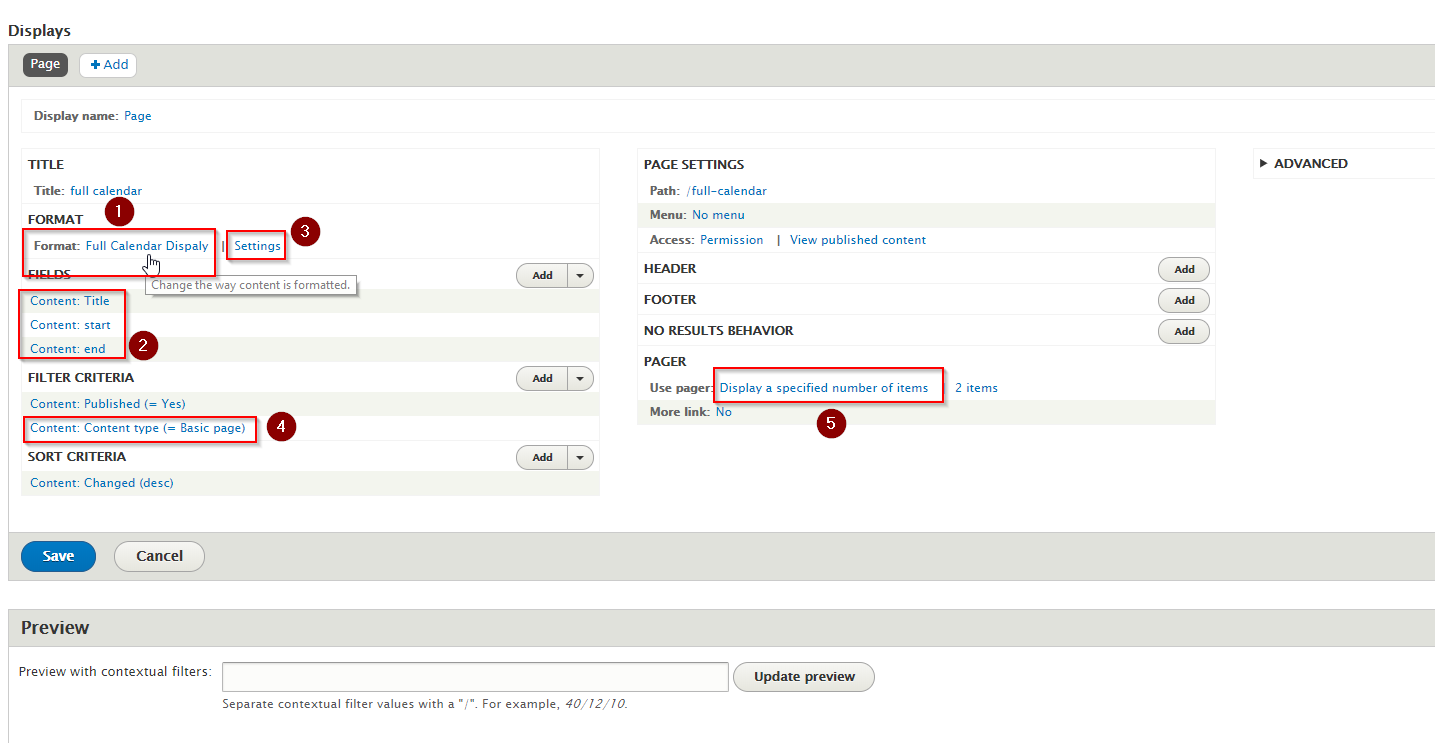
- Select the Full Calendar Display as the view format
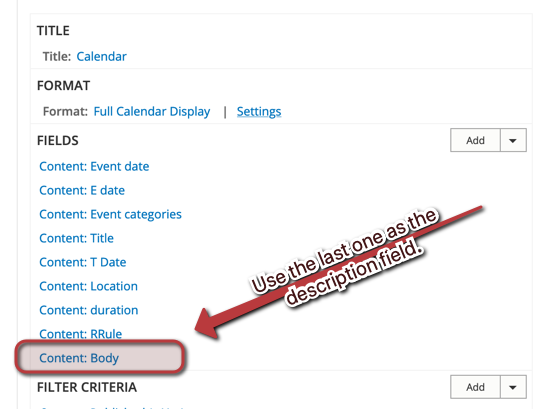
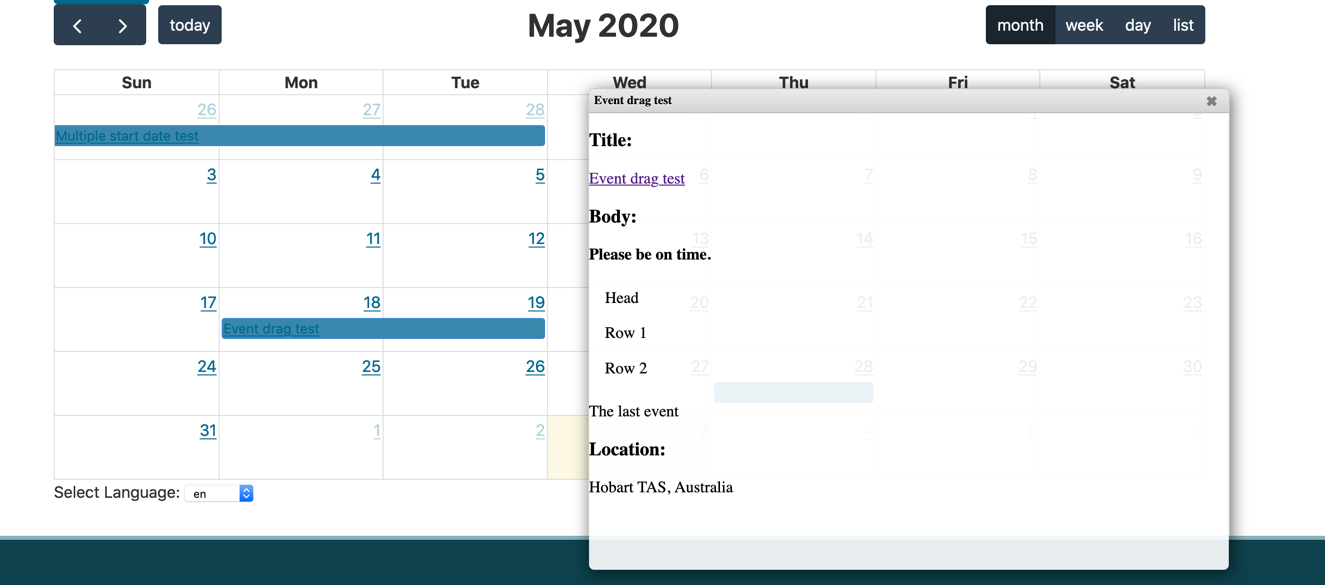
- Choose the fields for Title, Start date, End date (optional). The description field (showing in the pop-up dialog) is the last field of the fields list.
- Format settings (Default Date, field of start date, field of end date).
- Other view settings (optional), such as filter criteria, pager.
The Drush command to create a calendar view
drush fullcalendarview:generate --help

drush fcvg

Date field supported by this module
This module supports such fields from core as:
- timestamp;
- datetime;
- date range.
If you use other field type for the 'Start date' or 'End date' field, the calendar view might not be rendered as expected.
More information about how to use this module can be found in the following article.
All You Need to Know about a FullCalendar View Module
Recurring event:
You need a long plain text field to present the RRULE string for recurring logic of an event. For example,
DTSTART:20200302T100000Z
EXDATE:20200309T100000Z
EXDATE:20200311T100000Z
RRULE:FREQ=WEEKLY;UNTIL=20200331T120000Z;INTERVAL=1;WKST=MO;BYDAY=MO,WE
The rule above means a recurring event start from 2020-03-02 to 2020-03-31 and occurs every Monday and Wednesday except 2020-03-09 and 2020-03-11. The RRULE supports excluded time as well.
More information about the RRULE, please see the here
There is an online tool to generate an valid RRULE string.
Then go the view setting page to specify the field as the RRUle field which is under Format:Full Calendar Display->Settings->Recurring Event Settings->RRule Field for recurring events.
The duration field is optional, which specifying the end time of each recurring event instance. The field value should be a string in the format hh:mm:ss.sss, hh:mm:sss or hh:mm. For example, "05:00" signifies 5 hours.
Credit:
This module is powered by Fullcalendar.js
Project information
 Minimally maintained
Maintainers monitor issues, but fast responses are not guaranteed.- Maintenance fixes only
Considered feature-complete by its maintainers.  24,523 sites report using this module
- Created by mingsong on , updated
 Stable releases for this project are covered by the security advisory policy.
Look for the shield icon below.
Releases
Development version: 7.0.x-dev updated 22 Nov 2026 at 11:26 UTC

